Freedom251 › Speech Analytics Software

Avoma
by Avoma
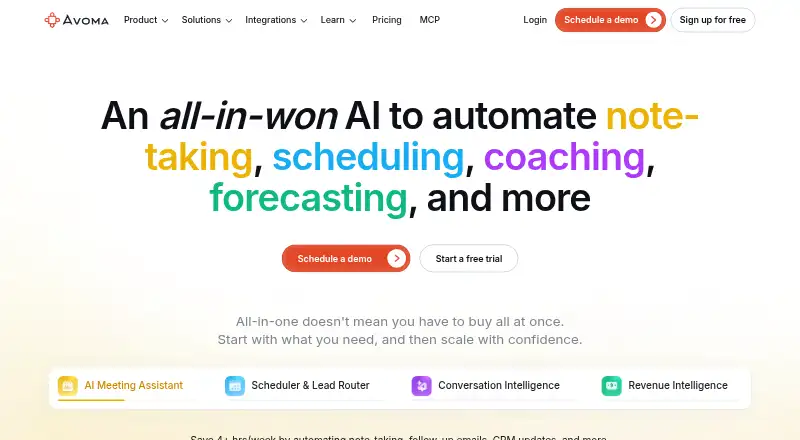
What Avoma is
Avoma is a meeting capture and transcription service for web, iOS, and Android. Its bot can capture meetings on Zoom, Microsoft Teams, Google Meet, Webex, and GoToMeeting, then provide transcripts, summaries, and action items. Transcription supports 62 languages, and calendar integrations are included. The free view-only option lets people watch recordings, review notes and transcripts, comment, and share. Paid plans are billed annually: Startup is $19 a month for up to 25 paid seats, and Organization is $29 a month for up to 100 paid seats; both include unlimited free view-only seats. Enterprise is $39 a month, billed annually only, with a minimum of 10 paid seats. A 14-day trial is listed. Avoma was founded in 2017 and is headquartered in Palo Alto, California.
Who it suits
Avoma suits teams that want bot-based meeting capture with transcripts, summaries, and action items. Its free view-only seats can suit people who need to review recordings and notes without a paid seat.
What it does well
- Captures meetings across five named platforms
- Transcription supports 62 languages
- Provides summaries and action items
- Unlimited free view-only seats on two paid plans
What to know first
- Paid plans are billed annually
- Enterprise requires at least 10 paid seats
Limits
The free view-only user plan allows watching recordings, viewing notes and transcripts, commenting, and sharing. Startup is limited to 25 paid seats, while Organization allows up to 100; Enterprise requires at least 10 paid seats.
Plans
| Plan | Billed and limits | Price |
|---|---|---|
| Startup | Billed annually per recorder seat · Up to 25 paid seats · unlimited free view-only seats · unlimited 1:1 scheduling · automatic recording · real-time transcription · AI summary notes · Ask Avoma for a meeting · AI follow-up emails · CRM note saving · dialer integration | $19 a month |
| Organization | Billed annually per recorder seat · Up to 100 paid seats · custom AI topics and templates · group and round-robin scheduling · limited conversation intelligence · smart playlists and automations · translated transcription and notes · API and webhooks · customer success manager | $29 a month |
| Enterprise | Billed annually only per recorder seat · Minimum 10 paid seats · Global Ask Avoma · designated success manager · concierge onboarding and training · quarterly business reviews · unlimited usage intelligence · team-specific access controls · DPAs · SAML/OIDC SSO · retention policies · HIPAA compliance | $39 a month |
| Free view-only user | Watch recordings · View notes and transcripts · Comment and share | Free |
| Free trial | 14 days; no credit card required · Unrestricted Organization functionality · all add-ons enabled · converts to Viewer role after trial | Free |
| Lead Router add-on | Billed annually per seat · Advanced routing rules · inbound form qualification · outbound lead hand-off | $19 a month |
| Revenue Intelligence add-on | Billed annually per seat · AI deal risks · sales-methodology tracking · AI win-loss analysis · forecasting | $29 a month |
| Startup monthly | Billed monthly per recorder seat · Up to 25 paid seats · unlimited free view-only seats · unlimited 1:1 scheduling · automatic recording · real-time transcription · AI summary notes · Ask Avoma for a meeting · AI follow-up emails · CRM note saving · dialer integration | $29 a month |
The first 8 of 10 plans, as avoma.com lists them, read 15 Oct 2026. The maker's own page has the final word. Every plan
Getting started
- Visit the Avoma website.
- Choose web, iOS, or Android access.
- Start with the free plan or use the 14-day trial.
- Select an annual paid plan if you need paid seats.
Overview
Avoma is a meeting-recording and transcription service for teams that want conversations turned into written records and follow-up items. It is a strong fit when several colleagues need to review or comment on meetings without each needing a paid seat; the trade-off is that active use is priced per paid seat, with annual billing on every paid plan.
Its bot captures meetings across five named platforms, and transcription covers 62 languages. That combination makes Avoma relevant to teams working across languages, though the value of its more expensive plans depends on whether their seat limits match the team.
Key features
- Bot-based capture: Avoma captures meetings on Zoom, Microsoft Teams, Google Meet, Webex, and GoToMeeting. The range covers several common conferencing services, but teams should confirm their meeting platform is among the supported options.
- Transcripts in 62 languages: Broad language coverage can help teams create written records of multilingual meetings.
- Summaries and action items: Avoma turns meetings into summaries and follow-up items, making it more useful than capture alone for teams that need to carry decisions into subsequent work.
- Review and sharing: Free view-only users can watch recordings, view notes and transcripts, comment, and share. This is a practical way to involve colleagues who need access to meeting records but do not need a paid seat.
- Calendar integrations: Calendar integrations are supported, alongside the meeting capture features.
Pricing
Avoma has a freemium model and a 14-day trial. Paid plans are billed annually, so the monthly figures should not be mistaken for month-to-month rates.
| Plan | Price | Limit and fit |
|---|---|---|
| Free view-only user | free | Watch recordings, view notes and transcripts, comment, and share. Best for people who consume or discuss meeting records rather than needing a paid seat. |
| Startup | $19 a month, billed annually | Up to 25 paid seats, with unlimited free view-only seats. A fit for smaller teams that need paid access for a defined core group and broader read access for others. |
| Organization | $29 a month, billed annually | Up to 100 paid seats, plus unlimited free view-only seats. The higher price buys room for a larger paid-seat group; smaller teams may not need that headroom. |
| Enterprise | $39 a month, billed annually only | Minimum 10 paid seats, with free viewers. Its minimum makes it a poor fit for a small team seeking only a few paid seats. |
Viewers are free on the paid plans, which helps organizations distribute records without expanding paid-seat counts. The key constraint is who needs more than view-only access: Startup caps paid seats at 25 and Organization at 100, while Enterprise requires at least 10. The 14-day trial offers a short evaluation window; the free view-only option provides ongoing access to records but is not a substitute for paid seats.
Platforms
Avoma is available on web, iOS, and Android. Its meeting capture supports Zoom, Microsoft Teams, Google Meet, Webex, and GoToMeeting.
Who it's for
Avoma suits teams that regularly capture meetings and want transcripts, summaries, and action items in one workflow, especially when many colleagues need to view or comment on the resulting records. Its 62-language transcription support is relevant to multilingual teams. It is less compelling for organizations where nearly everyone needs paid access but the available seat caps or Enterprise minimum do not fit their headcount, or for teams whose meeting platform is not among the supported services.
Pros and cons
- Pro: The combination of bot capture, transcripts, summaries, and action items gives teams both a meeting record and a basis for follow-up.
- Pro: Unlimited free view-only seats let teams share recordings and notes broadly without paying for every reader.
- Pro: Support for 62 transcription languages and five meeting platforms gives it useful breadth for distributed teams.
- Con: All listed paid plans require annual billing, limiting the pricing options for teams that want a monthly commitment.
- Con: Paid-seat limits and the 10-seat Enterprise minimum can make plan selection awkward for teams whose active users fall between those boundaries.
Alternatives
For adjacent needs, explore Revenue Intelligence Software, Sales Forecasting Software, Speech Analytics Software, Customer Interaction Analytics Software, Sales Call Tracking Software, and Sales Follow-Up Software.
Consider Togile CRM instead if the priority is a CRM with a free plan for up to five users and up to 10,000 records. Its stated free offer is a different fit from Avoma's free view-only access to meeting records.
Data Parrot Sales Forecasting is a better direction for teams seeking forecasting briefs: its free Starter plan supports five users and provides daily and weekly briefs by email and Slack, with HubSpot, Slack, and Fathom integrations.
DealRadar is aimed at deal analysis and pre-call preparation rather than meeting recordkeeping; its free plan includes five deal analyses, five pre-call preparations per month, and manual import.
For a product with free subscription analytics, ProfitWell Metrics offers Metrics with data updates every 3–6 hours.
Arali is another web-based freemium option. ChartMogul may suit teams seeking subscription analytics, with a free plan for businesses under $120K ARR. FlashGTM is another web-based freemium option. Teams wanting to evaluate a product with a stated 14-day free trial, up to five seats, and no credit card or automatic billing at the end can consider ValueOrbit.
Verdict
Choose Avoma if your team needs bot-captured meetings turned into transcripts, summaries, and action items, and you can keep paid access to a core group while others use free view-only seats. Its main drawback is the annual commitment and seat structure: look elsewhere if you need month-to-month pricing or a paid-seat arrangement that does not fit its caps and Enterprise minimum.
Verdict
Avoma combines meeting capture, transcription, summaries, and action items, with a free view-only option for meeting records. Check the annual billing terms and seat limits when comparing its paid plans.
Questions
Is Avoma free?
Yes. It offers a free view-only user option, and the pricing model is freemium. A 14-day trial is also available.
What does the free view-only option include?
It allows users to watch recordings, view notes and transcripts, comment, and share.
How much do the paid plans cost?
Startup is $19 a month and Organization is $29 a month, both billed annually. Enterprise is $39 a month, billed annually only.
Which meeting platforms does Avoma support?
Its bot captures meetings on Zoom, Microsoft Teams, Google Meet, Webex, and GoToMeeting.
Which devices can I use Avoma on?
Avoma is available on the web, iOS, and Android.
How many paid seats do the plans allow?
Startup allows up to 25 paid seats and Organization up to 100, with unlimited free view-only seats on both. Enterprise requires a minimum of 10 paid seats.
Facts from Avoma's own pages
- AI meeting assistant
- The platform automatically records meetings, produces real-time transcripts and AI notes, drafts follow-up emails, and saves notes to CRM records. · avoma.com, 15 Oct 2026
- Android app
- The Android app lets users listen to calls at different playback speeds and replay meeting videos. · play.google.com, 15 Oct 2026
- API availability
- API access is restricted to selected subscription plans and requires administrator privileges to create keys. · help.avoma.com, 15 Oct 2026
- Ask Avoma
- Global Ask Avoma answers natural-language questions across meetings, emails, revenue intelligence, playlists, CRM data, and external web sources when the required add-on and connections are enabled. · help.avoma.com, 15 Oct 2026
- Calendar integrations
- Yes · avoma.com, 20 Sept 2026
- Company
- LinkedIn lists Avoma as a privately held software-development company founded in 2017, headquartered in Palo Alto, California, with 51–200 employees. · linkedin.com, 15 Oct 2026
- Compliance
- The company states that it is SOC 2 Type II and ISO/IEC 42001:2023 certified and supports GDPR controls, including recording-consent notices and data deletion requests. · avoma.com, 15 Oct 2026
- Conversation intelligence
- Conversation Intelligence includes AI coaching recommendations, call scoring, smart trackers, and searchable meeting analysis. · avoma.com, 15 Oct 2026
- Desktop app
- Avoma offers a desktop application with Zen Mode and Full Mode, background updating, and separate Apple-silicon and Intel downloads. · avoma.com, 15 Oct 2026
- Developer documentation
- The developer reference documents authentication, request and response formats, endpoints, rate limits, sample queries, entity terminology, and webhook setup. · help.avoma.com, 15 Oct 2026
- Founded
- 2017 · avoma.com, 23 Sept 2026
- Free plan
- Yes · avoma.com, 20 Sept 2026
- Funding
- A December 22, 2021 press release reported a $12 million Series A led by Headline. · 0e190a550a8c4c8c4b93-fcd009c875a5577fd4fe2f5b7e3bf4eb.ssl.cf2.rackcdn.com, 15 Oct 2026
- Headquarters
- Palo Alto, California, United States · avoma.com, 23 Sept 2026
- Integrations
- Official integrations cover Salesforce, HubSpot, Zoho, Pipedrive, Copper, Zoom, Google Meet, Microsoft Teams, Slack, ClickUp, Aircall, Dialpad, RingCentral, Salesloft, Outreach, and other tools. · avoma.com, 15 Oct 2026
- iOS requirements
- The iPhone and iPad app requires iOS or iPadOS 17.0 or later. · apps.apple.com, 15 Oct 2026
- Transcription languages
- 62 · avoma.com, 20 Sept 2026
- Lead routing
- Its Lead Router supports website-form qualification, distribution rules, and outbound handoffs between SDRs and account executives. · avoma.com, 15 Oct 2026
- Licence
- Avoma is proprietary hosted software: its terms prohibit copying, reverse engineering, source-code extraction, resale, and redistribution, and grant only a limited non-transferable access licence. · int-marketing.avoma.com, 15 Oct 2026
- Limit: Android user reports
- Third-party aggregation of Google Play reviews includes complaints about failed Microsoft-account login and the inability to search effectively in the Android app. · chrome-stats.com, 15 Oct 2026
- Limit: independent synthesis
- CrowdVerdict reports setup effort, bot-joining friction, occasional transcription cleanup for accents or overlapping speakers, and over-complexity for solo or non-sales users. · crowdverdict.ai, 15 Oct 2026
- Limit: Software Advice reviewers
- Reported drawbacks include occasional small bugs, limited CRM integration, a navigation experience that could be easier, and AI needing time to learn organization-specific terms. · softwareadvice.com, 15 Oct 2026
- Limit: Wyse review
- Wyse describes the interface as busy and the CRM workflow as clunky for some users. · wyse.tools, 15 Oct 2026
- Meeting capture
- bot · avoma.com, 20 Sept 2026
Where Avoma stands on Freedom251
- Speech Analytics Software#3 of 30
- Sales Forecasting Software#5 of 31
- Customer Interaction Analytics Software#6 of 29
- Sales Call Tracking Software#5 of 24
- Conversational Intelligence Software#6 of 25
- AI Sales Call Analysis Software#7 of 23
- Sales Follow-Up Software#13 of 42
- Ai Sales Tools#8 of 23
- Revenue Intelligence Software#13 of 33
- Sales Appointment Scheduling Software#10 of 23
- Meeting Analytics#12 of 23
- Meeting Notes Software#66 of 112
- Meeting Recording Software#24 of 34
- Transcription tools#20 of 28
- AI Meeting Assistants#62 of 82
- Meeting Intelligence Software#25 of 33
- Audio Transcription Software#27 of 35
- Meeting Assistant Software#23 of 29
- Meeting Transcription Software#23 of 28