Freedom251 › Help desk software

Zoho Desk
by Zoho Desk
What Zoho Desk is
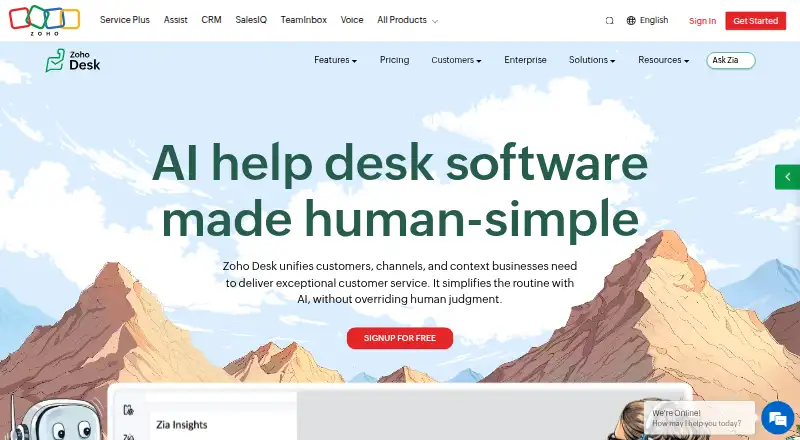
Zoho Desk is customer support software for organizing service conversations through a shared inbox, customer portal, and help center. It includes SLA management and ticket automation, with API access also listed. The product is freemium, with a free plan for 3 users listed as free and a 15-day trial. Paid plans are billed annually: Express is ₹420 a month for 5 users; Standard is ₹800 a month for unlimited users; Professional is ₹1,400 a month for unlimited users; and Enterprise is ₹2,400 a month for unlimited users. The pricing note describes paid access from ₹420/user/mo (annual). The listed platform is API. Zoho Desk is identified as its maker, and 1996 is listed as its founding year.
Who it suits
Zoho Desk suits support teams that need a shared inbox, customer portal, help center, and ticket automation. Its free plan is listed for 3 users, while annual paid plans include options for 5 or unlimited users.
What it does well
- Free plan for 3 users
- Shared inbox and customer portal
- Includes SLA management and ticket automation
- API access is listed
What to know first
- Paid plans are billed annually
- Express is listed for 5 users
Limits
The Free plan is for 3 users. Express is for 5 users and costs ₹420 a month billed annually; Standard, Professional, and Enterprise are listed for unlimited users.
Plans
| Plan | Billed and limits | Price |
|---|---|---|
| Free | 3 users | Free |
| Express | Billed annually · 5 users | ₹420 a month |
| Standard | Billed annually · Unlimited users | ₹800 a month |
| Professional | Billed annually · Unlimited users | ₹1,400 a month |
| Enterprise | Billed annually · Unlimited users | ₹2,400 a month |
As zoho.com lists them, read 20 Sept 2026. The maker's own page has the final word.
Getting started
- Visit https://www.zoho.com/desk/.
- Choose the Free plan for up to 3 users or review the paid plans.
- Use the listed 15-day trial if you want to try the product.
Zoho Desk is support software that brings agent conversations, customer self-service, and structured ticket handling together. It suits teams that need more than a basic inbox, particularly those coordinating service commitments or looking to let customers find help themselves. Its strongest case is the free three-user entry point; larger teams should weigh annual pricing against the fact that seat counts do not reveal which features each tier adds.
Overview
Zoho Desk pairs a shared inbox with SLA management and ticket automation, then adds a help center and customer portal for customer self-service. That breadth makes it a credible choice for teams that want support operations and customer-facing resources in one product. API access is also included among its capabilities, which may suit teams connecting support workflows to other software.
The free plan is limited to three users, so it is a genuine starting point for a small support function rather than a long-term option for a growing team. Paid plans raise the seat ceiling, but the available plan information does not establish which features are included at each level. Buyers should choose a tier based on its published seat allowance and price, not assume a more expensive tier adds a particular capability.
Key features
- Shared inbox: A common workspace for support conversations is useful when several agents need to coordinate requests rather than manage separate personal queues.
- SLA management: Gives teams a way to organize service commitments as part of support work, a meaningful advantage over relying on an inbox alone.
- Ticket automation: Supports more structured handling of requests and can reduce manual work in recurring processes. The feature is most compelling for teams with repeatable workflows.
- Help center and customer portal: Extend support beyond agent replies by giving customers self-service and portal access. This is a good fit when customers benefit from finding assistance without starting a conversation.
- API access: Makes the product a candidate for teams that need an integration route; it does not, by itself, establish compatibility with any particular system.
Pricing
Zoho Desk uses a freemium model, with a free plan for three users and a 15-day trial. Paid prices are billed annually, so the monthly figures should be read as annual-plan rates, not month-to-month terms.
| Plan | Price | Seats | Best fit |
|---|---|---|---|
| Free | free | 3 users | A small team evaluating or operating within the three-user cap. |
| Express | ₹420 a month (billed annually) | 5 users | A small team that has outgrown the free seat allowance. |
| Standard | ₹800 a month (billed annually) | Unlimited users | A team needing room to add agents without a stated seat cap. |
| Professional | ₹1,400 a month (billed annually) | Unlimited users | A larger team comparing the higher-priced unlimited-seat options. |
| Enterprise | ₹2,400 a month (billed annually) | Unlimited users | A buyer considering the highest-priced listed tier. |
The free tier has the clearest value for a three-person operation, while Express offers only two additional seats before the listed plans move to unlimited users. Standard, Professional, and Enterprise differ substantially in price, but the seat allowances alone cannot explain which of those is appropriate; confirm the needed tier before committing to an annual term.
Platforms
API is the platform identified for Zoho Desk. Teams choosing software primarily for a specified desktop or mobile app should verify that requirement before selecting it.
Who it's for
Zoho Desk is best suited to small and growing support teams that need a shared place to handle conversations and value SLA management, automation, and customer-facing self-service. The free plan suits up to three users; Express is the next fit for teams of up to five. Larger teams can consider the unlimited-user plans, provided the annual commitment and tier choice match their needs.
It is less compelling for buyers who need a clearly differentiated feature list across paid tiers before choosing, or who require a particular platform beyond API access.
Pros and cons
- Pro: The free plan covers three users, giving a small support team a no-cost way to use the product.
- Pro: Shared inbox, SLAs, automation, a help center, and a customer portal cover both agent workflow and customer self-service.
- Pro: Standard and higher tiers specify unlimited users, removing the stated seat cap for larger teams.
- Con: Paid plans are billed annually, which is a less flexible commitment than a monthly term.
- Con: The paid seat counts and prices do not show how capabilities differ by tier, making the choice between unlimited-user plans difficult to assess.
- Con: The platform entry is API, which may not meet buyers seeking a specified native desktop or mobile option.
Alternatives
Consider Freshdesk if a free program capped at one to two agents for six months, followed by a Growth plan at $19 a month billed annually, better matches your team size and budget. Choose Help Scout if its free plan's five users, one Inbox, one Docs site, and 100 contacts per month fit your support volume better than Zoho Desk's three-user free tier. Whatfix is another option to compare if its free Product Analytics Standard plan, available exclusively with a DAP Web & Desktop plan, suits your needs.
For an IT help desk with monthly pricing, consider ManageEngine ServiceDesk Plus, whose Standard plan is $13 a month and Professional plan is $27 a month. Kustomer, Kore.ai, LiveAgent, and Pega CRM are also alternatives to compare.
Readers comparing products by category can browse Customer Self-Service Software, Help desk software, AI Customer Service Software, Social Media Customer Service Software, Customer Community Software, and IT Knowledge Base Software.
Verdict
Choose Zoho Desk if you want a coordinated support workflow with self-service tools and can start within the free plan's three-user limit or accept annual billing as your team grows. The combination of shared conversations, SLAs, automation, and customer resources is its clearest advantage. Look elsewhere if you need to compare paid-tier capabilities in detail before purchase or require a specified native platform.
Verdict
Zoho Desk covers shared support conversations, customer self-service, SLAs, and automation. Its free plan serves 3 users, with annual paid tiers listed for larger teams.
Questions
Does Zoho Desk have a free plan?
Yes. Free is listed as free for 3 users.
What do the paid plans cost?
Express is ₹420 a month, billed annually, for 5 users. Standard is ₹800 a month, Professional is ₹1,400 a month, and Enterprise is ₹2,400 a month; each is billed annually for unlimited users.
Is there a trial?
A 15-day trial is listed.
Which platform is listed?
The listed platform is API.
What support features are listed?
Zoho Desk lists a shared inbox, SLA management, help center, ticket automation, customer portal, and API access.
Who makes Zoho Desk?
The maker is identified as Zoho Desk, with 1996 listed as its founding year.
Facts from Zoho Desk's own pages
- Included agent seats
- 3 · zoho.com, 20 Sept 2026
- API access
- Yes · zoho.com, 20 Sept 2026
- Customer portal
- Yes · zoho.com, 20 Sept 2026
- Founded
- 1996 · zoho.com, 23 Sept 2026
- Free plan
- Yes · zoho.com, 20 Sept 2026
- Help center
- Yes · zoho.com, 20 Sept 2026
- Shared inbox
- Yes · zoho.com, 20 Sept 2026
- SLA management
- Yes · zoho.com, 20 Sept 2026
- Ticket automation
- Yes · zoho.com, 20 Sept 2026
Where Zoho Desk stands on Freedom251
- Help desk software#11 of 101
- Customer Service - Enterprise Software#5 of 27
- Social Media Customer Service Software#8 of 41
- Customer Self-Service Software#9 of 46
- AI Customer Service Software#9 of 40
- Customer Community Software#11 of 37
- Multilingual Customer Support Software#7 of 22
- Digital Customer Service Platforms#8 of 25
- Self Service Software#9 of 26
- IT Knowledge Base Software#22 of 60
- Ticketing Software#12 of 29
- Customer Service - Midmarket Software#15 of 30
- Customer Support Software#17 of 29