Freedom251 › Contact Center Workforce Management Software
Webex App
by Webex App
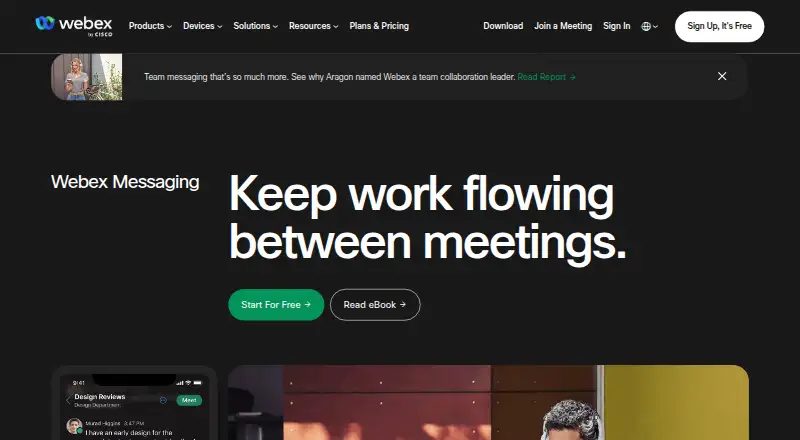
What Webex App is
Webex App provides messaging and meetings across web, Windows, macOS, iOS, and Android. Messaging supports file sharing, co-creation, mentions, forwarding, flags, pins, and threads; the messaging feature list includes end-to-end encryption. Users can collaborate with people outside their organization by adding an external person’s email address to a space. The free plan costs nothing and includes meetings of up to 40 minutes for as many as 100 attendees, local recording, and basic support. Signing up for free requires no payment details. Webex Meet and Suite list meetings of up to 200 attendees and 24 hours, while Enterprise lists up to 1,000 attendees; prices for those plans are not listed. Webex works in a browser, but the app is needed for all features such as PSTN calling. Named integrations include Box, Salesforce, Google, Microsoft, Twitter, Slack, Appspace, Vbrick, ADP, and ACTextBot, and Webex says it integrates with more than 100 industry-leading apps. Paid plans can be canceled or downgraded, with a downgrade taking effect after the current billing period ends.
Who it suits
Webex App suits people who need messaging and meetings across desktop, mobile, and browser platforms. Its external-space collaboration and named integrations may also suit teams working across organizations and apps.
What it does well
- Free meetings support up to 100 attendees.
- Free plan includes local recording and basic support.
- Messaging supports threads, pins, and file sharing.
- External people can be added to a space.
What to know first
- Free meetings are limited to 40 minutes.
- The app is required for all features such as PSTN calling.
- Paid plan prices are not listed.
Limits
The Webex Free plan costs $0 per user per year and limits meetings to 40 minutes and 100 attendees. It includes local recording and basic support. Webex Meet and Suite list 200 attendees and meetings up to 24 hours; Enterprise lists 1,000 attendees.
Plans
| Plan | Billed and limits | Price |
|---|---|---|
| Webex Free | billed monthly · 100 attendees · 40 minutes per meeting | Free |
| Webex Meet | 200 attendees · 24 hours per meeting · 10 GB cloud recording | On request |
| Webex Meet | 200 attendees · 24 hours per meeting · 10 GB cloud recording | On request |
| Webex Suite | 200 attendees · 24 hours per meeting | On request |
| Webex Suite | 200 attendees · 24 hours per meeting | On request |
| Webex Enterprise | 1,000 attendees | On request |
| Webex Enterprise | 1,000 attendees | On request |
As webex.com lists them, read 28 Sept 2026. The maker's own page has the final word.
Getting started
- Open the Webex team collaboration website.
- Choose the free plan, which requires no payment details at signup, or select a paid plan.
- Use Webex in a browser or install the app on a supported platform for all features.
- Create a space and add colleagues; add an external person by email to collaborate across organizations.
Overview
Webex App combines video meetings with team messaging for individuals and organizations that want both in one service. It is strongest as a low-commitment starting point or a fuller meeting option for larger groups; the free tier’s 40-minute cap is the main drawback for regular long calls.
Key features
Webex meetings support screen sharing and breakout rooms, with capacity ranging from 100 attendees on Free to as many as 1,000 on Enterprise. Free meetings end at 40 minutes, while Meet and Suite allow sessions up to 24 hours with up to 200 attendees. That makes the free tier suitable for short check-ins, but not uninterrupted workshops; the longer paid limits better suit extended sessions.
Recording is available across the service. Free users get local recording, while Webex Meet includes 10 GB of cloud recording storage, a useful distinction for teams that need recordings stored online rather than on a participant’s device.
Messaging supports file sharing and co-creation, with threads, mentions, forwarding, flags, and pins to organize ongoing work. Teams can add an outside collaborator to a space using that person’s email address. Messaging includes end-to-end encryption. Webex also connects with more than 100 apps; named integrations include Box, Salesforce, Google, Microsoft, Slack, Miro, and Calendly, which gives teams options for fitting it into existing workflows.
Pricing
Webex Free: $0 per user per year. It includes unlimited meetings, each up to 40 minutes and 100 attendees, local recording, and basic support. No payment details are required to sign up. This is a sensible option for short meetings and teams evaluating the service, but the time cap is restrictive for longer recurring calls.
Webex Meet: custom pricing. It supports up to 200 attendees and meetings of up to 24 hours, with 10 GB of cloud recording. It is the clearest step up for teams that need longer calls and cloud recording.
Webex Suite: custom pricing. It allows up to 200 attendees and meetings of up to 24 hours. It shares Meet’s meeting limits, but no cloud recording allowance is stated for this plan.
Webex Enterprise: custom pricing. It supports up to 1,000 attendees and includes FedRAMP-authorized security, making it the option for large gatherings or organizations with that security requirement.
Paid plans can be canceled or downgraded through account management at any time. A downgrade takes effect after the current billing period ends, when the account moves to Free. Paid plans accept credit cards, debit cards, PayPal, and Apple Pay.
Platforms
Webex is available on Android, iOS, macOS, Windows, and in a browser. Browser access does not include every capability: the app is required for all features such as PSTN calling.
Who it's for
Webex suits teams that need meetings and structured messaging together, particularly those that value outside-organization collaboration, broad app integrations, or higher attendee limits. Free is a reasonable fit for short calls and local recording; teams that regularly exceed 40 minutes should consider a paid plan. It is less suitable for users who expect browser access to cover every feature.
Pros and cons
- Pro: Free includes local recording and basic support without requiring payment details, so teams can start without a paid commitment.
- Pro: Meeting capacity reaches 1,000 attendees on Enterprise, with longer meetings available on Meet and Suite.
- Pro: Messaging combines file sharing and co-creation with conversation controls, external collaboration, and end-to-end encryption.
- Con: Free meetings stop after 40 minutes, a meaningful constraint for workshops and longer discussions.
- Con: The browser version does not expose every feature; PSTN calling, for example, requires the app.
- Con: Paid plans use custom pricing, so costs cannot be compared from a published amount.
Alternatives
For teams shopping in adjacent communications categories, compare Communications Platforms as a Service, Omnichannel Contact Center Software, Contact Center Workforce Management Software, Collaborative Whiteboard Software, Contact Center Software, and Virtual Event Platforms.
Choose 8x8 Communications APIs if you need usage-based communications APIs with a pay-as-you-go option or a subscription with volume discounts. Twilio Segment is an alternative for teams focused on visitor and reverse-ETL quotas and a large integration set. Consider Telesign Communications Platform for an API- and web-based communications platform with a free trial. Telnyx Text-to-Speech API is a fit for pay-as-you-go text-to-speech usage without a contract. Gupshup suits buyers comparing message-fee pricing, including WhatsApp fees billed at actuals. Orbit by Devotel offers a pre-pay, usage-billed option with two team members included. Airtel IQ is another API and web option with custom pricing. Comviva API Marketplace is another API and web alternative.
Verdict
Choose Webex App if your team wants meetings and messaging together, needs collaboration beyond its organization, or may need room for large attendee groups. Its free tier is a useful entry point with local recording, but the 40-minute limit and app requirement for all features are good reasons to look elsewhere if long, browser-only sessions are central to your work.
Verdict
Webex App brings meetings and team messaging together, with a free plan that includes local recording. Consider the 40-minute free meeting limit and the need for the app to access all features.
Questions
How much does the free plan cost?
The Webex Free plan costs $0 per user per year. No credit card or payment details are required to sign up.
What are the free meeting limits?
Free meetings last up to 40 minutes and support up to 100 attendees per meeting.
Which platforms does Webex support?
Webex supports web, Windows, macOS, iOS, and Android. The app is needed for all features, including PSTN calling.
Does the free plan include recording?
Yes. The free plan includes local recording and basic support.
What integrations are named?
Named integrations include Box, Salesforce, Google, Microsoft, Twitter, Slack, Appspace, Vbrick, ADP, and ACTextBot.
Can a paid plan be downgraded?
Paid plans can be canceled or downgraded to free through account management. A downgrade takes effect after the current billing period ends.
Facts from Webex App's own pages
- App integrations
- Webex integrates with more than 100 industry-leading apps. · webex.com, 28 Sept 2026
- Breakout rooms
- Yes · pricing.webex.com, 22 Sept 2026
- Downgrade billing
- After the current billing period ends, a downgraded account moves to the Webex free plan. · pricing.webex.com, 28 Sept 2026
- Enterprise security
- The Enterprise plan includes FedRAMP authorized security. · pricing.webex.com, 28 Sept 2026
- External collaboration
- Users can collaborate outside their organization by adding an external person's email address to a space. · webex.com, 28 Sept 2026
- Founded
- 1984 · webex.com, 23 Sept 2026
- Free attendee limit
- Free meetings support up to 100 attendees per meeting. · pricing.webex.com, 28 Sept 2026
- Free meeting limit
- Free meetings last up to 40 minutes. · pricing.webex.com, 28 Sept 2026
- Free plan
- Yes · pricing.webex.com, 22 Sept 2026
- Free plan price
- The Webex Free plan costs $0 per user per year. · pricing.webex.com, 28 Sept 2026
- Free recording
- The free plan includes local recording. · pricing.webex.com, 28 Sept 2026
- Free signup payment
- No credit card or payment details are required to sign up for a free plan. · pricing.webex.com, 28 Sept 2026
- Free support
- The free plan includes basic support. · pricing.webex.com, 28 Sept 2026
- Headquarters
- San Jose, California, United States · webex.com, 23 Sept 2026
- Key integrations
- Box,Salesforce,Google Workspace,Microsoft,Slack,Miro,Calendly,Apple,Samsung · pricing.webex.com, 22 Sept 2026
- Max participants
- 1000 · pricing.webex.com, 22 Sept 2026
- Meeting duration limit
- 1440 · pricing.webex.com, 22 Sept 2026
- Messaging features
- Messaging supports file sharing, co-creation, mentions, forwarding, flags, pins, and threads. · webex.com, 28 Sept 2026
- Named integrations
- Named integrations include Box, Salesforce, Google, Microsoft, Twitter, Slack, Appspace, Vbrick, ADP, and ACTextBot. · webex.com, 28 Sept 2026
- Paid plan cancellation
- Paid plans can be canceled or downgraded to free at any time through account management. · pricing.webex.com, 28 Sept 2026
- Paid plan starting price
- Additional features, storage, and support start at one low price, but no amount is printed. · webex.com, 28 Sept 2026
- Supported platforms
- web,windows,macos,ios,android · pricing.webex.com, 22 Sept 2026
- Meeting recording
- Yes · pricing.webex.com, 22 Sept 2026
- Screen sharing
- Yes · pricing.webex.com, 22 Sept 2026
Where Webex App stands on Freedom251
- Contact Center Workforce Management Software#2 of 33
- Customer Service Automation Software#2 of 26
- Online whiteboards#5 of 58
- Video conferencing apps#4 of 46
- Call Center Software#11 of 122
- Contact Center Software#4 of 38
- Omnichannel Contact Center Software#4 of 36
- AI Customer Service Agents#9 of 56
- Webinar platforms#10 of 62
- Webinar Software#10 of 61
- Event Management Software#42 of 181
- Unified Communications Software#7 of 28
- Communications Platforms as a Service#6 of 24
- Virtual Event Platforms#13 of 47
- Video Conferencing Software#25 of 43
- Collaborative Whiteboard Software#17 of 29
- Online Whiteboard Tools#35 of 56
- Secure Video Conferencing Software#18 of 28