Freedom251 › Daily Planner Apps

Reclaim AI
by Reclaim AI
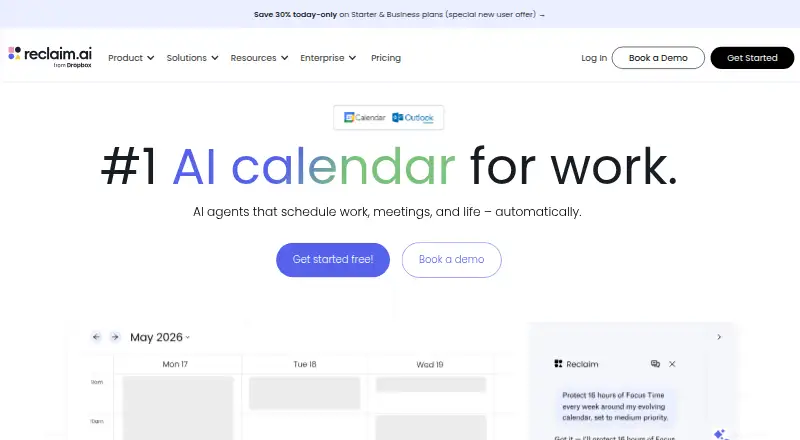
What Reclaim AI is
Reclaim AI is a calendar assistant that works with existing calendars to arrange schedules around work and life priorities. Reclaim 2.0 brings together a calendar, Planner, AI Assistant, and background Agents. Changes proposed through the assistant or MCP integrations can be staged in Preview Mode before they are applied to a live calendar. Reclaim supports Google Calendar and Outlook Calendar, with integrations including Slack, Jira, Asana, Todoist, ClickUp, Linear, Zoom, and other listed tools. Its MCP support includes ChatGPT, Claude, Cursor, Copilot, and Gemini. Reclaim is primarily a web app, with a mobile-friendly experience and Progressive Web App installation through Chrome or Safari; it has no native iOS or Android apps. The Lite plan is free forever for one user and includes a one-week scheduling range, one calendar sync, one scheduling link, and five AI Agents. Starter costs $12 a month, and Business costs $18 a month. Enterprise is listed at $22 a month, with contact required.
Who it suits
Reclaim suits individuals, teams, and companies looking to organize calendars around work and life priorities. It also fits people using supported calendars and integrations who want changes staged before they reach the live calendar.
What it does well
- Preview Mode stages changes before calendar updates.
- Supports Google Calendar and Outlook Calendar.
- Integrates with task, collaboration, and meeting tools.
- Lite is free forever for one user.
- Mobile-friendly web app can be installed as a PWA.
What to know first
- No native iOS or Android apps.
- Lite has a one-week scheduling range.
- Lite includes only one calendar sync.
- Enterprise requires contacting the company.
Limits
Lite is free forever for one user and covers a one-week scheduling range, one calendar sync, one scheduling link, and five AI Agents. Starter is $12 a month, billed monthly, and allows up to 10 seats, an eight-week scheduling range, three calendar syncs, three scheduling links, and 10 AI Agents per seat.
Plans
| Plan | Billed and limits | Price |
|---|---|---|
| Lite | free forever · 1 user · 1-week scheduling range · 1 Calendar Sync · 1 Scheduling Link · 5 AI Agents | Free |
| Starter | $120.00 per seat per year (= $10.00 per seat/month, billed annually) · up to 10 seats · 8-week scheduling range · 3 Calendar Syncs · 3 Scheduling Links · 10 AI Agents/seat | $120 a year |
| Business | $180.00 per seat per year (= $15.00 per seat/month, billed annually) · up to 100 seats · 12-week scheduling range · unlimited Calendar Syncs · unlimited Scheduling Links · 100 AI Agents/seat | $180 a year |
| Enterprise | $264.00 per seat per year (= $22.00 per seat/month, billed annually) · over 100 seats · 12-week scheduling range · unlimited Calendar Syncs · SSO & SCIM · unlimited AI Agents/seat | $264 a year |
As reclaim.ai lists them, read 28 Sept 2026. The maker's own page has the final word.
Getting started
- Open https://reclaim.ai/ in a web browser.
- Choose the free Lite plan, a paid plan, or the 14-day trial.
- Connect Google Calendar or Outlook Calendar.
- Use the web app or install it as a Progressive Web App through Chrome or Safari.
- Connect relevant listed integrations or an MCP client through mcp.reclaim.ai.
Reclaim AI is a calendar assistant for people who want work and life priorities scheduled around their existing calendars. It is a stronger fit for individuals and teams who want time blocking and AI-assisted calendar planning than for anyone who needs a native mobile app. Its clearest advantage is the chance to review proposed AI changes before they affect the live calendar.
Overview
Reclaim 2.0 brings a calendar, Planner, AI Assistant and background Agents into one workflow for keeping schedules aligned with priorities. It supports Google Calendar and Outlook Calendar, with two-way sync, shared calendars, time blocking, scheduling links and video meeting support. That makes it useful for turning priorities into calendar time, rather than simply collecting tasks.
Preview Mode stages changes made through the AI Assistant or MCP integrations for review before applying them to the live calendar. That review step is a meaningful safeguard for people who do not want automated edits to take effect unseen. Reclaim is primarily a web app, however; it has no native iOS or Android app, though its web app is mobile-friendly and can be installed as a Progressive Web App through Chrome or Safari.
Key features
- Calendar planning: Two-way sync with Google Calendar and Outlook lets Reclaim work alongside calendars users already rely on. Shared calendars, time blocking, scheduling links and video meeting support give it scope for individual planning and team scheduling.
- Assistant and Agents: The Planner, AI Assistant and background Agents are intended to keep schedules aligned with priorities. Agent allowances vary substantially by plan, so users with heavier automation needs should compare quotas before choosing.
- Integrations and MCP: Listed integrations include Slack, Jira, Asana, Google Tasks, Todoist, ClickUp, Linear, Zoom, Raycast, Webhooks, Claude and ChatGPT, alongside Google Calendar and Outlook. MCP clients include ChatGPT, Claude, Cursor, Copilot and Gemini. Preview Mode adds a review step for changes made through the AI Assistant or MCP integrations.
- Security and support: Reclaim says it is SOC 2 Type II certified and committed to GDPR, CCPA and Data Privacy Framework standards. It says data is encrypted in transit and at rest and hosted on AWS in the United States, with redundancy between us-east-1 and us-east-2. Self-service deletion wipes calendar data from its systems within one hour and removes Reclaim-created events. Live chat and email support are offered; the enterprise page gives an average response time below 20 minutes.
Pricing
Reclaim uses a freemium model with a 14-day trial. Lite is free forever for one user, with a one-week scheduling range, one Calendar Sync, one Scheduling Link and five AI Agents. It is a practical starting point for an individual, but the short range and tight quotas limit its usefulness for longer-range planning or multiple calendars and links.
Starter costs $12 a month, billed monthly, and supports up to 10 seats, an eight-week scheduling range, three Calendar Syncs, three Scheduling Links and 10 AI Agents per seat. It suits a small team that needs more than Lite provides, though the sync, link and seat caps matter as usage grows.
Business costs $18 a month, billed monthly, for up to 100 seats, a 12-week scheduling range, unlimited Calendar Syncs and Scheduling Links, and 100 AI Agents per seat. The higher allowance and longer range make it the more suitable paid tier for larger teams or heavier Agent use. Enterprise has custom pricing and offers unlimited users across a domain and a 12-week scheduling range; it is the tier for organization-wide deployment, with no seat cap stated.
Platforms
Reclaim is available as a web app and extension. It has no native iOS or Android app, so people who depend on a dedicated mobile app should look elsewhere; the mobile-friendly web app is the available mobile route. On desktop, it can be installed as a Progressive Web App through Chrome or Safari.
Who it's for
Reclaim is best suited to people and teams who want an assistant to place priorities into a calendar they already use, especially when time blocking, shared calendars or scheduling links are part of the workflow. Its Preview Mode is a good fit for cautious users who want to approve AI- or MCP-driven edits. It is less compelling for people who need native mobile apps or a long scheduling range on a free plan.
Pros and cons
- Pro: Preview Mode lets users review AI Assistant and MCP changes before they reach the live calendar, reducing the risk of unseen edits.
- Pro: Two-way sync with Google Calendar and Outlook, plus shared calendars and scheduling links, supports both individual planning and team coordination.
- Pro: The paid tiers scale from 10 to 100 seats, with Business adding unlimited syncs and links and a 12-week scheduling range.
- Con: Lite is limited to one user, a one-week range, one sync, one link and five Agents, making it restrictive for extended or team scheduling.
- Con: There are no native iOS or Android apps, which is a drawback for users who want a dedicated mobile experience.
- Con: Starter and Business are billed monthly, and their seat and Agent quotas mean teams should weigh expected usage against the tier limits.
Alternatives
Daily Planner Apps and AI Calendar Assistants are useful starting points for comparing products by workflow. Readers focused specifically on schedule control can also browse Time Management Apps, Time Blocking Apps, Calendar apps and AI Personal Assistants.
Choose Routine if native apps across Android, iOS, Linux, macOS, web and Windows matter more than Reclaim's calendar-centric planning; its free plan includes three integrations, three custom databases and 250 AI credits. FlowSavvy is an alternative for users who want auto-scheduled tasks and Android or iOS apps; its Basic plan has a single scheduling-hours profile, three repeating auto-scheduled tasks, five task lists and a two-week auto-scheduling range.
Tiimo is worth considering for users who prefer iOS or Android apps, since its free plan includes selected planning tools and excludes the web app. TimeFinder is another option for people who want core features on a free tier and support across Android, iOS, macOS, web and Windows. Choose Week Plan if its Lite plan's basic planner features and High Impact Tasks better match the way you organize work.
Griply may suit users who organize around goals, habits and projects: its free plan includes two goals, two habits, five projects, unlimited tasks, nine life areas and three smart lists. Trevor AI is a web-only alternative whose free plan supports one calendar account; its Pro plan is $6 a month and supports multiple calendar accounts. Amie is another option for users looking for a freemium product with iOS, macOS and Windows platforms.
Verdict
Choose Reclaim if you want priorities translated into time on Google Calendar or Outlook, with AI and background Agents and a review step before proposed changes go live. Its strongest case is the combination of calendar planning and user approval; its main reason to look elsewhere is the lack of native mobile apps, while Lite's one-week range and small quotas make it a narrow free option.
Verdict
Reclaim combines calendar planning with an assistant and background Agents, and Preview Mode offers a review step for proposed changes. Its free Lite plan is limited to one user and a one-week scheduling range; paid plans start at $12 a month.
Questions
Is Reclaim AI free?
Yes. Lite is free forever for one user and includes a one-week scheduling range, one calendar sync, one scheduling link, and five AI Agents.
What do paid plans cost?
Starter is $12 a month, billed monthly, and Business is $18 a month, billed monthly. Enterprise is listed at $22 a month and says to contact Reclaim.
Is there a free trial?
Yes. Reclaim lists a 14-day trial.
Which calendars and platforms does it support?
It supports Google Calendar and Outlook Calendar. Its listed platforms are web and extension; it has no native iOS or Android app.
What integrations and MCP clients are supported?
Listed integrations include Slack, Jira, Asana, Google Tasks, Todoist, ClickUp, Linear, Zoom, Raycast, and Webhooks, among others. MCP clients include ChatGPT, Claude, Cursor, Copilot, and Gemini through mcp.reclaim.ai.
Who makes Reclaim AI?
The maker is Reclaim AI, founded in 2019 and headquartered in San Francisco, California. Reclaim.ai says it is now part of Dropbox.
Facts from Reclaim AI's own pages
- Calendar support
- Reclaim currently supports Google Calendar and Outlook Calendar. · help.reclaim.ai, 28 Sept 2026
- Calendar sync
- two_way · reclaim.ai, 20 Sept 2026
- Company focus
- Reclaim says its pricing and product experience are designed for individuals, teams, and entire companies. · reclaim.ai, 28 Sept 2026
- Data deletion
- Reclaim says self-service deletion wipes calendar data from its systems within one hour and removes Reclaim-created calendar events. · reclaim.ai, 28 Sept 2026
- Desktop
- Reclaim is primarily a web app and can be installed as a Progressive Web App through Chrome or Safari. · help.reclaim.ai, 28 Sept 2026
- Encryption and hosting
- Reclaim says its data is encrypted in transit and at rest, hosted on Amazon Web Services in the United States with redundancy between us-east-1 and us-east-2. · reclaim.ai, 28 Sept 2026
- Free plan
- Yes · reclaim.ai, 20 Sept 2026
- Headquarters
- San Francisco, California, United States · reclaim.ai, 28 Sept 2026
- Integrations
- Listed integrations include Google Calendar, Outlook Calendar, Slack, Jira, Asana, Google Tasks, Todoist, ClickUp, Linear, Zoom, Raycast, Webhooks, Claude, and ChatGPT. · reclaim.ai, 28 Sept 2026
- MCP
- Reclaim supports MCP clients including ChatGPT, Claude, Cursor, Copilot, and Gemini through mcp.reclaim.ai. · help.reclaim.ai, 28 Sept 2026
- Mobile
- Reclaim has no native iOS or Android apps and is designed to be mobile-friendly through the web app. · help.reclaim.ai, 28 Sept 2026
- Mobile apps
- none · reclaim.ai, 20 Sept 2026
- Ownership
- Reclaim.ai says it is now part of Dropbox. · reclaim.ai, 28 Sept 2026
- Preview Mode
- Changes made through the AI Assistant or MCP integrations are staged in Preview Mode before being applied to the live calendar. · help.reclaim.ai, 28 Sept 2026
- Purpose
- Reclaim is an intelligent calendar assistant that works with existing calendars to optimize schedules around work and life priorities. · help.reclaim.ai, 28 Sept 2026
- Reclaim 2.0
- Reclaim 2.0 combines a full calendar, Planner, AI Assistant, and background Agents to keep schedules aligned with priorities. · help.reclaim.ai, 28 Sept 2026
- Scheduling links
- Yes · reclaim.ai, 20 Sept 2026
- Security certifications
- Reclaim says it is SOC 2 Type II certified and committed to GDPR, CCPA, and Data Privacy Framework standards. · reclaim.ai, 28 Sept 2026
- Shared calendars
- Yes · reclaim.ai, 20 Sept 2026
- Paid from
- 12 · reclaim.ai, 20 Sept 2026
- Support
- Reclaim offers live chat and email support, with the enterprise page stating an average response time below 20 minutes. · reclaim.ai, 28 Sept 2026
- Time blocking
- Yes · reclaim.ai, 20 Sept 2026
- Video meeting support
- Yes · reclaim.ai, 20 Sept 2026
Where Reclaim AI stands on Freedom251
- Daily Planner Apps#16 of 137
- Calendar apps#40 of 194
- Productivity Bots Software#6 of 25
- Time Management Apps#10 of 35
- AI Calendar Assistants#10 of 27
- AI Personal Assistants#27 of 54
- Time Blocking Apps#16 of 31
- Google Workspace Productivity Tools#14 of 22