Freedom251 › Daily Planner Apps

Week Plan
What Week Plan is
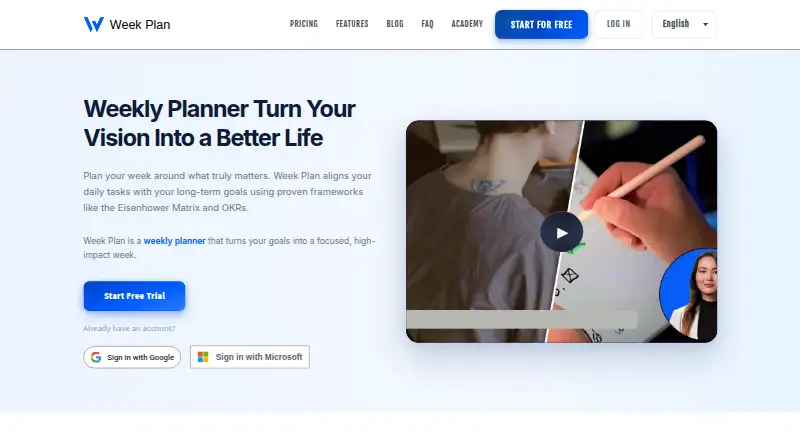
Week Plan is a productivity planner for prioritizing important tasks with methods such as the Eisenhower Matrix and OKRs. Its Quadrant View sorts tasks by urgency and importance, and users can set quarterly goals, define key results, and connect daily work to objectives. Weekly planning has vertical, horizontal, dashboard, and hourly layouts. Tasks can be scheduled by drag and drop, repeated daily, weekly, or monthly, and rolled over automatically when unfinished. The Pomodoro timer tracks time through 25-minute focus periods and five-minute breaks. Team workspaces let groups separate projects, assign tasks, and discuss work in comments. Week Plan syncs with Google Calendar and Outlook and connects to over 1,000 apps through Zapier. It is available on Android, iOS, macOS, web, and Windows. The free Lite plan includes basic planner features and High Impact Tasks. Ultimate costs $8.67 a month billed annually. The service requires an internet connection and does not work offline.
Who it suits
Week Plan suits individuals who want to prioritize tasks and connect daily work to quarterly objectives. Its team workspaces and collaboration tools also suit groups coordinating projects and assignments.
What it does well
- Quadrant View prioritizes tasks by urgency and importance.
- Daily tasks can be linked to quarterly goals.
- Multiple weekly layouts are available.
- Tasks can recur and roll over automatically.
- Syncs with Google Calendar and Outlook.
What to know first
- Requires an internet connection.
- Does not work offline.
- Ultimate costs $8.67 a month billed annually.
Limits
The free Lite plan includes basic planner features and High Impact Tasks. Ultimate costs $8.67 per month billed annually and includes the listed planning, collaboration, OKR, roles, and calendar features. Week Plan requires an internet connection and does not work offline.
Plans
| Plan | Billed and limits | Price |
|---|---|---|
| Lite | Basic Planner Features · High Impact Tasks (HITs) | Free |
| Ultimate | annually · Team collaboration · OKRs · Google/Outlook sync · Recurring tasks · Zapier · Data export · Priority support | On request |
As weekplan.net lists them, read 29 Sept 2026. The maker's own page has the final word.
Getting started
- Open https://weekplan.net/.
- Choose the free Lite plan or the Ultimate plan at $8.67 per month billed annually.
- Use the free trial if you want to try the service before choosing.
- Access Week Plan on Android, iOS, macOS, web, or Windows.
Week Plan is a planner for people who want to connect daily tasks to quarterly objectives, with collaboration tools for teams. Its prioritization and goal-review features give structured work a clear home; its internet-only design makes it unsuitable when offline access matters.
Overview
Week Plan combines task prioritization, weekly scheduling, and goal management. The Eisenhower Matrix-based Quadrant View helps distinguish urgent work from important work, while quarterly goals, key results, and linked daily tasks make it possible to carry those objectives into the weekly plan. That structure suits people who regularly review progress, rather than those seeking only a place to collect to-dos.
Weekly plans can use vertical, horizontal, dashboard, or hourly layouts. Recurring tasks can be scheduled daily, weekly, or monthly, and unfinished tasks roll over automatically. Teams can separate projects in workspaces, assign tasks, and discuss them in comments. Those tools make Week Plan useful for coordinated planning, but the requirement for an internet connection is a substantial drawback for travel or unreliable connectivity: it does not work offline.
Key features
Prioritization and goal tracking
The Quadrant View sorts tasks by urgency and importance, giving users a framework for deciding what deserves attention instead of treating every task as equally pressing. Quarterly goals, defined key results, and daily tasks linked to objectives connect that prioritization to longer-term aims. Milestone tracking, goal templates, scheduled goal reviews, and advanced progress views add useful structure for people managing goals over time; they may be more machinery than a simple personal list requires.
Planning and focus
The four weekly layouts accommodate different planning styles, while drag-and-drop scheduling makes it possible to move tasks around as priorities change. Automatic rollover reduces the need to recreate unfinished work, though it can also carry tasks forward without resolving why they were missed. The Pomodoro timer uses 25-minute focus cycles and five-minute breaks, and tracks time automatically, which suits users who want timed work sessions as part of their planner.
Teamwork and integrations
Team workspaces, project separation, task assignment, and comments support shared planning rather than just individual scheduling. Google Calendar and Outlook sync, and Zapier connections reach over 1,000 apps, giving users ways to connect Week Plan with calendar and other workflows. The FAQ says the service supports TOTP-based multi-factor authentication and uses industry-standard encryption and secure infrastructure. Support is available through in-app chat or the Support Center.
Pricing
Week Plan is freemium, with a free plan and a 7-day trial. Lite costs nothing and includes basic planner features and High Impact Tasks (HITs), making it the sensible starting point for individual users who want to try the core planning approach without a subscription.
Ultimate costs $8.67 a month, billed annually. It includes essential planning tools, HITs, team collaboration support, OKR management, customizable roles, and Google/Outlook calendar synchronization. It is the better fit for users who need shared planning, objective management, or calendar sync; Lite does not include those paid-plan capabilities. The annual billing term matters for anyone comparing the monthly equivalent with a month-to-month price.
Platforms
Week Plan is available on Android, iOS, macOS, the web, and Windows. Mobile apps broaden where users can access their plans, but the lack of offline operation means platform coverage does not help when there is no internet connection.
Who it's for
Week Plan is best for goal-oriented individuals and teams that want task priorities, quarterly OKRs, weekly schedules, and collaboration in one planner. It is less suitable for people who want a minimal to-do list or need to plan without a connection.
Pros and cons
- Pros: Tasks can be tied to quarterly goals and key results, so day-to-day planning can serve longer-term objectives.
- Pros: Multiple weekly layouts, recurring tasks, and automatic rollover support varied planning routines.
- Pros: Team workspaces combine project separation, assignments, and comment discussions.
- Pros: Calendar sync and Zapier connections can fit the planner into wider workflows.
- Cons: Week Plan requires internet access and cannot be used offline.
- Cons: Lite omits team collaboration, OKR management, customizable roles, and Google/Outlook sync included with Ultimate.
Alternatives
For a more goal-centered directory of options, compare Goal Tracking Apps; for schedule-first planning, see Daily Planner Apps; and for a broader task-focused shortlist, browse Task Management Software.
Goaltree is another freemium option, with a free plan capped at three active goals and a Today view limited to five tasks per day, plus AI goal breakdown and basic analytics. Beeminder offers a free plan with a limited number of goals and unlimited data, so consider it when that distinction matches your needs. Weekdone has a free plan for up to three users with full features, making its stated free tier worth comparing for small teams.
Perdoo has a free plan for up to five users with Strategy Maps, OKR and KPI tracking, meetings, Slack and Teams integration, and an AI Assistant and Coach. SmartProgress offers a free account with two goals in progress, increasing with experience and level, and team goals for up to five people. Range is free for up to 12 users, with limits on teams, goals, meeting agendas, and check-in history; those caps make it an option to compare for a larger group weighing free collaboration.
Strides is a macOS and iOS option whose free plan covers three goals and habits. LifeRPG offers a free web plan for three active quests and 10 habits or daily missions, with a paid plan for unlimited quests and missions.
Verdict
Choose Week Plan if you want a single planner to connect prioritized daily work with quarterly goals, progress reviews, and team coordination. Its strongest case is that continuity from objectives to tasks; look elsewhere if offline access is essential or you only need a lightweight task list.
Verdict
Week Plan brings task prioritization, goal planning, and team coordination into a single planner. Its offline limitation matters for anyone who needs to work without an internet connection.
Questions
Is Week Plan free?
Yes. The Lite plan is free and includes basic planner features and High Impact Tasks.
How much does Ultimate cost?
Ultimate costs $8.67 per month when billed annually.
Is there a free trial?
Yes, Week Plan offers a 7-day trial.
Which platforms does Week Plan support?
It is available on Android, iOS, macOS, web, and Windows.
Does Week Plan connect to calendars or other apps?
It syncs with Google Calendar and Outlook and offers Zapier connections to over 1,000 apps.
Who created Week Plan?
Week Plan says it was created in 2010 by Aymeric Gaurat-Apelli and operates under WisePlan INC, described as a US company.
Facts from Week Plan's own pages
- Collaboration
- Team workspaces let groups separate projects, assign tasks, and keep discussions in comments. · weekplan.net, 29 Sept 2026
- Company
- Week Plan says it was created in 2010 by Aymeric Gaurat-Apelli and operates under WisePlan INC, described as a US company. · weekplan.net, 29 Sept 2026
- Free plan
- Yes · weekplan.net, 21 Sept 2026
- Goals
- Users can set quarterly goals, define key results, and link daily tasks to objectives. · weekplan.net, 29 Sept 2026
- Integrations
- Week Plan syncs with Google Calendar and Outlook and offers Zapier connections to over 1,000 apps. · weekplan.net, 29 Sept 2026
- Notable limit
- Week Plan requires an internet connection and does not work offline. · weekplan.net, 29 Sept 2026
- Prioritization
- Its Quadrant View uses the Eisenhower Matrix to prioritize tasks by urgency and importance. · weekplan.net, 29 Sept 2026
- Purpose
- Week Plan is a productivity planner for focusing on important tasks using methods such as the Eisenhower Matrix and OKRs. · weekplan.net, 29 Sept 2026
- Security
- The FAQ says Week Plan supports MFA through time-based one-time passwords (TOTP) and uses industry-standard encryption and secure infrastructure. · weekplan.net, 29 Sept 2026
- Support
- Users can contact support through in-app chat or the Support Center. · weekplan.net, 29 Sept 2026
- Task management
- Tasks can be scheduled by drag and drop, recur on daily, weekly, or monthly schedules, and roll over automatically when unfinished. · weekplan.net, 29 Sept 2026
- Time management
- The Pomodoro timer uses 25-minute focus cycles and five-minute breaks, and tracks time automatically. · weekplan.net, 29 Sept 2026
- Weekly planning
- The weekly view offers vertical, horizontal, dashboard, and hourly layouts. · weekplan.net, 29 Sept 2026
Where Week Plan stands on Freedom251
- Daily Planner Apps#7 of 137
- Goal Tracking Apps#15 of 32
- Task Management Software#41 of 59