Freedom251 › Daily Planner Apps
Griply
What Griply is
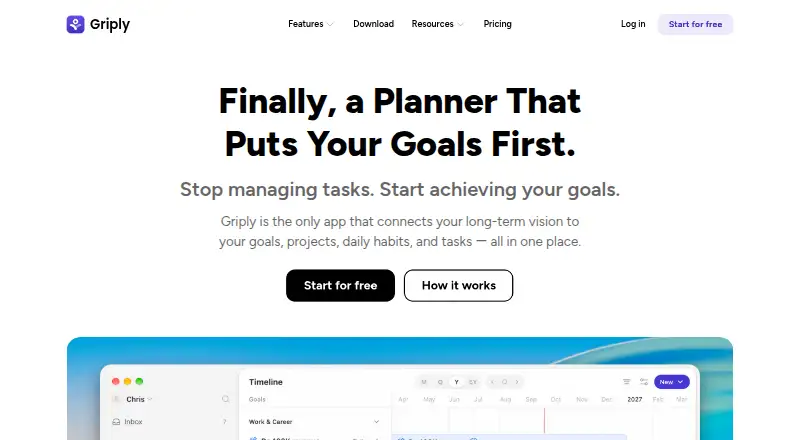
Griply is a planning app that connects long-term personal vision with goals, projects, habits, and daily tasks. Its Life Planner lets users define a vision and map life areas, while the Goal Planner can break goals into subgoals, success metrics, projects, tasks, and habits. Calendar views and time blocking help organize the week around that work. Griply supports recurring tasks and focus sessions, and can show Google or Outlook Calendar events alongside goal work. Task Smart Recognition accepts plain-English entries and can capture, schedule, and assign tasks. The app is available in browsers and on desktop, iPhone, and Android, with MacOS and Windows desktop downloads. The Free plan includes up to 2 goals, 2 habits, and 5 projects, with unlimited tasks. Premium is listed at $2.49 a month. A Premium (Year) option is listed at $2.49 a year, with $29.99 billed yearly. Griply says Google Calendar event content and metadata are not stored; events are retrieved in real time using an encrypted OAuth access token.
Who it suits
Griply suits people who want daily tasks and habits connected to longer-term personal goals. Its goal planning, time blocking, and calendar views support planning across those areas.
What it does well
- Links goals, projects, habits, and daily tasks
- Supports recurring tasks and focus sessions
- Shows Google or Outlook Calendar events
- Available on web, desktop, iPhone, and Android
What to know first
- Free plan limits users to 2 goals and 2 habits
- Free plan includes only 5 projects
- Lifetime plan excludes paid third-party integrations and future AI features
Limits
The Free plan includes up to 2 goals, 2 habits, and 5 projects, while tasks are unlimited. The Lifetime plan excludes paid third-party integrations and future AI features.
Plans
| Plan | Billed and limits | Price |
|---|---|---|
| Free | 2 Goals · 2 Habits · 5 Projects · Unlimited Tasks · 9 Life Areas · 3 Smart Lists | Free |
| Premium | billed monthly · Unlimited goals · Unlimited habits · Calendar and timeblocking · Goal timeline · Subgoals · Habit targets | $2.49 a month |
| Premium (Year) | $29.99 billed yearly · Unlimited Goals · Unlimited Habits · Unlimited Projects · Calendar & Timeblocking · Goal Timeline · Subgoals · Habit Targets · Unlimited Smart Lists | $29.99 a year |
| Lifetime | $119.99 · One time purchase · Premium features · Excl. paid third-party integrations | $89.99, paid once |
As griply.app lists them, read 4 Oct 2026. The maker's own page has the final word.
Getting started
- Open https://griply.app/.
- Choose the Free plan or review the listed paid plans.
- Use Griply in a browser or download it for MacOS or Windows.
- Use the iPhone or Android app on a mobile device.
- Define a vision and life areas, then add goals and related work.
Griply is a personal planning system that connects long-term vision with goals, habits, projects, and scheduled tasks. It suits people who want everyday actions to serve broader life priorities, while users seeking only a basic checklist may find its layered approach unnecessary.
Overview
Griply combines life planning, goal decomposition, habit support, and calendar scheduling in one workspace. A goal can contain subgoals, success metrics, projects, tasks, and habits, creating a clear route from an aspiration to practical work. Time blocking and calendar views then put that work into a weekly context. The result is more purposeful than a standalone task list, but it asks users to maintain more structure than a simple to-do app.
Key features
Goal and life planning
The Goal Planner is the product’s central strength. It lets users turn broad objectives into measurable steps and assign supporting projects, habits, and tasks. The Life Planner adds a long-range vision and mapped life areas, making Griply suitable for people building an ongoing personal planning system rather than managing isolated errands.
Time blocking and calendars
Time blocking and calendar views help organize a week around goals. Recurring tasks support routines, and focus sessions provide a dedicated way to structure concentrated work. Google and Outlook Calendar events can appear beside goal-related work in a unified view, reducing the friction of coordinating an external calendar with personal plans.
Fast task capture
Task Smart Recognition accepts plain-English entries and can capture, schedule, and assign tasks. That is useful when an idea arrives without time to fill in multiple fields, although users who prefer a minimal inbox may not need Griply’s broader planning model.
Privacy and support
Griply says it does not store Google Calendar event content or metadata; it retrieves events in real time through an encrypted OAuth access token. It uses commercially acceptable measures to protect personal information but does not promise absolute security. Support is handled by email and community channels.
Pricing
| Plan | Price | What you get |
|---|---|---|
| Free | 0.00 USD | 2 goals, 2 habits, 5 projects, unlimited tasks, 9 life areas, and 3 Smart Lists |
| Premium | $2.49 a month, billed monthly | Unlimited goals and habits, calendar and time blocking, goal timeline, subgoals, and habit targets |
| Premium (Year) | $2.49 a year, billed $29.99 yearly | Premium features plus unlimited projects and unlimited Smart Lists |
| Lifetime | $119.99 a month | All Premium features and future core updates; excludes paid third-party integrations and future AI features |
A seven-day trial gives prospective subscribers a short evaluation window. The Free plan works for a small personal system, but its two-goal, two-habit, and five-project ceilings will constrain anyone managing several areas of life. Premium is the practical choice for regular use, especially when calendar planning and unlimited goal structures matter. The yearly listing combines a $2.49 per-year label with a $29.99 yearly charge, so the billed amount is the figure to budget for. Lifetime’s exclusions make it a poor fit for buyers specifically expecting paid integrations or future AI capabilities.
Platforms
Griply runs on Android, iOS, macOS, the web, and Windows. Desktop downloads are offered for macOS and Windows, alongside mobile apps and browser access, making it suitable for users who move between computer and phone planning.
Who it's for
Choose Griply if you want habits, projects, and scheduled tasks to remain visibly connected to personal goals and a long-term vision. It is less appropriate for a lightweight task list, a team-oriented project system, or anyone unwilling to work within the Free plan’s small planning caps.
Pros and cons
Pros
- Goal-to-task structure: subgoals, metrics, projects, habits, and tasks keep long-term aims actionable.
- Unified scheduling: time blocking and Google or Outlook events place goal work in the same weekly view.
- Broad device coverage: Android, iOS, macOS, Windows, and web access support mixed-device routines.
- Unlimited Free tasks: users can capture as many tasks as they need despite other caps.
Cons
- Free limits are quickly reached: two goals, two habits, and five projects suit only modest systems.
- Lifetime exclusions: paid third-party integrations and future AI features are not included.
- Layered workflow: the vision-and-goal hierarchy may feel excessive for simple task management.
- Unusual annual and Lifetime pricing labels: the displayed terms require careful budgeting before purchase.
Alternatives
For a wider comparison, see Daily Planner Apps.
- Routine is a better fit if you want a freemium planner spanning Android, iOS, Linux, macOS, web, and Windows, with three integrations, three custom databases, and 250 AI credits on Free.
- FlowSavvy suits readers prioritizing automatic scheduling, with Basic limits of one scheduling-hours profile, three repeating auto-scheduled tasks, five lists, and a two-week range.
- Tiimo is worth choosing for selected planning tools on iOS and Android when a web app is not required.
- TimeFinder offers core features free and a Premium Lifetime option for users seeking a simpler lifetime upgrade.
- Reclaim AI is aimed at web and extension users who prefer AI scheduling, with its Lite plan limited to one user, a one-week range, one calendar sync, one scheduling link, and five AI agents.
- Week Plan is an alternative for users who want a basic planner with High Impact Tasks on its free Lite plan.
- Amie fits users seeking a desktop-focused planner for iOS, macOS, and Windows.
- Ellie Planner is a simpler choice with unlimited tasks and Brain Dump on Free, while Pro costs $9.99 a month.
Verdict
Griply is a strong choice for individuals who want a single chain from life vision to goals, habits, projects, and calendar time. Its main reason to choose it is the unusually direct connection between strategic planning and daily execution. Look elsewhere if you need generous free capacity, paid integrations or future AI included in a lifetime purchase, or a less structured task manager.
Verdict
Griply connects day-to-day planning with longer-term goals and offers a free tier with defined limits. Review plan details carefully, including the distinct Premium yearly price and Lifetime exclusions.
Questions
Is Griply free?
Yes. The Free plan costs nothing and includes up to 2 goals, 2 habits, 5 projects, unlimited tasks, 9 life areas, and 3 smart lists.
How much do the paid plans cost?
Premium is listed at $2.49 a month. Premium (Year) is listed at $2.49 a year, with $29.99 billed yearly. Lifetime is listed at $119.99 a month.
Is there a free trial?
Yes. Griply lists a 7-day trial.
Which devices can I use Griply on?
Griply is available on web, iOS, Android, MacOS, and Windows.
Does Griply connect to Google or Outlook Calendar?
Griply can show Google or Outlook Calendar events alongside goal work. It says it does not store Google Calendar event content or metadata and retrieves events in real time using an encrypted OAuth access token.
What does the Lifetime plan exclude?
The Lifetime plan excludes paid third-party integrations and future AI features.
Facts from Griply's own pages
- Audience
- Griply presents itself for people who want daily tasks and habits connected to long-term personal goals. · griply.app, 4 Oct 2026
- Calendar sync
- Yes · griply.app, 22 Sept 2026
- Company location
- Griply says it is built in the Netherlands. · griply.app, 4 Oct 2026
- Devices
- Griply is available for desktop, iPhone, Android, and browsers, with MacOS and Windows desktop downloads. · griply.app, 4 Oct 2026
- Focus sessions
- Yes · griply.app, 22 Sept 2026
- Free plan
- Yes · griply.app, 22 Sept 2026
- Free tier limits
- The Free plan includes up to 2 goals, 2 habits, and 5 projects, with unlimited tasks. · griply.app, 4 Oct 2026
- Goal planning
- The Goal Planner supports subgoals, success metrics, projects, tasks, and habits as steps toward goals. · griply.app, 4 Oct 2026
- Integrations
- Griply can show Google or Outlook Calendar events alongside goal work in a unified view. · griply.app, 4 Oct 2026
- Life planning
- The Life Planner lets users define a long-term vision and map out life areas. · griply.app, 4 Oct 2026
- Lifetime limit
- The Lifetime plan excludes paid third-party integrations and future AI features. · griply.app, 4 Oct 2026
- Mobile platforms
- ios · griply.app, 22 Sept 2026
- Planning method
- time blocking · griply.app, 22 Sept 2026
- Privacy
- Griply says it does not store Google Calendar event content or metadata and uses an encrypted OAuth access token to retrieve events in real time. · griply.app, 4 Oct 2026
- Product
- Griply connects a long-term vision to goals, projects, daily habits, and tasks in one place. · griply.app, 4 Oct 2026
- Quick entry
- Task Smart Recognition lets users enter tasks in plain English and capture, schedule, and assign them. · griply.app, 4 Oct 2026
- Recurring tasks
- Yes · griply.app, 22 Sept 2026
- Security
- Griply says it uses commercially acceptable means to protect personal information but cannot guarantee absolute security. · griply.app, 4 Oct 2026
- Support
- Griply directs users to contact support by email and offers help through its communities. · griply.app, 4 Oct 2026
- Time management
- Griply offers time blocking and calendar views to plan the week around goals. · griply.app, 4 Oct 2026
Where Griply stands on Freedom251
- Daily Planner Apps#8 of 137