Freedom251 › Meeting Notes Software

Read AI
by Read AI
What Read AI is
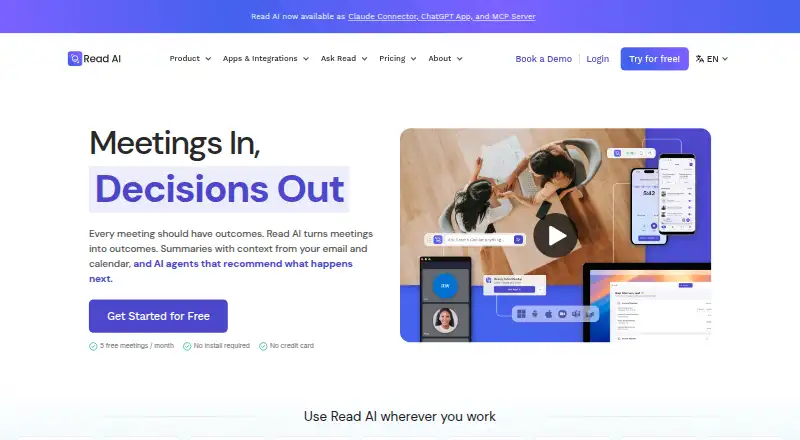
Read AI captures meetings and provides transcription, summaries and action items. Its meeting bot supports Zoom, Microsoft Teams and Google Meet, and the service also offers file uploads and calendar integrations. Read AI is listed for web, Windows, macOS, iOS and Android. The product lists 16 transcription languages, while its Free plan lists support for 20+ languages. That plan is always free, requires no credit card and allows five meetings per month. Paid plans are billed annually: Pro is $15.00 per month and includes 100 file upload credits per month; Enterprise is $22.50 per month with 200 credits; and Enterprise+ is $29.75 per month with 300 credits and requires at least five licenses. Read AI was founded in 2021 and is based in Seattle, Washington, United States. The difference between the listed transcription-language count and the language detail for the free plan may matter when choosing a plan for particular meeting or upload needs.
Who it suits
Read AI suits people who want meeting transcription, summaries and action items across supported video meeting platforms. Its Free plan may suit those with up to five meetings per month; teams needing Enterprise+ must have at least five licenses.
What it does well
- Works with Zoom, Teams and Google Meet
- Available on web, desktop and mobile platforms
- Free plan allows five meetings per month
- Calendar integrations are listed
What to know first
- Free plan is limited to five meetings monthly
- Paid plans are billed annually
- Enterprise+ requires at least five licenses
- Language counts differ between listings
Limits
The Free plan allows five meetings per month. Pro includes 100 file upload credits per month, Enterprise includes 200, and Enterprise+ includes 300 and requires at least five licenses.
Plans
| Plan | Billed and limits | Price |
|---|---|---|
| Free | always free · 5 meeting transcripts/month · unlimited enterprise search · basic integrations · Windows, macOS, Android and iOS apps | Free |
| Pro | per user/month when billed annually; $19.75 per user/month monthly · unlimited meeting transcripts · 100 file-upload credits/month · premium integrations · unlimited reports and storage | $15 a month |
| Enterprise | per user/month when billed annually; $29.75 per user/month monthly · audio/video playback · video highlights · 200 file-upload credits/month · premium support · unlimited reports and storage | $22.50 a month |
| Enterprise+ | per user/month when billed annually; $39.75 per user/month monthly · requires 5+ licenses · HIPAA · SAML and SCIM · domain capture · custom retention policy · 300 file-upload credits/month | $29.75 a month |
As read.ai lists them, read 15 Oct 2026. The maker's own page has the final word.
Getting started
- Visit the Read AI website.
- Choose the Free plan or a paid plan.
- Use the meeting bot with Zoom, Microsoft Teams, or Google Meet.
- Connect a calendar integration or upload files as needed.
- Use Read AI on web, Windows, macOS, iOS, or Android.
Read AI is a bot-based meeting assistant for individuals and teams that work primarily in Zoom, Microsoft Teams, or Google Meet. It is most suitable for users who want transcripts, summaries, and action items tied to their calendar workflow, with language support extending beyond English. The main decision is whether its meeting cap and annual paid commitments match your meeting volume.
Overview
Read AI combines automated meeting capture with transcription, summaries, and action items. Its bot joins supported online meetings, while calendar integrations help connect capture to scheduled events. The product comes from Read AI, a Seattle company founded in 2021.
Coverage is concentrated on Zoom, Microsoft Teams, and Google Meet. That focus is useful for teams standardized on those services, but less compelling if your organization relies on another meeting platform. Read AI supports 16 transcription languages, and its free plan advertises 20+ languages, so confirm the language scope that applies to the feature and plan you need.
Key features
Capture and meeting outputs
Bot-based capture removes the need to record and take notes manually during a call. Transcripts provide a searchable written record, while summaries and action items turn the conversation into follow-up material. This combination is better suited to recurring team meetings, customer calls, and other sessions where decisions and responsibilities need to be revisited than to users who only want a raw recording.
Calendar and language support
Calendar integrations can fit Read AI into an existing scheduling routine instead of requiring every meeting to be started separately. Support for 16 transcription languages broadens its audience, although the free tier advertises 20+ languages and the two figures should not be treated as interchangeable.
Pricing
Read AI uses a freemium structure. The free tier is genuinely ongoing and requires no card, but its meeting allowance is small for a full work calendar.
- Free: free, always free, with no credit card required. It allows five meetings per month and advertises 20+ languages. This works for occasional users or an initial evaluation, not for someone attending several recorded meetings each week.
- Pro: $15 a month, billed annually, with 100 file upload credits per month. As the entry paid tier, it suits an individual or small operation that needs substantially more capacity than five monthly meetings. The annual billing term means the lower monthly figure comes with a longer commitment.
- Enterprise: $22.50 a month, billed annually, with 200 file upload credits per month. The doubled upload-credit allowance over Pro makes it the more appropriate choice for heavier document-based workflows, provided that credit volume matches actual usage.
- Enterprise+: $29.75 a month, billed annually, with 300 file upload credits per month. It requires at least five licenses, so it is aimed at larger teams rather than a solo buyer. The extra allowance is useful only when several users can share the plan's capacity.
The published paid prices are annual-billing rates, and the plans are differentiated by file-upload credits and, for Enterprise+, a minimum license count. Buyers should therefore compare expected uploads and seats rather than selecting solely on the headline monthly price.
Platforms
Read AI is available on web, Windows, macOS, iOS, and Android. Meetings can be captured from Zoom, Microsoft Teams, and Google Meet, giving it broad device access while keeping meeting-service support relatively focused.
Who it's for
Read AI is a strong fit for professionals and teams whose meetings already run on Zoom, Teams, or Meet and who want automated notes plus assigned follow-up. The free plan can serve light users with no procurement friction. Regular meeting-heavy users will likely need a paid annual plan, while Enterprise+ is relevant only when at least five licenses are justified.
It is a weaker fit for people who need a generous free allowance, prefer month-to-month paid software, or depend on meeting services outside its stated integrations.
Pros and cons
Pros
- Complete meeting workflow: Capture, transcription, summaries, and action items are combined instead of requiring separate tools.
- Useful platform reach: Web, desktop, and mobile apps cover the main operating systems.
- Multilingual scope: Support for 16 transcription languages, with the free plan advertising 20+ languages, serves more than English-only teams.
- Low-friction entry: The free plan is always free and does not require a credit card.
Cons
- Restrictive free allowance: Five meetings per month is quickly exhausted by routine schedules.
- Focused meeting integrations: Capture is limited to Zoom, Microsoft Teams, and Google Meet.
- Annual commitment: Pro, Enterprise, and Enterprise+ prices are billed annually.
- Enterprise+ seat barrier: The top tier requires five or more licenses, excluding solo buyers.
Alternatives
For a different balance of meeting notes and automation, compare Circleback, whose free tier includes AI notes, action items, online and in-person meetings, and limited automations.
Bluedot is worth considering if a Chrome extension, desktop and mobile apps, and integrations with Slack, Notion, and Zapier matter more than Read AI's stated meeting coverage.
Choose Notta when a free plan with one seat and 120 transcription minutes per month is a better match for your usage pattern.
Vylo offers unlimited meeting recording on its free plan, alongside AI summaries, action items, and searchable transcripts.
Laxis may suit lighter users who prefer a free allowance of 300 transcription minutes per month with a 45-minute recording maximum.
Wudpecker provides a free notetaker allowance of 10 meetings per month and three Ask AI questions per recording.
Avoma is an alternative for organizations that want paid-seat plans with unlimited free view-only seats.
Colibri.ai is another meeting transcription option with web, desktop, and Linux support.
For broader category comparisons, see Meeting Transcription Software, Meeting Assistant Software, Meeting Recording Software, Meeting Intelligence Software, AI Meeting Assistants, and Meeting Notes Software.
Verdict
Choose Read AI if you want one service to capture Zoom, Teams, or Meet calls and turn them into multilingual transcripts, summaries, and action items across your devices. Its always-free starting point is useful for occasional meetings, but frequent users should budget for annual billing and check the upload-credit and license requirements. Look elsewhere if five free meetings are insufficient, your meetings use unsupported platforms, or you need a flexible month-to-month commitment.
Verdict
Read AI combines meeting capture with transcription, summaries and action items across several platforms. Compare the annual plan terms and confirm which language coverage applies to your intended use.
Questions
Does Read AI have a free plan?
Yes. The Free plan is always free, requires no credit card, and allows five meetings per month.
How much do the paid plans cost?
Pro is $15 a month, Enterprise is $22.50 a month, and Enterprise+ is $29.75 a month. Each is billed annually.
Which meeting platforms does Read AI support?
Its meeting bot works with Zoom, Microsoft Teams, and Google Meet.
Which devices and platforms can I use?
Read AI is listed for web, Windows, macOS, iOS, and Android.
How many file upload credits come with each paid tier?
Pro includes 100 per month, Enterprise includes 200 per month, and Enterprise+ includes 300 per month.
What is required for Enterprise+?
Enterprise+ requires at least five licenses and costs $29.75 a month when billed annually.
Facts from Read AI's own pages
- API
- Read exposes a public REST API in open beta for programmatic access to meeting data, including list, retrieve and live-meeting endpoints. · support.read.ai, 15 Oct 2026
- API authentication
- API clients use OAuth 2.1 dynamic registration with authorization-code and refresh-token grants; access tokens expire after 10 minutes. · support.read.ai, 15 Oct 2026
- Ask Read
- Ask Read searches meeting transcripts and connected email, chat and document sources, using retrieval-augmented generation and citations. · read.ai, 15 Oct 2026
- Calendar integrations
- Yes · read.ai, 20 Sept 2026
- Cloud deployment
- GetApp describes Read AI as cloud-based and lists no self-hosted deployment option. · getapp.com, 15 Oct 2026
- Company founded and headquarters
- LinkedIn lists Read AI as founded in 2021 and headquartered in Seattle. · linkedin.com, 15 Oct 2026
- Company legal name
- Crunchbase lists the legal entity as Read AI, Inc. · crunchbase.com, 15 Oct 2026
- Company size
- LinkedIn lists Read AI at 51-200 employees, while Crunchbase lists 101-250. · linkedin.com, 15 Oct 2026
- CRM integrations
- Salesforce and HubSpot integrations synchronize contact and meeting-note data with Read. · read.ai, 15 Oct 2026
- Documentation and support
- The help center is organized into pricing, getting started, advanced features, enterprise, common issues, FAQs and privacy categories. · support.read.ai, 15 Oct 2026
- Email and messaging summaries
- Read can produce topic summaries for Gmail, Outlook, Slack and Teams content. · read.ai, 15 Oct 2026
- Founded
- 2021 · read.ai, 28 Sept 2026
- Free plan
- Yes · read.ai, 20 Sept 2026
- Funding status
- Crunchbase classifies Read AI as a private Series B company and lists three funding rounds, with funding amounts obscured. · crunchbase.com, 15 Oct 2026
- Headquarters
- Seattle, Washington, United States · read.ai, 28 Sept 2026
- Knowledge integrations
- Google Drive and OneDrive can be connected so Ask Read can search documents, spreadsheets and slides. · read.ai, 15 Oct 2026
- Transcription languages
- 16 · read.ai, 20 Sept 2026
- Language support
- Meeting reports support more than 16 languages, including English, Spanish, French, German, Japanese, Chinese and Hindi. · read.ai, 15 Oct 2026
- License model
- Read's terms grant limited, nonexclusive access to its proprietary services and reserve ownership of the service and underlying technology, indicating a closed-source product. · read.ai, 15 Oct 2026
- Limit: meeting capture reliability
- G2 reviewers report that Read sometimes fails to join an invited meeting or makes recording status unclear. · g2.com, 15 Oct 2026
- Limit: organization tools
- A G2 reviewer says organizing reports into folders can require manual one-by-one selection. · g2.com, 15 Oct 2026
- Limit: price
- G2 reviewers describe Read AI as expensive compared with alternatives and some question renewal value. · g2.com, 15 Oct 2026
- Limit: privacy and unwanted participation
- Trustpilot reviewers repeatedly complain that Read joins meetings unexpectedly, is difficult to remove and feels invasive or spam-like. · trustpilot.com, 15 Oct 2026
- Live notes
- The meeting assistant provides real-time transcription, summaries and meeting metrics while a meeting is in progress. · read.ai, 15 Oct 2026
Where Read AI stands on Freedom251
- Meeting Notes Software#12 of 112
- AI Meeting Assistants#10 of 82
- Business Ai Tools#9 of 27
- Meeting Analytics#8 of 23
- Meeting Recording Software#15 of 34
- Meeting Intelligence Software#17 of 33
- Meeting Assistant Software#15 of 29
- Meeting Transcription Software#15 of 28