Freedom251 › AI Meeting Assistants

Wudpecker
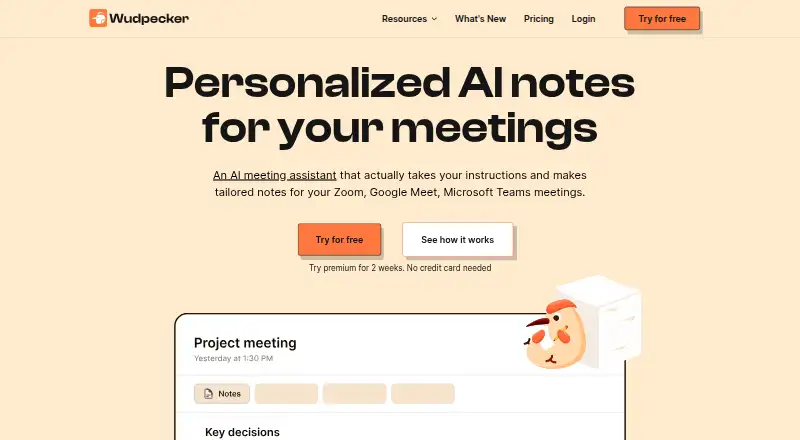
What Wudpecker is
Wudpecker records meetings and turns them into transcripts, AI summaries, and organized follow-up. It labels speakers, tracks action items, and provides note templates. A searchable archive lets users find past meeting material. Wudpecker is available on the web, Windows, macOS, iOS, and Android.
The free plan costs nothing, billed monthly, and includes 10 meetings per month with the notetaker bot and 3 Ask AI questions per recording. Plus costs $19 a month, billed monthly, and allows 30 bot meetings monthly. Pro costs $32 a month, billed monthly, and allows 100. The pricing note lists paid access from $19/user/mo and a 14-day trial. The tier limits provide a clear way to match monthly meeting volume to a plan.
Who it suits
Wudpecker suits people who want recorded meetings transcribed, summarized, and organized with speaker labels and action items. Its free plan may fit those who need up to 10 bot meetings monthly and 3 Ask AI questions per recording.
What it does well
- Transcribes meetings and creates AI summaries
- Tracks action items and labels speakers
- Searchable archive for past meeting material
- Available on web, desktop, and mobile platforms
What to know first
- Free plan limited to 10 bot meetings monthly
- Free plan includes 3 Ask AI questions per recording
- Higher meeting allowances require paid plans
Limits
The Free plan includes 10 meetings per month with the notetaker bot and 3 Ask AI questions per recording. The cheapest paid plan, Plus at $19 a month billed monthly, includes 30 bot meetings per month.
Plans
| Plan | Billed and limits | Price |
|---|---|---|
| Free | billed monthly · 10 meetings per month with notetaker bot · 3 Ask AI questions per recording | Free |
| Plus | billed monthly · 30 meetings per month with notetaker bot | $19 a month |
| Pro | billed monthly · 100 meetings per month with notetaker bot | $32 a month |
As wudpecker.io lists them, read 23 Sept 2026. The maker's own page has the final word.
Getting started
- Visit https://www.wudpecker.io/.
- Choose a platform: web, Windows, macOS, iOS, or Android.
- Start with the Free plan, or consider the 14-day trial.
- Choose Plus for 30 bot meetings per month or Pro for 100.
Wudpecker is a meeting tool that records conversations and turns them into transcripts, summaries, and follow-up items. It is best suited to people who need a searchable record across desktop and mobile. The free plan is a practical starting point, but its bot-meeting and Ask AI limits make monthly volume the key buying consideration.
Overview
Wudpecker combines meeting recording with transcription, speaker labels, AI summaries, action-item tracking, and note templates. Its searchable archive helps users return to past conversations rather than relying on memory or scattered notes. The package covers both the record of a discussion and the work that follows, which makes it more useful for recurring meetings than a transcript-only tool.
Key features
Meeting records and summaries
Recording and transcription provide the source material, while speaker labels clarify who said what. AI summaries make it quicker to review a conversation, particularly when a full transcript is more detail than a user needs. These tools suit people who want a written record without taking notes throughout the meeting.
Follow-up and search
Action-item tracking gives the notes a concrete next-step purpose. Templates can help keep recurring meeting notes consistent, and the searchable archive is valuable when a decision or commitment needs to be retrieved later. The strongest case is for users who will revisit and act on their meeting records, not those who only need occasional transcription.
Pricing
| Plan | Price | Included | Best for |
|---|---|---|---|
| Free | free, billed monthly | 10 meetings per month with notetaker bot; 3 Ask AI questions per recording | Trying the workflow or handling a modest number of meetings |
| Plus | $19 a month, billed monthly | 30 meetings per month with notetaker bot | Regular users who exceed the free meeting allowance |
| Pro | $32 a month, billed monthly | 100 meetings per month with notetaker bot | People with a heavier monthly meeting schedule |
The free plan makes it possible to start without paying, but 10 bot meetings a month can be restrictive for frequent users. Its three Ask AI questions per recording also put a clear ceiling on that interaction. Plus raises the bot allowance to 30, while Pro provides 100; the paid tiers are differentiated here by meeting capacity, so estimate your monthly use before choosing. The stated pricing note includes a 14-day trial and paid plans from $19/user/mo. All three plan prices above are billed monthly.
Platforms
Wudpecker supports web, Windows, macOS, iOS, and Android. That breadth suits users who need to work across computers and phones rather than keep meeting records on one operating system.
Who it's for
Choose Wudpecker if you want recordings, labeled transcripts, summaries, action items, and a searchable archive in one meeting workflow. It is less compelling if your monthly bot-meeting needs regularly exceed 100 or if you need more than three Ask AI questions per recording on the free plan; those limits should be weighed against the paid tiers before committing.
Pros and cons
- Pros: Recording, transcription, speaker labels, summaries, action-item tracking, and templates cover both meeting review and follow-up.
- Pros: A searchable archive supports retrieval of prior discussions, and five platform options accommodate desktop and mobile use.
- Cons: The free plan caps notetaker-bot meetings at 10 per month and Ask AI at three questions per recording.
- Cons: Even the Pro plan caps bot meetings at 100 per month, which may not suit users with very high meeting volume.
Alternatives
For a broader comparison, browse Meeting Transcription Software, Meeting Assistant Software, AI Meeting Assistants, or Meeting Notes Software.
- Circleback is another freemium option; its free plan includes AI meeting notes, action items, online and in-person meetings, and limited automations.
- Bluedot is a freemium alternative whose free plan includes five lifetime meetings and apps for desktop and mobile.
- Notta may suit users who want a free plan with one seat and 120 transcription minutes per month.
- Vylo is another freemium meeting option.
- Laxis offers a free Basic plan with 300 transcription minutes per month, 30 days of conversation history, and a 45-minute maximum recording.
- Read AI may suit users whose free-plan needs fit five meetings per month and support for 20+ languages.
- Avoma is another freemium option, with a Startup plan priced at $19 a month billed annually and up to 25 paid seats.
- Colibri.ai offers a free plan with one user, five hours of transcription per month, and a 40-minute maximum recording length.
Verdict
Wudpecker is a strong fit for people who want meeting capture, searchable records, and follow-up tools across desktop and mobile. Its all-in-one workflow is the main reason to choose it; the capped bot-meeting allowances and the free plan's limited Ask AI questions are the main reasons to compare alternatives or move to a paid tier.
Verdict
Wudpecker combines meeting capture with transcripts, summaries, and follow-up tools. Compare the monthly bot meeting allowance and listed Ask AI limit with your needs before choosing a plan.
Questions
Does Wudpecker have a free plan?
Yes. Free costs nothing, billed monthly, with 10 meetings per month using the notetaker bot and 3 Ask AI questions per recording.
How much do the paid plans cost?
Plus is $19 a month, billed monthly, and Pro is $32 a month, billed monthly. The pricing note says paid plans start from $19/user/mo.
Is there a trial?
The pricing note mentions a 14-day trial.
Which platforms support Wudpecker?
Wudpecker is available on the web, Windows, macOS, iOS, and Android.
What does Wudpecker do with meetings?
It records and transcribes meetings, creates AI summaries, labels speakers, tracks action items, and offers note templates. It also has a searchable archive.
Facts from Wudpecker's own pages
- Action-item tracking
- Yes · wudpecker.io, 23 Sept 2026
- AI summaries
- Yes · wudpecker.io, 23 Sept 2026
- Free plan
- Yes · wudpecker.io, 23 Sept 2026
- Note templates
- Yes · wudpecker.io, 23 Sept 2026
- Meeting recording
- Yes · wudpecker.io, 23 Sept 2026
- Speaker labels
- Yes · wudpecker.io, 23 Sept 2026
- Paid from
- 19 · wudpecker.io, 23 Sept 2026
- Transcription
- Yes · wudpecker.io, 23 Sept 2026
Where Wudpecker stands on Freedom251
- AI Meeting Assistants#15 of 82
- Meeting Notes Software#36 of 112
- Meeting Transcription Software#20 of 28
- Meeting Assistant Software#21 of 29