Freedom251 › AI Meeting Assistants

Laxis
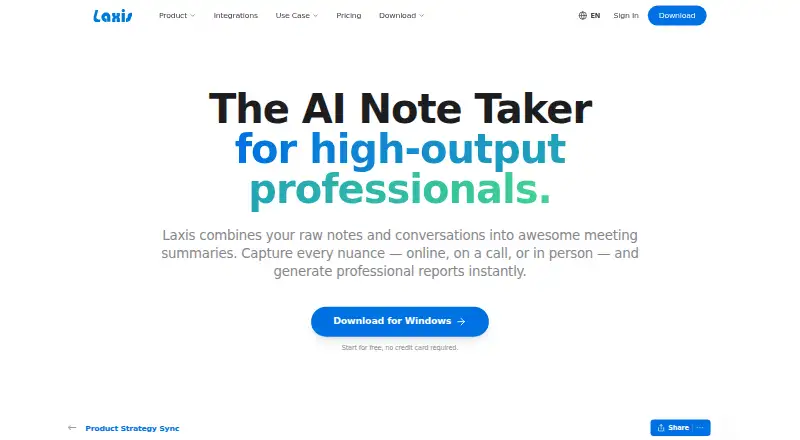
What Laxis is
Laxis is an AI meeting assistant that captures meetings with a bot and organizes them into searchable records. It supports Zoom, Google Meet, Microsoft Teams, Webex, Skype, and Discord, and includes calendar integrations. Features include recording, transcription, AI summaries, action-item tracking, speaker labels, and note templates. Transcription supports 120 languages. Laxis is available on the web, Windows, macOS, iOS, and Android. Its free Basic plan includes 300 transcription minutes per month, 30 days of conversation history, and a maximum recording length of 45 minutes. Premium costs $9.99 a month and provides 2,000 transcription minutes per month, with recordings up to two hours. Business costs $19.99 a month and permits recordings up to four hours. Enterprise includes custom solutions and deployment, API and SSO integration, security and compliance options, a dedicated account manager, onboarding, and training. A 14-day trial is available.
Who it suits
Laxis may suit people or teams who want meeting recordings, transcripts, summaries, and action items in a searchable archive. Its platform range and 120-language transcription may fit users working across different devices or languages.
What it does well
- Supports six listed meeting platforms.
- Transcription is available in 120 languages.
- Includes summaries and action-item tracking.
- Available across web, desktop, and mobile platforms.
- Free plan includes 300 transcription minutes monthly.
What to know first
- Free recordings are limited to 45 minutes.
- Free conversation history lasts 30 days.
- Premium costs $9.99 a month.
Plans
| Plan | Billed and limits | Price |
|---|---|---|
| Basic | 300 transcription minutes/month · 45-minute maximum recording · 30-day conversation history | Free |
| Business | yearly ($239.88/year) · Unlimited transcription · 4-hour maximum recording · CRM automation · 7,000+ app integrations · team administration | $19.99 a month |
| Premium | yearly ($119.88/year) · 2,000 transcription minutes/month · 2-hour maximum recording · unlimited storage · AI Chat · live translation | $9.99 a month |
| Enterprise | Custom transcription volume · SSO/SAML · full API access · custom deployment · data residency · dedicated account manager | On request |
As laxis.com lists them, read 15 Oct 2026. The maker's own page has the final word.
Laxis is an AI meeting assistant that captures meetings with a bot and combines transcription, summaries, and follow-up tracking. It suits people who want those tools across several meeting services; its main trade-off is that recording and history limits vary sharply by plan.
Overview
Laxis brings meeting capture, speaker labels, searchable transcripts, summaries, and action items into one workflow. It supports Zoom, Google Meet, Microsoft Teams, Webex, Skype, and Discord, and can transcribe in 120 languages. That breadth makes it a practical fit for teams that meet across services or languages, though the free plan’s 45-minute recording cap may rule it out for longer sessions.
Key features
Capture and meeting notes
Bot-based meeting capture works with six named meeting platforms. Transcription, AI summaries, speaker labels, note templates, and action-item tracking cover the path from conversation to follow-up. Calendar integrations can complement that workflow, while a searchable archive helps users revisit past conversations. The value is in keeping capture and post-meeting organization together; users who need recording without a bot should compare other options.
Language and access
Laxis supports 120 transcription languages and offers web, Windows, macOS, iOS, and Android platforms. That gives it broad device coverage alongside its meeting-service support, a useful combination for people switching between desktop and mobile.
Pricing
Laxis is freemium, with paid plans starting at $9.99/mo and a 14-day trial. The plan prices below are billed monthly.
| Plan | Price | What it includes |
|---|---|---|
| Basic | free | 300 transcription minutes per month, 30 days of conversation history, and a 45-minute maximum per recording. |
| Premium | $9.99 a month | 2,000 transcription minutes per month and a two-hour maximum per recording. |
| Business | $19.99 a month | A four-hour maximum per recording. |
| Enterprise | Custom pricing | Custom solutions and deployment, full API and SSO integration, enterprise security and compliance, a dedicated account manager, onboarding, and training. |
Basic is a useful starting point for shorter meetings and moderate monthly volume, but its 300-minute quota, 30-day history, and 45-minute recording ceiling constrain ongoing or long-session use. Premium raises the monthly allowance substantially and supports recordings up to two hours, making it the clearer fit for regular use. Business raises the recording ceiling to four hours, but its stated plan detail is narrower; buyers should weigh that benefit against Premium’s explicit transcription quota. Enterprise is aimed at organizations needing deployment, integration, security, and account support rather than a self-serve allowance increase.
Platforms
Laxis runs on web, Windows, macOS, iOS, and Android. Its bot captures meetings on Zoom, Google Meet, Microsoft Teams, Webex, Skype, and Discord. This is a strong mix for users whose conversations span multiple meeting services, while the bot-based approach may not suit people who prefer bot-free capture.
Who it's for
Laxis is best for individuals and teams that want searchable meeting records, summaries, and action items across several conferencing tools, particularly when multilingual transcription matters. Basic can serve lighter users with short meetings; people who regularly exceed 300 minutes monthly or need recordings longer than 45 minutes have a concrete reason to move to a paid plan. It is less compelling for anyone whose priority is bot-free recording or whose needs hinge on a clearly stated Business transcription allowance.
Pros and cons
- Pros: Six supported meeting services reduce friction for teams using different conferencing tools.
- Pros: Transcription in 120 languages, speaker labels, summaries, and action-item tracking support a full meeting-to-follow-up workflow.
- Pros: Web, desktop, and mobile platforms give users several ways to access the service.
- Cons: Basic limits transcription to 300 minutes monthly, keeps history for 30 days, and caps each recording at 45 minutes.
- Cons: Business names a four-hour recording cap but does not state a transcription-minute quota in its plan details, making that allowance harder to assess.
- Cons: Capture is bot-based, so users seeking bot-free recording should consider alternatives.
Alternatives
Consider Fathom if unlimited recordings and transcriptions, bot-free capture, or instant AI call summaries are the priority on its free plan. Notta is another free option, with one seat and 120 transcription minutes per month. For a free starting point centered on AI notes, Fellow offers five AI notes per user for a lifetime. Bluedot may fit users who want a free plan with five lifetime meetings and integrations including Slack, Notion, and Zapier. MeetGeek offers three hours of transcription monthly and three months of transcript storage on its free plan. Fireflies.ai gives individuals a free plan with 400 minutes of team storage and 20 AI credits. Avoma is worth comparing for organizations considering paid seats alongside free view-only seats. Grain is another free option, with 45-minute meetings and 20 bot-recorded meetings for personal email users.
Browse AI Meeting Assistants, Meeting Transcription Software, Meeting Assistant Software, Meeting Intelligence Software, and Meeting Notes Software to compare more tools by category.
Verdict
Choose Laxis if you want bot-based capture, searchable meeting records, summaries, and follow-up tracking across a wide range of conferencing services and languages. Its strongest case is the breadth of that combined workflow; look elsewhere if you need bot-free capture, or if the Basic plan’s short recording cap and limited history do not fit your meetings.
Verdict
Laxis combines meeting capture with transcription, summaries, and follow-up tracking across several meeting services. The free plan has limits on minutes, history, and recording length; paid plans raise those allowances.
Facts from Laxis's own pages
- Action-item tracking
- Yes · laxis.com, 23 Sept 2026
- AI chat and search
- Users can ask questions about one recording or search across their full conversation library. · laxis.com, 15 Oct 2026
- AI summaries
- The service combines user notes with transcripts so generated summaries reflect the user's context. · laxis.com, 15 Oct 2026
- API and webhooks
- The integrations page shows a REST endpoint example and says Laxis provides API and webhook support for custom workflows. · laxis.com, 15 Oct 2026
- Bot-free capture
- Desktop recording captures system audio without adding a visible bot to Zoom, Google Meet, Microsoft Teams, or Webex calls. · laxis.com, 15 Oct 2026
- Calendar integrations
- Yes · laxis.com, 20 Sept 2026
- Company facts
- LinkedIn lists Laxis as a privately held software-development company headquartered in San Francisco with 11–50 employees and a 2020 founding year. · linkedin.com, 15 Oct 2026
- Documentation
- The help center contains collections for getting started, meeting assistant, desktop, web, mobile, Chrome extension, voice keyboard, integrations, MCP, billing, and security. · help.laxis.com, 15 Oct 2026
- Encryption
- The security documentation says data is encrypted in transit and at rest using HTTPS/TLS. · help.laxis.com, 15 Oct 2026
- Founder
- Laxis identifies Eric Xiao as its founder and CEO. · laxis.com, 15 Oct 2026
- Free plan
- Yes · laxis.com, 23 Sept 2026
- Funding news
- Laxis announced a $1.5 million seed round on October 19, 2023, backed by Elevate Ventures, Flywheel Fund, Allos Ventures, Ground Game Ventures, VisionTech Partners, and Lofty Ventures. · laxis.com, 15 Oct 2026
- Integrations
- Native connections include Zoom, Google Meet, Microsoft Teams, Salesforce, HubSpot, and Wealthbox, while Zapier provides access to more than 7,000 apps. · laxis.com, 15 Oct 2026
- Transcription languages
- 120 · laxis.com, 20 Sept 2026
- Limit: Android reliability
- A Google Play reviewer reports that recording and upload controls did not work on a Galaxy S23 Ultra, making the app unusable until a later fix. · play.google.com, 15 Oct 2026
- Limit: refund and team features
- One Capterra reviewer reports broken team invitations, difficulty finding support, and a denied refund after subscribing. · capterra.com, 15 Oct 2026
- Limit: support and quotas
- A Capterra reviewer reports unanswered support requests and AI usage being deducted inaccurately from quotas. · capterra.com, 15 Oct 2026
- Limit: transcription accuracy
- Capterra reviewers report transcription errors and say recordings sometimes require manual correction. · capterra.com, 15 Oct 2026
- Linux support
- There is no Linux desktop application; Linux users are directed to the browser-based web app. · laxis.com, 15 Oct 2026
- MCP connector
- Laxis provides an MCP server in beta for Claude and ChatGPT so users can query meeting transcripts, summaries, and action items from those assistants. · laxis.com, 15 Oct 2026
- Meeting capture
- bot · laxis.com, 20 Sept 2026
- Meeting platforms
- Zoom,Google Meet,Microsoft Teams,Webex,Skype,Discord · laxis.com, 20 Sept 2026
- Note templates
- Yes · laxis.com, 23 Sept 2026
- Praise: ease and support
- Reviewers on Capterra describe setup as easy and several report responsive, helpful customer service. · capterra.com, 15 Oct 2026
Where Laxis stands on Freedom251
- AI Meeting Assistants#5 of 82
- Meeting Notes Software#8 of 112
- Meeting Intelligence Software#8 of 33
- Meeting Assistant Software#8 of 29
- Meeting Transcription Software#8 of 28