Freedom251 › Meeting Notes Software
Meet2Notes
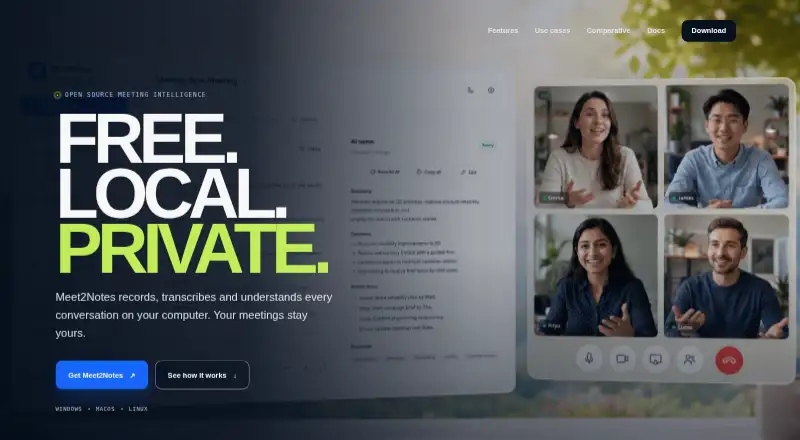
What Meet2Notes is
Meet2Notes records, transcribes, and analyzes conversations on the user’s computer. It captures microphone or system audio, supports real-time transcription, and creates structured notes with decisions and action items. A rule-driven Live AI Assistant monitors provisional transcript segments, while questions about meeting history can return answers with timestamped sources. The software separates speakers, saves voice profiles, and can recognize speakers across meetings. Users can import common media files for local processing and choose transcription, diarization, summarization, and embedding engines independently. Integration options include plugins, pipeline hooks, signed webhooks, and a local MCP server that can connect to compatible clients including Claude Desktop, ChatGPT Desktop, and Codex. By default, audio, transcripts, embeddings, and local models remain in the workspace, and telemetry is off. Remote AI providers require explicit configuration before transcript content can leave the computer; outbound webhooks are disabled by default. Meet2Notes is free and open source under the MIT license. The maker describes it as active alpha and invites contributors, testers, and privacy-minded teams.
Who it suits
Meet2Notes suits people who need searchable meeting notes, decisions, action items, and speaker recognition. The maker lists uses including project management, recruitment, healthcare, legal work, education, research, and consulting.
What it does well
- Records microphone or system audio.
- Creates notes with decisions and action items.
- Meeting-history answers include timestamped sources.
- Audio and transcripts stay local by default.
- Free and open source under the MIT license.
What to know first
- The maker describes the product as active alpha.
- Mobile capture is listed as planned.
- Remote AI providers need explicit configuration.
Limits
Meet2Notes is fully free, with no paid tier or usage quota stated in the listed facts. Mobile capture is planned; the listed capture mode is desktop.
Plans
| Plan | Billed and limits | Price |
|---|---|---|
| Meet2Notes | Fully free · open source · Windows, macOS, Linux | Free |
| Free | fully free · open source · local processing | Free |
As meet2notes.eu lists them, read 8 Oct 2026. The maker's own page has the final word.
Getting started
- Open https://meet2notes.eu/.
- Choose the Windows, macOS or Linux platform, or use the web version.
- Use the free Meet2Notes plan.
- Capture microphone or system audio, or import a common media file.
- Select transcription, diarization, summarization and embedding engines independently if needed.
- Configure a remote AI provider explicitly before transcript content can leave the computer.
Overview
Meet2Notes is desktop software for recording conversations, transcribing them and turning them into searchable meeting notes. It is best suited to privacy-conscious users who want to keep meeting data on their own computer and configure their AI workflow. Its open-source, free offer is unusually broad, though active-alpha development makes it a riskier pick for teams that depend on a mature service.
Key features
Meet2Notes captures microphone or system audio and can import common media files for local processing. Real-time transcription feeds a rule-driven Live AI Assistant that monitors provisional transcript segments, while structured notes capture decisions and action items. That combination suits people who want prompts and a usable record during and after a conversation, but its desktop capture model is not a fit for those seeking mobile recording today.
Speaker separation, saved voice profiles and recognition across meeting history help make recurring conversations easier to review. Users can also ask questions across past meetings and receive answers with timestamped sources, a useful way to check an answer against the original discussion.
Transcription, speaker diarization, summarization and embedding engines can be chosen independently. Plugins, pipeline hooks and signed webhooks offer room for custom workflows; a local MCP server can connect to Claude Desktop, ChatGPT Desktop, Codex and compatible clients. This flexibility is most valuable to technically capable users willing to configure their setup.
Audio, transcripts, embeddings and local models remain in the workspace by default, and telemetry is off by default. Remote AI providers must be configured explicitly before transcript content can leave the computer, and outbound webhooks start disabled. Those safeguards make Meet2Notes a strong candidate for sensitive work, though they do not remove the need to review configuration before enabling external services.
Pricing
Meet2Notes costs free and is described by its maker as free and open source under the MIT license. The free plan includes AI action items, decision capture, speaker labels and CRM integrations; the product also supports transcription and summaries. There is no separate free trial to weigh against a paid subscription.
For individuals and teams comfortable evaluating alpha software, the price removes a major barrier to trying a locally handled meeting workflow. The trade-off is product maturity: Meet2Notes is in active alpha, so teams needing a settled tool may prefer a more established option. The maker also invites contributors and testers, which may suit users who want to help shape its development.
Platforms
Meet2Notes supports Linux, macOS, Windows and the web. Mobile capture is planned, so users who need to record meetings from a phone should look elsewhere for now.
Who it's for
The maker identifies project management, recruitment, sales and customer success, healthcare, mental health, legal, education and research, and consulting and coaching as use cases. Its local-by-default handling and configurable engines make it particularly relevant to privacy-minded users in these fields. Active-alpha status, however, is a meaningful consideration for teams whose workflows cannot tolerate uncertainty around product maturity.
Pros and cons
- Pro: Local-by-default storage and processing, with explicit configuration needed before remote AI providers can receive transcript content, gives privacy-conscious users meaningful control.
- Pro: Search across meeting history with timestamped sources makes it easier to trace answers to their original conversations.
- Pro: Independent engine choices, plugins and a local MCP server support adaptable workflows for technically capable users.
- Con: Active-alpha status makes it a less dependable choice for teams seeking a mature, settled product.
- Con: Mobile capture is only planned, limiting its fit for people who record meetings on phones.
Alternatives
Fellow is a better fit for someone who wants a freemium alternative with a free trial and broad platform support, including Android, iOS and extensions; its free plan includes five AI notes per user for life.
MeetNotes suits users who want mobile support and a one-time allowance of 100 minutes on its free plan, with speaker-labelled transcripts and PDF and Word minutes.
Notta may suit users seeking a free-plan monthly quota: it offers one seat and 120 transcription minutes per month, with Android and iOS support.
Laxis is worth considering for a defined monthly transcription allowance: its Basic plan includes 300 minutes per month, 30 days of conversation history and a 45-minute maximum per recording.
Read AI is an alternative for users who want a free plan capped at five meetings per month and support for more than 20 languages.
Wudpecker is another option for users who prefer a free monthly meeting allowance, with ten meetings using its notetaker bot and three Ask AI questions per recording.
Avoma is an alternative with free view-only seats on its paid plans, making it relevant to teams that want viewers separate from paid seats.
Backchannel is another free, MIT-licensed, self-hosted option without a hosted tier, seat pricing or feature paywall.
For a broader shortlist, compare Meeting Assistant Software, AI Meeting Assistants and Meeting Notes Software.
Verdict
Meet2Notes is a compelling choice for privacy-minded users who want free, open-source meeting capture, transcription and searchable notes on desktop, with control over engines and integrations. Its local-by-default approach is the clearest reason to choose it. Look elsewhere if mobile capture or the confidence of a mature product matters more than that control.
Verdict
Meet2Notes brings recording, transcription, and searchable meeting notes together with local-by-default handling. Its active-alpha status is worth considering for teams evaluating it.
Questions
How much does Meet2Notes cost?
The Meet2Notes plan is free, and the maker describes the product as fully free.
Is Meet2Notes open source?
Yes. It is open source under the MIT license.
Which platforms does Meet2Notes support?
Windows, macOS, Linux and the web are listed. Mobile capture is planned.
Can Meet2Notes transcribe and summarize meetings?
Yes. It provides transcription, summaries, decisions and AI action items, including real-time transcription.
Where does Meet2Notes keep meeting content?
Audio, transcripts, embeddings and local models stay in the workspace by default. Remote AI providers require explicit configuration before transcript content can leave the computer.
What integrations does Meet2Notes offer?
It supports plugins, pipeline hooks, signed webhooks and a local MCP server for Claude Desktop, ChatGPT Desktop, Codex and compatible clients.
Facts from Meet2Notes's own pages
- Audio capture
- Capture supports microphones, system audio and imported WAV, MP3, M4A, FLAC, OGG, AAC, MP4, MKV, WebM and MOV files. · github.com, 15 Oct 2026
- Capture
- It records microphone or system audio and imports common media files for local processing. · meet2notes.eu, 8 Oct 2026
- Changelog
- Version 0.9.0 dated 2026-10-01 added Nemotron 3 diarization defaults, cached voice matching, Bonsai 8B and remote model presets. · github.com, 15 Oct 2026
- Credential storage
- Configured API credentials are stored through the operating-system keyring rather than the application database or browser storage. · reddit.com, 15 Oct 2026
- Development status
- The site describes the product as active alpha and invites contributors, testers and privacy-minded teams. · meet2notes.eu, 8 Oct 2026
- Distribution
- Pinokio lists Meet2Notes as the creator account's single published app. · pinokio.co, 15 Oct 2026
- Engines
- Transcription, diarization, summarization and embedding engines can be selected independently. · meet2notes.eu, 8 Oct 2026
- Free plan
- Yes · github.com, 20 Sept 2026
- GPU support
- Faster Whisper supports CPU on Windows, macOS and Linux, while CUDA support is available on Windows and Linux and llama.cpp can use CUDA, Metal or CPU. · github.com, 15 Oct 2026
- Historical search
- A local RAG index supports questions over one meeting or the complete meeting library with timestamped source context. · reddit.com, 15 Oct 2026
- Independent benchmark
- A developer post reports 1–3 second first-text responses after context loading for a two-hour debate using Bonsai 27B 1-bit on an RTX 3070 with 8 GB VRAM and 32 GB RAM, with an initial cold request of about 76 seconds. · reddit.com, 15 Oct 2026
- Independent capture report
- A Reddit commenter says Meet2Notes can work with Google Meet without adding a meeting bot. · reddit.com, 15 Oct 2026
- Independent directory signal
- StartupScores lists Meet2Notes with a score of 44 and records verified releases dated 2026-08-24 and 2026-09-10. · startupscores.com, 15 Oct 2026
- Independent functionality report
- A Reddit post reports recording microphone and desktop audio, live and final transcription, diarization, AI notes, historical search and local LLM use. · reddit.com, 15 Oct 2026
- Independent privacy report
- A community post says a fully local configuration keeps recordings, transcripts, speaker data, notes, embeddings and RAG data on the user's machine. · reddit.com, 15 Oct 2026
- Installation
- Windows offers an install-update.bat bootstrap, while macOS and Linux use the repository install.sh script; Pinokio is also supported. · github.com, 15 Oct 2026
- Integrations
- The project provides a local MCP server, signed webhooks and a plugin/provider architecture for extensions. · meet2notes.eu, 15 Oct 2026
- License
- The repository is released under the MIT License. · github.com, 15 Oct 2026
- License and availability
- The maker describes Meet2Notes as free and open source under the MIT license. · meet2notes.eu, 8 Oct 2026
- Limit: gated diarization
- Pyannote Community-1 requires accepting Hugging Face terms and configuring a read token. · github.com, 15 Oct 2026
- Limit: hardware variability
- The developer notes that performance and answer quality still need improvement across different hardware and recordings. · reddit.com, 15 Oct 2026
- Limit: maturity
- A Reddit announcement describes the project as still in active alpha development. · reddit.com, 15 Oct 2026
- Limit: mobile
- The official comparison marks mobile capture as planned rather than currently available. · meet2notes.eu, 15 Oct 2026
- Limit: unsigned installer
- The Windows batch installer is not code-signed and may trigger a SmartScreen warning. · github.com, 15 Oct 2026
Where Meet2Notes stands on Freedom251
- Meeting Notes Software#1 of 112
- AI Meeting Assistants#1 of 82
- Meeting Assistant Software#1 of 29