Freedom251 › Meeting Intelligence Software

Colibri.ai
by Colibri.ai
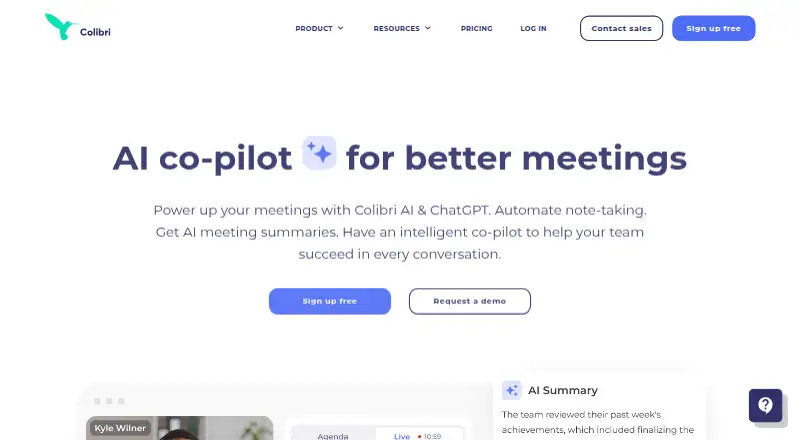
What Colibri.ai is
Colibri.ai captures online meetings through an extension and provides transcription, summaries, and action items. It supports Zoom, Google Meet, Microsoft Teams, Webex, Whereby, BlueJeans, GoToMeeting, RingCentral, and UberConference. The service lists one transcription language and runs on the web, Windows, macOS, and Linux. Its free plan covers one user, five transcription hours per month, and recordings up to 40 minutes. Starter costs $20 a month for one user, 20 transcription hours monthly, and a 90-minute recording limit. Pro costs $50 a month and Growth costs $60 a month; both start at one user, allow unlimited monthly transcription hours per user, and limit recordings to four hours. Scale costs $80 a month, starts at one user, and allows unlimited transcription hours and recording length. The pricing note also lists paid plans from $16/user/mo on an annual basis and a 30-day trial.
Who it suits
Colibri.ai may suit individuals or teams who want meeting transcripts, summaries, and action items across its supported meeting platforms. Its free plan accommodates one user with up to five transcription hours monthly.
What it does well
- Transcribes meetings and provides summaries and action items.
- Supports nine listed meeting platforms.
- Available on web, Windows, macOS, and Linux.
- Free plan includes five transcription hours monthly.
What to know first
- Transcription is listed for one language only.
- Free recordings have a 40-minute maximum.
- Starter recordings are limited to 90 minutes.
Limits
The free plan allows one user, five transcription hours per month, and recordings up to 40 minutes. Starter allows one user, 20 transcription hours per month, and recordings up to 90 minutes.
Plans
| Plan | Billed and limits | Price |
|---|---|---|
| Starter | $20 per user/month monthly; $16 per user/month annually · 1 user · 20 transcription hours/month · 90-minute maximum recording · unlimited audio storage · 2 years video storage · smart agendas · advanced search | $20 a month |
| Pro | $50 per user/month monthly; $40 per user/month annually · unlimited transcription · 4-hour maximum recording · unlimited audio storage · 2 years video storage · AI summaries · shared workspace · Slack integration · API | $50 a month |
| Growth | $60 per user/month monthly; $50 per user/month annually · unlimited transcription · 4-hour maximum recording · real-time AI guidance · team performance dashboard · call analytics · Slack integration · API | $60 a month |
| Scale | $80 per user/month monthly; $70 per user/month annually · unlimited transcription · unlimited recording length · manager alerts · Salesforce integration · custom language model · VIP onboarding · phone calls via Colibri · API | $80 a month |
| Free | $0 per user/month; free forever · 1 user · 5 transcription hours/month · 40-minute maximum recording · unlimited audio storage · 2 months video storage · Zoom app | Free |
As colibri.ai lists them, read 15 Oct 2026. The maker's own page has the final word.
Getting started
- Open https://colibri.ai/.
- Choose the free plan or review the paid plans and 30-day trial.
- Use the browser extension to capture meetings on a supported meeting platform.
- Access Colibri.ai on the web, Windows, macOS, or Linux.
Colibri.ai is a meeting transcription tool that turns captured calls into summaries and action items. It suits individuals who want those outputs across several meeting platforms, especially if their monthly hours and call lengths fit a defined plan. Its free tier makes it easy to start, but longer meetings or heavier use call for a paid plan.
Overview
Colibri.ai combines transcription with summaries and action items, and captures meetings through a browser extension. Its reach across Zoom, Google Meet, Microsoft Teams and other platforms is a practical strength for people who meet across different services. The trade-off is a single transcription language, which makes it a poor fit for multilingual workflows.
Key features
- Transcription, summaries and action items: Colibri.ai covers the core post-meeting tasks in one tool. That makes it relevant to people who need a written record and follow-up points, though it is not a fit for teams that require transcription in multiple languages.
- Extension-based meeting capture: It supports Zoom, Google Meet, Microsoft Teams, Webex, Whereby, BlueJeans, GoToMeeting, RingCentral and UberConference. This breadth can help when participants use different meeting services; capture is through an extension rather than a stated native meeting app.
Pricing
Colibri.ai has a free plan and paid plans. The entry paid price is $16/user/mo (annual), while the monthly plan prices below are billed monthly; compare the billing terms as well as the quotas.
- Free — free: One user gets 5 transcription hours per month and recordings up to 40 minutes. It is a useful way to assess whether the workflow suits occasional, shorter meetings, but the cap is tight for regular use.
- Starter — $20 a month: One user gets 20 transcription hours per month and recordings up to 90 minutes. This is the clearest step up for an individual with recurring calls, but it still imposes both a monthly-hours ceiling and a call-length limit.
- Pro — $50 a month: Starting from one user, it offers unlimited transcription hours per user per month and a four-hour maximum recording length. It suits heavier individual use, though the recording cap remains relevant for long sessions.
- Growth — $60 a month: Starting from one user, it has the same stated unlimited hours and four-hour recording maximum as Pro. Those limits alone do not show why a buyer should pay more than Pro.
- Scale — $80 a month: Starting from one user, it offers unlimited transcription hours per user per month and unlimited recording length. It is the fit for calls that may exceed four hours, at a substantial step up from Pro.
The free plan and Starter impose explicit monthly hour limits; Pro, Growth and Scale remove that limit but retain a four-hour recording cap except on Scale. Paid tiers start from one user, so the quoted monthly price should not be mistaken for a multi-seat total. A 30-day trial is also offered.
Platforms
Colibri.ai supports web, Windows, macOS and Linux. That range accommodates desktop users across the major operating systems as well as browser-based use.
Who it's for
Colibri.ai is best for individuals who want transcripts, summaries and action items from meetings on several supported platforms, and can choose a plan around their call volume. Free is suited to light use; Starter to moderate monthly hours; Pro or Growth to frequent transcription within four-hour recordings; Scale to sessions of any length. Look elsewhere if you need more than one transcription language or need plan limits that match a different usage pattern.
Pros and cons
- Pro: Captures meetings across nine named platforms, useful when calls are spread across services.
- Pro: Summaries and action items accompany transcription, bringing follow-up into the same workflow.
- Pro: A free plan provides up to five monthly hours, so occasional users can begin without a paid subscription.
- Con: Transcription supports one language, limiting multilingual use.
- Con: Free and Starter cap both monthly hours and recording length, while most higher tiers still cap recordings at four hours.
- Con: Growth costs more than Pro despite the same stated transcription-hour and recording-length limits.
Alternatives
For a different balance of coaching and meeting capture, consider Amotions AI, ConversationPilot or TalkPilot. Amotions AI has a free Basic plan with limited usage, live coaching, roleplay, scorecards, transcripts and two playbook documents or links. ConversationPilot's free plan allows three calls per month without live coaching, while its $39 a month Solo plan includes full live coaching for individual use. TalkPilot's free plan allows five conversations per month of up to 30 minutes, five practice runs and three scenarios.
For broader sales or conversation platforms, compare Avoma, Jiminny, Gong Forecast, Allego and ExecVision. Avoma's Startup plan is $19 a month billed annually, with up to 25 paid seats and unlimited free view-only seats. Jiminny's Insights Seat is $42 a month with a minimum 12-month contract. Gong Forecast, Allego and ExecVision use custom pricing.
Readers comparing categories can also browse Meeting Transcription Software, Meeting Intelligence Software, AI Meeting Assistants and AI Sales Call Analysis Software.
Verdict
Choose Colibri.ai if you want transcription, summaries and action items across a wide range of meeting platforms, and its hour and recording caps fit your calls. The free tier is a sensible starting point for occasional use; frequent users can move to unlimited-hour plans. Look elsewhere if you need multilingual transcription, or if Growth's stated limits do not justify its higher price over Pro.
Verdict
Colibri.ai combines meeting transcription with summaries and action items across a broad set of listed platforms. Compare the plan-specific hour and recording limits with your meeting needs before choosing a tier.
Questions
Is there a free plan?
Yes. It includes one user, five transcription hours per month, and a 40-minute maximum recording length.
What does Colibri.ai cost?
The listed monthly plans are Free at $0.00 USD, Starter at $20.00 USD, Pro at $50.00 USD, Growth at $60.00 USD, and Scale at $80.00 USD. The pricing note also says paid plans start at $16/user/mo annually and mentions a 30-day trial.
Which meeting platforms does it support?
Zoom, Google Meet, Microsoft Teams, Webex, Whereby, BlueJeans, GoToMeeting, RingCentral, and UberConference.
Which platforms can I use Colibri.ai on?
It is available on the web, Windows, macOS, and Linux.
How many transcription languages are listed?
One transcription language is listed.
Who makes Colibri.ai?
Colibri.ai is made by Colibri.ai, based in Palo Alto, California, USA.
Facts from Colibri.ai's own pages
- AI meeting summaries
- The product generates a summary and suggested next steps after conversations. · colibri.ai, 15 Oct 2026
- API availability
- The pricing page lists an API under Pro, Growth, and Scale integrations, but the public help-center feature index does not provide API reference documentation. · colibri.ai, 15 Oct 2026
- Audio upload
- Users can upload audio or video files for transcription. · support.colibri.ai, 15 Oct 2026
- Chrome extension
- The extension records browser audio and microphone input and works with Google Meet, Whereby, YouTube, Outreach, Aircall, and Zoom. · support.colibri.ai, 15 Oct 2026
- Chrome extension limitation
- The Chrome extension cannot record desktop apps, cannot record video, and is incompatible with Firefox and Safari. · support.colibri.ai, 15 Oct 2026
- Chrome extension usage
- The Chrome extension tracker reports about 2,000 users and version 0.3.2 updated September 13, 2025. · chrome-stats.com, 15 Oct 2026
- Company headquarters
- Crunchbase lists headquarters in Palo Alto, California, United States. · crunchbase.com, 15 Oct 2026
- Company legal name
- Crunchbase identifies the legal entity as Alterra.ai, Inc. · crunchbase.com, 15 Oct 2026
- Company size
- Crunchbase lists 11–50 employees. · crunchbase.com, 15 Oct 2026
- Conversation analytics
- The analytics dashboard includes talk-to-listen ratio, longest monologue, script adherence, sentiment, and competitor intelligence. · colibri.ai, 15 Oct 2026
- Data security limitation
- The privacy policy says industry-standard safeguards are used but absolute security cannot be guaranteed. · colibri.ai, 15 Oct 2026
- Documentation
- The help center includes setup, agendas, recording, transcription, editing, sharing, export, Slack, Salesforce, and Webex articles. · support.colibri.ai, 15 Oct 2026
- Founder and CEO
- The company’s About page identifies Sergei Burkov as founder and CEO, an ex-Google entrepreneur with a theoretical-physics PhD. · colibri.ai, 15 Oct 2026
- Free plan
- Yes · colibri.ai, 20 Sept 2026
- Funding
- Crunchbase lists one seed round backed by XTX Ventures, with the amount obscured on the public page. · crunchbase.com, 15 Oct 2026
- Headquarters
- Palo Alto, California, USA · colibri.ai, 28 Sept 2026
- Transcription languages
- 1 · colibri.ai, 20 Sept 2026
- Language support
- English is supported by default; other languages are available to Pro and Business users on request. · colibri.ai, 15 Oct 2026
- Limit: reliability
- A 2026 G2 reviewer describes the note-taking tool as unstable, with recurring reliability problems despite sometimes good audio detection. · g2.com, 15 Oct 2026
- Live transcription
- Colibri provides real-time transcription and highlights during meetings. · colibri.ai, 15 Oct 2026
- Meeting capture
- extension · colibri.ai, 20 Sept 2026
- Meeting platforms
- Zoom,Google Meet,Microsoft Teams,Webex,Whereby,BlueJeans,GoToMeeting,RingCentral,UberConference · colibri.ai, 20 Sept 2026
- Other conferencing platforms
- Support documentation lists Google Meet, Webex, BlueJeans, Microsoft Teams, GoToMeeting, RingCentral, and UberConference as workable through dial-in or browser capture. · colibri.ai, 15 Oct 2026
- Praise: support and usability
- G2 reviewers praise responsive support, easy uploads, simultaneous transcription, customization, and low cost. · g2.com, 15 Oct 2026
Where Colibri.ai stands on Freedom251
- Meeting Intelligence Software#2 of 33
- AI Sales Call Analysis Software#2 of 23
- Meeting Transcription Software#3 of 28
- AI Meeting Assistants#26 of 82