Freedom251 › Video Customer Support Software
Grypp Universal CoBrowse
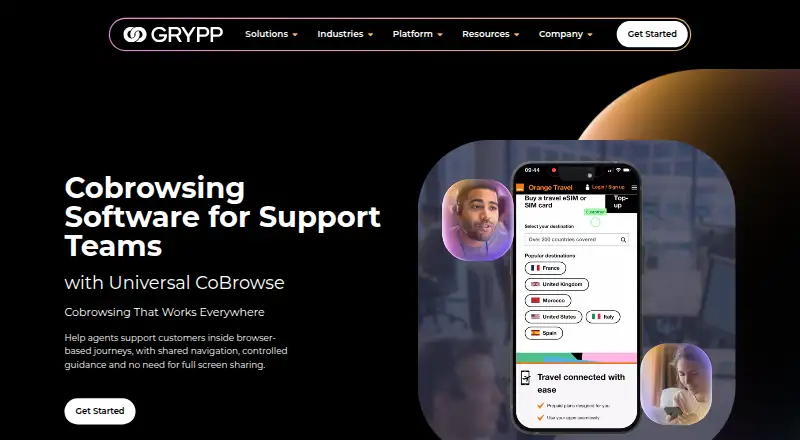
What Grypp Universal CoBrowse is
Grypp Universal CoBrowse lets contact-center support agents guide customers through online tasks such as filling forms, completing checkouts, and using portals or account areas. Customers join from a browser without downloading or installing an app, on desktop, tablet, or mobile. Agents follow the shared browser journey without access to the customer’s full desktop, private tabs, or other apps. They can save and resume sessions, track conversions, and review page recordings afterward. Grypp lists scriptless cobrowsing, visual annotation, role-based access, and real-time authentication. It says sessions are encrypted, sensitive fields are masked, and customer permission is used; Grypp also states that the product is PCI DSS and HIPAA compliant. A public API supports embedding the feature in existing workflows, and it can be used independently or connected to a support stack. Grypp says it integrates natively with many CCaaS platforms, naming NICE CXone, Zendesk, Talkdesk, and Genesys. Cobrowsing can also be paired with Grypp’s video, document review, signature, and payment tools. Pricing is based on selected features and requirements; no numeric price is listed.
Who it suits
It suits contact-center teams that help customers complete browser-based tasks. Teams looking to add cobrowsing to existing workflows or a support stack can use its API and integrations.
What it does well
- Customers join in a browser without installing an app.
- Supports customer sessions on desktop, tablet, and mobile.
- Agents can save and resume sessions.
- Offers conversion tracking and page recordings.
- Public API supports workflow embedding.
What to know first
- Pricing is available on request, not listed numerically.
- Requires customer permission and session authentication.
Getting started
- Visit the Grypp Universal CoBrowse website.
- Speak with Grypp’s team for a tailored recommendation and personalized demo.
- Discuss the required features and customer requirements to receive pricing.
- Connect the product to a support stack or use its public API to embed cobrowsing in existing workflows.
Grypp Universal CoBrowse is a browser-based assistance service for contact-center agents helping customers finish online tasks. It is best for teams that need tightly scoped browser access rather than a view of the whole device. Its strongest case is privacy-conscious web support; the compromise is a sales-led purchase with custom pricing.
Overview
Universal CoBrowse creates a shared browser journey for webpages, forms, checkouts, portals, and account areas. Agents can guide the relevant page without seeing a customer’s full desktop, private tabs, or other applications. That makes it more appropriate for completing an online transaction than for broad remote-support scenarios.
Customers join in a browser without downloading software or installing an app. Sessions work on desktop, tablet, and mobile devices, so support teams can assist customers on the hardware they already use. Grypp says the service can run standalone or connect to an existing support stack.
Key features
Guided sessions
Scriptless cobrowsing and visual annotation let an agent direct attention through a form or checkout without exposing unrelated activity. Save-and-resume sessions help when a task cannot be completed in one conversation. Conversion tracking and page recordings add operational follow-up, allowing teams to review outcomes and post-session behavior rather than relying only on the live interaction.
Privacy and control
Customer permission, session authentication, role-based access controls, and masking for sensitive fields address the risks of guided financial or account workflows. Grypp describes sessions as encrypted and states that Universal CoBrowse is PCI DSS and HIPAA compliant. Its wider security program includes ISO 27001 certification, a SOC 2 Type II audit, and CSA STAR registry listing. These controls make the product more suitable for regulated support operations, although organizations should still match Grypp’s configuration to their own compliance requirements.
Integration and visual assistance
A public API can embed cobrowsing in existing workflows, while native integrations with many CCaaS platforms are intended to reduce disruption to contact-center operations. Grypp’s named stack imagery includes NICE CXone, Zendesk, Talkdesk, and Genesys. Cobrowsing can also be combined with Grypp’s video, document review, signature, and payment tools, which may help teams keep a multi-step customer journey in one service.
Pricing
Grypp uses custom pricing based on selected features and customer requirements; no numeric plan price is published. The company offers a personalized demo, tailored recommendation, and ROI estimate. This approach suits contact centers that need an evaluated deployment, but it makes direct budget comparison harder than with products offering self-serve tiers.
Platforms
Universal CoBrowse supports Android, iOS, web, and an API. Customers can join from desktop, tablet, or mobile browsers, while the API supports embedding into other systems.
Who it's for
This is aimed at contact-center support teams guiding customers through browser-based tasks such as forms, checkouts, portals, and account areas. It is a strong fit when agents need focused access, privacy controls, session continuity, and CCaaS integration. It is a weaker choice for teams seeking general desktop sharing or a transparent, immediately purchasable price.
Pros and cons
Pros
- Focused privacy boundary: Agents see the shared browser journey without access to other apps, private tabs, or the full desktop.
- No customer installation: Browser entry removes a download step for customers on desktop, tablet, and mobile.
- Useful session follow-through: Save-and-resume, conversion tracking, and recordings support interrupted tasks and performance review.
- Contact-center connectivity: A public API and native CCaaS integrations can fit established support workflows.
- Regulated-workflow controls: Masking, authentication, permissions, role-based access, encryption, and stated PCI DSS and HIPAA compliance support sensitive interactions.
Cons
- Custom pricing only: Teams must speak with Grypp before they can assess the actual cost.
- Not full screen sharing: Its deliberately narrow browser scope will not suit troubleshooting across a customer’s entire desktop or other applications.
- Sales-led evaluation: A demo and tailored recommendation are part of the buying process, so it is less convenient for small teams wanting immediate self-service adoption.
Alternatives
Zoho Assist is a better starting point when you want a freemium option, a free tier for one technician and five devices, and broad desktop-platform coverage, with its Remote Support Standard plan at $10 a month billed as stated.
Surfly suits buyers wanting freemium cobrowsing with a free plan capped at five sessions per month and support for web, API, mobile, desktop, and self-hosted environments.
LiveCall is worth considering for a freemium setup with a free tier limited to one service URL and one user account.
Cardina fits teams seeking a web product with a 14-day, no-credit-card trial and a Pro plan at $69 a month, billed monthly or annually per seat.
Median offers a free-for-life starter plan with one-click screen sharing and privacy controls for teams whose needs extend beyond browser cobrowsing.
Help Lightning Remote Assistance is an alternative for organizations seeking a customized enterprise remote-assistance license.
SupportScreen is another paid screen-sharing option from CrankWheel.
Glia CoBrowsing is a paid alternative with custom pricing and an unlimited-seat, unlimited-usage positioning.
For a broader category view, see Video Customer Support Software.
Verdict
Choose Grypp Universal CoBrowse if your contact center needs privacy-limited browser guidance, cross-device access, session analytics, and integration with an existing support stack. Look elsewhere if you need full-desktop assistance or a published price that can be approved without a sales conversation.
Verdict
Grypp Universal CoBrowse focuses on guided browser tasks while keeping the customer’s broader desktop and other apps out of view. Its browser access, session tools, and API may suit contact centers, but pricing requires a request.
Questions
How much does Grypp Universal CoBrowse cost?
It is paid, with pricing provided on request based on selected features and customer requirements.
Do customers need to install an app?
No. Customers join through a browser without downloading software or installing an app.
Which devices can customers use?
Customers can join sessions on desktop, tablet, or mobile devices.
Can it connect to contact-center systems?
Grypp says it integrates natively with many CCaaS platforms and offers a public API for other systems. Named examples include NICE CXone, Zendesk, Talkdesk, and Genesys.
What security and compliance claims does Grypp make?
Grypp says sessions are encrypted, sensitive fields are masked, and customer permission and session authentication are used. It states that Universal CoBrowse is PCI DSS and HIPAA compliant.
Facts from Grypp Universal CoBrowse's own pages
- API and integrations
- Grypp says its public API can embed cobrowsing into existing workflows and that it can be used standalone or connected to a support stack. · grypp.io, 9 Oct 2026
- Company history
- Grypp says it was founded in 2017. · grypp.io, 8 Oct 2026
- Compliance
- Grypp states that Universal CoBrowse is PCI DSS and HIPAA compliant. · grypp.io, 8 Oct 2026
- Cross-device
- The page says customers can join on desktop, tablet, or mobile. · grypp.io, 9 Oct 2026
- Device support
- The product supports customer sessions on desktop, tablet, and mobile devices. · grypp.io, 8 Oct 2026
- Focused access
- The agent joins the shared browser journey without seeing the customer’s full desktop, other apps, or private tabs. · grypp.io, 9 Oct 2026
- Focused sharing
- Agents see and guide the shared browser journey without seeing the customer’s full desktop, private tabs, or other apps. · grypp.io, 8 Oct 2026
- Founded
- 2017 · grypp.io, 28 Sept 2026
- Headquarters
- Northampton, United Kingdom · grypp.io, 28 Sept 2026
- Integrations
- The product offers a public API for embedding cobrowsing into existing workflows and can connect with an existing support stack. · grypp.io, 8 Oct 2026
- Intended users
- Grypp describes Universal CoBrowse as built for contact center support teams helping customers complete online tasks. · grypp.io, 8 Oct 2026
- Key features
- The product lists scriptless cobrowsing, save and resume, conversion tracking, role-based access, and real-time authentication. · grypp.io, 9 Oct 2026
- Named integrations
- Grypp’s Get Started page names NICE CXone, Zendesk, Talkdesk, and Genesys among its contact-center stack imagery and says it integrates natively with many CCaaS platforms. · grypp.io, 9 Oct 2026
- No customer install
- Customers join through their browser without downloading or installing software. · grypp.io, 9 Oct 2026
- Other security credentials
- Grypp’s about page states it is ISO 27001 certified, completed a SOC 2 Type II audit, and is listed in CSA STAR; it describes its HIPAA posture as aligned with the standards. · grypp.io, 9 Oct 2026
- Pricing
- Grypp says it provides a price based on selected features and the customer’s requirements; the page does not show a numeric price. · grypp.io, 9 Oct 2026
- Privacy controls
- Grypp says sensitive fields can be masked and customer permission is required before a session begins. · grypp.io, 9 Oct 2026
- Purpose
- Universal CoBrowse lets agents guide customers through webpages, forms, checkouts, account areas, and portals in real time. · grypp.io, 9 Oct 2026
- Related visual tools
- Grypp says cobrowsing can be combined with video, document review, signatures, and payments. · grypp.io, 9 Oct 2026
- Sales process
- Grypp offers a personalized demo and recommendation, and says pricing is based on selected features and customer requirements. · grypp.io, 8 Oct 2026
- Security claims
- The cobrowsing page describes sessions as encrypted and says the product is PCI DSS and HIPAA compliant. · grypp.io, 9 Oct 2026
- Security program
- Grypp says it is ISO 27001 certified, completed a SOC 2 Type II audit, and is listed in the CSA STAR registry. · grypp.io, 8 Oct 2026
- Session features
- Agents can save and resume sessions, track conversions, and review page recordings for post-session insights. · grypp.io, 8 Oct 2026
- Support
- The Get Started page offers a tailored recommendation, personalized demo, and ROI estimate after speaking with Grypp’s team. · grypp.io, 9 Oct 2026
Where Grypp Universal CoBrowse stands on Freedom251
- Video Customer Support Software#20 of 26