Freedom251 › Video Customer Support Software
Cardina
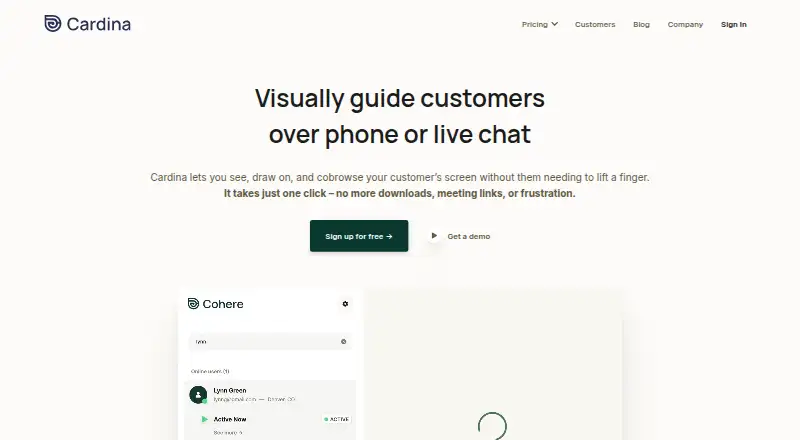
What Cardina is
Cardina lets support and sales teams view and interact with a customer’s screen during a phone call or live chat. Agents can draw on the customer’s screen to show where to click, or share their own screen as guidance. With the customer’s permission, they can scroll, click and type on the customer’s behalf. Optional session recording allows past sessions to be replayed for review. Passwords are blocked automatically, and customers can block selected page elements so that information is not sent through Cardina’s servers. Customers can revoke viewing permission at any time, while an audit log shows agent actions. Cardina lists integrations with Intercom, Zendesk, Salesforce, Sentry and Slack. It says it works across devices and supports Safari, Firefox, Chrome and Edge, along with web technologies including React, Vue, Angular, Iframe, Canvas and Shadow DOM. The free plan is a 14-day trial with no credit card required. Pro costs $69 a month per seat, billed monthly or annually.
Who it suits
Cardina suits support and sales teams that need to guide customers through on-screen tasks during calls or live chats. Its permission controls and audit log may also suit teams that need visibility into agent actions.
What it does well
- Agents can annotate screens or share their own.
- Customer permission enables remote scrolling, clicking and typing.
- Customers can block selected page elements.
- Audit log records agent actions.
- 14-day trial requires no credit card.
What to know first
- Pro costs $69 a month per seat.
- Enterprise requires a minimum of six months and 20 seats.
- Extra Replay sessions cost $89 a month.
Limits
The listed Free plan is a 14-day trial. Pro costs $69 a month per seat, billed monthly or annually; the Extra Replay sessions add-on costs $89 a month for an additional 10,000 sessions per month.
Plans
| Plan | Billed and limits | Price |
|---|---|---|
| Free | 14 day trial · no credit card required | Free |
| Pro | Billed monthly or annually · Per seat | $69 a month |
| Extra Replay sessions add-on | Additional 10,000 sessions / month | $89 a month |
| Enterprise | Custom · Minimum 6 months · 20 seats | On request |
As cardina.com lists them, read 5 Oct 2026. The maker's own page has the final word.
Getting started
- Visit the Cardina website.
- Start the 14-day trial; no credit card is required.
- Insert a few lines of code into your site.
- Connect Cardina with a listed integration if needed.
- Choose a plan when selecting ongoing service.
Cardina is a browser-based cobrowsing tool for support and sales teams helping customers over phone or live chat. It suits teams that need to guide customers through web tasks, with permission-based control when pointing is not enough. Its focus is customer assistance rather than broad device support.
Overview
Agents can view a customer’s screen, draw attention to where to click, or share their own screen. With customer permission, they can scroll, click and type on the customer’s behalf. That gives teams a useful step between verbal directions and taking action for the customer, but control depends on consent rather than being a silent support shortcut.
Optional session replay lets teams revisit interactions. Passwords are automatically blocked, and customers can block selected page elements so that the information is not sent through Cardina’s servers. Customers can revoke viewing permission at any time, and an audit log provides visibility into agent actions. These controls support sensitive customer-facing work, though teams still need to decide when recording or remote control is appropriate.
Key features
- Screen guidance: Agents can annotate the customer’s screen or share their own, which helps explain visual steps without taking control.
- Permission-based control: Once the customer allows it, agents can scroll, click and type. This can help resolve a stuck task, but is not a substitute for customer consent.
- Optional replay: Teams can record and replay past sessions for review. The add-on provides 10,000 additional sessions per month.
- Privacy and oversight: Automatic password blocking, customer-controlled page blocking, revocable viewing permission and a full audit log offer practical safeguards for support sessions.
- Web compatibility: Cardina says it works with React, Vue, Angular, Iframe, Canvas and Shadow DOM, and lists Safari, Firefox, Chrome and Edge. It also names integrations with Intercom, Zendesk, Salesforce, Sentry and Slack.
- Security and retention: Cardina says traffic is encrypted with TLS and customer data with AES-256. Session data is deleted after viewing unless recording is enabled. It says it is audited annually for SOC 2 Type II, complies with GDPR and CCPA, and is HIPAA compliant with a standard BAA for qualifying customers.
Integration requires adding a few lines of code to a site; Cardina says an engineer can complete it in under five minutes. Help is offered by email, live chat or call, with 24/7 contact. These are useful provisions for teams adding cobrowsing to an existing web service, but the product’s stated customer platform is web.
Pricing
| Plan | Price | Terms |
|---|---|---|
| Free | free | 14-day trial; no credit card required |
| Pro | $69 a month | Per seat; billed monthly or annually |
| Extra Replay sessions add-on | $89 a month | Additional 10,000 sessions per month |
| Enterprise | Custom pricing | Minimum 6 months; 20 seats |
The Free plan is a 14-day trial rather than an ongoing free tier, so it suits evaluation rather than long-term use. Pro starts at $69 a month per seat; teams should account for seat count and choose monthly or annual billing. The $89 a month replay add-on is relevant when the included replay capacity is not enough. Enterprise is aimed at larger deployments willing to commit to at least 20 seats and six months, with custom pricing.
Platforms
Cardina is a web product. Its browser support and compatibility claims make it a candidate for teams supporting web experiences across common browsers and frameworks, not a stated choice for native mobile or desktop assistance.
Who it's for
Cardina is best suited to customer support and sales teams that need to guide people through website tasks, especially when a visual explanation or consent-based intervention can shorten a confusing interaction. Teams handling sensitive pages may value customer-controlled blocking and replay safeguards. It is less suitable for organizations seeking an all-device remote-support suite or a permanent free plan.
Pros and cons
- Pros: Agents can progress from screen annotation to customer-approved control, giving support teams more than verbal instructions alone.
- Pros: Password blocking, selective page blocking, revocable permission and an audit log address important privacy and oversight needs.
- Pros: Framework compatibility, browser coverage and named service integrations make it relevant to web support workflows.
- Cons: The free option lasts 14 days, so continued use requires a paid plan.
- Cons: Pro is priced per seat, and replay capacity beyond the included amount costs an additional $89 a month.
- Cons: Its stated platform is web, limiting its fit for teams that need support across desktop and mobile operating systems.
Alternatives
Choose Zoho Assist if you need remote support across Android, iOS, Linux, macOS, web and Windows, or a free plan capped at one technician and five devices; its Remote Support Standard plan is $10 a month.
Surfly is another option, with a free plan capped at five sessions per month and support across web, mobile, desktop, API and self-hosted platforms.
Consider LiveCall for a free plan limited to one service URL and one user account, with unlimited service URLs and accounts on Standard at a monthly fee that varies by number of users.
Median offers a free-for-life Starter plan with one-click screen sharing, privacy controls, phone mode and Google SSO, but excludes show cursor, highlight, draw and full control.
Help Lightning Remote Assistance has an enterprise license customized for the customer. Grypp Universal CoBrowse, SupportScreen and SightCall Remote Visual Support are also alternatives.
For a broader category comparison, see Video Customer Support Software.
Verdict
Choose Cardina if your support or sales team needs browser-based visual guidance, customer-approved control and optional session review in one workflow. Its privacy controls strengthen that case, but the trial-only free option, per-seat Pro pricing and web focus are reasons to look elsewhere if you need long-term free use or wider device support.
Verdict
Cardina provides screen guidance, permission-based remote control and optional session replay. The trial is free for 14 days, while Pro is priced per seat.
Questions
How much does Cardina cost?
The Pro plan costs $69 a month per seat, billed monthly or annually. The Extra Replay sessions add-on costs $89 a month for an additional 10,000 sessions per month; Enterprise pricing is custom.
Is there a free plan or trial?
Cardina lists a Free option as a 14-day trial that does not require a credit card.
Which platforms and browsers does Cardina support?
Cardina is listed for the web. Its site names Safari, Firefox, Chrome, and Edge.
Can agents control a customer’s screen?
With customer permission, agents can scroll, click, and type on the customer’s behalf. Customers can revoke viewing permission at any point.
Which integrations are listed?
Cardina lists Intercom, Zendesk, Salesforce, Sentry, and Slack.
Who makes Cardina, and where is it based?
The site identifies the company as Caldera Labs Inc. and lists its address in New York, New York, USA.
Facts from Cardina's own pages
- Browser support
- The homepage lists Safari, Firefox, Chrome, and Edge as supported technologies or browsers. · cardina.com, 5 Oct 2026
- Company and headquarters
- The site identifies the company as Caldera Labs Inc. and lists its address at 298 5th Avenue, 7th Floor, New York, NY 10001, USA. · cardina.com, 5 Oct 2026
- Compatibility
- Cardina says it works across users’ devices and with web technologies including React, Vue, Angular, Iframe, Canvas, and Shadow DOM. · cardina.com, 5 Oct 2026
- Compliance
- Cardina says it is SOC 2 Type II audited annually and complies with GDPR and CCPA; it also says it is HIPAA compliant and can execute a standard BAA for qualifying customers. · cardina.com, 5 Oct 2026
- Encryption and retention
- Cardina says data sent to or from the service is encrypted with TLS, customer data is encrypted with AES-256, and session data is deleted after viewing unless recordings are enabled. · cardina.com, 5 Oct 2026
- Guidance
- Agents can highlight where customers should click by drawing on their screen or sharing the agent’s screen. · cardina.com, 5 Oct 2026
- Headquarters
- New York, New York, USA · cardina.com, 28 Sept 2026
- Infrastructure
- Cardina says it hosts data in Google Cloud facilities and that its data centers are SOC 2, ISO 27001, and HITRUST compliant. · cardina.com, 5 Oct 2026
- Integrations
- Cardina lists integrations with Intercom, Zendesk, Salesforce, Sentry, and Slack. · cardina.com, 5 Oct 2026
- Permissions and audit
- Users can revoke viewing permission at any point, and Cardina provides visibility into agent actions through a full audit log. · cardina.com, 5 Oct 2026
- Privacy controls
- Passwords are automatically blocked, and customers can selectively block page elements so blocked information is not sent through Cardina’s servers. · cardina.com, 5 Oct 2026
- Product
- Cardina lets support and sales teams see, draw on, and cobrowse a customer’s screen during a phone or live chat interaction. · cardina.com, 5 Oct 2026
- Remote control
- With customer permission, agents can scroll, click, and type on the customer’s behalf. · cardina.com, 5 Oct 2026
- Session replay
- Cardina can optionally record and replay past sessions for review. · cardina.com, 5 Oct 2026
- Setup
- Cardina says integration takes under five minutes for an engineer and requires inserting a few lines of code into a site. · cardina.com, 5 Oct 2026
- Support
- Cardina offers help by email, live chat, or call and says customers can contact it 24/7. · cardina.com, 5 Oct 2026
Where Cardina stands on Freedom251
- Video Customer Support Software#2 of 26