Freedom251 › Remote Visual Support Software
Help Lightning Remote Assistance
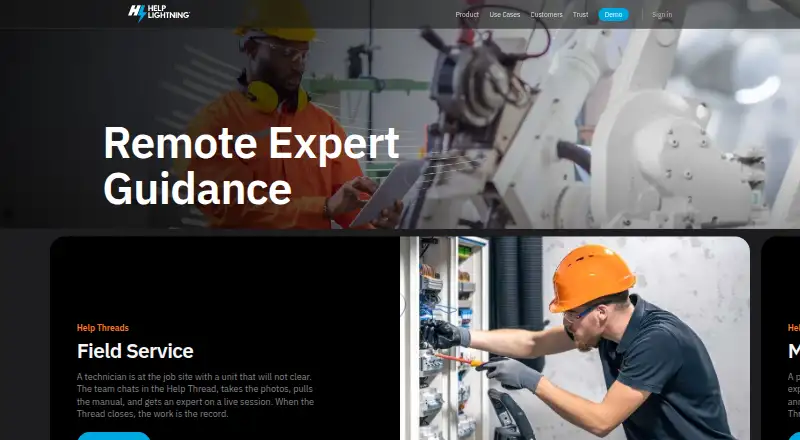
What Help Lightning Remote Assistance is
Help Lightning Remote Assistance provides live remote expert guidance for field service organizations and call centers. During a support interaction, an expert can annotate, zoom, freeze, capture, or record the live camera view. Merged Reality lets an expert point to equipment in the view and demonstrate actions. People outside the company can join a Help Thread from a link without downloading an app.
A Help Thread keeps participants, messages, live view, files, procedures, and prior work together. Procedures guide teams through steps, capture photos or readings, and support review of completed runs. Thread Tools can recap activity, read photos or pages, draft procedures, and retrieve information from approved sources; an expert reviews and edits the output. Named integrations include Salesforce, ServiceNow, Teams, Zoom, and SharePoint.
The service runs as managed SaaS on AWS, supports US or EU production environments, uses TLS in transit, and encrypts data at rest. Workspaces support role-based access, with SAML or OIDC single sign-on available to enterprise customers. Pricing is on request. The company is headquartered in Birmingham, Alabama.
Who it suits
It suits field service organizations and call centers that need live remote guidance, step-based procedures, and a record of support work. It can also accommodate outside participants joining a thread by link.
What it does well
- Experts can annotate and record the live camera view.
- Merged Reality supports pointing and demonstrating on equipment.
- Help Threads retain files, procedures, and prior work.
- Outside participants can join from a link without an app.
- Supports US or EU production environments.
What to know first
- Pricing is available on request only.
- Single sign-on is for enterprise customers.
Plans
| Plan | Billed and limits | Price |
|---|---|---|
| Enterprise license | Customized for the customer | On request |
As helplightning.com lists them, read 7 Oct 2026. The maker's own page has the final word.
Getting started
- Open the Help Lightning website and request pricing for a customized enterprise license.
- Choose a supported platform: Android, iOS, macOS, web, or Windows.
- Set up a workspace and its role-based access controls.
- Invite participants to a Help Thread; outside guests can join from a link without downloading an app.
- Connect the named systems your team uses, such as Salesforce, ServiceNow, Teams, Zoom, or SharePoint.
Help Lightning Remote Assistance is a remote-support workspace for field-service teams and call centers that need experts to guide work visually and preserve a usable record of each interaction. It suits organizations coordinating technicians, customers, and procedures across locations, particularly when first-time fixes and repeatable work matter more than a low-cost ad-hoc call.
The product combines live camera guidance, shared work threads, and step-by-step procedures in a managed business service. Its enterprise orientation and custom pricing make it a better fit for structured support operations than for occasional individual assistance.
Overview
Help Lightning lets an expert work through a participant’s live camera view rather than relying on verbal instructions alone. The expert can annotate the image, zoom, freeze the view, capture stills, and record video, giving a remote technician concrete visual direction and an audit-friendly record of what occurred.
Its Merged Reality mode goes further by letting the remote expert point out and demonstrate actions on equipment within the live view. That is most useful when a customer or field worker needs precise guidance around physical components and an expert cannot be on site.
A Help Thread keeps participants, messages, live views, files, procedures, and previous work together. This persistent context can reduce repeated explanations between shifts or escalations, although teams must be prepared to manage workspaces and access deliberately as the archive grows.
Key features
Procedures and AI assistance
Procedures turn recurring work into guided steps. Teams can capture photos or readings during a run and review completed executions, making the feature a strong match for inspections, maintenance, and compliance-oriented workflows rather than one-off conversations.
Thread Tools can recap activity, read photos or pages, draft procedures, and retrieve information from approved sources. An expert reviews and edits the generated output, so these tools can accelerate documentation and preparation without removing human accountability.
Connections and guest access
The service works with Salesforce, ServiceNow, Microsoft Teams, Zoom, and SharePoint, which can help organizations keep remote assistance alongside existing service and collaboration systems. External participants can join a Help Thread from a link without installing an app, lowering friction for customers and contractors.
Security and hosting
Help Lightning is managed SaaS on AWS, with US or EU production environments, TLS in transit, and encryption at rest. Workspace role-based access supports controlled collaboration; enterprise customers can add SAML or OIDC single sign-on. The company makes its May 2026 SOC 2 Type II report and July 2026 NIST Privacy Framework assessment available under NDA through its Trust Center, which gives security teams material for due diligence but requires a formal request.
Pricing
Help Lightning sells an Enterprise license with customized pricing. There is no published per-seat rate, quota, free plan, or trial term to compare, so buyers should request a quote and clarify user volumes, usage allowances, environments, renewal terms, and included support before committing.
Custom pricing is appropriate for organizations that need negotiated access controls, integrations, or deployment requirements. It is a disadvantage for small teams that want to start immediately or forecast costs from a public price sheet.
Platforms
The service supports Android, iOS, macOS, web, and Windows. Its customer platform listing is web and mobile, while screen sharing, visual annotation, and video recording cover the core remote-assistance workflow across supported devices.
Who it's for
Help Lightning is aimed at field-service organizations and call centers seeking better first-time fix rates, greater workforce capacity, and improved customer satisfaction. It is particularly well suited to equipment support, guided inspections, and teams that need procedures and historical interaction context. A lighter remote-help tool is likely a better choice for a small operation that only needs occasional screen sharing and has no need for persistent threads or formal work instructions.
Pros and cons
- Pro: Live annotation, zoom, freeze, capture, and recording give experts precise ways to direct work and preserve evidence.
- Pro: Merged Reality and procedural steps address physical tasks that ordinary screen sharing cannot explain well.
- Pro: Persistent Help Threads combine people, files, messages, procedures, and prior work in one case history.
- Pro: Link-based guest access avoids an app download for outside participants.
- Pro: AWS hosting, regional production choices, encryption, role-based access, and enterprise SSO support formal security programs.
- Con: Enterprise-only custom pricing makes budgeting and entry-level evaluation difficult.
- Con: AI output still needs expert review and editing, so it accelerates work rather than automating sign-off.
Alternatives
Video Customer Support Software is a useful category starting point when you want to compare a broader set of video-support products.
Zoho Assist is the better fit for teams wanting a freemium entry point: its free plan covers one technician and five devices, while Remote Support Standard costs $10 a month.
Surfly suits buyers seeking freemium cobrowsing with a free allowance of five sessions per month and broad platform coverage.
LiveCall is preferable when a simple service URL and account model is enough; its free plan includes one service URL and one user account.
Cardina offers a 14-day, no-card trial and a 69.00 USD-per-month Pro plan for per-seat budgeting.
Median provides a Free for Life starter plan with one-click screen sharing and privacy controls for teams that need a no-cost starting point.
Grypp Universal CoBrowse is another paid cobrowsing option across Android, iOS, web, and API environments.
SupportScreen is a paid screen-sharing product from CrankWheel, whose screen-sharing service is used by more than 50,000 active users.
Glia CoBrowsing fits organizations seeking unlimited seats and usage with built-in AI under its custom Priceless Pricing model.
Verdict
Choose Help Lightning Remote Assistance if your field-service or contact-center operation needs expert visual guidance tied to repeatable procedures and a durable case history. Its strongest differentiator is the combination of Merged Reality, procedural capture, and persistent Help Threads. Look elsewhere if transparent pricing, a free tier, or a lightweight one-off support session is your priority.
Verdict
Help Lightning combines live visual guidance with persistent threads and procedures for support work. Teams should request pricing and assess whether its enterprise access controls fit their needs.
Questions
How is Help Lightning priced?
The Enterprise license is customized for the customer, and pricing is on request.
Which platforms are listed?
Android, iOS, macOS, web, and Windows are listed.
Can people outside my company join?
Yes. They can join a Help Thread from a link without downloading an app.
Which integrations are named?
The product page names Salesforce, ServiceNow, Teams, Zoom, and SharePoint.
Does it support single sign-on?
Enterprise customers can use SAML or OIDC single sign-on.
Where is the company based?
Help Lightning is headquartered in Birmingham, Alabama, USA.
Facts from Help Lightning Remote Assistance's own pages
- AI tools
- Thread Tools can recap activity, read photos or pages, draft procedures, and retrieve information from approved sources; an expert reviews and edits their output. · helplightning.com, 7 Oct 2026
- Compliance materials
- The company says its May 2026 SOC 2 Type II report and July 2026 NIST Privacy Framework assessment are available under NDA through its Trust Center. · helplightning.com, 7 Oct 2026
- Guest access
- People outside the company can join a Help Thread from a link without downloading an app. · helplightning.com, 7 Oct 2026
- Headquarters
- Birmingham, Alabama, USA · helplightning.com, 28 Sept 2026
- Help Threads
- A Help Thread keeps participants, messages, live view, files, procedures, and prior work together. · helplightning.com, 7 Oct 2026
- Hosting and encryption
- Help Lightning runs as managed SaaS on AWS, supports US or EU production environments, uses TLS in transit, and encrypts data at rest. · helplightning.com, 7 Oct 2026
- Integrations
- The product page names Salesforce, ServiceNow, Teams, Zoom, and SharePoint among the systems it works with. · helplightning.com, 7 Oct 2026
- Intended users
- The company describes its service for field service organizations and call centers seeking to improve first-time fix rates, workforce capacity, and customer satisfaction. · helplightning.com, 7 Oct 2026
- Live guidance
- Experts can annotate, zoom, freeze, capture, or record the live camera view. · helplightning.com, 7 Oct 2026
- Merged Reality
- Merged Reality lets a remote expert point and demonstrate actions on equipment within the live view. · helplightning.com, 7 Oct 2026
- Platforms
- Help Lightning offers web and native macOS desktop access, native Android and iPhone apps, and browser access on Windows or Mac. · helplightning.com, 7 Oct 2026
- Procedures
- Procedures let teams guide work through steps, capture photos or readings, and review completed runs. · helplightning.com, 7 Oct 2026
- Purpose
- Help Lightning provides live remote expert guidance and Help Threads that preserve what happened during a support interaction. · helplightning.com, 7 Oct 2026
- Security controls
- Workspaces support role-based access, and enterprise customers can use SAML or OIDC single sign-on. · helplightning.com, 7 Oct 2026
- Support
- Existing customers can open the Help Center after signing in or email [email protected]. · helplightning.com, 7 Oct 2026
Where Help Lightning Remote Assistance stands on Freedom251
- Remote Visual Support Software#4 of 14
- Video Customer Support Software#16 of 26