
Zoho Writer
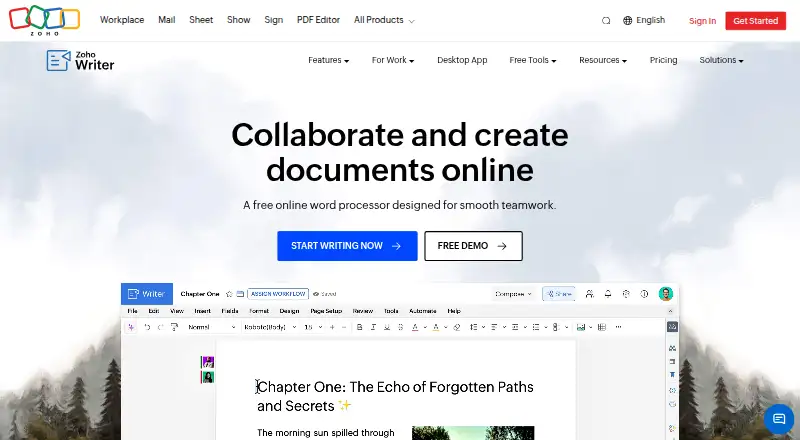
What Zoho Writer is
Zoho Writer is a web-based word processor for creating, editing, sharing, and collaborating on documents. It supports layouts, tables, images, and charts, while its Zia assistant can help generate, revise, rephrase, and rewrite text. Review tools include tracked changes, comments with @mentions, version management, grammar and spelling checks, and plagiarism checking. Users can create documents from templates and business data, make fillable forms, and support signature collection and approval workflows. Desktop apps for Windows, Mac, and Linux support offline work and sync when a connection returns. Writer imports, edits, saves, and exports DOCX, DOC, ODT, PDF, TXT, and HTML; imports are limited to 50 MB for DOCX and 10 MB for other listed formats. There is no stated limit on document count. Writer is free for individuals and organizations. The individual edition is listed as free and includes 200 free document automation credits per month per organization; additional credits can be purchased. The business edition includes 1,000 free credits monthly per organization, with additional credits available to purchase. Listed integrations include Zoho Sign and CRM, DocuSign, Adobe Sign, WordPress, Medium, ChatGPT, Zapier, Zotero, and cloud storage services.
Who it suits
Zoho Writer suits individuals and organizations creating or reviewing documents, including people who need offline desktop editing or document automation. Teams can also use its forms, signature, and approval workflows.
What it does well
- Free for individuals and organizations
- Desktop apps support offline editing
- No stated document-count limit
- Imports, edits, saves, and exports six formats
What to know first
- DOCX imports are limited to 50 MB
- Other listed format imports are limited to 10 MB
- Additional automation credits can be purchased
Limits
The free individual edition includes 200 document automation credits per month per organization, and the organization edition includes 1,000; additional credits can be purchased. File imports are limited to 50 MB for DOCX and 10 MB for other listed formats.
Plans
| Plan | Billed and limits | Price |
|---|---|---|
| Zoho Writer (For Individuals — Free Edition) | Writer features included · 200 free document automation credits/month/org · Additional automation credits can be purchased | Free |
| Zoho Writer (For Businesses — Paid Edition) | Writer is free for organizations · 1,000 free document automation credits/month/org · Additional automation credits can be purchased | On request |
As zoho.com lists them, read 30 Sept 2026. The maker's own page has the final word.
Getting started
- Visit the Zoho Writer website.
- Choose the free individual edition or use Writer as an organization.
- Use Writer on the web, Android, iOS, Windows, macOS or Linux.
- Install a Windows, Mac or Linux desktop app for offline editing.
Zoho Writer is a document editor built for writing, collaborative review, and structured business paperwork. It suits individuals who want a capable free word processor and organizations that need document automation alongside everyday editing. Its strongest case is breadth across writing, review, offline desktop work, and workflow integration; the main constraint is the monthly automation-credit allowance.
Overview
Writer combines page composition with sharing and real-time collaboration. Its layout controls include columns, section breaks, custom borders, headers and footers, tables, images, and charts, making it useful for reports and formatted business documents rather than only simple notes. Zoho says there is no limit to the number of documents you can create.
The product supports Windows, macOS, Linux, Android, iOS, and the web, with an API and browser extension also listed. Desktop applications allow offline editing and synchronize work when the connection returns, which is valuable for travel or unreliable connectivity. Imports are capped at 50 MB for DOCX and 10 MB for each other supported format.
For broader comparisons, see Word Processing Software, Document Collaboration Software, and Collaborative Document Software.
Key features
Writing and review
Zia can generate, edit, rephrase, and rewrite text, giving users assistance during drafting and revision. Live change tracking, comments with @mentions, version management, grammar and spelling checks, and plagiarism checking cover the main stages of collaborative review. These tools make Writer a better fit for teams handling approvals and successive edits than a basic editor without revision history.
Writer imports, edits, saves, and exports DOCX, DOC, ODT, PDF, TXT, and HTML. That range eases exchange with common office and publishing workflows, although the stated import-size limits matter for large files.
Automation and integrations
Templates and business data can drive document generation, while fillable forms, digital-signature collection, and approval workflows extend Writer into routine operations. REST APIs support creating, editing, managing, merging, signing, publishing, and converting documents. Integrations include Zoho Sign and CRM, DocuSign, Adobe Sign, WordPress, Medium, ChatGPT, Zapier, Zotero, and Google Drive, Dropbox, Box, and OneDrive.
Pricing
For Individuals — Free Edition
free. The free edition includes Writer features and 200 free document-automation credits per month per organization. It is the sensible starting point for personal writing, study, and light automation. Users whose workflows exceed that allowance must purchase additional credits.
For Businesses — Paid Edition
Custom pricing. Organizations receive Writer at no charge with 1,000 free document-automation credits per month per organization, and can buy more credits when needed. The larger allowance better suits recurring business generation, but teams should budget for credit purchases if automation volume grows.
Both editions are free to access; the meaningful distinction is the automation quota rather than a separate editor feature set.
Platforms
Writer runs on the web and has apps for Windows, macOS, Linux, Android, and iOS. Desktop offline editing with later synchronization is a practical advantage for users who cannot remain online. API access supports custom integrations and automated document operations.
Who it's for
Choose Writer for general document creation when you need strong formatting, collaborative revision, and broad file compatibility without a document-count ceiling. It is especially well suited to organizations producing repeatable forms, agreements, or approval documents from templates. Individuals with occasional automation should find 200 monthly credits adequate; teams with heavier generation needs will value the 1,000-credit business allowance but should account for paid overages.
Pros and cons
- Pros: Full page-layout controls support polished, structured documents.
- Pros: Change tracking, mentions, versions, and review checks cover collaborative editing.
- Pros: Offline desktop apps and post-connection syncing extend usability beyond the browser.
- Pros: Templates, forms, signatures, approvals, APIs, and many integrations support business workflows.
- Cons: Automation is metered at 200 credits monthly for individuals and 1,000 for organizations, with extra credits costing more.
- Cons: Imports above 50 MB for DOCX or 10 MB for other supported formats are outside the stated limits.
Alternatives
Calmly Writer is a freemium option with desktop, mobile, and web platforms, including a desktop license for three computers and an Android plan priced at $16.99 a month as a single payment without a subscription.
Collabora Online is worth considering when self-hosting matters; its free Development Edition is intended for on-premise testing and home use.
ONLYOFFICE Docs offers a free Community edition for up to 20 recommended users under GNU AGPL v.3, with community support.
SSuite Office is a free office suite for readers seeking freeware across desktop, mobile, and web platforms.
Tencent Meeting & VooV Meeting is an alternative centered on online meetings rather than document authoring.
Dropbox Paper is a freemium collaborative workspace with a free 2 GB storage tier.
Hancom Docs provides a free tier with 2 GB storage and Hancom Office viewing on Windows and Mac plus web and mobile access.
Microsoft Word is the conventional choice when you want Word for the web, sharing, real-time collaboration, basic spelling and grammar, and 5 GB of cloud storage at no cost.
Verdict
Zoho Writer is a strong choice for individuals and organizations that want a free, full-featured editor with serious review tools, offline desktop access, and document automation. Choose it when templates, approvals, signatures, or integrations matter alongside writing. Look elsewhere if your automation needs routinely exceed the included monthly credits or if you specifically need a self-hosted or meeting-focused product.
Verdict
Zoho Writer combines document editing and review with offline desktop apps and automation tools. Its free access includes different monthly automation credit allowances for individuals and organizations; extra credits can be purchased.
Questions
Is Zoho Writer free?
Yes. The individual edition costs nothing, and Writer is free for organizations.
How many automation credits are included?
The individual edition includes 200 free credits per month per organization. The organization edition includes 1,000 free credits monthly; additional credits can be purchased.
Which platforms does Writer support?
It supports Android, iOS, Windows, macOS, Linux and the web, as well as an API and extension.
Can I edit documents offline?
Yes. The Windows, Mac and Linux desktop apps support offline work, which syncs when the connection returns.
Which file types can Writer handle?
It can import, edit, save and export DOCX, DOC, ODT, PDF, TXT and HTML. Imports are limited to 50 MB for DOCX and 10 MB for other listed formats.
What integrations are listed?
They include Zoho Sign and CRM, DocuSign, Adobe Sign, WordPress, Medium, ChatGPT, Zapier, Zotero, Google Drive, Dropbox, Box and OneDrive.
Facts from Zoho Writer's own pages
- AI writing
- Its Zia assistant can help generate, edit, rephrase, and rewrite content. · zoho.com, 30 Sept 2026
- API
- Zoho Writer provides REST APIs for creating, editing, managing, merging, signing, publishing, and converting documents. · zoho.com, 30 Sept 2026
- Document automation
- Writer can generate documents from templates and business data, create fillable forms, and support digital signature collection and approval workflows. · zoho.com, 30 Sept 2026
- Document limit
- Zoho says there is no limit to the number of documents users can create. · zoho.com, 30 Sept 2026
- File formats and size limits
- Writer can import, edit, save, and export DOCX, DOC, ODT, PDF, TXT, and HTML; imports are limited to 50 MB for DOCX and 10 MB for other listed formats. · zoho.com, 30 Sept 2026
- Founded
- 1996 · zoho.com, 23 Sept 2026
- Integrations
- Listed integrations include Zoho Sign and CRM, DocuSign, Adobe Sign, WordPress, Medium, ChatGPT, Zapier, Zotero, and cloud storage services including Google Drive, Dropbox, Box, and OneDrive. · zoho.com, 30 Sept 2026
- Layouts and formatting
- It supports multi-column layouts, section breaks, custom borders, headers, footers, tables, images, and charts. · zoho.com, 30 Sept 2026
- Offline use
- Writer's desktop apps for Windows, Mac, and Linux support offline work, and the product page says work syncs when the connection returns. · zoho.com, 30 Sept 2026
- Product
- Zoho Writer is a web-based word processor for creating, editing, sharing, and collaborating on documents. · zoho.com, 30 Sept 2026
- Review tools
- Writer supports live change tracking, comments with @mentions, version management, grammar and spelling checks, and plagiarism checking. · zoho.com, 30 Sept 2026
- Security
- Zoho's security page says customer data in transit uses TLS 1.2/1.3 and sensitive data at rest is encrypted with AES-256; the page was last updated December 4, 2024. · zoho.com, 30 Sept 2026
- Support resources
- Writer's help center lists a user guide, knowledge base, community, videos, developer guide, integration help, and webinars. · zoho.com, 30 Sept 2026
- Who it serves
- The pricing page describes free Writer access for both individual users and organizations; document automation beyond included credits requires purchasing credits. · zoho.com, 30 Sept 2026
Where Zoho Writer stands on Freedom251
- Docs Automation#9 of 26
- Text App#10 of 24
- Document Creation Software#13 of 25
- Word Processing Software#24 of 45
- Content Collaboration Software#17 of 28
- Collaborative Document Software#26 of 33
- Document Collaboration Software#26 of 32