Freedom251 › Document Generation Software

PDFMonkey
by PDFMonkey
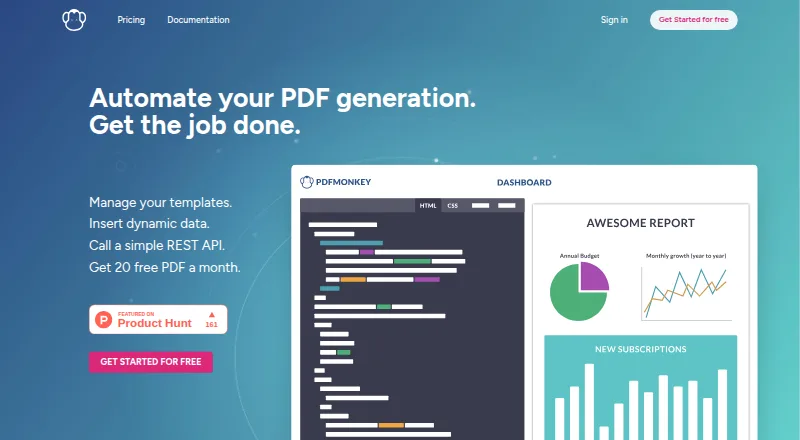
What PDFMonkey is
PDFMonkey is a cloud document-generation API for creating files from templates and dynamic data. Users can build templates with a visual drag-and-drop editor or write Code Templates in HTML, CSS, and Liquid, then send JSON data through the REST API. Its Chrome-based renderer supports JavaScript, external fonts, images, charts, and other web technologies. Outputs include PDF, PNG, WebP, and JPG files, with bulk generation from datasets. Official connectors include Zapier, Make, n8n, Workato, Bubble, Glide, and InvoiceBerry; developer tools include Ruby and Node.js SDKs and webhooks. The free plan allows 20 documents per month, one-day retention, and a 30-second generation limit; it excludes external images, fonts, CSS, and JavaScript. A 30-day trial is also listed, with 300 documents and a two-minute generation timeout. Paid plans start at €5/mo. PDFMonkey says it uses HTTPS/TLS, encrypted database columns, and private S3 buckets for generated files, and states it has no formal SOC 2 or ISO 27001 certification.
Who it suits
PDFMonkey suits developers and teams generating documents from templates and structured data, including in bulk. It may fit workflows that use its listed connectors, SDKs, REST API, or webhooks.
What it does well
- Visual editor and HTML, CSS, and Liquid templates
- Generates four listed file formats
- Bulk generation from datasets
- Ruby and Node.js SDKs and webhooks
What to know first
- Free plan is limited to 20 documents monthly
- Free files have one-day retention
- No formal SOC 2 or ISO 27001 certification
Limits
The free plan allows 20 documents per month, keeps files for one day, and has a 30-second generation limit. It does not support external images, fonts, CSS, or JavaScript. The €5/mo Starter plan allows 300 documents per month, one-day retention, and external images, fonts, CSS, and JavaScript.
Plans
| Plan | Billed and limits | Price |
|---|---|---|
| Free | forever · 20 documents/month · 1-day retention · no external images/fonts/CSS/JS · 30-second generation limit · 1 team member | Free |
| 30-day Trial | 30 days; no credit card required · 300 documents · 1-day retention · external resources · share links · 2-minute generation timeout | Free |
| Pro | €15/month billed monthly (€13.5/month annually) · 3,000 documents/month · 7-day retention · external resources · 2-minute generation limit · 2 team members | €15 a month |
| Premium | €300/month billed monthly (€270/month annually) · 60,000 documents/month · unlimited retention · unlimited collaborators · share links · 5-minute generation limit | €300 a month |
| Starter | €5/month billed monthly (€4.5/month annually) · 300 documents/month · 1-day retention · external resources · 30-second generation limit · 1 team member | €5 a month |
| Pro+ | €60/month billed monthly (€54/month annually) · 5,000 documents/month · unlimited retention · unlimited collaborators · share links · 3-minute generation limit | €60 a month |
As pdfmonkey.io lists them, read 15 Oct 2026. The maker's own page has the final word.
Getting started
- Visit pdfmonkey.io and create an account.
- Choose the free plan or begin the 30-day trial; the trial starts when you confirm your account and requires no credit card.
- Build a template with the visual Builder or use HTML, CSS, and Liquid Code Templates.
- Send JSON data to generate documents through the REST API.
- Connect through an available integration or use the Ruby or Node.js SDKs and webhooks.
PDFMonkey turns structured data into generated documents through reusable templates, an API, or connected workflow tools. It suits teams automating recurring invoices, reports, forms, and other document-heavy processes. The main attraction is control over templates and rendering; the main caution is that retention, quotas, and asset support vary sharply by plan.
Overview
PDFMonkey combines a browser drag-and-drop builder with code templates written in HTML, CSS, and Liquid. Send JSON to its REST API to create documents individually or in bulk, with template versioning for repeatable production workflows. Outputs include PDF, PNG, WebP, and JPG files, which is useful when a process needs previews or image assets as well as final PDFs.
Rendering uses a Chrome-based browser, so templates can include JavaScript, external fonts and images, charts, and other web technologies. This gives developers considerably more layout freedom than a basic form-to-PDF tool, but the free plan excludes those external assets and scripts and imposes a 30-second generation limit.
Key features
- Visual and coded templates: The builder accommodates non-developers, while HTML, CSS, and Liquid provide precise control for engineering teams.
- Data-driven generation: JSON merging, reusable versioned templates, fillable form creation, and bulk generation from datasets support high-volume, repeatable jobs.
- Developer access: REST API access, official Ruby and Node.js SDKs, and webhooks cover custom applications and document-generation event handling.
- Workflow connectors: Official integrations with Zapier, Make, n8n, Workato, Bubble, Glide, and InvoiceBerry reduce the need to build every connection yourself.
- File delivery and security: Generated files are downloadable and held in private S3 buckets with one-hour presigned URLs. API traffic uses HTTPS/TLS, dynamic data is encrypted in database columns, and customer data is used only to generate requested documents.
- Hosting and compliance: Infrastructure runs on Amazon Web Services in the EU (Paris) region. PDFMonkey provides GDPR-oriented data-processing agreements but does not hold SOC 2 or ISO 27001 certification, which may rule it out for procurement teams requiring those attestations.
Pricing
PDFMonkey has a free tier, a 30-day trial, and five paid plans. Quotas are enforced: email alerts arrive at 80% and 100%, and generation stops at the limit unless pay-as-you-go is enabled.
| Plan | Price | Included limits and features |
|---|---|---|
| Free | €0.00 | 20 documents/month, 1-day retention, 30-second generation limit; no external images, fonts, CSS, or JavaScript. |
| 30-day Trial | €0.00 | Starts when the account is confirmed, no card required; 300 documents, 1-day retention, external assets and scripts, share links, and a 2-minute timeout. |
| Starter | €5/month, or €4.5/month annually | 300 documents/month, 1-day retention, and external images, fonts, CSS, and JavaScript. |
| Pro | €15/month, or €13.5/month annually | 3,000 documents/month, 7-day retention, one extra collaborator, and external assets/scripts. |
| Pro+ | €60/month, or €54/month annually | 5,000 documents/month, unlimited retention and collaborators, plus PDF share links. |
| Premium | €300/month, or €270/month annually | 60,000 documents/month, unlimited retention and collaborators, and PDF share links. |
Free is suitable for small experiments with self-contained templates, not production layouts dependent on web assets. The trial is the practical evaluation tier because it allows 300 documents and a two-minute timeout without payment details. Starter restores modern web rendering at a low price but keeps the 300-document quota and one-day retention. Pro is the sensible step for teams producing thousands of files or sharing work with a collaborator. Pro+ and Premium target organizations that need long-lived files, many collaborators, or substantially larger monthly volumes.
Platforms
PDFMonkey is delivered as a cloud service through web and API access. Official Ruby and Node.js SDKs, REST endpoints, webhooks, and no-code connectors support both software teams and automation users. It is hosted in the EU (Paris) region on AWS.
Who it's for
Choose PDFMonkey for recurring, data-filled documents such as invoices, reports, certificates, or forms when you need template reuse, bulk jobs, and API integration. It is particularly suitable for teams that want both a visual editing path and code-level control, or that already use Zapier, Make, n8n, or similar automation platforms.
It is a weaker fit for occasional manual PDF editing, workloads that require long retention on a small budget, or organizations whose vendor policy demands SOC 2 or ISO 27001 certification. The free tier is also unsuitable for templates relying on external assets or scripts.
Pros and cons
Pros
- Flexible authoring: Visual and HTML/CSS/Liquid templates serve different levels of technical expertise.
- Broad rendering: Chrome-based support for scripts, fonts, images, charts, and multiple output formats enables sophisticated documents.
- Automation depth: Bulk generation, SDKs, webhooks, and numerous connectors cover custom and no-code workflows.
- Clear quota controls: Usage alerts and blocking prevent silent overage generation.
Cons
- Free-plan restrictions: Twenty documents, one-day retention, a 30-second timeout, and no external assets limit realistic production testing.
- Retention costs: Keeping files beyond one day requires Pro or higher; unlimited retention starts at Pro+.
- Compliance gap: No formal SOC 2 or ISO 27001 certification may exclude it from regulated procurement.
- Quota interruptions: Reaching a limit blocks new generation unless paid pay-as-you-go is enabled.
Alternatives
Docxtemplater is the better choice when open-source licensing, self-hosting, or broad desktop and mobile platform support matters; its open-source plan is free, while a One module plan costs €500 per year.
Carbone suits teams seeking a freemium service with cloud and self-hosted options and a free trial.
Anvil PDF Generation API is worth considering for a small UI-first setup: its free plan supports two users and includes 2,500 starter credits after metered API access is enabled.
Docassemble is the alternative for free, self-hosted document assembly, with hosting typically costing $10–$40 per month or more.
Documentero fits lighter cloud API use, with a free allowance of 50 documents once, three templates, unlimited pages and fields, and shareable forms and emails.
Legito is preferable when document lifecycle management, workflows, approvals, and electronic signatures are central; its free plan covers those functions.
Marq is a web-based alternative for simple visual publishing, with a free plan limited to one user, 25 MB storage, and three projects.
Fluent by Apryse targets larger deployments with custom pricing; entry-level packages start at $1,500.
For category comparisons, see Document Template Management Software, Document Generation Software, Mail Merge Software, PDF API Software, and PDF Creation Software.
Verdict
PDFMonkey is a strong choice for teams automating recurring document generation that need visual editing, developer control, bulk processing, and modern browser rendering in one cloud service. Choose it when those capabilities outweigh quota and retention costs; look elsewhere if self-hosting, certified compliance, or generous free-tier rendering is your priority.
Verdict
PDFMonkey offers both visual and code-based templates, several output formats, and developer integrations. Check document quotas, retention, and the free plan's rendering restrictions against your workflow.
Questions
Is PDFMonkey free?
Yes. Its free plan allows 20 documents per month, with one-day retention and a 30-second generation limit. A 30-day trial is also available without a credit card.
How much do paid plans cost?
Paid plans start at €5/mo for Starter, billed monthly. The listed annual billing rate for Starter is €4.5/month billed annually.
Which platforms does PDFMonkey support?
PDFMonkey lists API and web access. It is a cloud service.
Can PDFMonkey generate documents in bulk?
Yes. It supports bulk document generation from datasets.
Is PDFMonkey open source?
No. PDFMonkey is listed as not open source.
What integrations and developer tools are available?
Official connectors include Zapier, Make, n8n, Workato, Bubble, Glide, and InvoiceBerry. Developer tools include Ruby and Node.js SDKs, REST API access, and webhooks.
Facts from PDFMonkey's own pages
- API
- The REST API uses Bearer authentication and exposes CRUD operations for documents and templates, with examples in curl, Ruby, Node.js, Python, and PHP. · pdfmonkey.io, 15 Oct 2026
- Asynchronous generation
- Document creation is normally asynchronous, requiring polling or a webhook before downloading the result. · pdfmonkey.io, 15 Oct 2026
- Builder logic
- Builder templates support visibility conditions, repeated collections, custom CSS, custom JavaScript, and test JSON data. · pdfmonkey.io, 15 Oct 2026
- Charts and web assets
- Templates can use browser-compatible chart libraries and external tools such as Tailwind CSS, Google Fonts, and QR-code libraries. · pdfmonkey.io, 15 Oct 2026
- CLI
- The CLI is installed with npm, requires Node.js 22.12 or later, and supports local template editing, preview, watching, and workspace resource management. · pdfmonkey.io, 15 Oct 2026
- Code templates
- Code templates use HTML, CSS, and Liquid v4 for dynamic fields, conditions, loops, and reusable snippets. · pdfmonkey.io, 15 Oct 2026
- Company data
- Crunchbase describes PDFMonkey as an active private Paris company with 1–10 employees and no disclosed funding amount. · crunchbase.com, 15 Oct 2026
- Company profile
- LinkedIn lists PDFMonkey as a privately held Paris technology company founded in 2019 with 2–10 employees. · linkedin.com, 15 Oct 2026
- Compliance
- PDFMonkey says it is GDPR-aligned and offers DPA documents, but has no SOC 2 or ISO 27001 certification. · pdfmonkey.io, 15 Oct 2026
- Dashboard templates
- The dashboard lets users create and manage templates and preview the resulting PDF in real time. · pdfmonkey.io, 15 Oct 2026
- Data retention
- Documents are automatically deleted according to plan retention settings, and users can also delete them manually through the dashboard or API. · pdfmonkey.io, 15 Oct 2026
- Data use
- PDFMonkey says customer data is used exclusively to generate requested documents and is not shared, sold or analyzed by PDFMonkey or external services. · pdfmonkey.io, 1 Oct 2026
- Deployment
- cloud · pdfmonkey.io, 23 Sept 2026
- Developer tools
- PDFMonkey provides official Ruby and Node.js SDKs, REST API access and webhooks for document-generation events. · pdfmonkey.io, 1 Oct 2026
- Form limitation
- Interactive signature fields are unsupported and complex validation is limited. · pdfmonkey.io, 15 Oct 2026
- Hosting
- PDFMonkey infrastructure is hosted on Amazon Web Services in the EU (Paris) region. · pdfmonkey.io, 1 Oct 2026
- Integrations
- Official integrations and connectors include Zapier, Make, n8n, Workato, Bubble, Glide and InvoiceBerry. · pdfmonkey.io, 1 Oct 2026
- Key features
- Browser-based PDF template editor · JSON data merge into templates · REST API for document generation · Bulk document generation from datasets · Reusable templates with versioning · Downloadable generated PDF files · pdfmonkey.io, 23 Sept 2026
- Legal company
- French registry data identifies PDFMONKEY as a SAS created in February 2019 with its registered office at 49 Rue de Ponthieu, Paris. · pappers.fr, 15 Oct 2026
- License
- The hosted PDFMonkey service is proprietary, while its CLI and several connector repositories are published under the MIT license. · github.com, 15 Oct 2026
- Limit: coding burden
- The same Trustpilot reviewer mentioned that PDF creation involved lengthy code. · uk.trustpilot.com, 15 Oct 2026
- Limit: expiring downloads
- Generated-file download URLs are temporary and expire after one hour, so integrations should store the file rather than the URL. · pdfmonkey.io, 15 Oct 2026
- Limit: quotas
- At 100% of a monthly quota, new generations are blocked unless pay-as-you-go billing is enabled or a Boost Pack is purchased. · pdfmonkey.io, 15 Oct 2026
- Limit: template imports
- Existing PDF, Word, or other file formats cannot be imported; templates must be built in the Builder or from HTML/CSS/Liquid. · pdfmonkey.io, 15 Oct 2026
Where PDFMonkey stands on Freedom251
- Document Generation Software#8 of 34
- Mail Merge Software#9 of 27
- Document Template Management Software#9 of 25
- Docs Automation#10 of 26
- PDF Creation Software#24 of 46
- HTML to PDF APIs#23 of 41
- PDF API Software#23 of 35