Freedom251 › Contract Management Software

Legito
by Legito
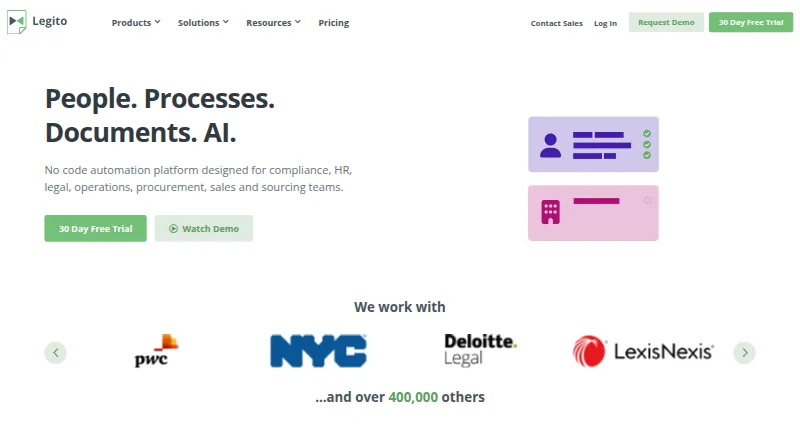
What Legito is
Legito is a document lifecycle service for creating, managing, and signing documents. Users can build advanced documents without coding by combining interactive templates with inserted data, then configure workflows and approvals. Its listed capabilities include renewal tracking, revision history, external document recordkeeping, analytics, and managerial reporting. Signatories can use Legito through a website on any device with a browser, without installing an app. Legito BioSign supports biometric signing of PDF documents on tablets and smartphones. Direct signing is limited to PDFs; other document types are converted to PDF. Legito says signed PDFs use a verified third-party certificate for encryption and that document timelines and audit trails show actions and timing. Integration options include off-the-shelf, no-code, API, webhook, and DocuSign. A free workspace and electronic signature are available, and paid Workspace plans include a 30-day free trial. Listed Starter pricing is €6.90 per month and Business is €13.90 per month. Membership renews automatically, though users can cancel at any time at no extra cost.
Who it suits
Legito may suit teams that want to automate document creation and set approval workflows without coding. Browser-based access also suits signatories who do not want to install an app.
What it does well
- Interactive templates automate documents without coding.
- Audit trails and timelines record actions and timing.
- Supports API, webhook, and DocuSign integrations.
- Free workspace and electronic signature are available.
What to know first
- Only PDF files can be signed directly.
- Membership renews automatically.
- Paid Workspace plans include a 30-day trial.
Plans
| Plan | Billed and limits | Price |
|---|---|---|
| Free Plan | Document lifecycle management · Customizable workflows and approvals · Electronic signatures | Free |
| Starter | billed monthly · 5 documents per month for free | €6.90 a month |
| Business | billed monthly · 20 documents per month for free | €13.90 a month |
| Workspace | Customizable templates · Document revision history · External document recordkeeping · Analytics and managerial reporting · API integration · Permission settings | On request |
| Free Workspace | — | On request |
As legito.com lists them, read 21 Sept 2026. The maker's own page has the final word.
Overview
Legito is a document automation and lifecycle platform for teams that create, approve, sign, and track legal documents. It suits organizations that want repeatable workflows and configurable templates without coding. Its blend of automation and document oversight is broader than a signing-only service, but direct signing is limited to PDFs.
Legito spans Legal Document Automation Software, Document Template Management Software, and Contract Management Software.
Key features
- Document automation: Interactive templates use inserted data to produce advanced documents without coding. This is useful for teams standardizing recurring work, though it is less compelling if the need is only occasional signing.
- Approvals and lifecycle tracking: Customizable workflows, approvals, renewal tracking, document timelines, and complete audit trails give teams visibility into who did what and when. That makes Legito better suited to managed processes than a simple file-signing tool.
- Electronic signatures: Signing is built in, including in the free workspace. Signatories can use a browser on any device without installing an app; BioSign supports biometric signing of PDFs on tablets and smartphones. Only PDFs can be signed directly, so other formats must be converted first.
- Security and integrations: Signed PDFs are encrypted using a verified third-party certificate. Connections include no-code tools, APIs, webhooks, and DocuSign; API access is also included in the Workspace plan.
- Support: Knowledge resources, professional services, courses, webinars, and implementation partners give teams several paths for setup and ongoing help.
Pricing
Legito has a free tier, paid plans, and a 30-day trial for paid Workspace plans. Memberships renew automatically, but users can cancel anytime at no extra cost.
- Free Plan — free: Includes document lifecycle management, customizable workflows and approvals, and electronic signatures. It is a sensible way to begin without subscription cost, though it is not the unlimited-document Workspace offering.
- Starter — €6.90 a month, billed monthly: Allows 5 documents per month. It fits light use, but the quota can constrain teams with regular document volume.
- Business — €13.90 a month, billed monthly: Allows 20 documents per month. The larger allowance suits more frequent work, but remains capped.
- Workspace — custom pricing: Includes as many documents as needed, a 30-day free trial, customizable templates, revision history, external document recordkeeping, analytics and managerial reporting, API integration, and permission settings. It is the stronger fit for teams needing scale and administration, but requires moving beyond the capped lower tiers.
- Free Workspace: Free of charge forever. Legito also describes a free workspace and free electronic signature.
The stated pricing note says paid service starts at €5.50/mo (annual), while the Starter and Business plan prices above are billed monthly. The plans therefore present different stated billing terms. No refund policy is stated.
Platforms
Legito supports web and API access, with both deployment options. Browser signing avoids requiring signatories to install an app; mobile BioSign is specifically for biometric PDF signing.
Who it's for
Legito is a strong fit for legal and business teams that need to turn repeatable documents into controlled workflows, with approvals, audit history, and renewal tracking alongside signatures. Teams with modest volume can start free or use a capped monthly plan. Look elsewhere if direct signing of non-PDF files is essential or if a small signing-only need does not justify document automation features.
Pros and cons
- Pro: No-code templates, approvals, and lifecycle tracking bring document creation and oversight together.
- Pro: Free workspace and electronic signatures provide a no-subscription starting point.
- Pro: Browser signing, mobile biometric PDF signing, and encrypted signed PDFs support a range of signing situations.
- Con: Only PDFs can be signed directly; other file types need conversion.
- Con: Starter and Business cap monthly document volume at 5 and 20 respectively.
- Con: Workspace uses custom pricing, and paid memberships renew automatically unless canceled.
Alternatives
- Docassemble is a free, self-hosted option with no software fees, though hosting typically costs $10–$40 per month or more depending on performance, availability, and support needs. Choose it if avoiding software fees and self-hosting matter more than Legito's free workspace and managed lifecycle features.
- Courtroom5 is another freemium web option with a free plan; consider it as an alternative if you want to compare free web-based offerings.
- Clio Draft is a paid web option with AI-powered Word templates, court forms, questionnaires, and document sets. It may suit readers focused on those drafting tools instead.
- WealthCounsel is a paid option with Trusts & Estates Professional features including Wealth Docx, Business Docx, Wealth Tracx, and Gun Docx; choose it when that package is the closer fit.
- ClauseBase is a paid option with Clause9 for advanced drafting and advanced questionnaires; consider it for that drafting focus.
- Gavel is a paid option with a free trial; its Exec trial includes 25 free queries per user and shared Workspace collaboration. Choose it if those trial terms are more useful for evaluating a workflow.
- Lawgic is a paid option for Windows and macOS.
- Mitratech CaseCloud is a paid Android, iOS, and web option; its pricing uses a personalized demo.
Verdict
Choose Legito if your team needs no-code document automation joined to approvals, signatures, and lifecycle oversight, especially when a free start or defined monthly document allowance is useful. Its main advantage is bringing those steps together; look elsewhere if PDF conversion is a deal-breaker or you need uncapped volume without custom-priced Workspace.
Verdict
Legito combines document automation with signing, approvals, and lifecycle tracking. Note the PDF signing restriction and automatic renewal when choosing a plan.
Facts from Legito's own pages
- API access
- Yes · marketplace.legito.com, 21 Sept 2026
- Approval workflows
- Yes · marketplace.legito.com, 21 Sept 2026
- Audit trails
- Legito provides complete audit trails and document timelines showing who did what and when. · legito.com, 28 Sept 2026
- Billing and cancellation
- Membership renews automatically, but users can cancel anytime at no extra cost. · marketplace.legito.com, 28 Sept 2026
- Company history
- Legito says it has been innovating the legal industry since 2014. · marketplace.legito.com, 28 Sept 2026
- Contract templates
- Yes · marketplace.legito.com, 21 Sept 2026
- Deployment
- both · marketplace.legito.com, 21 Sept 2026
- Document automation
- Users can automate advanced documents without coding using interactive templates and inserted data. · legito.com, 28 Sept 2026
- Built-in e-signature
- Yes · marketplace.legito.com, 21 Sept 2026
- Founded
- 2014 · legito.com, 28 Sept 2026
- Free plan
- Yes · marketplace.legito.com, 21 Sept 2026
- Free tier
- Legito offers a free workspace and free electronic signature. · legito.com, 28 Sept 2026
- Integrations and API
- Legito supports off-the-shelf, no-code, API, webhook, and DocuSign integrations. · legito.com, 28 Sept 2026
- Mobile signing
- Legito BioSign supports biometric signing of PDF documents on tablets and smartphones. · marketplace.legito.com, 28 Sept 2026
- PDF encryption
- Signed PDFs are encrypted using a verified third-party certificate. · legito.com, 28 Sept 2026
- Platform access
- Signatories can use Legito through a website on any device with a web browser, without installing an app. · legito.com, 28 Sept 2026
- Refund policy
- The provided text does not state a refund policy. · marketplace.legito.com, 28 Sept 2026
- Renewal tracking
- Yes · marketplace.legito.com, 21 Sept 2026
- Signature limitations
- Only PDF files can be signed directly; other document types are converted to PDF. · legito.com, 28 Sept 2026
- Support services
- Support includes knowledge resources, professional services, courses, webinars, and implementation partners. · legito.com, 28 Sept 2026
- Trial period
- Paid Workspace plans include a 30-day free trial. · marketplace.legito.com, 28 Sept 2026
Where Legito stands on Freedom251
- Contract Management Software#6 of 104
- CLM Software#3 of 24
- Legal Document Automation Software#5 of 31
- Legal Automation#4 of 24
- Document Template Management Software#7 of 25
- Docs Automation#8 of 26