Freedom251 › Contract Management Software

OpenCLM
What OpenCLM is
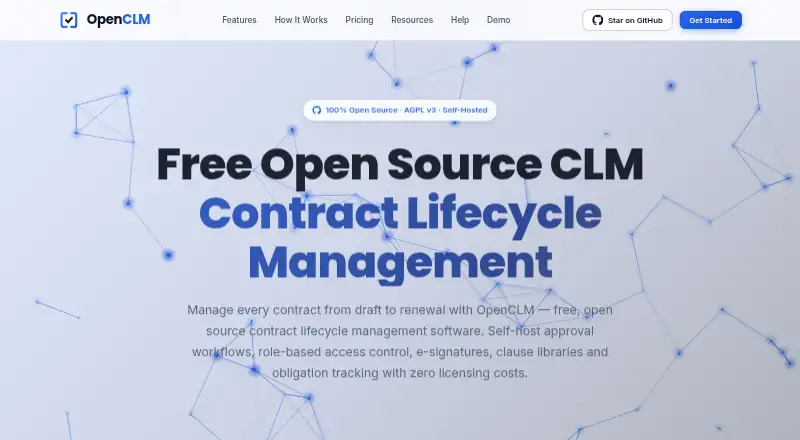
OpenCLM is contract lifecycle management software available as a self-hosted platform and through API access. It brings together templates, approval workflows, renewal tracking, e-signatures, and a searchable repository with rich-text editing, version history, and metadata. Approval flows can run sequentially or in parallel, with routing, escalation, and notifications. The interface supports six languages, and the system includes 12 pre-configured roles with resource-level permissions. OpenCLM is released under the AGPL v3 license with complete source access; the full platform can be self-hosted without licensing fees. Its Free plan is $0 forever for one user, unlimited contracts, and five e-signatures per month. Professional costs $49.00 per month and includes a 14-day trial; the listing also gives Professional at $2,390/year with annual billing described as saving 20%. Teams costs $649.00 per month for up to 25 users. Self-hosted paid plans include Professional at $199.00 per month and Teams at $519.00 per month. Listed security standards include SOC 2, GDPR, ISO 27001, HIPAA, and SOX controls.
Who it suits
OpenCLM suits individuals or teams seeking contract templates, approvals, renewal tracking, and e-signatures. Its free self-hosted option may appeal to users who want source access and can manage their own deployment.
What it does well
- Free plan supports unlimited contracts for one user.
- Self-hosted full platform has no licensing fees.
- Approval flows support sequential and parallel steps.
- Searchable repository includes version history and metadata.
What to know first
- Free plan limits e-signatures to five per month.
- Free plan supports one user.
- Teams is listed at $649.00 per month.
Limits
The Free plan is $0 forever for one user, unlimited contracts, and five e-signatures per month. The free self-hosted option includes community support only.
Plans
| Plan | Billed and limits | Price |
|---|---|---|
| Free | $0 forever · 1 user · Unlimited contracts · 5/month e-signatures | Free |
| Professional | billed monthly · 1 user | $49 a month |
| Teams | billed monthly · Up to 25 users | $649 a month |
| Enterprise | Unlimited users | On request |
| Self-Hosted Free | $0 · Self-hosted deployment · Community support | Free |
| Self-Hosted Professional | 20% off cloud price · Self-hosted deployment · Email support | $199 a month |
| Self-Hosted Teams | 20% off cloud price · Self-hosted deployment · Priority support | $519 a month |
| Self-Hosted Enterprise | Custom · Self-hosted deployment · Dedicated support · SLA | On request |
As openclm.ai lists them, read 28 Sept 2026. The maker's own page has the final word.
Getting started
- Open https://openclm.ai/.
- Choose the Free plan or a paid plan; paid plans include a 14-day trial without a credit card.
- For self-hosting, use the self-hosted deployment option; the Free self-hosted plan has community support.
- Set up contract templates and add contracts to the searchable repository.
- Configure approval workflows and renewal tracking.
- Use built-in e-signatures or OpenSign for e-signing.
Overview
OpenCLM combines contract storage, approvals and signing for organizations that want control over deployment as well as day-to-day contract tools. Its strongest case is for a solo user or a self-hosting organization; teams that need collaboration should look beyond the single-user entry plans.
Key features
A searchable repository brings contracts together with rich-text editing, version history and metadata. Templates and renewal tracking support repeatable contract work, while sequential and parallel approvals, routing, escalation and notifications can handle more than a simple sign-off. Built-in e-signatures round out the workflow, though the free plan’s five-signature monthly allowance limits how much signing it can absorb.
OpenCLM is released under AGPL v3 with complete source access, and the full platform can be self-hosted indefinitely without licensing fees. That is a meaningful option for organizations that want to operate the software on their own servers or private cloud; it also puts deployment responsibility on them. The interface supports six languages. Twelve preconfigured roles offer granular resource-level permissions, and Teams adds advanced permissions, bulk operations and audit logs for up to 25 users.
The platform uses a REST API-first architecture, with API access on Professional and higher. Professional also includes Slack and Salesforce integrations; OpenSign provides e-signatures. Security features include full audit trails, bank-level encryption and regular security audits, alongside SOC 2, GDPR, ISO 27001, HIPAA and SOX controls. Those controls may matter to organizations with formal requirements, while support ranges from community help to email, priority, 24/7 priority and account management.
Pricing
The cloud Free plan costs $0 forever and allows one user, unlimited contracts and five e-signatures per month. It is a credible way for an individual to manage a large contract repository, but the user and signing caps make it unsuitable as a free team rollout.
Professional costs $49 a month, billed monthly, for one user and includes advanced workflows and API access. Its 14-day free trial requires no credit card. The feature step up is useful to a solo operator needing integrations or API access, but it does not add a seat. Annual billing saves 20%; Professional is listed at $2,390/year, a term worth weighing against monthly billing.
Teams costs $649 a month, billed monthly, and supports up to 25 users, with analytics and collaboration. It is the first cloud plan suited to a group, but it is a substantial jump from Professional. Enterprise has custom pricing and unlimited users, with advanced security. Paid plans include a 14-day trial without a credit card.
Self-hosted options separate software cost from support. Self-Hosted Free is $0, with community support only. Self-Hosted Professional is $199 a month, described as 20% off the cloud price, and includes email support; Self-Hosted Teams is $519 a month on the same discount basis, with priority support. Self-Hosted Enterprise has custom pricing and includes dedicated support and an SLA. Organizations choosing these plans should weigh the lower stated prices against their own hosting responsibilities and desired support level.
Platforms
OpenCLM is offered through API access and self-hosted deployment on servers or private cloud. The Free plan includes mobile app access. This mix favors buyers who value deployment control, though the listed platform choices do not make it a straightforward web-only hosted option.
Who it's for
OpenCLM fits individuals who can work within one seat and five monthly signatures, and organizations that want source access or self-hosting. Teams needing shared work should consider Teams for its 25-user capacity and collaboration tools. Buyers who need more than 25 users can look to custom-priced Enterprise; those wanting hosted team functionality at a lower entry commitment may find the pricing a poor fit.
Pros and cons
- Pros: Unlimited contracts on the free cloud plan make it useful for a solo repository; AGPL v3 source access and perpetual self-hosting without licensing fees give deployment-conscious organizations unusual flexibility.
- Pros: Approval routing, renewal tracking, templates and e-signatures cover a broad contract workflow, while Teams adds collaboration for up to 25 users.
- Cons: Free and Professional each support only one user, and Free signing is capped at five per month, so expanding beyond individual use requires a paid tier.
- Cons: Teams at $649 a month is a steep step up for a group, while self-hosting trades licensing fees or discounted plans for operating the deployment yourself.
Alternatives
Contractbook is worth comparing for a browser-oriented workflow: it has API and web platforms, a free plan, and an Essential tier with one user, 100 signed contracts per year and five templates. Its Centralize tier is $399 a month billed annually, which may suit readers comparing team-oriented contract options.
DocuSign eSignature is a focused alternative for readers prioritizing sending and signing agreements; it offers a free plan and a Personal plan at $11 a month with an annual commitment.
JAGGAER Contracts is another paid contract option, with pricing by contact.
Onit Contract Lifecycle Management offers a paid CLM option with custom pricing.
OpenText Managed File Transfer is a paid API and web option for readers whose priority is managed file transfer, including stated transfers of 50GB+ files.
Oracle Procurement Contracts may fit procurement-focused buyers: it costs $405 per user per month and includes Supplier Management and Transactional Business Intelligence for Procurement; it has no free plan or trial.
Pramata is an enterprise contract intelligence platform with custom pricing.
Coupa Accounts Payable is a paid alternative for readers comparing accounts payable software.
Browse Contract Lifecycle Management Software, Legal Contract Management Software or Contract Management Software for more options.
Verdict
Choose OpenCLM if you need a contract workflow with source access or self-hosting, and can align its seat limits and support tiers with your operation. Its free contract capacity is generous for an individual, but the single-user plans and expensive jump to Teams are clear reasons for growing groups to compare alternatives.
Verdict
OpenCLM offers contract management tools across free, paid, and self-hosted options. Check the user and e-signature limits, deployment choice, and listed plan terms against your needs.
Questions
Is OpenCLM open source?
Yes. It is released under the AGPL v3 license with complete source access.
What does the Free plan include?
It costs $0 forever and supports one user, unlimited contracts, and five e-signatures per month.
How much does Professional cost?
Professional is listed at $49 a month for one user. Annual billing is listed as saving 20%, and Professional is also listed at $2,390 per year.
Is there a free trial?
Paid plans include a 14-day free trial with no credit card required.
Can OpenCLM be self-hosted?
Yes. The platform can be self-hosted on servers or a private cloud, and the complete platform can be used without licensing fees.
Which integrations are listed?
Professional lists Slack and Salesforce integrations. OpenSign provides e-signatures.
Facts from OpenCLM's own pages
- Built-In Roles
- OpenCLM provides 12 pre-configured roles with granular resource-level permissions. · openclm.ai, 28 Sept 2026
- Annual Discount
- Annual billing saves 20%; Professional is listed at $2,390/year. · openclm.ai, 28 Sept 2026
- API access
- Yes · openclm.ai, 21 Sept 2026
- API Architecture
- The platform provides a REST API-first architecture and API access on Professional and higher. · openclm.ai, 28 Sept 2026
- Approval workflows
- Yes · openclm.ai, 21 Sept 2026
- Company Model
- OpenCLM describes itself as an open-core company funded by value-added features and support. · openclm.ai, 28 Sept 2026
- Contract Repository
- It includes a centralized searchable repository with rich-text editing, version history, and metadata. · openclm.ai, 28 Sept 2026
- Contract templates
- Yes · openclm.ai, 21 Sept 2026
- Deployment
- both · openclm.ai, 21 Sept 2026
- Data Security
- The pricing page says infrastructure uses bank-level encryption and regular security audits. · openclm.ai, 28 Sept 2026
- Built-in e-signature
- Yes · openclm.ai, 21 Sept 2026
- Free plan
- Yes · openclm.ai, 21 Sept 2026
- Free Plan Limits
- The Free plan supports 1 user, unlimited contracts, and e-signatures listed as 5/month. · openclm.ai, 28 Sept 2026
- Free Usage
- The complete platform can be self-hosted and used forever without licensing fees. · openclm.ai, 28 Sept 2026
- Available Integrations
- Professional lists Slack and Salesforce integrations; OpenSign provides e-signatures. · openclm.ai, 28 Sept 2026
- Language Support
- The interface supports six languages out of the box. · openclm.ai, 28 Sept 2026
- Open Source License
- Released under the AGPL v3 license with complete source access. · openclm.ai, 28 Sept 2026
- Paid Trial
- Paid plans include a 14-day free trial with no credit card required. · openclm.ai, 28 Sept 2026
- Platform Access
- The platform is self-hosted on servers or private cloud, with mobile app access on the Free plan. · openclm.ai, 28 Sept 2026
- Renewal Tracking
- Automated 30/60/90-day reminders cover renewals, expirations, and key milestones. · openclm.ai, 28 Sept 2026
- Security Standards
- The page lists SOC 2, GDPR, ISO 27001, HIPAA, SOX controls, and full audit trails. · openclm.ai, 28 Sept 2026
- Team Collaboration
- Teams supports up to 25 users, advanced permissions, bulk operations, and audit logs. · openclm.ai, 28 Sept 2026
- Support Levels
- Support ranges from community support to email, priority, 24/7 priority, and account management. · openclm.ai, 28 Sept 2026
- Workflow Features
- Approval workflows support sequential and parallel approvals, routing, escalation, and notifications. · openclm.ai, 28 Sept 2026
Where OpenCLM stands on Freedom251
- Contract Management Software#5 of 104
- Contract Lifecycle Management Software#2 of 29
- Legal Contract Management Software#4 of 27