Adobe PDF Services API
by Adobe
What Adobe PDF Services API is
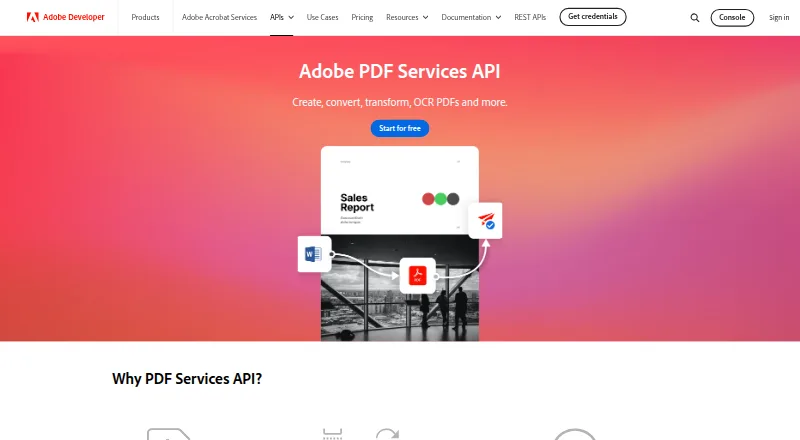
Adobe PDF Services API is a cloud API for creating and working with PDF documents. It can create PDFs from static or dynamic HTML, Microsoft Word, PowerPoint, Excel, text, images, ZIP files, and URLs. For document generation, it merges JSON data with Word templates to produce PDF or Word files; conditional logic and bulk generation are supported. The API can convert PDFs to supported Office formats and images, combine, split, insert, replace, reorder, and rotate pages, and OCR scanned PDFs into searchable documents. Listed output formats are PDF and DOCX. It integrates with Microsoft Power Automate, Workfront Fusion, and UiPath. Support options include community resources, tickets, and documentation, and listed compliance standards are SOC 2, ISO 27001, and GDPR. The service is cloud deployed and provides API access. The Free Tier lists 500 document transactions per month, but no price is provided. Paid Plans also have no listed price; users must contact sales for a quote, and purchases are through ETLA or VIP agreements.
Who it suits
It suits developers and teams building PDF creation, conversion, or document-generation workflows through an API. The listed inputs, output formats, integrations, and support options indicate use in varied document processes.
What it does well
- Creates PDFs from Office files, HTML, images, and URLs
- Merges JSON data with Word templates
- Supports OCR of scanned PDFs
- Integrates with Power Automate, Workfront Fusion, and UiPath
What to know first
- Free Tier is limited to 500 transactions per month
- Paid Plans require a sales quote
- Paid Plans are purchased through ETLA or VIP agreements
Limits
The Free Tier allows 500 document transactions per month. Paid plans require a sales quote and are purchased through ETLA or VIP agreements.
Plans
| Plan | Billed and limits | Price |
|---|---|---|
| Free Tier | Custom price · 500 Document Transactions per month | On request |
| Paid Plans | Custom price | On request |
As developer.adobe.com lists them, read 23 Sept 2026. The maker's own page has the final word.
Getting started
- Visit the Adobe PDF Services API website.
- Create an integration using the API access route.
- Use the Free Tier with its allowance of 500 document transactions per month, or contact sales about a paid plan.
- Connect an integration such as Microsoft Power Automate, Workfront Fusion, or UiPath if needed.
- Provide supported inputs such as JSON, HTML, Office files, text, images, ZIP files, or URLs.
Overview
Adobe PDF Services API is a cloud service for adding PDF workflows to applications and business processes. It is best suited to developers and organizations generating or transforming documents at scale; its broad input and page-operation support is a clear strength, while custom-priced paid access makes costs harder to plan.
It handles creation, conversion, OCR, page management and template-based generation through an API. Outputs include PDF and DOCX, and JSON can supply data for Word-template merges.
Key features
- Create documents: Generate PDFs from static or dynamic HTML, Word, PowerPoint, Excel, text, images, ZIP files or URLs. That range is useful when a workflow draws content from several existing formats rather than a single authoring source.
- Merge data into templates: JSON data can populate Word templates to produce PDF or Word documents. Conditional logic and bulk generation support recurring, variable documents without treating each output as a manual task.
- Convert and process PDFs: Convert PDFs to supported Office formats and images, and combine, split, insert, replace, reorder or rotate pages. These operations make the API relevant beyond document creation.
- Search scanned files: OCR can turn scanned PDFs into searchable documents, a useful addition for workflows that include paper-originated records.
- Connect business workflows: Integrations include Microsoft Power Automate, Workfront Fusion and UiPath. The service is cloud-deployed, with API access and JSON as a data source.
Pricing
Free Tier: Custom price, with 500 Document Transactions per month. That allowance provides a defined starting point for a modest integration or limited-volume workflow, but buyers should account for the monthly cap.
Paid Plans: Custom pricing; contact sales for a quote. Paid plans are purchased through ETLA or VIP agreements. This route suits organizations already buying through those agreements or needing a larger arrangement, but it is less direct than a published per-month price for teams comparing costs upfront.
There is no free trial. The free tier is the only stated no-cost entry point, and its 500-transaction monthly ceiling may not suit sustained high-volume generation.
Platforms
The listed platform is web, with cloud deployment and API access. Support is available through community resources, tickets and documentation. Adobe lists SOC 2, ISO 27001 and GDPR compliance.
Who it's for
Choose Adobe PDF Services API when an application or business workflow needs several document operations in one service, especially JSON-driven Word-template generation alongside conversion, OCR and page management. It is less compelling for buyers who need a standalone PDF editor or fixed paid pricing before speaking with sales.
Pros and cons
- Pro: Broad input support—from Office files and HTML to images, ZIP and URLs—gives developers flexibility in feeding document workflows.
- Pro: Template merging, conditional logic and bulk generation address repeatable, data-driven output rather than only one-off PDF creation.
- Pro: OCR, conversion and detailed page operations extend the API into document processing and assembly.
- Con: Paid plans require a sales quote and ETLA or VIP purchasing, limiting price transparency and straightforward self-service evaluation.
- Con: The free tier stops at 500 Document Transactions per month, so higher-volume use requires moving beyond the free allowance.
Alternatives
For template-led document generation, compare Carbone, CraftMyPDF, Documentero, APITemplate.io, DocMake and PDFMonkey. Carbone offers a free cloud plan and supports API, desktop and self-hosted platforms; CraftMyPDF's free plan includes 50 PDFs or images monthly and three templates; Documentero's free plan allows 50 documents once and three templates. APITemplate.io also offers 50 PDFs or images monthly and three templates on its free plan, while DocMake's free plan includes 1,000 documents monthly, unlimited templates and one seat. PDFMonkey's free plan is constrained to 20 documents monthly, one-day retention and a 30-second generation limit, with no external images, fonts, CSS or JS.
PandaDoc is another freemium option, with a free plan described as allowing 60 documents per year and two recipients per document. For focused PDF page work, PDF4me Merge & Split has a free API tier with limited calls and a one-time 25.00 USD Pack 500. Browse document generation software, document automation software, PDF accessibility software, mail merge software, PDF converter software or PDF creation software to compare category options.
Verdict
Adobe PDF Services API is a strong fit for developers and organizations that need a wide-ranging, API-based document pipeline, particularly where template generation, conversion and page processing belong together. Its breadth is the central reason to choose it; the monthly free cap and quote-based paid access are the reasons to look elsewhere if volume or predictable pricing is the priority.
Verdict
Adobe PDF Services API covers document creation, conversion, page operations, and template-based generation. The free tier has a stated monthly transaction allowance, while paid pricing requires a sales quote.
Questions
What does the Free Tier include?
It allows 500 document transactions per month.
How are paid plans purchased?
Paid plans require contacting sales for a quote and are purchased through ETLA or VIP agreements.
Which platforms and deployment model does it use?
The platform is web, and deployment is cloud-based.
Which integrations are available?
Listed integrations are Microsoft Power Automate, Workfront Fusion, and UiPath.
What formats and inputs does the API support?
Listed output formats are PDF and DOCX. Inputs include static and dynamic HTML, Word, PowerPoint, Excel, text, images, ZIP files, URLs, and JSON data.
What compliance standards are listed?
SOC 2, ISO 27001, and GDPR are listed.
Facts from Adobe's own pages
- Compliance
- SOC 2, ISO 27001, GDPR · developer.adobe.com, 23 Sept 2026
- Deployment
- cloud · developer.adobe.com, 23 Sept 2026
- Founded
- 1982 · developer.adobe.com, 23 Sept 2026
- Headquarters
- San Jose, California, USA · adobe.com, 23 Sept 2026
- Integrations
- Microsoft Power Automate, Workfront Fusion, UiPath · developer.adobe.com, 23 Sept 2026
- Key features
- Create PDFs from HTML, Microsoft Office, text, image, ZIP and URL inputs · Generate PDF or Word documents by merging JSON data with Word templates · Convert PDFs to supported Office formats and images · Combine, split, insert, replace, reorder and rotate PDF pages · OCR scanned PDFs into searchable documents · Extract text, tables, images and document structure to JSON · Compress, linearize, password-protect and remove password protection · Use REST API or SDKs for Node.js, Java, Python and .NET · developer.adobe.com, 23 Sept 2026
- Support
- community, ticket, docs · developer.adobe.com, 23 Sept 2026
Where Adobe PDF Services API stands on Freedom251
- HTML to PDF APIs#3 of 41
- Document Automation Software#3 of 33
- PDF Creation Software#5 of 46
- PDF Converter Software#7 of 47
- Screenshot APIs#6 of 40
- Docs Automation#5 of 26
- E-Signature APIs Software#5 of 26
- PDF API Software#7 of 35
- PDF Compression Software#11 of 39
- PDF converters#7 of 22
- PDF compressors#19 of 22