
PDF4me Merge & Split
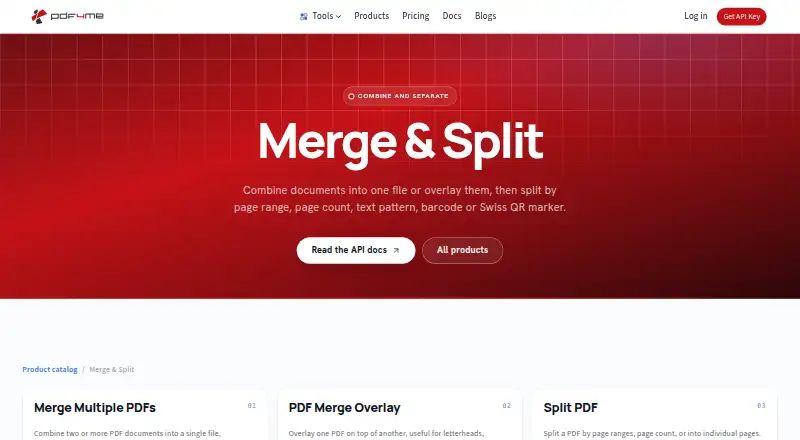
What PDF4me Merge & Split is
PDF4me Merge & Split combines PDF files or divides them using rules such as page ranges, page count, text patterns, barcodes and Swiss QR markers. It can also separate a document into individual pages or place one PDF over another. Its browser tools are available online without installation or sign-up; document features are also offered through a REST API and no-code automation. Listed connectors include Power Automate, Make, n8n, Zapier, RapidAPI and Appy Pie. The Merge API takes an ordered array of at least two PDFs and returns the combined file as binary data. A limited-call API tier is listed as free, with no credit card required. One-time packs include $25, paid once for 500 calls and $650, paid once for 25,000 calls; calls do not expire while the account remains active. Most API endpoints use one call per document, while some higher-quality conversion, OCR and AI features use one call per page. PDF4me says processed documents are deleted within minutes and not retained for training.
Who it suits
It suits people who need browser-based PDF merging or splitting, as well as teams connecting document processing through an API or no-code automation. Its API packs may suit workloads that can use calls while the account is active.
What it does well
- Browser tools need no installation or sign-up.
- Splits by pages, ranges, barcodes, text or QR codes.
- Offers a REST API and no-code automation.
- API calls do not expire while the account is active.
- Documents are deleted within minutes, according to PDF4me.
What to know first
- The free API tier has limited calls.
- Paid API packs are billed one-time.
- Some conversion, OCR and AI features cost per page.
- ISO/IEC 27001 audit is described as underway.
Limits
The free API tier includes limited calls. Paid packs list 500 to 25,000 API calls, and those calls do not expire while the account is active; custom pricing applies above 25,000 calls.
Plans
| Plan | Billed and limits | Price |
|---|---|---|
| Free API tier | Free tier · no credit card required · limited calls | Free |
| Pack 5,000 | $180 one-time · up to 5,000 documents · calls do not expire while account is active | $180, paid once |
| Pack 500 | $25 one-time · up to 500 documents · calls do not expire while account is active | $25, paid once |
| Pack 10,000 | $330 one-time · up to 10,000 documents · calls do not expire while account is active | $330, paid once |
| Pack 1,000 | $45 one-time · up to 1,000 documents · calls do not expire while account is active | $45, paid once |
| Pack 25,000 | $650 one-time · up to 25,000 documents · calls do not expire while account is active | $650, paid once |
| Pack 2,500 | $95 one-time · up to 2,500 documents · calls do not expire while account is active | $95, paid once |
| 25,000+ API calls | custom contact sales · Volume discounts available · dedicated account support · flexible billing terms | On request |
As pdf4me.com lists them, read 2 Oct 2026. The maker's own page has the final word.
Getting started
- Open the PDF4me Merge & Split website to use the browser tools.
- Use the merge or split tool online without installing software or signing up.
- For API use, start with the limited-call free tier, which requires no credit card.
- Choose a one-time API pack if you need more calls.
- Connect through a listed service such as Power Automate, Make, n8n, Zapier, RapidAPI, or Appy Pie.
PDF4me Merge & Split combines PDFs and separates them using page or content-based rules. It suits people who want quick browser edits as well as developers and teams building PDF steps into automated workflows. Its breadth of split options is a strength; the five-file merge limit and per-page API billing for some operations narrow its appeal for larger workloads.
Overview
For occasional jobs, its browser tools handle merging and splitting without installation or sign-up. For recurring processes, a REST API and no-code automation connectors bring those operations into broader workflows. That range makes PDF4me more adaptable than a browser-only tool, while the modest batch ceiling calls for care when planning high-volume merges.
Key features
Merge and split controls
PDF4me can combine multiple PDFs in a chosen order or overlay one PDF on another. It can split a document into individual pages or use page ranges, page count, text patterns, barcodes, or Swiss QR markers. Content-based rules are valuable when files need to be divided at meaningful markers rather than by manually chosen ranges; Swiss QR splitting is a more specialized capability.
The Merge API accepts an ordered array of at least two PDFs and returns the merged file as binary data. Batch merging is supported, with a limit of five files per merge and 100 MB per file. Those caps suit modest batches, but can force larger jobs into multiple operations.
Automation and data handling
PDF4me offers a REST API and connectors for Power Automate, Make, n8n, Zapier, RapidAPI, and Appy Pie. That gives developers and no-code teams several ways to incorporate PDF handling into existing processes. Most API endpoints charge one call per document, while high-quality conversions, OCR, and AI features charge one call per page, so page-heavy use of those features can consume a call pack faster than a simple document count suggests.
PDF4me says files are processed in EU or US regions depending on account setup, deleted within minutes after completion, and not retained for training. Transfers use HTTPS/TLS, and files are encrypted at rest while held for processing. Its ISO/IEC 27001 certification is underway, with an independent audit targeted for 2026. Email support includes help with API integration and larger enterprise projects.
Pricing
The free browser tools require no sign-up, while the free API tier costs nothing and requires no credit card, but has limited calls. The API trial also has limited calls. Paid API packs are one-time purchases rather than recurring subscriptions, and their calls do not expire while the account remains active.
| Plan | Price and terms | Best fit |
|---|---|---|
| Free API tier | free; limited calls; no credit card required | Trying API workflows or light initial use |
| Pack 500 | $25, paid once; 500 calls; about $0.050 per call | Small, occasional API workloads |
| Pack 1,000 | $45, paid once; 1,000 calls; about $0.045 per call | More regular use without a large commitment |
| Pack 2,500 | $95, paid once; 2,500 calls; about $0.038 per call | Growing workflows seeking a lower per-call cost |
| Pack 5,000 | $180, paid once; 5,000 calls; about $0.036 per call | Steady workloads with predictable call needs |
| Pack 10,000 | $330, paid once; 10,000 calls; about $0.033 per call | Higher volumes that benefit from a lower unit cost |
| Pack 25,000 | $650, paid once; 25,000 calls; about $0.026 per call | Large workloads able to use a substantial prepaid pack |
| 25,000+ API calls | Custom pricing; contact sales; volume discounts, dedicated account support, and flexible billing terms | Enterprise-scale use needing tailored terms |
Larger packs reduce the approximate cost per call, but they require more upfront spending. Since calls remain valid only while the account is active, the one-time structure is not the same as an unconditional permanent balance.
Platforms
PDF4me is available on the web and as an extension, and provides API access. Browser tools need no installation or sign-up. Cloud storage support is available, and the no-code connectors extend its reach into common automation platforms.
Who it's for
PDF4me fits people who need browser-based PDF edits without creating an account, and teams that want merging or rule-driven splitting inside an automated process. Developers can use its API and seek integration help by email; no-code teams have several connector options. It is a weaker fit for workflows that routinely need more than five source files in one merge or that rely heavily on page-billed API features.
Pros and cons
- Pros: Splitting by text, barcode, and Swiss QR marker provides more precise routing than page-range splitting alone.
- Pros: Browser tools work without installation or sign-up, while API and no-code options serve repeat workflows.
- Pros: One-time API packs avoid a recurring subscription, and the approximate per-call price falls with larger packs.
- Cons: Each merge is limited to five files, a constraint for larger batch jobs.
- Cons: The free API tier has limited calls, and some features consume calls per page rather than per document.
- Cons: Processing can occur in either the EU or US depending on account setup, which may matter to organizations with region-specific requirements.
Alternatives
- PandaDoc is a better direction for document workflows centered on recipients and annual document allowances, with a free plan that describes 60 documents per year and two recipients per document.
- Docassemble suits readers prioritizing self-hosting and no software fees, with hosting typically costing $10–$40 per month or more depending on needs.
- S-Docs is worth considering for its free Salesforce plan, which includes unlimited templates, up to 150 documents, and up to 50 e-signatures.
- TemplateDocs may fit teams seeking a monthly workflow plan with two seats, 500 monthly credits, five templates, and five workflows for $29 a month.
- Adobe PDF Services API is an alternative for API users whose stated free tier includes 500 document transactions per month; paid plans use custom pricing.
- DocMake is a stronger fit for document generation volume: its free plan provides 1,000 documents per month, API access, and 500 calls per day.
- DocPayload offers a free starter plan for up to five documents and a self-hosted option, for readers who want those choices.
- DocuGenerate is an alternative for readers looking for a free monthly document-generation allowance, with 20 free documents per month and API access.
- Document Automation Software is a broader category to compare.
- Document Generation Software is a broader category to compare.
- Mail Merge Software is a broader category to compare.
- PDF Creation Software is a broader category to compare.
- PDF Merger Software is a broader category to compare.
Verdict
Choose PDF4me Merge & Split for quick no-sign-up browser work or for automating PDF merges and content-based splits through an API or no-code connector. Its standout advantage is the range of split rules paired with flexible integration routes. Look elsewhere if routine merges exceed five files or if the API call accounting makes page-heavy workflows difficult to budget.
Verdict
PDF4me offers several ways to merge and split PDFs, from browser tools to API and no-code workflows. Check the call limits and per-page billing for some features when estimating API use.
Questions
Is PDF4me Merge & Split free?
Browser merge and split tools are available online without sign-up. The free API tier costs nothing and includes limited calls.
What do the API plans cost?
One-time packs are $25, paid once for 500 calls, $45, paid once for 1,000, $95, paid once for 2,500, $180, paid once for 5,000, $330, paid once for 10,000, and $650, paid once for 25,000. Pricing for more than 25,000 calls is custom.
How can I split a PDF?
The listed options include individual pages, page ranges, page count, barcodes, text, and Swiss QR codes.
Which platforms and integrations are available?
The listed platforms are web, API, and extension. Connectors include Power Automate, Make, n8n, Zapier, RapidAPI, and Appy Pie.
How does the API charge calls?
Most endpoints cost one call per document. High-quality conversions, OCR, and AI features cost one call per page.
How does PDF4me handle documents?
PDF4me says documents are processed in EU or US regions depending on account setup, deleted within minutes, and not retained for training. It also says transfers use HTTPS/TLS and files are encrypted at rest while held for processing.
Facts from PDF4me Merge & Split's own pages
- Android app
- The Google Play app provides scanning, OCR, compression, merging, file organization and sharing, and had 10K-plus downloads when listed. · play.google.com, 15 Oct 2026
- API billing
- Most endpoints cost one call per document, while high-quality conversions, OCR, and AI features cost one call per page. · pdf4me.com, 2 Oct 2026
- API operations
- The API documentation covers conversion, merge, split, OCR, signatures, forms, barcodes and extraction. · docs.pdf4me.com, 15 Oct 2026
- API samples
- PDF4me publishes GitHub examples for C#, Java, Python, JavaScript and Salesforce across merge, split, security and other categories. · github.com, 15 Oct 2026
- Barcode splitting
- Barcode separator pages can trigger automatic splitting of multi-document PDFs. · pdf4me.com, 15 Oct 2026
- Chrome privacy
- The Chrome listing says files are processed securely without permanent storage and that the developer declares no data collection or use. · chromewebstore.google.com, 15 Oct 2026
- Chrome requirements
- The Chrome extension requires a current Chrome version, internet access and permission to access file URLs. · chromewebstore.google.com, 15 Oct 2026
- Company founder
- LinkedIn identifies Chandra Arora as founder of PDF4me and CEO of Ynoox GmbH. · ch.linkedin.com, 15 Oct 2026
- Company identity
- PDF4me's LinkedIn page identifies the business as Ynoox GmbH, privately held, founded in 2012 and employing 11–50 people. · linkedin.com, 15 Oct 2026
- Company location
- PDF4me lists Ynoox LLC and an address in Hedingen, Switzerland. · pdf4me.com, 2 Oct 2026
- Data handling
- PDF4me says documents are processed in EU or US regions depending on account setup, deleted within minutes after completion, and not retained for training. · pdf4me.com, 2 Oct 2026
- Documentation depth
- The developer portal provides API references, integration guides, SDK onboarding, an interactive API tester, MCP documentation and agent skills. · docs.pdf4me.com, 15 Oct 2026
- Free browser tools
- PDF tools including merge and split are available online without installation or sign-up. · pdf4me.com, 2 Oct 2026
- Headquarters
- PDF4me's official footer lists Ynoox LLC at Riedstrasse 2B, 8908 Hedingen, Switzerland. · pdf4me.com, 15 Oct 2026
- Integration breadth
- The integrations catalog lists 76 capabilities across the supported automation surfaces. · pdf4me.com, 15 Oct 2026
- Integrations
- Official connectors are documented for Power Automate, Zapier, Make and n8n. · pdf4me.com, 15 Oct 2026
- JavaScript SDK
- The official JavaScript package is an ESM TypeScript client with 106 actions, bundled types and Node.js 22-or-newer support. · docs.pdf4me.com, 15 Oct 2026
- Limit: editor maturity
- A G2 reviewer describes the PDF editor as outdated and asks for clearer basic-versus-Pro plan differentiation. · g2.com, 15 Oct 2026
- Limit: language conversion
- A G2 reviewer reports conversion problems with some languages. · g2.com, 15 Oct 2026
- Limit: pricing value
- A G2 reviewer says pricing can be concerning because free alternatives offer similar functions. · g2.com, 15 Oct 2026
- Limit: reliability and support
- Capterra reviews mention occasional glitches with lost unsaved files, slower processing for large documents and a desire for chat support. · capterra.com, 15 Oct 2026
- Merge API behavior
- The Merge API accepts an ordered array of at least two PDF files and returns the merged PDF as binary data. · docs.pdf4me.com, 2 Oct 2026
- Merge feature
- The merge tool combines two or more PDFs while preserving their sequence and formatting. · pdf4me.com, 15 Oct 2026
- Merge options
- The product page lists merging multiple PDFs in order and overlaying one PDF on top of another. · pdf4me.com, 2 Oct 2026
Where PDF4me Merge & Split stands on Freedom251
- PDF mergers#4 of 23
- PDF Merger Software#7 of 36