Freedom251 › Document Automation Software
DocuGenerate
What DocuGenerate is
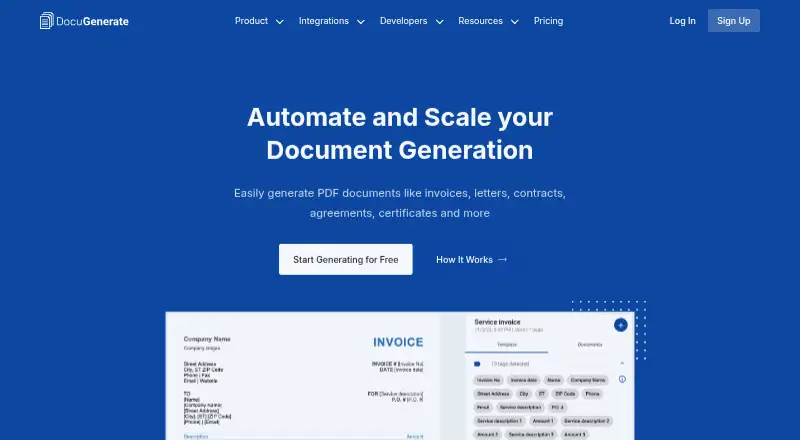
DocuGenerate creates PDFs from Word templates and supplied data, replacing merge tags with provided values. Templates can be uploaded as DOCX, DOC, ODT, TXT, or SQL files; listed data formats include JSON, XLSX, XLS, ODS, and CSV. Merge tags can add images, tables, lists, conditional content, and QR codes. A REST API and integrations access are included on every plan, including Free. Listed connections include Zapier, Make, n8n, Pipedream, Bubble, Coda, Power Apps, Xano, and Backendless. Usage counts generated documents rather than pages, so a 100-page report counts as one document. The Free plan costs nothing and includes 20 documents per month and two templates. Plus costs $19 a month and includes 500 documents per month, batch generation, and two concurrent documents; additional documents cost $0.04 each. Monthly usage resets on the first day without rollover. The maker says input data is transient and not stored, while generated documents remain stored until deleted.
Who it suits
It suits people or teams that need to create PDFs from reusable templates and structured or spreadsheet data. Its API and integrations access on every plan may suit workflows that connect document generation to other software.
What it does well
- Templates support images, tables, lists, and QR codes.
- REST API and integrations access are included on every plan.
- Usage counts documents rather than pages.
- Lists processing and storage regions in four regions.
What to know first
- Free plan allows 20 documents per month.
- Monthly usage resets without rollover.
- Generated documents remain stored until deleted.
- Additional Plus documents cost $0.04 each.
Limits
The Free plan includes 20 documents per month, two templates, single-document generation, and one concurrent document. Paid plan allowances reset on the first of each month without rollover; overage documents are billed at the plan’s stated rate.
Plans
| Plan | Billed and limits | Price |
|---|---|---|
| Free | $0/month · 20 free docs/month · 2 templates · full API and integrations · single document generation · 1 concurrent document · no credit card required | Free |
| Plus | $19/month · 500 docs/month included · 5 templates · full API and integrations · batch generation · $0.04 per additional document · 2 concurrent documents | $19 a month |
| Business | $199/month · 10,000 docs/month included · 100+ templates · full API and integrations · batch generation · $0.02 per additional document · 20+ concurrent documents · 5 team members included · template version history · custom fonts · priority support | $199 a month |
| Premium | $59/month · 2,000 docs/month included · 20 templates · full API and integrations · batch generation · $0.03 per additional document · 10 concurrent documents · 2 team members included · template version history | $59 a month |
| Enterprise | Custom · Volume pricing · higher limits · dev and prod accounts · signed DPA and SLA · security questionnaires · dedicated support | On request |
As docugenerate.com lists them, read 4 Oct 2026. The maker's own page has the final word.
Getting started
- Open the DocuGenerate website.
- Choose the Free plan or a paid plan.
- Upload a template in DOCX, DOC, ODT, TXT, or SQL format.
- Supply values using a supported data format such as JSON or XLSX.
- Use the web app, REST API, or a listed integration to generate PDFs.
Verdict
DocuGenerate supports template-based PDF creation with multiple data formats and integrations. Consider monthly document limits, overage rates, and file retention when selecting a plan.
Questions
Is DocuGenerate free?
Yes. Free costs nothing and includes 20 documents per month and two templates.
What does the Plus plan cost?
Plus costs $19 a month and includes 500 documents per month. Additional documents cost $0.04 each.
Which file formats does it support?
Templates can be DOCX, DOC, ODT, TXT, or SQL. Listed data formats include JSON, XLSX, XLS, ODS, and CSV.
Does every plan include API access?
Yes. Every plan, including Free, includes REST API and integrations access.
Where is document data stored?
Data used to generate documents is transient and not stored. Generated documents remain stored until deleted; listed processing and storage regions include the United States, European Union, United Kingdom, and Australia.
What integrations are available?
Listed services include Zapier, Make, n8n, Pipedream, Bubble, Coda, Power Apps, Xano, and Backendless.
Facts from DocuGenerate's own pages
- API
- DocuGenerate provides a REST API, and every plan, including Free, includes API and integrations access. · docugenerate.com, 4 Oct 2026
- Compliance
- The pricing page states that DocuGenerate is GDPR compliant and offers multiple processing and storage regions, including the European Union. · docugenerate.com, 4 Oct 2026
- Data formats
- The site lists JSON, XLSX, XLS, ODS and CSV as supported data formats. · docugenerate.com, 4 Oct 2026
- Document counting
- Usage counts generated documents rather than their pages, so a 100-page report counts as one document. · docugenerate.com, 4 Oct 2026
- Integrations
- The maker lists Zapier, Make, n8n and Pipedream, plus connectors or plugins for Bubble, Coda, Power Apps, Xano and Backendless. · docugenerate.com, 4 Oct 2026
- Overage and reset
- Paid-plan overage documents are billed at each plan's stated rate, and monthly usage resets on the first day of each month without rollover. · docugenerate.com, 4 Oct 2026
- Privacy
- The privacy policy says data used to generate documents is transient and is not stored, while generated documents are stored until deleted. · docugenerate.com, 4 Oct 2026
- Regional processing
- The maker lists processing and storage regions in the United States, European Union, United Kingdom and Australia. · docugenerate.com, 4 Oct 2026
- Storage
- Generated documents remain stored until the user deletes them; the privacy policy says deleted files are physically removed from cloud storage. · docugenerate.com, 4 Oct 2026
- Support
- Business includes priority support, while Enterprise includes dedicated support; the site provides [email protected] as a contact address. · docugenerate.com, 4 Oct 2026
- Template features
- Merge tags can insert images, tables, lists, conditions and QR codes into templates. · docugenerate.com, 4 Oct 2026
- Template formats
- Templates can be uploaded as DOCX, DOC, ODT, TXT or SQL files. · docugenerate.com, 4 Oct 2026
- What it does
- DocuGenerate generates PDF documents from Word templates and JSON or spreadsheet data by replacing merge tags with supplied values. · docugenerate.com, 4 Oct 2026
Where DocuGenerate stands on Freedom251
- Document Automation Software#6 of 33
- PDF Creation Software#9 of 46