Freedom251 › Salesforce AppExchange Apps

S-Docs
by S-Docs
What S-Docs is
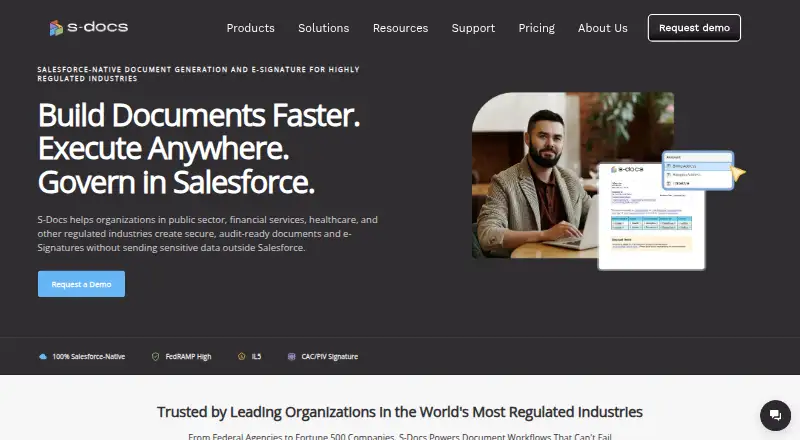
S-Docs automates document generation and electronic signatures from CRM data. It connects directly with Salesforce and HubSpot, and its listed data sources also include Google Sheets, Airtable, and Salesforce standard and custom objects. Salesforce templates can combine record data with related data, formulas, conditional rules, and custom Apex. Documents can be created on demand, by Salesforce Flow, or in scheduled and batch processes. The Salesforce edition runs within a Salesforce organization and processes data on that platform. Outputs include emails, PDFs, DOC and DOCX files, HTML, CSV, PPTX, and XLSX, as well as certificates, contracts, and quotes. Batch personalization and API access are available, and Amazon S3, Box, and Google Drive are listed for storing documents outside the platform. S-Docs offers a free Salesforce plan and paid options, including a package with unlimited signature envelopes. The free plan allows up to 150 documents and 50 e-signatures. The paid Salesforce plan is listed at $25 a year, with annual billing described as $25 per user per month. S-Docs was founded in 2010 and is headquartered in New York City. It lists web, iOS, and API platforms.
Who it suits
S-Docs suits organizations that generate documents from Salesforce or HubSpot data, especially the public sector, financial services, healthcare, and other highly regulated organizations. Its Salesforce edition is designed for teams using Enterprise, Unlimited, Performance, or Developer Edition.
What it does well
- Templates support related data, formulas, conditional logic, and custom Apex.
- Documents can run on demand, through Flow, or on schedules and in batches.
- Connects directly with Salesforce and HubSpot.
- Offers multiple document formats and batch personalization.
- Salesforce solution is described as FedRAMP High and DoD IL5 compliant.
What to know first
- Salesforce Professional Edition and Salesforce Essentials are incompatible.
- The free plan allows up to 150 documents and 50 e-signatures.
- Paid Salesforce plans require at least 10 licenses and a $3,000 minimum contract.
- Fillable PDFs cannot be used to collect data in S-Docs for Salesforce.
Limits
The free Salesforce plan includes up to 150 documents and 50 e-signatures. The paid Salesforce plan includes up to 50 e-signatures per year; unlimited signature envelopes are included in the separate S-Docs with e-Signature package.
Plans
| Plan | Billed and limits | Price |
|---|---|---|
| S-Docs for Salesforce (free) | Unlimited templates · up to 150 documents · up to 50 e-Signatures · no user-count restriction | Free |
| S-Docs for HubSpot Free | Unlimited templates · unlimited users · 150 documents/year · 50 e-Signature envelopes/year | Free |
| S-Docs for Salesforce Free | Unlimited templates · unlimited users · 150 documents/year · 50 e-Signature envelopes/year | Free |
| S-Docs for Salesforce | billed annually; $3,000 annual minimum · Unlimited templates · unlimited documents · multiple documents and recipients per e-Signature request | $25 a month |
| S-Docs for Salesforce (paid) | billed annually ($25 per user per month) · Unlimited templates and documents · up to 50 e-Signatures per year · minimum contract of $3,000 · minimum 10 licenses | $25 a month |
| S-Docs for HubSpot Professional Edition | usage based · Unlimited templates · unlimited users · 2,500 documents/year · 800 e-Signature envelopes/year | $275 a month |
| S-Docs for Salesforce with e-Signature | billed annually; $4,800 annual minimum · Unlimited templates · unlimited documents · unlimited e-Signature envelopes · multiple documents and recipients per request | $40 a month |
| S-Docs for HubSpot Team Edition | usage based · Unlimited templates · unlimited users · 500 documents/year · 250 e-Signature envelopes/year | $65 a month |
The first 8 of 10 plans, as sdocs.com lists them, read 7 Oct 2026. The maker's own page has the final word. Every plan
Getting started
- Visit https://www.sdocs.com/.
- Choose the free Salesforce plan or review the paid and custom quote options.
- Confirm your Salesforce edition is Enterprise, Unlimited, Performance, or Developer if using S-Docs for Salesforce.
- Connect Salesforce or HubSpot data and configure templates for your documents.
- Use the web, iOS, or API platform listed for S-Docs.
Overview
S-Docs automates document creation and e-signatures from CRM data, with Salesforce at the center of its document workflows. It is a strong fit for organizations that need rules-driven documents in regulated environments and already use a supported Salesforce edition. The free plan lowers the barrier to trying it, but the paid plan’s minimum contract makes it difficult to justify for smaller teams.
Key features
Templates can combine Salesforce records, related data, formulas, conditional logic, and custom Apex. Documents can be produced on demand, through Salesforce Flow, or in scheduled and batch processes. This gives teams room to automate recurring, data-dependent work; it is more machinery than a team needs for occasional, straightforward mail merges.
S-Docs for Salesforce runs inside a Salesforce organization and processes data on the Salesforce platform. The platform also integrates directly with HubSpot, and supports Google Sheets and Airtable as data sources. Amazon S3, Box, and Google Drive are options for storing documents outside the platform. Outputs range from PDFs, DOC and DOCX files, HTML, CSV, PPTX, and XLSX to emails, certificates, contracts, and quotes. That range is useful when document workflows need to serve multiple formats, but it does not make S-Docs a fit for every form-based process: its Salesforce product cannot collect information through fillable PDFs.
S-Docs describes its Salesforce solution as FedRAMP High and DoD IL5 compliant. Its Trust Center includes materials for FedRAMP High, Low, and Moderate, as well as SOC 1 Type 2, SOC 2 Type 2, and SOC 3. Those credentials make it a more credible candidate for regulated organizations than a generic document generator, though compliance needs should still be checked against each organization’s requirements.
The e-signature package includes unlimited signature envelopes, but signatures can only be purchased through that package. That is generous for teams with recurring signing volume, while less attractive if a small number of signatures is all a buyer needs.
Pricing
S-Docs for Salesforce (free) costs nothing. It includes unlimited templates, up to 150 documents, and up to 50 e-signatures, with no user-count restriction. This is the most practical starting point for a team evaluating Salesforce document workflows or handling modest volumes, but the document and signature ceilings limit sustained use.
S-Docs for Salesforce (paid) is listed at $25 a year, billed annually ($25 per user per month). It includes unlimited templates and documents, with up to 50 e-signatures per year. The minimum is 10 licenses and a $3,000 contract, so the minimum commitment makes the plan a substantial purchase even for a small group. It suits organizations that will use the higher document allowance and can meet the seat and contract thresholds; it is a poor fit for individuals or small teams seeking an inexpensive upgrade.
S-Docs with e-Signature includes the paid edition and unlimited e-signature envelopes, with custom pricing. It is the relevant option for organizations with substantial signing needs, but buyers should weigh that broader signature allowance against the paid package’s minimum commitment.
Custom quote pricing is tailored to document volume, user count, and automation requirements. This is the route for organizations whose needs do not map neatly to the stated plans.
A free trial is offered. Free-plan support is primarily self-service; paid plans include support, and higher tiers may include SLAs and live sessions.
Platforms
S-Docs lists API, iOS, and web platforms, and provides API access. Salesforce use requires Enterprise, Unlimited, Performance, or Developer Edition; Salesforce Professional Edition and Essentials are incompatible. That requirement rules it out for organizations on those editions unless they change Salesforce editions.
Who it's for
S-Docs is aimed at public-sector, financial-services, healthcare, and other highly regulated organizations. It is particularly compelling for Salesforce teams that need repeatable document automation, native Salesforce processing, and e-signatures in the same workflow. Teams that rely on fillable PDFs to collect information should look elsewhere; the company points to S-Sign for that workflow.
Pros and cons
- Pros: Salesforce-native processing and automation through Flow, scheduled runs, and batches suit data-intensive document operations.
- Pros: The free plan has no user-count restriction, and supports up to 150 documents and 50 e-signatures.
- Pros: Unlimited envelopes in the e-signature package can accommodate high signing volume.
- Cons: The paid Salesforce plan requires at least 10 licenses and a $3,000 minimum contract, putting it out of reach for many small teams.
- Cons: Salesforce Professional Edition and Essentials are unsupported, and fillable PDFs cannot be used to collect data in the Salesforce product.
- Cons: The free plan caps documents and signatures, while paid Salesforce service allows only 50 e-signatures per year unless buyers choose the separate e-signature package.
Alternatives
For broader mail-merge options, compare the Mail Merge Software category; for workflow-focused document creation, browse Document Automation Software; and for signature-first products, see E-Signature Software.
- Carbone is worth considering for buyers who want a freemium document-generation option across web, API, desktop, and self-hosted platforms.
- APITemplate.io suits teams looking for a free web-based service with a stated allowance of 50 PDFs or images per month and three templates.
- BetterMerge is an alternative for teams focused on Gmail and Google Workspace campaigns, with its free plan allowing 50 emails per day and up to five campaigns per month.
- CraftMyPDF offers a free tier with 50 PDFs or images per month, three templates, and integrations including REST API, Zapier, Make.com, and Bubble.io.
- G Merge Plus is another freemium mail-merge option.
- Mailmeteor is a fit for email campaigns: its free Hobby plan allows 500 emails per month and includes templates, tracking, scheduling, attachments, and Gmail, Sheets, and Excel support.
- PDF4me Merge & Split offers a limited free API tier and a one-time Pack 500 purchase for 500 API calls.
- PDFMonkey has a free plan with 20 documents per month, one-day retention, and a 30-second generation limit.
Verdict
Choose S-Docs if your organization needs Salesforce-driven document generation and e-signatures, operates on a supported Salesforce edition, and can justify the paid plan’s contract minimum. Its native Salesforce workflows, automation options, and compliance credentials make it a persuasive choice for regulated teams. Look elsewhere if you use Professional Edition or Essentials, need fillable PDFs to collect information, or cannot meet the paid plan’s minimum commitment.
Verdict
Choose S-Docs if your organization needs CRM-driven document generation and e-signatures, particularly within a supported Salesforce edition. Look elsewhere if you need to collect information through fillable PDFs or use Salesforce Professional Edition or Essentials.
Questions
Is there a free plan?
Yes. S-Docs for Salesforce costs nothing and includes unlimited templates, up to 150 documents, and up to 50 e-signatures, with no user-count restriction.
How much does the paid Salesforce plan cost?
It is listed at $25 a year and described as billed annually at $25 per user per month. It has a $3,000 minimum contract and requires at least 10 licenses.
Which Salesforce editions does it support?
S-Docs requires Salesforce Enterprise, Unlimited, Performance, or Developer Edition. It is incompatible with Professional Edition and Salesforce Essentials.
Can I use e-signatures?
Yes. The free plan allows up to 50 e-signatures. The S-Docs with e-Signature package includes unlimited signature envelopes, and e-signature can only be purchased through that package.
Which platforms are listed?
The listed platforms are API, iOS, and web.
Can S-Docs collect data through fillable PDFs?
S-Docs for Salesforce does not support collecting data through fillable PDFs. Its FAQ points to S-Sign for that workflow.
Facts from S-Docs's own pages
- API access
- Yes · sdocs.com, 21 Sept 2026
- Automation
- Documents can be generated on demand, through Salesforce Flow, or in scheduled and batch processes. · sdocs.com, 7 Oct 2026
- Batch generation
- The Salesforce SDK includes batch document generation and an option to combine generated documents. · kb.sdocs.com, 19 Oct 2026
- Company address
- The listed headquarters address is 521 Fifth Avenue, New York, NY 10175. · cr.linkedin.com, 19 Oct 2026
- Company background
- S-Docs says it was founded in 2010 and its founder previously served as a Salesforce Director of Technical Architecture. · kb.sdocs.com, 7 Oct 2026
- Company founded and size
- LinkedIn lists S-Docs as founded in 2010 with 51–200 employees and headquarters in New York, New York. · cr.linkedin.com, 19 Oct 2026
- Company legal name
- Crunchbase identifies the maker as S-Docs Inc., a privately held Delaware corporation. · crunchbase.com, 19 Oct 2026
- Conditional logic
- Templates can conditionally show or hide blocks of text and data according to business rules. · sdocs.com, 19 Oct 2026
- Custom Apex
- Developers can call global Apex classes from templates to calculate custom merge fields and table values. · kb.sdocs.com, 19 Oct 2026
- Documentation
- The knowledge base contains installation guides, template tutorials, syntax examples, SDK resources, troubleshooting and release notes. · kb.sdocs.com, 19 Oct 2026
- Document formats
- The product supports PDF, DOC/DOCX, XLS/XLSX, PPTX, CSV, HTML email, XML and JSON outputs. · sdocs.com, 19 Oct 2026
- E-signature
- S-Sign can generate signature documents, prepare envelopes, seal envelopes and write signer data back to Salesforce. · kb.sdocs.com, 19 Oct 2026
- Flow extensibility
- Invocable Apex actions are provided for Salesforce Flow, including generation, batch generation, user input, e-signature preparation and email. · kb.sdocs.com, 19 Oct 2026
- Founded
- 2010 · sdocs.com, 28 Sept 2026
- Headquarters
- The company lists its address as 521 Fifth Ave, New York City, NY 10175. · sdocs.com, 7 Oct 2026
- HubSpot
- S-Docs says its platform integrates directly with HubSpot as well as Salesforce. · sdocs.com, 7 Oct 2026
- HubSpot data
- The HubSpot app can populate templates from standard and custom objects and associations, including deals, tickets, companies and contacts. · ecosystem.hubspot.com, 19 Oct 2026
- HubSpot integrations
- HubSpot workflows can trigger document generation, and completed document and signature data can be written back to records. · sdocs.com, 19 Oct 2026
- Limit: glitches and scale
- G2 reviewers mention occasional glitches, installation difficulty, slowness and errors with large multi-item deals. · g2.com, 19 Oct 2026
- Limit: price
- Independent reviewers describe S-Docs as expensive compared with alternatives and give value-for-money a 3.0 rating. · getapp.com, 19 Oct 2026
- Limit: template complexity
- Reviewers report that list formatting, contract-template setup and signature-field configuration can be difficult to learn. · capterra.com, 19 Oct 2026
- Notable limitation
- S-Docs for Salesforce does not support collecting data through fillable PDFs; the FAQ points to S-Sign as an option for that workflow. · kb.sdocs.com, 7 Oct 2026
- Notable news: help center
- S-Docs announced a redesigned help center with documentation, developer resources, release notes, troubleshooting guidance and an AI chatbot on July 7, 2026. · sdocs.com, 19 Oct 2026
- Notable news: HubSpot launch
- S-Docs announced its HubSpot App Marketplace listing on September 3, 2024. · sdocs.com, 19 Oct 2026
Where S-Docs stands on Freedom251
- Salesforce AppExchange Apps#3 of 23
- Document Automation Software#8 of 33
- E-signature tools#25 of 68
- Mail Merge Software#10 of 27
- E-Signature Software#26 of 68
- Docs Automation#11 of 26