Freedom251 › Salesforce AppExchange Apps
Dropbox Sign
by Dropbox Sign
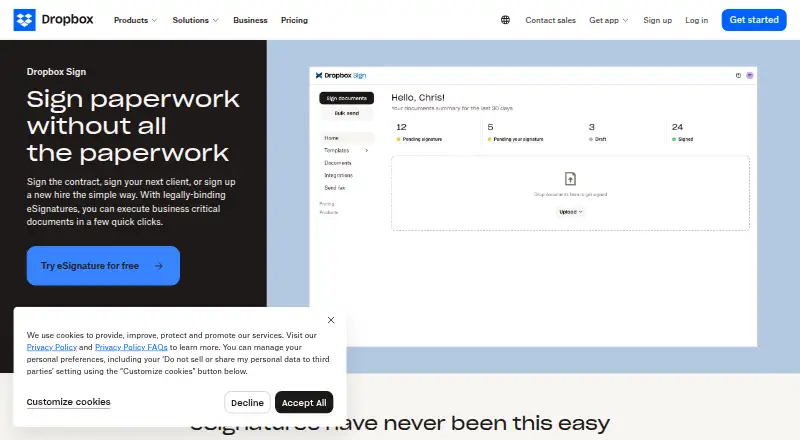
What Dropbox Sign is
Dropbox Sign is an electronic signature service for individuals and businesses that send agreements, track signature requests, and send reminders. Its signatures are legally binding under the U.S. ESIGN Act of 2000 and have the same legal standing as handwritten signatures. Senders can reuse prepared document fields through templates, and businesses can embed signing into a website so signers complete the process there. The service includes an audit trail, sequential signing order, and identity verification. Its API uses OAuth 2.0, and official SDKs are available for Python, Ruby, PHP, Java, NodeJS, and C#. Listed integrations include Google Docs, Google Drive, Google Workspace, Microsoft Word, Microsoft OneDrive, Salesforce, HubSpot, Slack, and Zapier. Senders and signers can use 22 languages, with mobile apps for iOS and Android as well as web and API access. Dropbox Sign states that it complies with SOC 2 Type II, ISO 27001, eIDAS, and GDPR, and encrypts documents at rest with AES 256-bit encryption. A free plan is available, paid pricing starts at $10.05/mo (annual), and a 30-day trial is offered.
Who it suits
Dropbox Sign suits individuals and businesses that need to send agreements for signature, track requests, and send reminders. Its templates, embedded signing, API, and integrations also fit teams that reuse documents or include signing in a website or software workflow.
What it does well
- Free plan includes three signature requests per month.
- Templates save prepared fields for documents sent repeatedly.
- Embedded signing keeps the signing flow within a website.
- API access includes OAuth 2.0 and official SDKs for six languages.
- Mobile signature apps are available for iOS and Android.
- Senders and signers can use 22 languages.
What to know first
- The free plan is limited to three signature requests per month.
- Bulk sending is unavailable.
- Essentials includes five templates; Standard includes 15.
- Premium pricing is custom and not listed.
Limits
The Free plan allows three signature requests per month. Essentials is $15 a month with five templates, and Standard is $25 a month with 15 templates.
Plans
| Plan | Billed and limits | Price |
|---|---|---|
| Free | 1 user · 3 signature requests per month | Free |
| Essentials (annual) | $120.60 USD billed yearly · Individual · unlimited signature requests · 1 user | $120.60 a year |
| Essentials | $15 USD / mo · Individual · unlimited signature requests · 1 user | $15 a month |
| Standard (annual) | Starting at $420 USD billed yearly · Small team · 2 or more users · unlimited signature requests | $17.50 a year |
| Standard | $25 USD / user / mo · Small team · 2 or more users · unlimited signature requests | $25 a month |
| Dropbox Sign API | Starts at $75 / 50 requests / month (billed yearly) · API requests · embedded signing · branded workflows | $75 |
| Premium | Get a custom quote · Large team · 5+ users require sales contact | On request |
As dropbox.com lists them, read 19 Oct 2026. The maker's own page has the final word.
Getting started
- Visit https://www.dropbox.com/sign.
- Choose the Free plan or a paid plan; a 30-day trial is available.
- Use the web service, or get the mobile signature app for iOS or Android.
- For API use, choose from the official SDKs for Python, Ruby, PHP, Java, NodeJS, or C#.
Overview
Dropbox Sign is an electronic-signature service for sending and tracking documents online. It is best suited to individuals and businesses with repeatable signing workflows or a need to embed signing in a website. Its reusable templates and API support are useful strengths, but the free tier’s three-request monthly cap and lack of bulk sending limit its appeal for higher-volume work.
Key features
Templates retain prepared fields for documents sent repeatedly, reducing setup for routine agreements. Sequential signing supports workflows where participants must sign in a set order; identity verification and an audit trail add controls and a record around the process. These features suit standard agreement management, though the absence of bulk sending makes large batches less practical.
Dropbox Sign says its signatures are legally binding under the U.S. ESIGN Act of 2000, with the same legal standing as pen-and-paper signatures. Senders and signers can work in 22 languages. The company states that it complies with SOC 2 Type II, ISO 27001, eIDAS, and GDPR, and encrypts documents at rest with AES 256-bit encryption.
Embedded signing lets businesses offer signers an in-app experience on a website. API access comes with official SDKs for Python, Ruby, PHP, Java, NodeJS, and C#, and OAuth 2.0 secures API endpoints and user data. Integrations include Google Docs, Google Drive, Google Workspace, Microsoft Word, Microsoft OneDrive, Salesforce, HubSpot, Slack, and Zapier. That mix makes Dropbox Sign a credible fit for connecting signature steps to common business tools or a product workflow.
Pricing
The Free plan costs nothing and permits three signature requests per month. It is a sensible way to handle occasional paperwork, but the quota is restrictive for recurring business use.
Essentials costs $15 a month, billed monthly, and includes five templates, with up to five users before contacting sales. It fits a small operation with a handful of recurring documents; the limited template allowance and user ceiling may become constraints as workflows grow. Standard costs $25 a month, billed monthly, includes 15 templates, and starts at two users. Its larger template allowance is more appropriate for teams managing several document types, though the starting seat count means it is not the obvious step up for a solo user.
Premium has custom pricing for large teams and adds advanced signer tools and advanced reporting. It is the plan to consider when those capabilities matter, but buyers should expect to discuss cost directly. A 30-day trial is available. All users can expect an email-support response within one working day, Monday through Friday.
Platforms
Dropbox Sign is available on the web, iOS, Android, and through an API. Mobile apps let users manage signatures on iOS and Android, while API access and embedded signing serve organizations incorporating signature workflows into their own products.
Who it's for
Dropbox Sign is a good fit for individuals and businesses that send repeat agreements, need to monitor requests and reminders, or want signing integrated into a website or software product. Its language support and integrations also suit teams working across common office and customer-management tools. It is less compelling for organizations that routinely send documents in bulk or need more than three requests a month without moving to a paid plan.
Pros and cons
- Reusable templates: Prepared fields reduce repetitive setup for recurring documents, with paid plans offering five or 15 templates.
- Product integration options: Embedded signing, API access, SDKs in six languages, and OAuth 2.0 support custom signing workflows.
- Clear signing controls: Sequential signing, identity verification, and an audit trail support ordered, accountable requests.
- Free use is tightly capped: Three requests per month suit occasional signing, not steady document flow.
- No bulk sending: Teams distributing many requests at once will face a less convenient workflow.
- Growth can mean plan constraints: Essentials has five templates and a five-user threshold before contacting sales; Standard starts at two users, while Premium requires custom pricing.
Alternatives
Consider Dokobit if you want a free plan with three signatures a month plus three basic liability document validations and 100 MB of storage; it also spans desktop, mobile, web, API, and browser-extension platforms. Secured Signing is another free option, with three documents per month and no credit card required for its Free Account.
Certinal is worth considering for clinical and data-processing consent workflows, including multi-channel capture and EMR-native integration. OpenSign may suit users seeking unlimited digital signatures and templates on its free plan, including self-hosted and desktop platform options. Signaturely offers a free plan capped at one document or signature request per month, with audit trail and history.
Skribble may be a better match for buyers who want a free one-user starter plan with per-signature pricing: SES €1, AES €3, and QES €5. Xodo Sign has a free plan for up to three documents per month and a separate API Sandbox that allows two production API documents. BoldSign is an alternative with a free Essential plan that includes 25 envelopes per month, two templates, and one user.
Readers comparing more tools can browse Electronic Signature Software, Document Workflow Software, E-Signature Software, and Cloud Storage Services.
Verdict
Choose Dropbox Sign for recurring agreement workflows that benefit from reusable templates, request tracking, or embedded signing, especially when API integration matters. The key trade-offs are the free plan’s three-request ceiling and no bulk sending; teams with large-volume distribution or growing seat needs should compare alternatives or ask about Premium’s custom pricing.
Verdict
Choose Dropbox Sign if you need legally binding online signatures with reusable templates, request tracking, or embedded signing. The free plan has a three-request monthly limit, and bulk sending is unavailable; large teams may need to ask about the custom Premium plan.
Questions
Is there a free plan?
Yes. The Free plan costs nothing and includes three signature requests per month.
What does Dropbox Sign cost?
The pricing note lists paid plans from $10.05/mo (annual) and a 30-day trial. Essentials is $15 a month and Standard is $25 a month; Premium is custom priced.
Which platforms does it support?
Dropbox Sign is available on Android, iOS, web, and through an API.
Does it provide API access and integrations?
Yes. The API uses OAuth 2.0 and has official SDKs for Python, Ruby, PHP, Java, NodeJS, and C#. Listed integrations include Google Workspace, Microsoft OneDrive, Salesforce, HubSpot, Slack, and Zapier.
Who makes Dropbox Sign?
The maker is Dropbox Sign, founded in 2007 and headquartered in San Francisco, California, USA.
Are its electronic signatures legally binding?
Dropbox Sign eSignatures are legally binding under the U.S. ESIGN Act of 2000 and have the same legal standing as pen-and-paper signatures.
Facts from Dropbox Sign's own pages
- API
- The API documentation covers signature requests, embedded signing, embedded templates, embedded requesting, text tags, callbacks, SMS tools, OAuth, and API dashboards. · help.dropbox.com, 19 Oct 2026
- API access
- Yes · sign.dropbox.com, 22 Sept 2026
- API SDKs
- Official SDKs are provided for Python, Ruby, PHP, Java, NodeJS, and C#. · sign.dropbox.com, 1 Oct 2026
- API security
- The API uses OAuth 2.0 authentication to secure endpoints and user data. · sign.dropbox.com, 1 Oct 2026
- API testing
- Every API endpoint and most features can be tested with a free account by setting test_mode to true. · help.dropbox.com, 19 Oct 2026
- Audit trail
- Each signature request includes a non-editable audit trail that tracks and time-stamps actions. · sign.dropbox.com, 1 Oct 2026
- Audit trails
- Non-editable audit trails record document actions and timestamps. · sign.dropbox.com, 19 Oct 2026
- Branding
- Signature requests can include a company logo and custom messaging. · sign.dropbox.com, 19 Oct 2026
- Bulk send
- Bulk send creates individual signature requests for many recipients from one action. · sign.dropbox.com, 19 Oct 2026
- Company identity
- LinkedIn lists Dropbox Sign as a public software-development company headquartered in San Francisco with 51–200 employees. · linkedin.com, 19 Oct 2026
- Compliance
- The product states compliance or certification for eIDAS, GDPR, ISO 27001, SOC 2 Type II, and the U.S. ESIGN Act; HIPAA support requires a signed BAA and minimum contract value. · sign.dropbox.com, 19 Oct 2026
- Documentation and support
- The help center includes walkthroughs, endpoint guides, troubleshooting articles, integration instructions, and links to support and community resources. · help.dropbox.com, 19 Oct 2026
- Dropbox integration
- Sent and completed documents can synchronize back into Dropbox storage. · help.dropbox.com, 19 Oct 2026
- Embedded signing
- Dropbox Sign can be embedded into a website to provide signers with an in-app signing experience. · sign.dropbox.com, 1 Oct 2026
- File limits
- A single file or combined upload may not exceed 40 MB, and a request may contain at most 500 pages or 40 files. · help.dropbox.com, 19 Oct 2026
- Founded
- 2007 · dropbox.com, 28 Sept 2026
- Free plan
- Yes · sign.dropbox.com, 22 Sept 2026
- Funding history
- Crunchbase lists HelloSign as acquired by Dropbox and identifies 16 investors, including Foundry Group and Paul Buchheit. · crunchbase.com, 19 Oct 2026
- Headquarters
- San Francisco, California, USA · dropbox.com, 28 Sept 2026
- HubSpot integration
- The HubSpot integration supports template creation, signature requests, status tracking, reminders, cancellations, and saving completed documents to records. · help.dropbox.com, 19 Oct 2026
- Integrations
- Official materials list Dropbox, Google Drive, Salesforce, OneDrive, HubSpot, Microsoft tools, and other integrations. · help.dropbox.com, 19 Oct 2026
- Languages
- Senders and signers can use the product end to end in 22 languages. · sign.dropbox.com, 19 Oct 2026
- Legal validity
- Dropbox Sign eSignatures are legally binding under the U.S. ESIGN Act of 2000 and have the same legal standing as pen-and-paper signatures. · sign.dropbox.com, 1 Oct 2026
- Limit: automatic fields
- TechRadar found automatic field insertion inconsistent and described it as hit or miss. · techradar.com, 19 Oct 2026
Where Dropbox Sign stands on Freedom251
- Salesforce AppExchange Apps#1 of 23
- E-Signature Software#3 of 68
- E-signature tools#3 of 68
- Document Workflow Software#2 of 32
- E-Signature APIs Software#3 of 26
- Electronic Signature Software#4 of 33
- Cloud Storage Services#10 of 64
- Cloud storage#47 of 66