Freedom251 › E-Signature Software

OpenSign
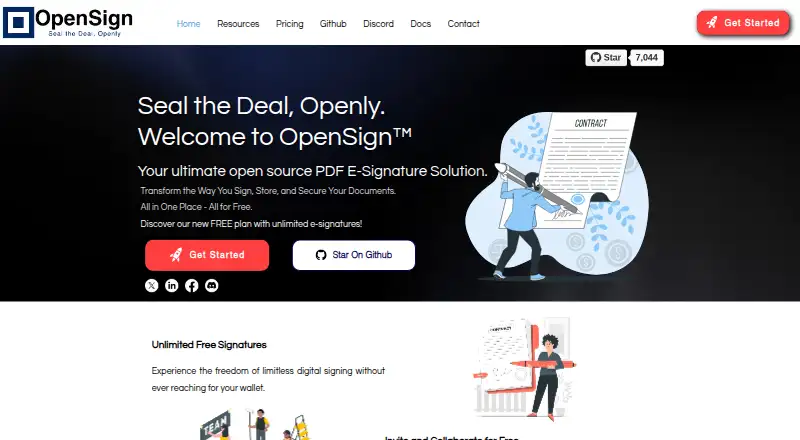
What OpenSign is
OpenSign is an open-source PDF e-signature product for signing, storing, and securing documents. Users can make reusable templates with pre-placed widgets, then send them to signers. The free plan is listed as free and includes unlimited digital signatures and templates, completion certificates, sequential signing, OpenSign Drive, and email notifications. A free-plan guide sets a limit of 15 invitation emails per month; bulk sending and public template links require a paid plan.
For API workflows, OpenSign supports self-signing, drafts, signer roles, and real-time webhook notifications. Templates can be embedded in React, Next.js, HTML, JavaScript, and Angular projects. Sandbox API tokens are available on all plans, while live API tokens require Professional or Teams. Security features include two-factor authentication and passkey sign-in; API documentation lists TLS-encrypted transport, audit trails, IP logging, and tamper-evident signed PDFs. Users can configure SMTP with Gmail or third-party providers, though some SMTP features are limited to paid plans. Docker self-hosting instructions cover Linux, macOS, and Windows. OpenSign is available for web, Linux, macOS, Windows, API, and self-hosted use.
Who it suits
OpenSign suits individuals and businesses that need PDF signing with reusable templates, including organizations that want to self-host. It can also fit teams embedding signing templates in supported web projects or building API-based workflows.
What it does well
- Free plan includes unlimited digital signatures and templates.
- Templates support pre-placed widgets and reusable documents.
- Supports two-factor authentication and passkey sign-in.
- Offers Docker self-hosting instructions for Linux, macOS, and Windows.
- Sandbox API tokens are available on every plan.
What to know first
- Free users can send up to 15 invitation emails per month.
- Bulk sending and public links require a paid plan.
- Live API tokens require Professional or Teams.
- Some SMTP features are limited to paid plans.
Limits
The free plan allows up to 15 invitation emails per month. Bulk sending and public links require a paid plan, and live API tokens are limited to Professional or Teams. Some SMTP features are also limited to paid plans.
Plans
| Plan | Billed and limits | Price |
|---|---|---|
| Free | Free for life · Unlimited digital signatures · Unlimited templates · Completion certificates · Sequential signing · OpenSign Drive · Email notifications | Free |
| Professional | Monthly · Field validations · Calculated fields · Webhooks · Zapier integration · API access · 240 premium credits per year · Up to 10 signers per document · Embedded signing · Public links | $9.99 a month |
| Teams | Per user per month · Everything in Professional · Up to 500 API signatures included · Team features | $19.99 a month |
| Enterprise | Contact sales · Custom domain · Whitelabeling · Uptime SLA · SSO support · Priority support | On request |
As opensignlabs.com lists them, read 15 Oct 2026. The maker's own page has the final word.
Getting started
- Visit the OpenSign website.
- Choose the free plan or a paid plan.
- Use OpenSign on the web or follow its Docker self-hosting instructions for Linux, macOS, or Windows.
- Create reusable templates with pre-placed widgets.
- Use sandbox API tokens on any plan; choose Professional or Teams for live API tokens.
OpenSign is an open-source PDF signing service for individuals and organizations that need reusable templates, developer workflows, or the option to host the software themselves. Its free plan is unusually broad on signatures and templates, while monthly invitation limits and paid gates on production API use narrow its fit for higher-volume work.
Overview
OpenSign handles document signing, storage, and security, with completion certificates, sequential signing, email notifications, and OpenSign Drive included in its free plan. The combination makes it practical for recurring, low-volume signing where a template can save setup time. The free plan allows up to 15 invitation emails per month, though, so unlimited digital signatures do not mean unlimited sending capacity.
Security measures include TLS-encrypted transport, audit trails, IP logging, and tamper-evident signed PDFs. Two-factor authentication and passkey sign-in provide additional account protections. These controls make OpenSign a considered option for workflows that need traceable document handling, while the invitation cap still matters for teams sending regularly.
Key features
Templates and signing workflows
Users can prepare templates with pre-placed widgets and reuse them for repeat documents. The API supports self-signing, drafts, signer roles, and real-time webhook notifications. Signature order can be sequential or allow signers to act in parallel, giving teams room to match different processes. Public template links and bulk sending require a paid plan, so the free tier is less suitable when recipients need an open link or many documents must go out together.
API and integrations
Templates can be embedded in React, Next.js, HTML, JavaScript, and Angular projects, which suits teams adding signatures to their own web experiences. Sandbox API tokens are available on every plan for development, but live API tokens require Professional or Teams. That distinction gives developers a way to build and test before committing to a production plan; it also means the free tier cannot run a live API workflow.
Email and hosting
OpenSign supports configurable SMTP, including Gmail and third-party providers, although some SMTP features are limited to paid plans. Docker self-hosting instructions cover Linux, macOS, and Windows, giving organizations the option to manage deployment themselves. Self-hosting is a meaningful choice for teams with the capacity to run software; those wanting a managed setup may prefer to assess the hosted plan limits first.
Pricing
OpenSign uses a freemium model. The Free plan costs nothing and includes unlimited digital signatures, unlimited templates, completion certificates, sequential signing, OpenSign Drive, and email notifications. Its practical constraints are up to 15 invitation emails a month, no bulk sending or public links, and no live API tokens. It suits personal use and modest recurring workflows, but the invitation allowance may be restrictive for busy teams.
Professional and Teams have custom pricing. Professional includes 240 API signatures per year, up to 10 signers per document, and up to 240 bulk documents. Teams raises those allowances to 500 API signatures per year and up to 500 bulk documents, while retaining the 10-signer limit. These plans are the relevant step up for production API access or batch sending; the higher Teams quotas favor greater annual volume. Enterprise also has custom pricing and adds a custom domain, whitelabeling, an uptime SLA, SSO support, and priority support, making it the plan for organizations that need those deployment and support provisions.
Platforms
OpenSign supports web use and provides API access, with self-hosting instructions for Linux, macOS, and Windows. This mix suits both browser-based signing and teams integrating the service into software or managing their own deployment.
Who it's for
OpenSign suits individuals and businesses, from startups to large corporations, when reusable templates or embedded signing workflows are useful. It is particularly compelling for developers who need to build around the API and for organizations that want a self-hosting option. People who need bulk sending, public template links, or live API access should budget for a paid plan; occasional senders can start with Free if 15 invitation emails per month is enough.
Pros and cons
- Pros: The free plan includes unlimited signatures and templates, plus completion certificates and OpenSign Drive, making it useful for repeat low-volume signing without a per-signature allowance.
- Pros: Templates, webhook notifications, multiple signer roles, and framework embedding give developers several ways to fit signing into an existing workflow.
- Pros: Docker self-hosting instructions span Linux, macOS, and Windows, and security features include audit trails and tamper-evident PDFs.
- Cons: Free users are capped at 15 invitation emails per month and cannot use bulk sending or public links, limiting larger or open-link workflows.
- Cons: Production API tokens start with Professional or Teams, so sandbox availability does not make the free plan suitable for a live API integration.
- Cons: Professional, Teams, and Enterprise use custom pricing, making the cost of scaling difficult to compare in advance.
Alternatives
PandaDoc is a freemium alternative with a free plan that includes a yearly allowance of 60 documents and supports Android, iOS, web, and API access; consider it if those platform options or its stated document allowance better fit your needs.
Dropbox Sign API offers a free package of up to 3 signature requests per month and a separate test mode; it may suit a developer whose free production allowance is sufficient.
Signater has a free plan capped at 3 envelopes per month, with one user and up to 3 signers per envelope; it is an option for very occasional signing.
Skribble offers a free Starter plan with pay-per-signature pricing and stated SES, AES, and QES rates; consider it if that pricing structure matches your signing needs.
Xodo Sign has a free plan with one document per week, one signer, one seat, and no active templates; it may fit a narrower, low-volume workflow.
BoldSign offers a free Essential plan with 25 envelopes per month, two templates, and one user; it may suit users who need a defined monthly envelope allowance.
PearSign has a free plan with 3 envelopes per month, 3 templates, and one user, making it another option for occasional use.
Documenso is an open-source alternative with API, self-hosted, and web support.
For broader comparisons, see Digital Signature API Software, E-Signature Software, and Electronic Signature Software.
Verdict
Choose OpenSign if you want a free way to sign recurring documents with reusable templates, or need API-driven signing and the ability to self-host. Its security features and workflow options give it substance beyond basic signing, but the free tier's 15-email monthly cap and the paid requirement for live API access, bulk sending, and public links are decisive constraints. If your workflow depends on those capabilities, compare the custom-priced paid plans before adopting it.
Verdict
Choose OpenSign if you need a free PDF signing plan, reusable templates, or self-hosting options. Look elsewhere if your free workflow depends on bulk sending, public links, or live API tokens, since those require paid plans.
Questions
Does OpenSign have a free plan?
Yes. The Free plan is listed as free and includes unlimited digital signatures and templates, completion certificates, sequential signing, OpenSign Drive, and email notifications.
What limits apply to the free plan?
The free-plan guide allows up to 15 invitation emails per month. Bulk sending and public template links require a paid plan.
Can I use OpenSign through an API?
Yes. Sandbox tokens are available on all plans, while live API tokens require Professional or Teams.
Can OpenSign be self-hosted?
Yes. OpenSign provides Docker self-hosting instructions for Linux, macOS, and Windows.
Which platforms does OpenSign support?
Its listed platforms are API, Linux, macOS, self-hosted, web, and Windows.
Facts from OpenSign's own pages
- Account protection
- OpenSign provides two-factor authentication and passkey sign-in options. · docs.opensignlabs.com, 9 Oct 2026
- API
- OpenSign exposes a REST API authenticated with an x-api-token header and provides sandbox, production and EU endpoints. · docs.opensignlabs.com, 15 Oct 2026
- API access
- Yes · opensignlabs.com, 20 Sept 2026
- API capabilities
- The API can create, send, update, revoke and delete documents, manage templates, contacts and folders, and receive webhooks. · docs.opensignlabs.com, 15 Oct 2026
- API compatibility
- The v1.2 API states that it is backward compatible with v1 and v1.1 and keeps earlier endpoints available. · docs.opensignlabs.com, 15 Oct 2026
- API extensibility
- API v1.2 adds attachment widgets, password-protected PDFs, offline-signing controls, signer roles and carbon-copy recipients. · docs.opensignlabs.com, 15 Oct 2026
- API limit
- Live API tokens require a Professional or Teams plan, while sandbox tokens are available on all plans. · docs.opensignlabs.com, 9 Oct 2026
- Audit trail
- Yes · opensignlabs.com, 20 Sept 2026
- Bulk sending
- Yes · opensignlabs.com, 20 Sept 2026
- Company founding
- The LinkedIn company page does not state a founding year. · linkedin.com, 15 Oct 2026
- Company headquarters and size
- LinkedIn lists OpenSign Labs as privately held, headquartered in New York, with 2–10 employees. · linkedin.com, 15 Oct 2026
- Company identity
- The privacy policy identifies Qik Innovations Private Limited as the operator of OpenSign. · opensignlabs.com, 15 Oct 2026
- Completion certificates
- Version 1.5.0 added an automatically digitally signed completion certificate after all signers finish. · opensignlabs.com, 15 Oct 2026
- Documentation
- The official documentation includes user help, API references, contribution guidance and self-hosting instructions. · docs.opensignlabs.com, 15 Oct 2026
- Document templates
- Yes · opensignlabs.com, 20 Sept 2026
- Document widgets
- The product supports signature, initials, text, date, checkbox, stamp and number widgets, with number calculations. · docs.opensignlabs.com, 15 Oct 2026
- Users can configure SMTP, including Gmail and third-party SMTP providers, and some SMTP features are limited to paid plans. · docs.opensignlabs.com, 9 Oct 2026
- Expiring links
- Signed PDF download links are designed to expire after a few minutes. · opensignlabs.com, 15 Oct 2026
- Free plan
- Yes · opensignlabs.com, 20 Sept 2026
- Free plan limit
- The maker’s free-plan guide says users can send up to 15 invitation emails per month; bulk sending and public links require a paid plan. · opensignlabs.com, 9 Oct 2026
- Identity verification
- OpenSign documents can require email OTP verification and access codes before recipients view or sign. · docs.opensignlabs.com, 15 Oct 2026
- Integrations
- The Professional plan lists Zapier integration, Dropbox import and custom Gmail or SMTP sending. · www-opensignlabs-com.filesusr.com, 15 Oct 2026
- Intended users
- The documentation describes the product as designed for individuals and businesses, from startups to large corporations. · docs.opensignlabs.com, 9 Oct 2026
- Latest release
- GitHub release v2.40.0 added an attachments widget, API attachment support and an option to hide signer links in draft-document responses. · github.com, 15 Oct 2026
Where OpenSign stands on Freedom251
- E-Signature Software#1 of 68
- E-signature tools#1 of 68
- Electronic Signature Software#1 of 33
- Digital Signature API Software#1 of 28
- Electronic Signature APIs#1 of 27
- E-Signature APIs Software#1 of 26