Freedom251 › E-signature tools

Skribble
by Skribble
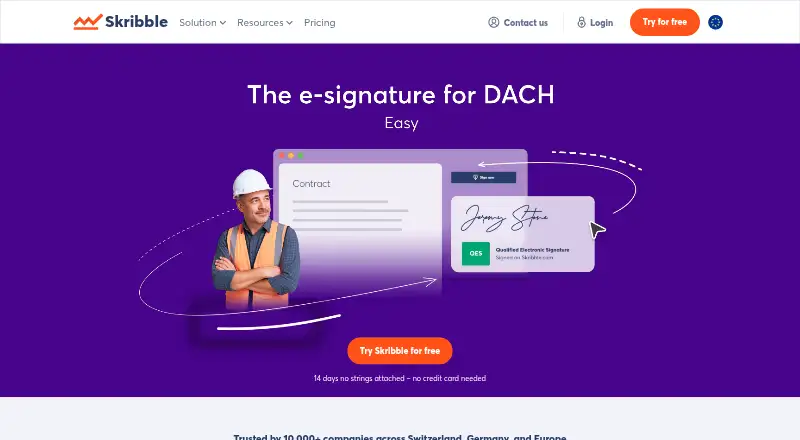
What Skribble is
Skribble is an online document-signing service from Skribble, a company founded in 2018 and headquartered in Zurich, Switzerland. It supports simple, advanced and qualified electronic signatures, and the company says its signatures meet EU eIDAS and Swiss ZertES requirements. People invited to sign can use a smartphone or computer without creating a Skribble account. The service includes an audit trail, bulk sending, identity verification and signing order. Team adds attachments, observers, signature protocols and reminders. Plans are available for individual users and teams, with a free Starter plan and paid Team and Pro plans; Scale is aimed at organizations with more than 20 users or high signing volume. Team and Pro each support up to 20 users, with different annual allowances for advanced and qualified signatures. Pro includes API access and listed integrations. Skribble also offers an open REST API for custom integrations, with documentation and a demo account. Its listed integrations include Word, Excel, OneDrive, SharePoint Online, Google Drive, Power Automate and Zapier. Skribble says documents use unique AES-256 keys, data in transit uses TLS 1.2 or higher, and audit logs are retained for 10 years. The platform and associated data are hosted in Switzerland across two geo-redundant Tier IV data centres.
Who it suits
Starter is suited to individual users and self-employed professionals who need to sign documents, while Team and Pro serve groups that need shared signing workflows. Scale is intended for larger teams or organizations with high signing volumes. It can also suit organizations that want custom connections through an API or the listed integrations.
What it does well
- Invitees can sign on a smartphone or computer without an account.
- Includes an audit trail, bulk sending and identity verification.
- Team includes signing order, attachments, observers, protocols and reminders.
- Pro includes API access and listed integrations.
- Skribble says it meets EU eIDAS and Swiss ZertES requirements.
- Skribble says audit logs are kept for 10 years.
What to know first
- Starter has one user and charges per e-signature.
- Team and Pro are limited to 20 users each.
- Team and Pro cap included AES and/or QES signatures per user per year.
- Scale pricing is not provided.
Limits
Starter is limited to one user and charges per e-signature: SES €1, AES €3 and QES €5. Team includes up to 20 users, unlimited SES, and 72 AES and/or QES per user per year; Pro includes up to 20 users, unlimited SES, and 120 AES and/or QES per user per year. The 14-day trial provides Pro features and unlimited users.
Plans
| Plan | Billed and limits | Price |
|---|---|---|
| Starter | 1 user · pay per e-signature · SES €1 · AES €3 · QES €5 | Free |
| Team | € 276 billed yearly (page also shows € 348) · Up to 20 users · unlimited SES · 72 AES and/or QES per user/year · extra AES €2.50 · extra QES €4.50 | €23 a month |
| Pro | € 432 billed yearly (page also shows € 588) · Up to 20 users · unlimited SES · 120 AES and/or QES per user/year · API and listed integrations · extra AES €2 · extra QES €4 | €36 a month |
| Scale | Request a quote · For 20+ users or high signing volumes · custom signature bundles · Salesforce · phone support | On request |
As skribble.com lists them, read 4 Oct 2026. The maker's own page has the final word.
Getting started
- Open https://www.skribble.com/en-eu/.
- Choose Starter, Team or Pro based on the listed user and signature allowances.
- Start the 14-day trial to use Pro features; no credit card is required.
- Use the web, Android or iOS platform, or connect through the API where available.
- Invite signers; they can sign from a smartphone or computer without a Skribble account.
- For custom integrations, use the REST API documentation and demo account.
Skribble is digital-signature software for signing documents with simple, advanced and qualified electronic signatures. It suits individuals and organisations that need those signature levels, particularly under EU or Swiss rules. Its range of signing options and workflow controls is balanced by per-signature charges on Starter and user caps on paid plans.
Overview
Skribble says its signatures meet EU eIDAS and Swiss ZertES requirements, and identity verification is supported. Recipients can sign on a smartphone or computer without a Skribble account, reducing friction for people who only need to complete a document. Bulk sending and audit trails support repeatable processes; audit logs are retained for 10 years.
Skribble says it is GDPR compliant and ISO 27001 certified. Documents use unique AES-256 keys, data in transit uses TLS 1.2 or higher, and the company conducts regular vulnerability scans and annual penetration tests. The platform and associated data are hosted in Switzerland across two geo-redundant Tier IV data centres. These safeguards may matter to organisations with security and data-location requirements, though they do not replace an organisation’s own compliance assessment.
Key features
Signing order is available on Starter and Team, letting senders set the sequence when several people need to sign. Team adds attachments, observers, signature protocols and reminders, making it better suited to coordinated workflows than a basic signing process. The plans include no templates, a meaningful drawback for teams that depend on reusable document forms.
Pro includes API access and integrations with Word, Excel, OneDrive, SharePoint Online, Google Drive, Power Automate and Zapier, as well as industry solutions. Skribble also offers an open REST API, documentation and a demo account for testing custom integrations. These options make Pro more compelling for businesses connecting signing to existing systems; buyers who need only occasional standalone signatures may not benefit from paying for them.
Pricing
Starter is free for one user, but charges per signature: SES costs €1, AES €3 and QES €5. It includes signing order, making it a practical starting point for an individual or self-employed professional with modest volume. The trade-off is that costs rise with each signature, and there are no included templates.
Team costs €23.00 per month, billed at €276 yearly (the pricing page also shows €348). It supports up to 20 users, unlimited SES and 72 AES and/or QES per user per year; extra AES costs €2.50 and extra QES €4. Team is the step up for groups needing shared workflows, reminders and signature protocols, but its annual allowance applies to advanced and qualified signatures rather than removing all volume limits.
Pro costs €36.00 per month, billed at €432 yearly (the pricing page also shows €588). It allows up to 20 users, includes unlimited SES and 120 AES and/or QES per user per year, and adds API access and integrations. Extra AES costs €2 and extra QES €4. The larger allowance and system connections suit heavier or more integrated use, though the 20-user ceiling remains.
Scale uses custom pricing and is aimed at organisations with more than 20 users or high signing volumes. It includes prioritized customer service and phone support. Team and Pro offer a contact form, Help Center and administrator guide. A 14-day trial includes all Pro features and unlimited users, with no credit card required; this gives larger teams a chance to assess the workflow before choosing a plan.
Platforms
Skribble supports web, Android and iOS, and offers an API. That combination covers browser-based administration, mobile signing and custom integrations.
Who it's for
Starter is best for an individual or self-employed professional who wants to send occasional documents and can accept per-signature fees. Team fits groups of up to 20 that need signing order and coordinated workflows, while Pro is the stronger choice for teams that need integrations, API access or a larger annual AES/QES allowance. Organisations above that size or with high signing volume should consider Scale; those seeking included templates should look elsewhere.
Pros and cons
- Pros: Simple, advanced and qualified signatures are supported, with stated alignment to EU eIDAS and Swiss ZertES requirements.
- Pros: Recipients can sign without an account, while bulk sending and 10-year audit-log retention support repeat business processes.
- Pros: Pro combines a REST API with integrations across common office, storage and automation tools.
- Cons: Starter charges for every signature, so frequent use can become costly compared with a plan that bundles signature volume.
- Cons: Team and Pro cap accounts at 20 users, and their AES/QES allowances are annual per-user quotas.
- Cons: No plan includes templates, limiting the appeal for teams that rely on reusable forms.
Alternatives
OpenSign is worth considering if unlimited digital signatures and templates on a free plan matter more than Skribble’s stated EU and Swiss signature standards; it also offers self-hosted and desktop platforms.
PandaDoc may suit readers who prefer a free plan with a stated allowance of 60 documents per year and up to two recipients per document. Dropbox Sign API is another API-focused option, with a free package capped at three signature requests per month and a paid Essentials plan priced at $75.00 per month.
Signater, Xodo Sign, BoldSign, PearSign and Documenso are additional electronic-signature options to compare.
For a broader shortlist, browse Digital Signature API Software, Electronic Signature Software or E-Signature Software.
Verdict
Choose Skribble if your signing process needs simple, advanced or qualified signatures, account-free recipients and auditable workflows, especially under EU or Swiss requirements. Its tiered plans give individuals and teams distinct routes, while Pro adds useful integration options. Look elsewhere if included templates are essential, if Starter’s per-signature pricing does not suit your volume, or if a team needs more than 20 users without moving to custom-priced Scale.
Verdict
Choose Skribble if you need online signatures with signing workflows, audit records or connections to listed business tools. Starter fits individual use, while Team and Pro offer defined user limits and annual signature allowances. Organizations with more than 20 users or high signing volumes can consider Scale, though its price is not provided.
Questions
Is there a free plan?
Yes. Starter is free for one user and charges per e-signature: SES €1, AES €3 and QES €5.
How much do the paid plans cost?
Team is listed at €23 per month, with €276 billed yearly and another displayed amount of €348. Pro is listed at €36 per month, with €432 billed yearly and another displayed amount of €588. Scale has no listed price.
Can invited signers use Skribble without an account?
Yes. Invitees can sign on a smartphone or computer without a Skribble account.
Which platforms does Skribble support?
The listed platforms are Android, iOS, web and API.
What integrations are listed?
Word, Excel, OneDrive, SharePoint Online, Google Drive, Power Automate and Zapier are listed, along with industry solutions. Pro includes API access, and Skribble offers an open REST API for custom integrations.
Where is Skribble based, and what signature standards does it cite?
Skribble was founded in 2018 and is headquartered in Zurich, Switzerland, with another office in Karlsruhe, Germany. It says its signatures meet EU eIDAS and Swiss ZertES requirements.
Facts from Skribble's own pages
- API
- Skribble offers an open REST API for custom integrations, with documentation and a demo account for testing. · skribble.com, 4 Oct 2026
- API access
- Yes · skribble.com, 22 Sept 2026
- Audit trail
- Yes · skribble.com, 22 Sept 2026
- Bulk sending
- Yes · skribble.com, 22 Sept 2026
- Company
- Skribble’s press room says it was founded in March 2018 and is headquartered in Zurich, Switzerland, with another office in Karlsruhe, Germany. · skribble.com, 4 Oct 2026
- Data hosting
- The security page says the platform and associated data are hosted in Switzerland across two geo-redundant Tier IV data centres. · skribble.com, 4 Oct 2026
- Encryption
- The security page states that documents use unique AES-256 keys and data in transit uses TLS 1.2 or higher. · skribble.com, 4 Oct 2026
- Founded
- 2018 · skribble.com, 28 Sept 2026
- Free plan
- Yes · skribble.com, 22 Sept 2026
- Headquarters
- Zurich, Switzerland · skribble.com, 28 Sept 2026
- Integrations
- The integrations page lists Word, Excel, OneDrive, SharePoint Online, Google Drive, Power Automate, and Zapier, as well as industry solutions. · skribble.com, 4 Oct 2026
- Legal standards
- Skribble says its signatures meet EU eIDAS and Swiss ZertES requirements. · skribble.com, 4 Oct 2026
- Product
- Skribble is digital signature software for signing documents online with simple, advanced, and qualified electronic signatures. · skribble.com, 4 Oct 2026
- Security
- Skribble says it is GDPR compliant and ISO 27001 certified, conducts regular vulnerability scans and annual penetration tests, and retains audit logs for 10 years. · skribble.com, 4 Oct 2026
- Signing access
- Invitees can sign without a Skribble account, and the pricing comparison lists signing by smartphone and computer. · skribble.com, 4 Oct 2026
- Support
- Scale includes prioritized customer service and phone support; Team and Pro list a contact form, Help Center, and administrator guide. · skribble.com, 4 Oct 2026
- Target users
- Starter is described as suitable for individual users and self-employed professionals, while Scale targets bigger teams with high signing volumes. · skribble.com, 4 Oct 2026
- Trial
- The company offers a 14-day trial with all Pro features and unlimited users without requiring a credit card. · skribble.com, 4 Oct 2026
- Workflow features
- Team includes signing order, attachments, observers, signature protocols, and reminders, while Starter supports signing order. · skribble.com, 4 Oct 2026
Where Skribble stands on Freedom251
- E-signature tools#12 of 68
- Digital Signature API Software#12 of 28
- E-Signature Software#30 of 68
- E-Signature APIs Software#12 of 26
- Electronic Signature Software#17 of 33