Freedom251 › Electronic Signature Software

Dokobit
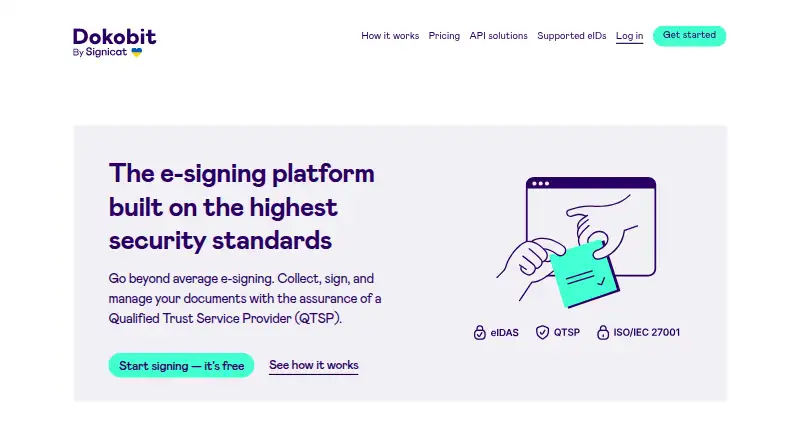
What Dokobit is
Dokobit lets users sign documents and collect signatures from others. Its portal supports PDF, ASiC-E, and Baltic BDoc, EDoc, and ADoc files, with signing through national ID cards, Mobile ID, Smart-ID, and other supported eID solutions. Dokobit says its supported electronic signatures are legally binding and accepted across the EU. Portal tools include signature validation, contact categories, search and filtering, comments, batch actions, secure sharing, notifications, and an audit trail. Business features add document workflows, shared resources, user and data management, branded signing, and centralised billing. APIs support signature collection, signing, archiving, timestamping, validation, user identification, and document sealing. The free plan provides three signatures per month, three basic liability document validations per month, and 100 MB of storage. Paid plans are priced per user per month. The mobile app offers portal features and document notifications. For computer-based signing, a browser extension and smart-card or USB-token drivers are required; Safari is not supported for e-signing. Dokobit says customer data is processed within the EU/EEA and encrypted using TLS and AES-256.
Who it suits
It suits individuals or teams signing and collecting documents with supported eIDs, and businesses that need shared workflows or API access. Computer users need a browser extension and card or token drivers; Safari is not supported for e-signing.
What it does well
- Supports several document formats and eID methods.
- Includes an audit trail and signature validation.
- Business features include shared resources and workflows.
- APIs cover signing, validation, and archiving.
- Mobile app provides portal features and notifications.
What to know first
- Free plan allows three signatures per month.
- Free plan storage is limited to 100 MB.
- Safari is not supported for computer e-signing.
- Computer signing requires an extension and drivers.
Limits
The free plan includes three signatures and three basic liability document validations per month, plus 100 MB of storage. Professional costs €10 per user/month and includes the first 20 signatures and 20 basic liability validations every month for free; Business costs €22 per user/month and includes 30 of each. Enterprise costs €25 per user/month and uses pay-as-you-go signatures and advanced or premium liability validations.
Plans
| Plan | Billed and limits | Price |
|---|---|---|
| Free | free forever · 3 signatures per month · 3 basic liability document validations per month · 100 MB storage | Free |
| Professional | per user/month · First 20 signatures and 20 basic liability document validations every month for free · unlimited storage | €10 a month |
| Business | per user/month · First 30 signatures and 30 basic liability document validations every month for free · unlimited storage | €22 a month |
| Enterprise | per user/month · Pay-as-you-go signatures · pay-as-you-go advanced or premium liability validations · unlimited storage | €25 a month |
As dokobit.com lists them, read 9 Oct 2026. The maker's own page has the final word.
Getting started
- Visit https://www.dokobit.com/ and choose a plan.
- For computer-based signing, install the browser extension and smart-card or USB-token drivers.
- Use a supported browser; Safari is not supported for e-signing.
- Upload a supported document format and choose an available eID signing method.
- Use the portal to collect signatures, validate documents, or manage signing activity.
Dokobit is best suited to people and organisations that need electronic signatures based on national eIDs, particularly for EU-related work. Its document controls and team workflows reach beyond basic signature requests, though computer signing has setup requirements to consider.
Overview
Dokobit supports PDF, ASiC-E and Baltic BDoc, EDoc and ADoc files. Signers can use national ID cards, Mobile ID, Smart-ID and other supported eID solutions. Dokobit says its supported electronic signatures are legally binding and accepted across the EU, a useful fit for processes that depend on those signing methods.
The portal includes signature validation, contact categories, search and filtering, comments, batch actions, secure sharing, notifications and an audit trail. Signing order is sequential, so it can accommodate workflows where recipients need to sign in turn. The broader document controls are valuable for repeat work, but may be more than an occasional signer needs.
Key features
Business tools add document workflows, shared resources, user and data management, branded signing and centralised billing. These features make Dokobit more compelling for teams coordinating documents and access than for a solo user who simply sends occasional files.
Its APIs support signature collection, signing, archiving, timestamping, validation, user identification and document sealing. The API page lists eID options including national ID cards, Mobile ID, Smart-ID, BankID, MitID, iDIN, itsme, Swisscom, SignicatID and Estonian e-Residency, among others. This range can suit organisations building signing or identity checks into their own services.
Dokobit says its operations comply with ISO/IEC 27001 and its information security management system is certified for ISO/IEC 27018:2019. It says customer data is processed within the EU/EEA and encrypted with TLS and AES-256. Its compliance page gives 99.95% monthly uptime availability, a one-hour recovery point objective and a two-hour recovery time objective.
Pricing
The Free plan costs nothing, billed free forever. It includes three signatures and three basic liability document validations per month, plus 100 MB of storage. That is a practical starting point for light use, but the monthly quotas and storage cap make it unsuitable for sustained document volume.
Professional costs €10 a month, billed per user/month. It includes the first 20 signatures and 20 basic liability document validations every month for free, with unlimited storage. It suits an individual or small operation that needs more headroom than Free, while the per-user charge matters as a team grows.
Business costs €22 a month, billed per user/month, and includes the first 30 signatures and 30 basic liability document validations every month for free, plus unlimited storage. The higher included monthly quotas suit teams with more regular signing needs, though the added cost over Professional is worthwhile chiefly when that extra allowance is useful.
Enterprise costs €25 a month, billed per user/month. It offers pay-as-you-go signatures and pay-as-you-go advanced or premium liability validations, with unlimited storage. That structure is better aligned with variable usage or a need for those validation tiers; signature and validation charges remain usage-based.
Platforms
Dokobit is available on Android, iOS, Linux, macOS, Windows and the web, as well as through an API and browser extension. Its mobile app provides portal features on the go and instant document notifications. Computer signing requires a browser extension and smart-card or USB-token drivers, and Safari is not supported for e-signing, which may complicate setup for some users.
Who it's for
Dokobit is a strong fit for EU-oriented individuals and organisations whose signing relies on eIDs, and for teams that need document management alongside sequential signing. Its business tools and API also suit organisations coordinating recurring workflows or embedding signature and identity functions. Readers seeking only a small number of simple requests may find the free monthly caps restrictive, while those who cannot use its supported computer setup should consider another workflow.
Pros and cons
- Pro: Support for several eID methods and file formats, including Baltic formats, gives it a focused fit for cross-border and regional signing needs.
- Pro: Validation, sharing, audit trails and team workflow tools cover more of the document process than sending signature requests alone.
- Pro: Unlimited storage on the paid plans avoids the 100 MB ceiling on Free.
- Con: Free is limited to three signatures and three basic liability validations per month, so regular use can quickly require a paid plan.
- Con: Desktop signing depends on an extension and smart-card or USB-token drivers, and Safari is unsupported for e-signing.
- Con: Per-user monthly pricing means costs rise with team size, and Enterprise also uses pay-as-you-go charges for signatures and advanced or premium validations.
Alternatives
Electronic Signature Software is a useful place to compare the category. Consider Secured Signing if its free plan of three documents per month better matches a light signing workload. Certinal may suit readers seeking clinical and data-processing consent with multi-channel capture and EMR-native integration.
Dropbox Sign is worth considering for a free allowance of three signature requests per month or its Essentials plan at $15 a month, billed monthly, with five templates. OpenSign may appeal to readers who prioritize unlimited digital signatures and templates on its free plan, or want self-hosted availability.
Signaturely offers a free plan with one document or signature request per month and an audit trail. Skribble is another option for readers who prefer pay-per-signature pricing on its free Starter plan, with SES at €1, AES at €3 and QES at €5. Xodo Sign offers up to three documents per month on its free plan. BoldSign may fit readers looking for an Essential plan with 25 envelopes per month, two templates and one user.
Verdict
Choose Dokobit if your signing process depends on eIDs and you want document controls, auditability and team workflows alongside signature collection. Its EU-oriented signing support and API breadth are the strongest reasons to choose it; look elsewhere if the computer setup is a poor fit or if your usage outgrows the free caps and per-user costs do not suit your team.
Verdict
Dokobit combines eID-based signing with document management tools and business workflows. Its free plan has monthly signature and storage limits, while computer signing has specific browser and driver requirements.
Questions
Is Dokobit free?
Yes. Its Free plan is listed as 0.00 EUR, free forever, with three signatures and three basic liability document validations per month and 100 MB storage.
What do the paid plans cost?
Professional is €10 per user/month, Business is €22 per user/month, and Enterprise is €25 per user/month.
Which document formats can I sign?
The portal supports PDF, ASiC-E, and Baltic BDoc, EDoc, and ADoc formats.
Which platforms are listed?
Dokobit lists Android, API, extension, iOS, Linux, macOS, web, and Windows.
Can I use Safari for e-signing?
No. Safari is not supported for e-signing. The computer workflow requires a browser extension and smart-card or USB-token drivers.
Who makes Dokobit?
Dokobit says it started in 2008 and was acquired by Signicat in 2021.
Facts from Dokobit's own pages
- Browser requirements
- Dokobit’s downloads page says its computer workflow requires a browser extension and smart-card or USB-token drivers, and that Safari is not supported for e-signing. · dokobit.com, 9 Oct 2026
- Company history
- Dokobit says it started in 2008, launched its document signing portal and web services in 2014, and was acquired by Signicat in 2021. · dokobit.com, 9 Oct 2026
- Data protection
- Dokobit says customer data is processed within the EU/EEA and that data is encrypted using TLS and AES-256. · dokobit.com, 9 Oct 2026
- Document tools
- Features include signature validation, contact categories, search and filtering, comments, batch actions, secure sharing, notifications, and an audit trail. · dokobit.com, 9 Oct 2026
- eID signing
- Users can sign with national ID cards, Mobile ID, Smart-ID, or other supported eID solutions. · dokobit.com, 9 Oct 2026
- Formats
- The portal supports PDF, ASiC-E, and Baltic BDoc, EDoc, and ADoc formats. · dokobit.com, 9 Oct 2026
- Founded
- 2008 · dokobit.com, 28 Sept 2026
- Headquarters
- Vilnius, Lithuania · dokobit.com, 28 Sept 2026
- Integrations
- Dokobit says its APIs support signature collection, signing, archiving, timestamping, validation, user identification, and document sealing. · dokobit.com, 9 Oct 2026
- Mobile app
- Dokobit says its mobile app provides portal features on the go and instant document notifications. · dokobit.com, 9 Oct 2026
- Product
- Dokobit lets users sign documents and collect signatures from others in minutes. · dokobit.com, 9 Oct 2026
- Security certifications
- Dokobit says its operations and processes comply with ISO/IEC 27001 and that its information security management system is certified for ISO/IEC 27018:2019. · dokobit.com, 9 Oct 2026
- Service availability
- The compliance page lists a 99.95% monthly uptime availability figure, a one-hour recovery point objective, and a two-hour recovery time objective. · dokobit.com, 9 Oct 2026
- Signature validity
- Dokobit says its supported electronic signatures are legally binding and accepted across the EU. · dokobit.com, 9 Oct 2026
- Supported eIDs
- The API page lists national ID cards, Mobile ID, Smart-ID, eParaksts mobile, Audkenni app, BankID, FTN, itsme, MitID, iDIN, Swisscom, SignicatID, and Estonian e-Residency. · dokobit.com, 9 Oct 2026
- Team features
- Business features include document workflows, shared resources, user and data management, branded signing, and centralised billing. · dokobit.com, 9 Oct 2026
Where Dokobit stands on Freedom251
- Electronic Signature Software#3 of 33