Freedom251 › E-signature tools
Signaturely
by Signaturely
What Signaturely is
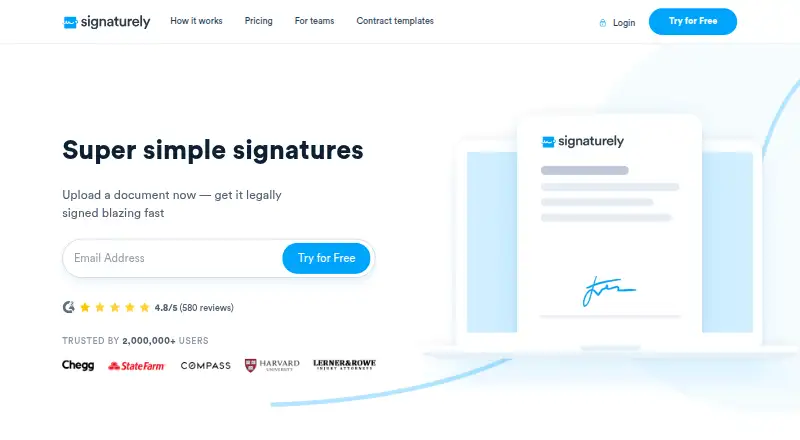
Signaturely lets users upload documents, add required fields, and email them to people for electronic signatures. Signers can type their name, draw a signature, or upload an image. Users can make reusable templates, share them with a team, and route documents in a specified signing order. The service tracks document status, sends reminders, and keeps an audit log of activity. Regular plans list Google Drive, Dropbox, OneDrive, and Box integrations; the API page also lists Zapier. API tools support automated requests and templates, with separate API pricing and plan-dependent request allowances. Signaturely offers a free plan with one signature request per month and a 7-day trial. Personal costs $25 a month or $240 a year, with five requests monthly and one template. Business costs $50 a month or $480 a year and includes unlimited requests and templates, team management, and custom branding. Signaturely says it encrypts data, offers two-factor authentication, and performs third-party penetration tests. It describes its signatures as compliant with UETA, ESIGN, and eIDAS.
Who it suits
Signaturely suits individuals and teams that send paperwork to clients or employees for signing. Businesses needing document automation can consider its separately priced API plans.
What it does well
- Free plan includes one monthly signature request.
- Supports typed, drawn, and image signatures.
- Templates can be shared with a team.
- Tracks status and sends automatic reminders.
- Business plan includes unlimited requests and templates.
What to know first
- Free plan allows one request per month.
- Personal plan allows five requests monthly.
- Personal includes one template.
- API pricing is separate from regular plans.
Limits
The free account includes one signature request per month. Personal includes five requests per month and one template; Business lists unlimited requests and templates. API request allowances depend on the account plan.
Plans
| Plan | Billed and limits | Price |
|---|---|---|
| Free | 1 document/signature request per month · Free account with no fee · Audit trail and history | Free |
| Personal | billed monthly · 5 signature requests per month · 1 template · Cloud-storage integrations · Notifications and reminders · Audit log and history | $25 a month |
| Personal Annual | billed annually · 5 signature requests per month · 1 template · Cloud-storage integrations · Notifications and reminders · Audit log and history | $240 a year |
| Business | billed monthly · Unlimited signature requests · Unlimited templates · Team management · Custom business branding · Notifications and reminders · Audit log and history | $50 a month |
| Business Annual | billed annually · Unlimited signature requests · Unlimited templates · Team management · Custom business branding · Notifications and reminders · Audit log and history | $480 a year |
| Free account | Free plan; 1 document for e-signature per account each month · 1 signature request/month | Free |
| Titanium (API) | $199/month · For enterprises; full API access; OAuth and embedded signing | $199 a month |
| Personal (annual) | $240/yr · 5 signature requests/month · 1 template · Google Drive, Dropbox, OneDrive and Box integrations · notifications and reminders · audit log and history | $240 a year |
The first 8 of 13 plans, as signaturely.com lists them, read 19 Sept 2026. The maker's own page has the final word. Every plan
Getting started
- Visit https://signaturely.com/.
- Choose the free account, a regular paid plan or a separately priced API plan.
- Upload a document and add the fields signers need to complete.
- Email the document to signers and set the signing order.
- Create reusable templates or connect a listed cloud-storage service if needed.
Signaturely is an electronic-signature service for preparing documents, collecting signatures and tracking their progress. It is best suited to individuals and teams with modest or predictable signing volumes, and businesses that need reusable templates or team controls. The main trade-off is clear: the lower-cost plans cap monthly requests, while Business removes that cap at a substantially higher price.
Overview
Upload a document, add required fields and email it to signers. Recipients can sign by typing their name, drawing a signature or uploading an image. Sequential signing lets you specify the order in which recipients sign, while status tracking and automatic reminders help keep requests moving.
A legal audit log records document activity. Signaturely says its signatures follow UETA, ESIGN and eIDAS, and that signed documents are AATL compliant with anti-tampering controls. It also says data is encrypted at rest and uses 256-bit encryption in transit, offers two-factor authentication and conducts regular third-party penetration tests. Those assurances may matter for business paperwork, though they do not change the plan limits.
Key features
Templates and workflow
Reusable templates can be shared with a team, but the Personal plan allows just one. That is enough to reuse a single standard document; businesses managing multiple forms will need Business for unlimited templates. Sequential signing is useful when a document must pass through recipients in a set order.
Tracking, integrations and API
Notifications, reminders and audit history are included in the regular plans, alongside Google Drive, Dropbox, OneDrive and Box integrations. Zapier is also available through the API offering. The API supports automated signature requests and templates, but is priced separately from regular plans; request allowances depend on the account plan. OAuth and embedded signing are listed for Platinum and Titanium, so basic automation and those advanced capabilities sit at different price points.
Support is available through the Help Center and a contact option.
Pricing
The free plan costs nothing and allows one document or signature request per month. It includes audit trail and history, making it a way to handle occasional signing, not a practical fit for recurring volume.
Personal costs $25 a month, or $240 a year billed annually. Both offer five signature requests per month, one template, cloud-storage integrations, notifications and reminders, and audit history. The annual option lowers the effective monthly cost compared with paying monthly, but retains the same five-request ceiling. Personal suits an individual with a small, steady workload; the quota is restrictive for busier users.
Business costs $50 a month, or $480 a year billed annually. The monthly plan is also priced at $50/month per user. It includes unlimited signature requests and templates, team management, custom business branding, notifications and reminders, and audit history. It is the more suitable regular plan for teams or higher-volume use, but its per-user monthly price makes seat count relevant.
API plans are separate: Gold costs $49 a month for basic business automation, with request allowance dependent on plan; Platinum costs $99 a month and includes Gold features plus advanced features; Titanium costs $199 a month and is positioned for enterprises with full API access. OAuth and embedded signing are listed for Platinum and Titanium. Choose among them based on the API capabilities and request allowance required, rather than treating them as substitutes for the regular signing plans.
Platforms
Signaturely is available on web, Android and iOS, and offers API access. That covers browser-based use, mobile platforms and a separate route for automation.
Who it's for
Signaturely fits people and businesses that want email-based document signing with an audit trail, reminders and ordered signers. The free tier works for occasional requests; Personal is aimed at light individual use; Business is better suited to teams that need more than one template or five monthly requests. Organizations automating signature workflows should consider the separate API tiers. Those needing frequent signing at a low monthly price may find the Personal cap and Business per-user cost a poor fit.
Pros and cons
- Pros: The free plan includes audit history, and paid regular plans add reminders and cloud-storage integrations.
- Pros: Business removes request and template caps while adding team management and custom branding.
- Pros: Sequential signing, automatic reminders and a legal audit log support an orderly signing workflow.
- Cons: The free plan permits only one monthly request, and Personal permits five, limiting recurring use.
- Cons: Personal includes only one template; unlimited templates require Business.
- Cons: API access has separate pricing, and advanced OAuth and embedded signing are associated with the higher Platinum and Titanium tiers.
Alternatives
Consider Sign.Plus if a larger free allowance matters: its free plan provides three signature requests total and one template, compared with Signaturely's one request per month. BoldSign is worth comparing for its free plan, which includes 25 envelopes per month, two templates and one user. Dropbox Sign offers three free signature requests per month, a higher free monthly allowance than Signaturely's single request.
eSignly is another freemium electronic-signature option. Jotform is a freemium form product. SignRequest and Skribble are freemium signature alternatives. Xodo Sign is also a freemium option.
Browse more options in E-Signature Software and Electronic Signature Software.
Verdict
Choose Signaturely if you need a straightforward signing workflow with ordered recipients, reminders and audit history, and your volume fits the plan. Its free and Personal tiers are constrained by low request limits; teams needing repeated use get more room from Business, but should weigh the per-user cost. Look elsewhere if your priority is a higher free monthly allowance or lower-cost frequent signing.
Verdict
Signaturely covers document preparation, signing order, status tracking, and audit history. Its free and Personal plans have explicit monthly request limits; Business removes the listed request and template caps.
Questions
Is Signaturely free?
Yes. Its free account includes one document for e-signature per account each month, or one signature request monthly, along with audit trail and history.
How much do regular plans cost?
Personal costs $25 per month with monthly billing or $240 per year with annual billing. Business costs $50 per month or $480 per year, with annual billing listed at $480 per year.
What platforms does Signaturely support?
The listed platforms are Android, iOS, web and API.
Which integrations are available?
Regular plans list Google Drive, Dropbox, OneDrive and Box. The API page also says Zapier is available.
What does the API include?
The API supports automated signature requests and templates, with pricing separate from regular plans. OAuth and embedded signing are listed for Platinum and Titanium, and request allowances depend on the account plan.
Where is Signaturely based?
Signaturely is headquartered in Covina, California, United States.
Facts from Signaturely's own pages
- API
- The API supports automated signature requests and templates, and its pricing is separate from regular Signaturely plans. · signaturely.com, 7 Oct 2026
- API access
- Yes · signaturely.com, 19 Sept 2026
- API limits
- The API page specifies OAuth and embedded signing for Platinum and Titanium plans, and says request allowances depend on the account plan. · signaturely.com, 7 Oct 2026
- Audit trail
- Yes · signaturely.com, 19 Sept 2026
- Bulk sending
- Yes · signaturely.com, 19 Sept 2026
- Document integrity
- Signaturely says it has anti-tampering controls and that documents signed with the service are AATL compliant. · signaturely.com, 7 Oct 2026
- Free plan
- Yes · signaturely.com, 19 Sept 2026
- Headquarters
- Covina, California, United States · signaturely.com, 28 Sept 2026
- Integrations
- The regular plans list Google Drive, Dropbox, OneDrive and Box integrations, and the API page says Zapier is also available. · signaturely.com, 7 Oct 2026
- Legal status
- The company says its e-signatures follow international regulations including UETA, ESIGN and eIDAS. · signaturely.com, 7 Oct 2026
- Purpose
- Signaturely lets users upload documents, add required fields, send them to signers by email and collect electronic signatures. · signaturely.com, 7 Oct 2026
- Security
- Signaturely says data is encrypted at rest and uses 256-bit encryption in transit, offers two-factor authentication, and performs regular third-party penetration tests. · signaturely.com, 7 Oct 2026
- Signing options
- Users can sign by typing their name, drawing a signature or uploading an image of it. · signaturely.com, 7 Oct 2026
- Support
- The site directs users to its Help Center and offers a contact option for additional questions. · signaturely.com, 7 Oct 2026
- Target users
- Signaturely describes its product as helping businesses make signing paperwork easier for clients and employees, and positions API tiers for small businesses, companies and enterprises. · signaturely.com, 7 Oct 2026
- Templates and signing order
- Users can create reusable templates, share them with a team and route documents to signers in a specified order. · signaturely.com, 7 Oct 2026
- Tracking and audit
- Signaturely tracks document status, sends automatic reminders and keeps a legal audit log of document activity. · signaturely.com, 7 Oct 2026
Where Signaturely stands on Freedom251
- E-signature tools#18 of 68
- E-Signature Software#22 of 68
- Electronic Signature Software#13 of 33