Freedom251 › Document Automation Software
TemplateDocs
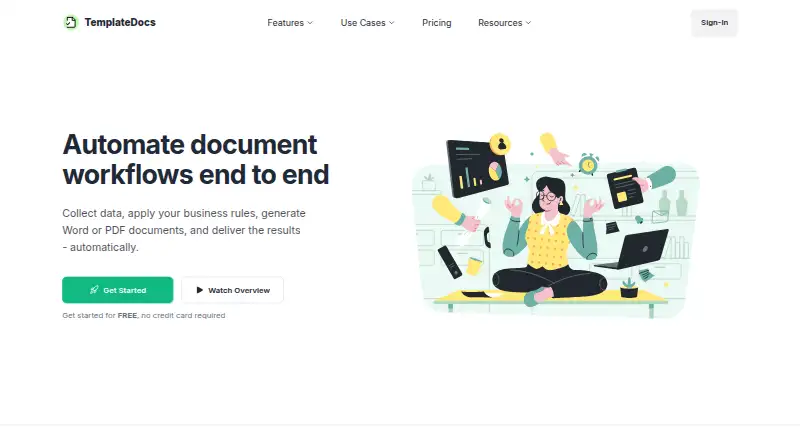
What TemplateDocs is
TemplateDocs automates document workflows, from gathering information to generating and delivering files. It uses Microsoft Word DOCX templates to create DOCX and PDF documents, retaining Word formatting and supporting dynamic text, links, images, repeated sections, and tables. Workflows collect data through forms or webhooks, apply conditions and formulas, then send results by email or integrations. For batch work, users can run a workflow for each CSV row or generate documents together and download them as a ZIP. The REST API can manage templates and generate documents; integrations include Zapier, Make, and viaSocket. Listed uses include proposals, invoices, onboarding documents, certificates, labels, and reports. Security measures include TLS/HTTPS in transit, encryption at rest through infrastructure providers, organization-level data isolation, role-based access, and restricted production access. Primary infrastructure is in Europe, while authorized personnel in Israel may access production systems when necessary. The service is not designed for payment card data requiring PCI DSS compliance or protected health information requiring HIPAA compliance. Free includes 50 credits, two seats, five templates, five workflows, and 30 days of run history. Starter is $29 a month.
Who it suits
TemplateDocs suits teams generating recurring or bulk documents from forms, webhooks, CSV files, or connected apps. Its listed use cases include proposals, invoices, onboarding, certificates, and reports.
What it does well
- Generates DOCX and PDF files from Word templates.
- Supports CSV-based bulk generation and ZIP downloads.
- Offers a REST API and workflow integrations.
- Free plan includes 50 credits and five workflows.
- Primary application infrastructure is located in Europe.
What to know first
- Free includes only two seats.
- Free run history lasts 30 days.
- Not designed for PCI DSS payment card data.
- Not designed for HIPAA-protected health information.
Limits
The Free plan includes 50 credits, 2 seats, 5 templates, 5 workflows, and 30 days of run history. The Starter plan is $29 a month and includes 500 monthly credits, 5 seats, and 30 days of run history.
Plans
| Plan | Billed and limits | Price |
|---|---|---|
| Free | /month · 50 credits · 2 seats · 30 days run history · 5 templates · 5 workflows | Free |
| Business | /month · 5,000 monthly credits · 20 seats · 90 days run history · Unlimited templates and workflows | $149 a month |
| Scale | /month · 10,000 monthly credits · 50 seats · 1 year run history · Unlimited templates and workflows | $249 a month |
| Starter | /month · 500 monthly credits · 5 seats · 30 days run history · Unlimited templates and workflows | $29 a month |
| Professional | /month · 2,000 monthly credits · 10 seats · 90 days run history · Unlimited templates and workflows | $79 a month |
As templatedocs.io lists them, read 30 Sept 2026. The maker's own page has the final word.
Getting started
- Open the TemplateDocs website.
- Create a Word DOCX template for the documents you need.
- Choose a data source such as a form, CSV, API payload, or webhook.
- Set workflow conditions or formulas if needed.
- Configure delivery by email or an integration.
TemplateDocs is a document-automation service built around Microsoft Word templates, with workflows that gather data, generate files, and deliver them through email or integrations. It is best suited to teams producing repeatable business documents from forms, APIs, or batch data. Choose it for flexible DOCX-based automation and a visual workflow builder; look elsewhere if you need e-signatures or support for PCI DSS or HIPAA-regulated information.
Overview
TemplateDocs connects data collection to document production and delivery. Inputs can come from online forms, CSV files, JSON or API payloads, webhooks, Zapier, Make, and other connected apps. Triggers include form submissions, incoming webhooks, API calls, and connected-app events, so it can support recurring operational processes rather than isolated file creation.
The service is aimed at proposals, invoices, HR onboarding documents, certificates, labels, reports, and workflows in law, real estate, and accounting. Its infrastructure is primarily in Europe, while authorized personnel in Israel may access production systems when necessary. Customer data is not used for advertising or to train AI models.
Key features
A visual editor lets a workflow collect information, apply conditions and formulas, and send the resulting documents by email or integration. This is useful when a document must change according to submitted values, although the REST API documentation includes quota and rate-limit errors that matter to high-volume implementations.
Templates are Microsoft Word DOCX files. Dynamic text, links, images, repeated sections, tables, and preserved Word formatting give teams more control than a basic mail-merge tool. Generated files can be DOCX or PDF.
For batch work, a CSV can launch a workflow for every row, and bulk-generated files can be downloaded as a ZIP. That makes the product a practical fit for issuing sets of certificates, labels, invoices, or reports. The API can manage templates and generate documents programmatically. Integrations with Zapier, Make, and viaSocket extend its reach without requiring every process to be custom-coded.
Security measures include TLS/HTTPS in transit, encryption at rest through infrastructure providers, organization-level isolation, role-based access, and restricted production access. Workflow data and generated documents follow configured retention and plan defaults; the standard run-history default is 30 days, while documents generated directly through the API are not stored after delivery. Support is by email, with a usual reply time of 24 hours. There are no e-signatures.
Pricing
TemplateDocs uses a freemium model. There is no free trial, so the permanent Free plan is the way to evaluate it.
| Plan | Price and allowance | Best fit |
|---|---|---|
| Free | free, billed /month; 50 credits, 2 seats, 30 days run history, 5 templates, 5 workflows | Individuals or small pilots with tightly bounded volume |
| Starter | $29 a month, billed /month; 500 monthly credits, 5 seats, 30 days run history, unlimited templates and workflows | Small teams that need more volume and no template cap |
| Professional | $79 a month; 2,000 monthly credits, 10 seats, 90 days run history, unlimited templates and workflows | Growing teams needing longer operational history |
| Business | $149 a month; 5,000 monthly credits, 20 seats, 90 days run history, unlimited templates and workflows | Departments running multiple higher-volume processes |
| Scale | $249 a month; 10,000 monthly credits, 50 seats, 1 year run history, unlimited templates and workflows | Larger operations that need the highest published quota and retention |
The Free plan's 50-credit allowance, five-template limit, five-workflow limit, and two-seat ceiling make it a constrained proof of concept. Starter removes template and workflow caps but still retains only 30 days of history. Professional and Business mainly buy larger quotas, more seats, and 90-day history; Scale is the only plan with one-year run history. All paid plans are billed monthly at the stated rates.
Platforms
TemplateDocs is available through the web and API. Its data-source and trigger coverage supports both no-code-connected workflows and custom integrations.
Who it's for
Choose it when your organization already works with DOCX templates and needs conditional, repeatable generation from forms, webhooks, APIs, or CSV batches. It is a sensible match for document-heavy teams in accounting, real estate, legal work, HR, and operations. The compliance exclusion makes it unsuitable for payment-card data requiring PCI DSS or protected health information requiring HIPAA compliance.
Pros and cons
- Pro: Word-based templates preserve familiar formatting while supporting dynamic content, tables, images, and repeated sections.
- Pro: Forms, APIs, webhooks, connected apps, and CSV batches cover both interactive and bulk document workflows.
- Pro: Direct API-generated files are not retained after delivery, and the service documents isolation and access controls.
- Con: There are no e-signatures, so signing requires another service.
- Con: The Free plan is limited to 50 credits, five templates, five workflows, and two seats.
- Con: PCI DSS payment-card and HIPAA protected-health-information use cases are excluded.
Alternatives
Document Automation Software is the broader category to compare when you want to survey multiple document-generation tools.
PandaDoc is a better direction when mobile apps, a free trial, or a yearly allowance of 60 documents is important.
Docassemble suits organizations seeking free, self-hosted software and willing to handle hosting costs.
PDF4me Merge & Split is preferable for API-focused PDF merge and split work with a free tier and one-time call packs.
S-Docs is the alternative to consider for Salesforce-oriented document and e-signature workflows.
Adobe PDF Services API fits teams wanting Adobe's PDF transaction service with custom paid pricing.
DocMake is worth considering when a free plan's 1,000-document monthly allowance and 500 API calls per day better match your volume.
DocPayload is an option for teams that want self-hosting alongside pay-as-you-go pricing.
DocuGenerate is another API and integration alternative with a free allowance of 20 documents per month.
Verdict
TemplateDocs is a strong choice for teams that need configurable DOCX/PDF generation from structured data, especially when CSV batches, webhooks, and Word formatting are central to the process. Its main reasons to look elsewhere are the absence of e-signatures, modest free-plan limits, and explicit PCI DSS and HIPAA exclusions.
Verdict
TemplateDocs supports document generation from forms, APIs, and batch CSV workflows, with a free plan and paid plans from $29 a month. Its stated compliance exclusions make it unsuitable for certain payment-card and health-information workflows.
Questions
Is there a free plan or trial?
There is a free plan with 50 credits, two seats, five templates, five workflows, and 30 days of run history. A free trial is not offered.
How much do paid plans cost?
Starter is $29 a month. Other monthly plans are Professional at $79.00 USD, Business at $149.00 USD, and Scale at $249.00 USD.
What file formats can it generate?
TemplateDocs creates DOCX and PDF files from Microsoft Word DOCX templates.
Does it have an API?
Yes. The REST API can manage templates and generate documents. Its documentation lists quota and rate-limit errors.
Which integrations are listed?
TemplateDocs describes integrations with Zapier, Make, and viaSocket.
Is it intended for PCI or HIPAA regulated data?
No. Its DPA says the service is not designed for payment card data requiring PCI DSS compliance or protected health information where HIPAA compliance is required.
Facts from TemplateDocs's own pages
- API
- The REST API can manage templates and generate documents, and its documentation lists quota and rate-limit errors. · templatedocs.io, 30 Sept 2026
- Audience
- The site identifies proposals, invoices, HR onboarding documents, certificates, labels, reports, law firms, real estate, and accounting as use cases. · templatedocs.io, 30 Sept 2026
- Bulk generation
- Users can upload a CSV and run a workflow for each row or generate template documents in bulk and download them as a ZIP. · templatedocs.io, 30 Sept 2026
- Compliance limitation
- The DPA says the service is not designed for payment card data requiring PCI DSS compliance or protected health information where HIPAA compliance is required. · templatedocs.io, 30 Sept 2026
- Data location
- The privacy policy says primary application infrastructure, databases, queues, and file storage are located in Europe, while authorized personnel in Israel may access production systems when necessary. · templatedocs.io, 30 Sept 2026
- Document formats
- It uses Microsoft Word DOCX templates to generate DOCX and PDF files. · templatedocs.io, 30 Sept 2026
- Headquarters
- Kfar Adummim, Israel · templatedocs.io, 28 Sept 2026
- Integrations
- The documentation describes integrations with Zapier, Make, and viaSocket. · templatedocs.io, 30 Sept 2026
- Privacy
- The privacy policy says customer data is not used for advertising or to train AI models. · templatedocs.io, 30 Sept 2026
- Purpose
- TemplateDocs automates document workflows from data collection through document generation and delivery. · templatedocs.io, 30 Sept 2026
- Retention
- Workflow data and generated documents follow configured retention and plan defaults, with a standard default run-history period of 30 days; direct API-generated documents are not stored after delivery. · templatedocs.io, 30 Sept 2026
- Security
- Listed security measures include TLS/HTTPS in transit, encryption at rest through infrastructure providers, organization-level data isolation, role-based access, and restricted production access. · templatedocs.io, 30 Sept 2026
- Support
- The site lists support by email and says it usually replies within 24 hours. · templatedocs.io, 30 Sept 2026
- Template features
- Templates support dynamic text, links, images, repeated sections, tables, and preserved Word formatting. · templatedocs.io, 30 Sept 2026
- Workflow tools
- Workflows can collect data through forms or webhooks, apply conditions and formulas, and deliver results by email or integrations. · templatedocs.io, 30 Sept 2026
Where TemplateDocs stands on Freedom251
- Document Automation Software#10 of 33