Freedom251 › Word Processing Software
SSuite Office
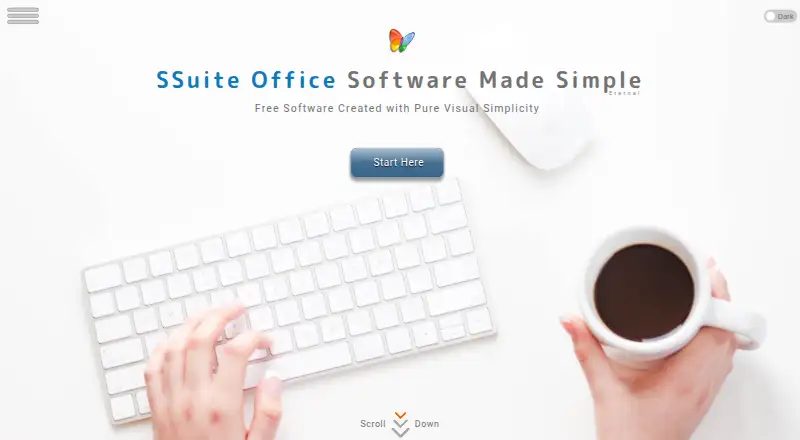
What SSuite Office is
SSuite Office is a collection of free office software, desktop applications, and online tools. Its downloads include office suites, word processors and text editors, spreadsheet software, and browser-based apps. Desktop apps support offline editing and are available for Windows; the maker says they are written in native Windows code using the WIN32 API. The online apps run inside a browser rather than in the cloud. SSuite says its desktop software, Android apps, and Progressive Web Applications do not require login prompts or account registration.
The maker lists RTF and XLS among its document formats, and says its online text editors support HTML5 and PDF. Word processors can export to formats including BMP, TIFF, PDF, SSP, EMF, JPG, PNG, and GIF. Separate local-network applications support video phones, chat, conferencing, and file transfers. The maker says it does not collect, sell, rent, or share personal information except to provide requested services, and that the software has no third-party add-ons or installers. Both listed plans are free, and online user support is also free.
Who it suits
SSuite Office may suit people looking for free office tools, from first-time computer users to experienced users. Its Windows desktop apps support offline editing, while its browser apps do not require an account.
What it does well
- Free desktop and online office plans
- Windows desktop apps support offline editing
- Online apps run in the browser
- No account required for listed apps
- Free online user support
What to know first
- Desktop apps are listed for Windows only
- No free trial is offered
Limits
Both listed plans cost nothing, and there is no free trial. Desktop apps are listed for Windows; the broader platform list includes Android, iOS, Linux, macOS, web, and Windows.
Plans
| Plan | Billed and limits | Price |
|---|---|---|
| SSuite Office software | Freeware; no recurring subscription fees; no registration required | Free |
| SSuite Online Office | Free online office suite; no login prompts or account registration | Free |
As ssuiteoffice.com lists them, read 7 Oct 2026. The maker's own page has the final word.
Getting started
- Visit the SSuite Office website.
- Choose either SSuite Office software or SSuite Online Office; both are free.
- For desktop use, choose the Windows software download.
- For browser use, open the online office apps.
- Use desktop software, Android apps, or Progressive Web Applications without account registration or login prompts, according to the maker.
SSuite Office is a broad set of free office programs and browser tools for people who want to work without an account. It is especially suitable for Windows users handling everyday documents offline, while its format range and desktop focus make it less convincing for teams that need seamless cross-suite collaboration. The bottom line: it is a practical no-cost toolkit when privacy, local control and zero registration matter more than a unified cloud workspace.
Overview
SSuite Office combines downloadable suites, word processors, text editors, spreadsheet software and online web applications. That breadth is useful for home, study and small-office work where several basic tools are needed but a subscription is undesirable. You choose the relevant application rather than relying on one monolithic package, so fit depends on the task and the formats your correspondents use.
The maker says its browser software runs directly inside the browser rather than in the cloud. Progressive Web Applications, Android apps and desktop software do not require login prompts or account registration. Van Loo Software also says it does not rent, sell, collect or share personal information except to provide requested free software or services, and that its software contains no third-party add-ons, toolbars, installers or software distributions. Those policies reduce account and bundled-software friction, although they do not by themselves solve document-compatibility requirements.
Key features
Office tools and formats
The collection covers word processing, text editing and spreadsheets, with online text editors supporting HTML5 and PDF. Named document formats include RTF and XLS. Word processors can export BMP, TIFF, PDF, SSP, EMF, JPG, PNG and GIF. This is a useful spread for producing text, tables and graphics in common file types, but readers exchanging complex files should confirm that the specific SSuite application handles the formatting they need.
Offline and account-free work
Desktop apps support offline editing, so Windows users can continue working without a browser session or online account. The no-registration model also applies to the online suite, making it a sensible choice for occasional use, shared computers or people who do not want another identity tied to their documents.
Local collaboration and support
SSuite describes serverless LAN applications for video phones, instant chat, conferencing and file transfers. That points to collaboration within a local network without a hosted service, rather than a replacement for internet-based team platforms. Free online user support covers technical and other assistance, which is helpful for a free product, though the experience will depend on the particular issue.
Pricing
SSuite Office software costs free. It is freeware with no recurring subscription fees and no registration requirement. This is the right plan for anyone wanting downloadable office tools and offline editing without a budget commitment; there is no paid tier to unlock additional capacity, and no free trial because the software is already free.
SSuite Online Office also costs free. It is a free online office suite with no login prompts or account registration. Pick it for browser-based work when installing desktop software is inconvenient. In return for the zero-cost, account-free model, readers should not expect the account-centered storage, administration or collaboration controls associated with many hosted office suites.
Platforms
The overall offering spans Android, iOS, Linux, macOS, web and Windows. Desktop apps are available on Windows, where the maker says they are written in native Windows code using the WIN32 API. Offline editing therefore belongs primarily to Windows desktop use; other platforms are represented by the broader app and web offering rather than a stated native desktop edition.
Who it's for
SSuite Office suits first-time computer users through experienced users who need free office utilities, particularly Windows users seeking offline work without accounts. It is a strong fit for personal documents, basic spreadsheets, format conversion and LAN-based activity. Look elsewhere if your work depends on a single synchronized workspace, extensive cloud collaboration or guaranteed interchange with sophisticated office-suite files.
Pros and cons
- Pros: No purchase price, recurring fee, login or registration for either desktop or online use.
- Pros: Windows desktop apps support offline editing, while browser tools cover HTML5 and PDF workflows.
- Pros: Broad export choices include PDF, common image formats, RTF and XLS-related workflows.
- Pros: The maker states that it avoids personal-data selling or sharing and third-party bundled software.
- Cons: Desktop software is Windows-only, limiting native offline use on Linux, macOS and other desktop systems.
- Cons: A collection of separate tools and stated formats may be less dependable for complex cross-suite document exchange.
- Cons: LAN collaboration is local-network oriented, not a substitute for full hosted team administration.
Alternatives
For a focused writing application, choose Calmly Writer instead; it offers a freemium model, a free trial and desktop, mobile and web platforms. Collabora Online is the better direction when self-hosting and broader platform support matter. Choose ONLYOFFICE Docs when you want a freemium office suite with community and developer deployment options.
Tencent Meeting & VooV Meeting is the alternative when meetings are the priority, including a free edition for up to 300 participants. Zoho Writer is preferable for a hosted writing workflow with document-automation allowances. Choose Dropbox Paper for a lightweight collaborative document space tied to Dropbox storage. Hancom Docs is an option for web and mobile office access with a free 2GB tier. Microsoft Word is the safer choice when you specifically need Word for the web, real-time sharing and 5GB of cloud storage.
Browse more options in Word Processing Software.
Verdict
Choose SSuite Office if you want a genuinely free, account-free office toolkit with Windows offline apps, browser utilities and privacy-conscious positioning. Its main reason to look elsewhere is the Windows-centered desktop experience and the uncertainty that a varied, less unified format ecosystem can create for collaborative or highly formatted documents.
Verdict
SSuite Office combines free Windows desktop software with account-free browser apps and a range of document tools. Its desktop platform is Windows, while the maker lists broader platforms for the overall offering.
Questions
How much does SSuite Office cost?
SSuite Office software and SSuite Online Office are each listed as free. The maker says there are no recurring subscription fees.
Is there a free plan or trial?
Both listed plans are free. There is no free trial.
Which platforms are listed?
The listed platforms are Android, iOS, Linux, macOS, web, and Windows. Desktop apps are listed for Windows.
Can I use SSuite Office without an account?
The maker says its desktop software, Android apps, and Progressive Web Applications do not require login prompts or account registration.
Who makes SSuite Office?
The site identifies Henk and Marius van Loo as the people behind SSuite Office.
Facts from SSuite Office's own pages
- Desktop implementation
- The maker says its desktop software is written in native Windows code using the WIN32 API. · ssuiteoffice.com, 7 Oct 2026
- Document formats
- The maker says its document formats include RTF and XLS, and that its online text editors support HTML5 and PDF. · ssuiteoffice.com, 7 Oct 2026
- File exports
- The maker lists BMP, TIFF, PDF, SSP, EMF, JPG, PNG, and GIF among document formats available in its word processors. · ssuiteoffice.com, 7 Oct 2026
- LAN collaboration
- The maker describes serverless local-area-network applications for video phones, instant chat, conferencing, and file transfers. · ssuiteoffice.com, 7 Oct 2026
- Maker
- The site identifies Henk and Marius van Loo as the people behind SSuite Office. · ssuiteoffice.com, 7 Oct 2026
- No account required
- The maker says its Progressive Web Applications, Android apps, and desktop software do not require login prompts or account registration. · ssuiteoffice.com, 7 Oct 2026
- Office suite features
- The downloads page lists suites, word processors and text editors, spreadsheet software, and online web apps. · ssuiteoffice.com, 7 Oct 2026
- Online apps
- The maker says its online software runs directly inside the browser and does not run in the cloud. · ssuiteoffice.com, 7 Oct 2026
- Privacy
- Van Loo Software says it does not rent, sell, collect, or share personal information except to provide requested free software or services. · ssuiteoffice.com, 7 Oct 2026
- Product
- SSuite Office provides free office software, applications, and online web apps. · ssuiteoffice.com, 7 Oct 2026
- Support
- The maker labels its online user support as free, including technical or other support. · ssuiteoffice.com, 7 Oct 2026
- Third-party bundles
- The maker says its software contains no third-party add-ons, toolbars, installers, or software distributions. · ssuiteoffice.com, 7 Oct 2026
- Who it is for
- The maker says its software is intended for users from first-time computer users to experienced users. · ssuiteoffice.com, 7 Oct 2026
Where SSuite Office stands on Freedom251
- Word Processing Software#18 of 45