LyX
What LyX is
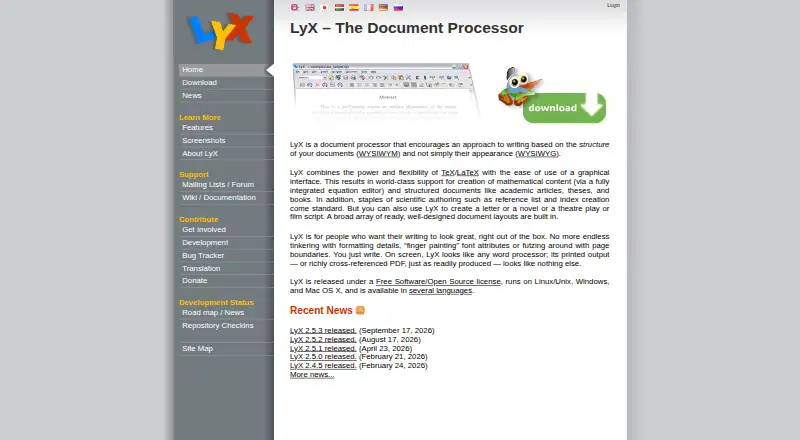
LyX is a free document processor that organizes writing by document structure while providing TeX and LaTeX capabilities through a graphical interface. It supports academic articles, theses, books, letters, novels, plays, and film scripts. The equation editor accepts point-and-click input or LaTeX commands and renders formulas on screen. Labels, references, indexes, and bibliography tools include advanced BibTeX support. Configurable converters import and export formats such as LaTeX, PDF, PostScript, DVI, ASCII, HTML, OpenDocument, RTF, and MS Word. LyX supports multilingual documents, right-to-left writing, CJK writing systems, and Unicode. It also has basic support for Maple, Maxima, Octave, and Mathematica, with modules that can add Noweb, Sweave, and LilyPond support. External version control options include RCS, CVS, Subversion, and Git. LyX runs offline on Linux, Windows, and macOS and is released under the GPL. Windows installations require a TeX distribution, while Mac installations require a TeX system such as MacTeX. The project provides GPG-signed downloads for verification.
Who it suits
LyX suits writers producing structured documents such as academic papers, theses, and books, as well as creative works and scripts. It may be useful for people who need mathematical notation, bibliography tools, or multilingual writing support.
What it does well
- Free software released under the GPL
- Equation editor supports point-and-click and LaTeX input
- Includes advanced BibTeX support
- Works offline on Linux, Windows, and macOS
What to know first
- Windows installation requires a TeX distribution
- Mac installation requires a TeX system such as MacTeX
Plans
| Plan | Billed and limits | Price |
|---|---|---|
| LyX | Free software released under the GPL | Free |
As lyx.org lists them, read 4 Oct 2026. The maker's own page has the final word.
Getting started
- Visit https://www.lyx.org/.
- Download the version for Linux, Windows, or macOS.
- Install a TeX distribution on Windows or a TeX system such as MacTeX on Mac.
- Install LyX and open a document for offline editing.
LyX is a document processor for writers who want to organize work by structure while using TeX and LaTeX capabilities through a graphical interface. It is a particularly good fit for academic, technical, and long-form writing; readers who want a conventional word processor without TeX-related setup should look elsewhere.
Overview
LyX covers an unusually broad range of structured documents, from articles, theses, and books to letters, novels, plays, and film scripts. Its focus on structure rather than page-by-page formatting makes it most compelling when a document has complex sections, references, or specialized notation—not for everyday writing that needs only basic word processing.
It is free GPL software with offline editing and desktop apps for Linux, Windows, and macOS. The project accepts donations, and its homepage lists LyX 2.5.3, released September 17, 2026. The project also provides GPG-signed source tarballs and binaries, giving users a way to verify downloaded packages.
Key features
Equations and scholarly apparatus
The equation editor supports both point-and-click input and LaTeX commands, with formulas rendered on screen. That pairing is useful for writers who want visual feedback without giving up command-based entry. Labels, references, indexes, and advanced BibTeX support make LyX a stronger option for articles, theses, and books with substantial cross-referencing or bibliographies.
Formats, scientific tools, and collaboration in a larger workflow
Configurable converters import and export formats including LaTeX, PDF, PostScript, DVI, ASCII, HTML, OpenDocument, RTF, and MS Word. That breadth helps when a document needs to move between technical and more familiar formats, though it does not make LyX a general-purpose publishing service. Basic support for Maple, Maxima, Octave, and Mathematica, with modules for Noweb, Sweave, and LilyPond, extends its appeal to some scientific and technical workflows.
LyX supports external version-control systems including RCS, CVS, Subversion, and Git, and includes track changes. Those capabilities suit writers managing revisions alongside an existing version-control process. Multilingual documents, right-to-left writing, CJK writing systems, and Unicode support broaden its usefulness across languages and scripts.
Pricing
LyX costs nothing under its GPL license. The free software includes offline editing and desktop apps; there is no paid tier or free-trial period to weigh. The project accepts donations to support development.
Platforms
LyX has desktop versions for Linux, Windows, and macOS. Windows installations require a TeX distribution, and Mac installations require a TeX system such as MacTeX. That additional setup is a meaningful drawback for those platforms, while Linux users should still choose LyX for its document workflow rather than assume it will behave like a conventional word processor.
Who it's for
Choose LyX if your work depends on structured documents, equations, bibliographies, or cross-references, or if you write books and scripts alongside academic material. It is less suitable for writers who prioritize a conventional word-processing workflow or want to avoid installing a TeX system on Windows or Mac.
Pros and cons
- Pro: Point-and-click equations and LaTeX command entry serve both visual and command-oriented math workflows.
- Pro: Advanced BibTeX, labels, indexes, and references support documents with extensive scholarly apparatus.
- Pro: Broad import and export formats ease exchange with technical and office-document workflows.
- Pro: Free GPL licensing, offline editing, and Linux, Windows, and macOS desktop apps keep access broad.
- Con: Windows and Mac users need a separate TeX system, adding installation work before writing.
- Con: Its structure-centered approach is a poor fit for people seeking only a familiar, conventional word processor.
Alternatives
For screenwriting teams seeking cloud-based script editors and real-time collaboration, Celtx offers a free studio limited to one project. WriterDuet is another option for script writing, with a free plan capped at three projects and a paid Plus plan that includes unlimited projects, real-time collaboration, and a desktop application.
Campfire offers a free tryout with limited access to writing and worldbuilding modules and no credit card required. For browser-based LaTeX work, Overleaf has a free plan with unlimited projects and one collaborator per project. Story Architect is an open-core alternative whose core source is available under MIT while some features are closed source and commercial.
Substack suits writers publishing through a platform with no platform fees, tiers, or contracts on its free-to-start plan. Write.as offers a free personal blog with branding and a daily post limit, but its free plan is closed for now. HackMD is a browser-based choice with a free plan capped at three teammates and other collaboration and publishing quotas.
Browse more options in Writing Apps, LaTeX Editors, or Word Processing Software.
Verdict
LyX is a strong choice for academic and technical writers, and for other authors whose documents benefit from structure, equations, references, and flexible output. Its GPL license and deep writing tools are persuasive reasons to choose it; the extra TeX setup on Windows and Mac and its less conventional workflow are the clearest reasons to look elsewhere.
Verdict
LyX combines structured writing with TeX and LaTeX capabilities, plus support for references, equations, and a range of formats. Account for the required TeX system when installing it on Windows or Mac.
Questions
Does LyX cost anything?
LyX is free software released under the GPL.
Which platforms does LyX support?
LyX has desktop apps for Linux, Windows, and macOS, and supports offline editing.
Do Windows and Mac installations need anything else?
Yes. Windows installations require a TeX distribution. Mac installations require a TeX system such as MacTeX.
Can LyX import and export Microsoft Word files?
Its configurable converters support MS Word along with formats including LaTeX, PDF, HTML, OpenDocument, and RTF.
Is LyX open source?
LyX is released under the GPL.
Does LyX support equations and bibliographies?
Yes. Its equation editor accepts point-and-click input and LaTeX commands, while its bibliography features include advanced BibTeX support.
Facts from LyX's own pages
- Document formats
- Configurable converters support importing and exporting formats including LaTeX, PDF, PostScript, DVI, ASCII, HTML, OpenDocument, RTF, and MS Word. · lyx.org, 4 Oct 2026
- Document processor
- LyX is a document processor that focuses on document structure and combines TeX/LaTeX capabilities with a graphical interface. · lyx.org, 4 Oct 2026
- Download integrity
- The project provides GPG-signed source tarballs and binaries so users can verify downloaded packages. · lyx.org, 4 Oct 2026
- Free plan
- Yes · lyx.org, 22 Sept 2026
- Installation requirement
- The official download page says Windows installations require a TeX distribution, while Mac installations require a TeX system such as MacTeX. · lyx.org, 4 Oct 2026
- Intended users
- LyX supports structured writing such as academic articles, theses, and books, as well as letters, novels, plays, and film scripts. · lyx.org, 4 Oct 2026
- Languages
- LyX supports multilingual documents, right-to-left writing, CJK writing systems, and Unicode. · lyx.org, 4 Oct 2026
- License and donations
- LyX is released under the GPL, and the project accepts donations to support its development. · lyx.org, 4 Oct 2026
- Math editor
- Its equation editor supports point-and-click and LaTeX command entry, with formulas rendered on screen. · lyx.org, 4 Oct 2026
- Platforms
- The official site lists LyX for Linux, Windows, and Mac; its current Windows binaries support Windows 7 and later. · lyx.org, 4 Oct 2026
- References and bibliography
- LyX includes labels, references, indexes, and bibliography features, including advanced BibTeX support. · lyx.org, 4 Oct 2026
- Release
- The homepage lists LyX 2.5.3 as released on September 17, 2026. · lyx.org, 4 Oct 2026
- Scientific tools
- LyX has basic support for Maple, Maxima, Octave, and Mathematica, and modules can add Noweb, Sweave, and LilyPond support. · lyx.org, 4 Oct 2026
- Support
- Users can ask usage questions on the lyx-users mailing list and consult its archives before posting. · lyx.org, 4 Oct 2026
- Version control
- LyX supports external version control systems including RCS, CVS, Subversion, and Git. · lyx.org, 4 Oct 2026
Where LyX stands on Freedom251
- Writing Apps#8 of 135
- LaTeX Editors#8 of 32
- Word Processing Software#16 of 45
- Document Creation Software#11 of 25