
Overleaf
by Overleaf
What Overleaf is
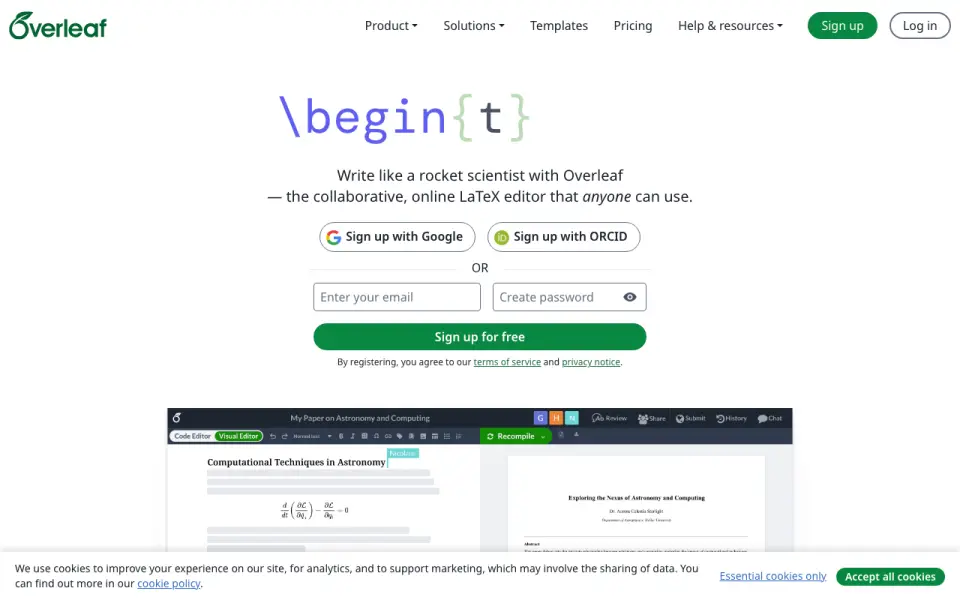
Overleaf is an online platform for writing and compiling LaTeX documents with other people. It offers a Visual Editor and a Code Editor, so users can choose how to work with document content. Shared documents support simultaneous editing and comments, with in-document chat for discussion. Free templates and example projects include starting points for journal articles, theses, and CVs. The listed integrations and add-ons include Git and GitHub synchronization, Dropbox, ReadCube, Zotero, Mendeley, R code through knitr, and Grammarly. Google Drive content can be imported into a project, though direct synchronization is not provided. Plans range from Free, with unlimited projects and one collaborator per project, to Pro with unlimited collaborators per project. Student and Standard allow 10 collaborators per project; Organizations is for 20+ users. A seven-day trial gives full access to the selected plan, with the card charged afterward unless canceled before the trial ends. Overleaf was founded in 2011, is headquartered in London, and is available through the web, as an extension, and self-hosted.
Who it suits
Overleaf suits researchers, research institutions, and businesses working on scientific or technical documents that benefit from shared editing. It can also suit individuals preparing journal articles, theses, or CVs using its templates and example projects.
What it does well
- Switch between Visual Editor and Code Editor.
- Collaborate through simultaneous editing, comments, and in-document chat.
- Start from free templates for articles, theses, and CVs.
- Integrations include Git, GitHub, Dropbox, Zotero, and Grammarly.
- Unlimited projects are included on the Free plan.
What to know first
- The Free plan allows one collaborator per project.
- Version history is limited.
- Google Drive content can be imported, but does not sync directly.
- The seven-day trial charges the card afterward unless canceled.
Limits
The Free plan includes one collaborator per project, and version history is limited. Its project allowance is unlimited. The seven-day trial provides full access to the selected plan, after which the card is charged unless canceled before the trial ends.
Plans
| Plan | Billed and limits | Price |
|---|---|---|
| Free | $0/month · 1 collaborator per project · 5 AI uses/day · unlimited projects · basic compile timeout | Free |
| Student | $8.25/month or $98/year · 10 collaborators per project · 5 AI uses/day · AI Assistant · 24x basic compile timeout | $8.25 a month |
| Standard | $16.75/month or $199/year · 10 collaborators per project · 10 AI uses/day · AI Assistant · 24x basic compile timeout · Git/GitHub/Dropbox/Zotero/Mendeley/ReadCube integrations | $16.75 a month |
| Pro | $33.25/month or $399/year · Unlimited collaborators per project · maximum AI allowance · AI Assistant · 24x basic compile timeout | $33.25 a month |
| Organizations | Contact sales · SSO · global AI controls · optional FedRAMP authorization · optional on-premises deployment · volume discounts up to 35% | On request |
As overleaf.com lists them, read 14 Oct 2026. The maker's own page has the final word.
Getting started
- Visit https://www.overleaf.com/.
- Choose the web, extension, or self-hosted access route.
- Start with the Free plan or choose a plan with a higher collaborator allowance.
- Use a template or example project, or begin a document in the Visual Editor or Code Editor.
- Invite collaborators to edit and comment on a shared document.
- If starting a seven-day trial, cancel before it ends to avoid the card being charged.
Overview
Overleaf is an online workspace for writing, compiling, and revising LaTeX documents together. It is especially suited to researchers, students, and technical writers who need shared projects and academic templates. Its collaboration tools make co-authoring a strong use case, but limited version history and the lack of direct Google Drive synchronization may rule it out for some teams.
Key features
Flexible editing and starting points
Writers can switch between a Visual Editor and a Code Editor, which lets collaborators work in a style that suits them without splitting a document across tools. Free templates and example projects for journal articles, theses, and CVs are practical shortcuts for common academic and professional writing.
Collaboration and integrations
Multiple people can edit and comment on a shared LaTeX document simultaneously, with in-document chat for discussion. That makes Overleaf a natural fit for co-authored research and technical documents, though the Free plan's one-collaborator-per-project cap limits that benefit for teams.
Documented integrations and add-ons include Git and GitHub synchronization, Dropbox, ReadCube, Zotero, Mendeley, R code through knitr, and Grammarly. Google Drive content can be imported into projects, but there is no direct Drive synchronization; readers who need an ongoing two-way Drive workflow should choose another tool. Overleaf says it will not use AI tool inputs or outputs to train or develop AI models without consent, except when doing so for the user's exclusive benefit as part of its services.
Pricing
Overleaf uses a freemium model. Free costs nothing and includes unlimited projects, with one collaborator per project. It suits solo writers, but the project cap makes it a poor fit for shared work with even one other collaborator.
Student and Standard have custom pricing and each allow 10 collaborators per project across unlimited projects. They fit small co-author groups, but the published plan allowances do not distinguish between them. Pro also has custom pricing, lifts the per-project collaborator limit, and retains unlimited projects, making it the clearer fit for larger project teams.
Organizations has custom pricing for 20+ users. Its features include FedRAMP Li-SaaS authorization, personalized support and onboarding, and a dedicated account manager, which are aimed at institutional and business teams rather than individual writers. The plan comparison states that Overleaf is certified in compliance with ISO/IEC 27001:2022.
A free trial gives full access to the chosen plan for 7 days. The card is charged afterward unless the user cancels before the trial ends, so anyone evaluating a paid tier should track the cancellation deadline. Version history is limited, including for readers considering a paid plan.
Platforms
Overleaf is available on the web, as an extension, and as a self-hosted option. That combination gives organizations more than a browser-only route, while its core purpose remains online LaTeX collaboration and document compilation.
Who it's for
Researchers, students, and technical writers who work in LaTeX are the strongest fit, especially when they want templates and simultaneous co-editing. Overleaf also serves research institutions and businesses, with an Organizations tier that adds team support and onboarding. It is less suitable for people who need deep version history or direct Google Drive synchronization.
Pros and cons
Pros
- Real-time co-authoring: simultaneous editing, comments, and in-document chat support collaborative document work.
- Useful academic templates: free examples for journal articles, theses, and CVs can give common documents a relevant starting point.
- Multiple LaTeX workflows: Visual and Code Editors accommodate different ways of working in the same project.
- Unlimited projects on every plan: the main plan trade-off is collaborator capacity, not project count.
Cons
- Limited version history: teams that need to revisit older drafts or maintain a detailed change record may find it restrictive.
- No direct Google Drive sync: importing content is possible, but it does not provide an ongoing synchronization workflow.
- Small-team caps on lower plans: Free allows one collaborator per project, while Student and Standard allow 10.
- Paid-plan costs are custom pricing: readers cannot compare the subscription cost from a published price.
Alternatives
For screenplay work rather than LaTeX documents, Celtx offers a free studio with one project, cloud-based script editors, and real-time collaboration.
WriterDuet is another option for scriptwriting, with three projects on its free plan and unlimited projects plus real-time collaboration on Plus.
Campfire is an alternative for writing and worldbuilding, with a free option that provides limited access to those modules and requires no credit card.
LyX is free GPL software for readers who want a desktop LaTeX editor on Linux, macOS, or Windows.
Substack is a better direction for publishing writing to an audience, with a free-to-start model and no platform fees, tiers, or contracts.
Story Architect is an open-core writing alternative, with core source code under MIT and some closed-source commercial features.
Write.as is a self-hosted alternative for blogging, though its free plan is currently closed for new users.
HackMD is a browser-based alternative for collaborative Markdown notes, with a free plan for up to three teammates.
Browse more options in Writing Apps, LaTeX Editors, and Document Collaboration Software.
Verdict
Choose Overleaf if you write in LaTeX and want collaborators to edit and discuss documents together, with academic templates ready to use. Its strongest advantage is bringing co-authoring and LaTeX work into one shared project. Look elsewhere if direct Google Drive synchronization or extensive version history is essential.
Verdict
Choose Overleaf if you need to write and compile LaTeX documents with collaborators, or want templates for academic and technical writing. Look elsewhere if direct Google Drive synchronization or extensive version history is essential.
Questions
Is Overleaf free?
Yes. The Free plan costs nothing and includes unlimited projects, with one collaborator per project.
How many collaborators can work on a project?
The Free plan allows one collaborator per project. Student and Standard allow 10, Pro allows unlimited collaborators, and Organizations is for 20+ users.
What does the trial include?
The seven-day trial gives full access to the selected plan. The card is charged afterward unless the user cancels before the trial ends.
Which platforms does Overleaf support?
The listed platforms are web, extension, and self-hosted.
Does Overleaf work with Google Drive?
Google Drive content can be imported into projects, but Overleaf does not provide direct synchronization with Google Drive.
Who makes Overleaf?
Overleaf is made by Overleaf, which was founded in 2011 and is headquartered in London, United Kingdom.
Facts from Overleaf's own pages
- AI data
- Overleaf says it will not use AI tool inputs or outputs to train or develop AI models without consent, except when doing so as part of services provided for the user's exclusive benefit. · overleaf.com, 9 Oct 2026
- API depth
- The public developer documentation describes import links and parameters rather than a general project-management SDK. · overleaf.com, 14 Oct 2026
- Audience
- Overleaf says it was developed by researchers to make scientific and technical writing simpler and more collaborative, and serves research institutions and businesses. · overleaf.com, 9 Oct 2026
- Cloud hosting
- Overleaf states that it uses Google Cloud Platform for data storage. · overleaf.com, 14 Oct 2026
- Company headquarters
- LinkedIn lists Overleaf headquarters at 6 Briset Street, London, England. · uk.linkedin.com, 14 Oct 2026
- Company history
- Overleaf was created in 2011 by John Hammersley and John Lees-Miller and joined Digital Science in 2014. · overleaf.com, 14 Oct 2026
- Company size
- LinkedIn places Overleaf in the 51–200 employee category and shows 71 employees on its profile. · uk.linkedin.com, 14 Oct 2026
- Documentation
- The official documentation covers getting started, editing, projects, collaboration, integrations, security, on-premises administration, troubleshooting and LaTeX tutorials. · docs.overleaf.com, 14 Oct 2026
- Editors
- Users can switch between a Visual Editor and a Code Editor. · overleaf.com, 9 Oct 2026
- FedRAMP
- FedRAMP Li-SaaS authorization is listed as an Organizations plan feature. · overleaf.com, 9 Oct 2026
- Founded
- 2011 · overleaf.com, 23 Sept 2026
- Founded year
- LinkedIn lists Overleaf as founded in 2012. · uk.linkedin.com, 14 Oct 2026
- Free plan
- Yes · overleaf.com, 22 Sept 2026
- Git integration
- Premium Git integration lets users clone, pull and push projects through an Overleaf Git remote. · docs.overleaf.com, 14 Oct 2026
- Git limitations
- Overleaf Git has one linear branch and does not support branches, tags, symlinks or preserved executable permissions. · docs.overleaf.com, 14 Oct 2026
- Google Drive limit
- Overleaf does not provide direct synchronization with Google Drive, but content can be pulled from Google Drive into projects. · docs.overleaf.com, 9 Oct 2026
- Headquarters
- London, United Kingdom · overleaf.com, 23 Sept 2026
- History and versioning
- Paid plans provide full project history with comparison, labels, downloads and rollback. · overleaf.com, 14 Oct 2026
- Integrations
- Overleaf documentation lists Git and GitHub synchronization, Dropbox, ReadCube, Zotero, Mendeley, R code (knitr), Grammarly, and Google Drive import among its integrations and add-ons. · docs.overleaf.com, 9 Oct 2026
- Investment news
- Digital Science announced its investment in WriteLaTeX, the company behind Overleaf, on July 23, 2014. · overleaf.com, 14 Oct 2026
- Limit: offline use
- Reviewers note that the cloud editor requires an internet connection and edits may not save reliably on unstable connections. · softwareadvice.com, 14 Oct 2026
- Limit: performance and errors
- Reviewers report slow or stalled editing and compilation on large documents and request clearer compile-error explanations. · softwareadvice.com, 14 Oct 2026
- Limit: pricing
- Reviewers complain that paid plans are expensive for students and that larger documents often require an upgrade. · softwareadvice.com, 14 Oct 2026
- Maker legal entity
- The service is operated by Digital Science UK Limited, formerly WriteLaTeX Limited, registered in England and Wales. · overleaf.com, 14 Oct 2026
Where Overleaf stands on Freedom251
- Writing Apps#1 of 135
- Collaborative Research Writing Tools Software#1 of 15
- Document Collaboration Software#3 of 32
- LaTeX Editors#3 of 32
- Document Creation Software#3 of 25