Freedom251 › IT SLA Management Software

Web Help Desk
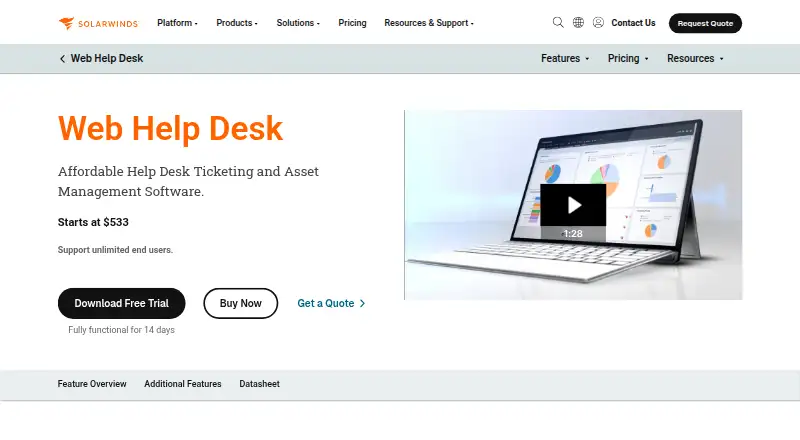
What Web Help Desk is
Web Help Desk is SolarWinds’ self-hosted service desk for handling IT support requests from internal and external clients. Incoming email can become tickets, which the system can route to technicians or work groups, assign automatically, or escalate. Subscriptions include asset discovery, hardware-to-ticket links, lifecycle tracking and software license management. Teams can publish FAQs and support articles in a searchable knowledge base, while reports and dashboards cover ticket activity, technician performance, customer satisfaction, billing data and request trends. Configurable SLAs, an employee portal, single sign-on and approval workflows are also listed. Integrations with SolarWinds Network Performance Monitor, Network Configuration Manager and Server & Application Monitor can turn alerts into tickets; Dameware Remote Support can launch a session from a request or asset inventory. The product runs on customer infrastructure, with Windows Server, macOS and Linux server options described in its installation guide. It supports web, Windows, macOS, Linux and iOS platforms. Plans are annual subscriptions priced per technician, and include unlimited end users, technical support, updates and access to the customer portal. There is no free plan, but a 14-day full-product trial is available without a credit card.
Who it suits
Web Help Desk suits IT teams that need to manage requests alongside hardware and software assets, knowledge articles, SLAs and approvals. It is suited to organizations able to run a self-hosted system and select an annual technician tier.
What it does well
- Converts incoming email into tickets and can assign or escalate them automatically.
- Subscriptions include asset discovery, lifecycle tracking and software license management.
- Searchable knowledge base supports end-user FAQs and support articles.
- Reports cover ticket activity, technician performance and customer satisfaction.
- 14-day full-product trial is available without a credit card.
What to know first
- There is no free plan.
- The product is self-hosted on the customer's infrastructure.
- Plans are annual subscriptions priced per technician.
Limits
There is no free plan. The lowest listed tier covers 1–5 technicians at $533 per technician per year, billed as an annual subscription, with unlimited end users; the trial lasts 14 days.
Plans
| Plan | Billed and limits | Price |
|---|---|---|
| 1–5 technicians | Annual subscription; price per technician, per year. · 1–5 technicians · Unlimited end users | $533 a year |
| 6–10 technicians | Annual subscription; price per technician, per year. · 6–10 technicians · Unlimited end users | $524 a year |
| 11–20 technicians | Annual subscription; price per technician, per year. · 11–20 technicians · Unlimited end users | $517 a year |
| 21–30 technicians | Annual subscription; price per technician, per year. · 21–30 technicians · Unlimited end users | $507 a year |
| 31–40 technicians | Annual subscription; price per technician, per year. · 31–40 technicians · Unlimited end users | $492 a year |
| 41–50 technicians | Annual subscription; price per technician, per year. · 41–50 technicians · Unlimited end users | $473 a year |
| 51–75 technicians | Annual subscription; price per technician, per year. · 51–75 technicians · Unlimited end users | $444 a year |
| 76–100 technicians | Annual subscription; price per technician, per year. · 76–100 technicians · Unlimited end users | $417 a year |
The first 8 of 21 plans, as solarwinds.com lists them, read 23 Sept 2026. The maker's own page has the final word. Every plan
Getting started
- Visit the Web Help Desk website.
- Choose an annual technician tier for your team size.
- Start the 14-day full-product trial without a credit card, or select a subscription.
- Install the self-hosted product on a supported Windows Server, macOS or Linux server.
- Configure email and directory connections, and connect the SolarWinds or Dameware products you use.
Verdict
Choose Web Help Desk if your IT team wants ticket workflows, asset management and end-user support resources in a self-hosted service desk. Look elsewhere if you need a free plan or do not want to run software on your own infrastructure.
Questions
Does Web Help Desk have a free plan?
No. A 14-day full-product trial is available without a credit card.
How much does Web Help Desk cost?
The 1–5 technician tier is $533 per technician per year, billed annually. Other listed tiers have different per-technician annual prices.
Where can Web Help Desk run?
It is self-hosted on customer infrastructure. The platforms listed are iOS, Linux, macOS, web and Windows, and the installation guide describes supported server operating systems.
What integrations does it support?
It integrates with SolarWinds Network Performance Monitor, Network Configuration Manager and Server & Application Monitor. Documentation also describes Gmail and Microsoft 365 incoming email support, Active Directory and LDAP integration, and a Dameware Remote Support integration.
What is included with a subscription?
Subscriptions include SolarWinds technical support, product updates and access to the online customer portal. They also include asset-management capabilities, and listed plans allow unlimited end users.
Facts from Web Help Desk's own pages
- Asset management
- Subscriptions include automated asset discovery, hardware-to-ticket linking, asset lifecycle tracking, and software license management. · solarwinds.com, 8 Oct 2026
- Deployment
- Web Help Desk is a self-hosted, on-premises solution that runs in the customer's infrastructure. · solarwinds.com, 8 Oct 2026
- Email and directory support
- The product documentation describes incoming email support for Gmail and Microsoft 365 and integration with Active Directory and LDAP. · documentation.solarwinds.com, 8 Oct 2026
- Founded
- 1999 · solarwinds.com, 28 Sept 2026
- Headquarters
- Austin, Texas, USA · solarwinds.com, 28 Sept 2026
- Integrations
- It integrates with SolarWinds Network Performance Monitor, Network Configuration Manager, and Server & Application Monitor to surface alerts and create tickets automatically. · solarwinds.com, 8 Oct 2026
- Knowledge base
- Web Help Desk includes a searchable knowledge base for publishing FAQs and support articles for end users. · solarwinds.com, 8 Oct 2026
- Purpose
- Web Help Desk is a web-based automated ticketing solution for managing IT support requests from internal and external clients. · documentation.solarwinds.com, 8 Oct 2026
- Remote support
- The Dameware Remote Support integration can launch a remote session from a service request or IT asset inventory. · solarwinds.com, 8 Oct 2026
- Reporting and SLAs
- Built-in reports and dashboard widgets cover ticket activity, technician performance, customer satisfaction, billing data, and request trends, and the product supports configurable SLAs. · solarwinds.com, 8 Oct 2026
- Security
- The documentation describes HTTPS, HSTS, and FIPS cryptography support, with HTTPS enabled by default in Web Help Desk 12.7.1 and later and FIPS disabled by default. · documentation.solarwinds.com, 8 Oct 2026
- Server platforms
- The current installation guide lists Windows Server 2016, 2019, 2022, or 2025; macOS 13 or later; and Red Hat Enterprise Linux 9+ or CentOS Stream 9+ as supported server operating systems. · documentation.solarwinds.com, 8 Oct 2026
- Support
- Subscriptions include SolarWinds technical support, product updates, and access to the online customer portal. · solarwinds.com, 8 Oct 2026
- Ticket workflows
- It can convert incoming email requests into tickets, route tickets to technicians or work groups, and automatically assign or escalate tickets. · documentation.solarwinds.com, 8 Oct 2026
- Trial
- A full product trial is available for 14 days without a credit card. · solarwinds.com, 8 Oct 2026
Where Web Help Desk stands on Freedom251
- IT SLA Management Software#30 of 50
- IT Ticketing Systems#19 of 26
- IT Help Desk Software#36 of 49