Freedom251 › Digital Experience Monitoring Software
TeamDynamix DEX
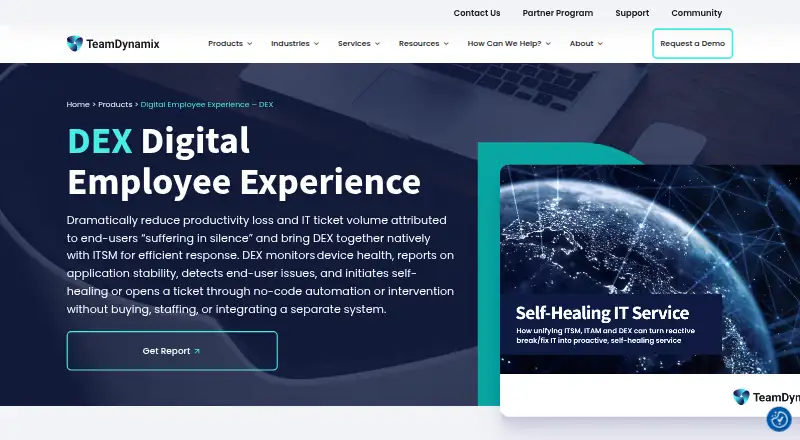
What TeamDynamix DEX is
TeamDynamix DEX monitors device health and application stability so IT teams can identify end-user technology issues and respond through automation. Its native agent tracks more than 40 health signals and assigns each device a DEX score from 1 to 100. Teams can set thresholds that trigger fixes or ticket creation when indicators move outside a healthy range. Curated, risk-gated remediation can be followed by another health measurement to check its effect. DEX is part of the TeamDynamix platform, where teams can view device health alongside asset records, software inventory, and tickets; it can also trigger prebuilt automations through the platform's integration layer. TeamDynamix says it monitors Windows, macOS, and Linux computers. The cloud deployment needs no customer-run databases, servers, or collectors, while server and administration functions are web-only. Pricing is available by inquiry. The Trust Center lists SOC 2 Type 2, ISO 27001:2022, GDPR, HIPAA, and TX-RAMP Level 2 among its compliance items.
Who it suits
DEX is designed for IT teams that want to find and address technology issues before they affect employees. It may suit organizations that use the TeamDynamix platform to bring device health, assets, software inventory, and tickets into one view.
What it does well
- Tracks more than 40 device health signals
- Thresholds can trigger fixes or ticket creation
- Checks device health again after remediation
- Monitors Windows, macOS, and Linux computers
- Cloud deployment requires no customer-run infrastructure
What to know first
- Pricing requires an inquiry
- Server and administration functions are web-only
- No free plan is listed
Plans
| Plan | Billed and limits | Price |
|---|---|---|
| TeamDynamix pricing | Pricing inquiry required | On request |
As teamdynamix.com lists them, read 3 Oct 2026. The maker's own page has the final word.
Getting started
- Visit the TeamDynamix DEX product website.
- Submit an inquiry to receive pricing information.
- Deploy the cloud service and its native agent for Windows, macOS, or Linux computers.
- Set health thresholds for automated fixes or ticket creation.
- Use the TeamDynamix web administration side to review device health.
TeamDynamix DEX is a cloud service for monitoring endpoint and application health, scoring device experience, and acting on problems through automated fixes or tickets. It suits IT teams that already need service management, asset records, and workflow automation in one operating model. The trade-off is a paid, inquiry-led product aimed at organizations prepared to adopt the broader TeamDynamix platform.
Overview
DEX combines a native device agent with TeamDynamix’s IT service management and asset capabilities. The agent tracks more than 40 health signals and turns them into a device DEX score from 1 to 100, giving teams a single indicator for endpoint condition. Thresholds can launch a repair or create a ticket when a device leaves its healthy range, so the product is designed for prevention rather than a help desk that waits for employee complaints.
Because device health, asset records, software inventory, and tickets sit together, DEX is a stronger fit for organizations already standardizing on TeamDynamix than for buyers seeking a stand-alone monitor. Its cloud deployment removes customer-run databases, servers, and collectors, while administration is performed through the web.
Key features
Health scoring and detection
The 1–100 DEX score condenses more than 40 endpoint signals into a measure that can be tracked across a fleet. Teams can set thresholds for those signals and use them to trigger action, making policies more concrete than manually reviewing raw telemetry. DEX monitors device health, application stability, and network conditions across Windows, macOS, and Linux distributions.
Automated remediation
Curated, risk-gated fixes let IT automate corrective work without treating every script as unrestricted. DEX remeasures device health after a fix, providing a check that the intervention improved the condition rather than merely closing an alert. When automation is not appropriate, the same threshold can open a ticket automatically.
Service and asset context
Endpoint monitoring is connected to ITSM and ITAM data, including software inventory and asset records. The platform also supports a service catalog, employee portal, knowledge base, SLA management, approval workflows, and mobile apps. Its enterprise integration and automation layer can trigger prebuilt automations, extending DEX events into broader workflows. Non-IT departments can use the service-management functions, and the platform includes project intake, portfolio prioritization, scenario and capacity planning, budget tracking, executive reporting, and cross-project dependencies.
Pricing
TeamDynamix pricing: custom pricing; submit an inquiry for a quote. There is no free plan. This model is appropriate for organizations that need a scoped enterprise deployment and can buy through a sales process, but it makes DEX harder to budget against products with public per-agent or per-month rates. No seat, quota, trial, or renewal terms are provided, so prospective buyers should request those commercial conditions alongside the feature scope.
Platforms
DEX is delivered as a cloud service and monitors computers running Windows, macOS, and Linux. TeamDynamix describes the server and administration side as web-only. The platform also provides mobile apps, useful for service-management tasks away from a desktop, while customer infrastructure does not include databases, servers, or collectors to operate.
Who it's for
Choose DEX when an IT team wants endpoint and application monitoring tied directly to tickets, assets, software inventory, and automated remediation. It is particularly suitable for organizations trying to detect employee-impacting issues early and govern fixes with thresholds and risk gates. The broader TeamDynamix capabilities make sense for enterprises coordinating IT and non-IT service delivery, projects, portfolios, and planning in one platform.
Look elsewhere if you need a transparent price, a free edition, or a narrowly focused monitoring tool without adopting a wider service-management environment. Web-only administration may also disqualify it for teams that require a native administrative client.
Pros and cons
Pros
- Actionable endpoint scoring: more than 40 signals and a 1–100 score help teams prioritize unhealthy devices.
- Closed-loop remediation: risk-gated fixes followed by remeasurement connect automation to an outcome check.
- Unified operational context: health, assets, software inventory, and tickets are available in the same TeamDynamix platform.
- Broad service platform: catalogs, knowledge, SLAs, approvals, mobile apps, and portfolio functions support enterprise-wide workflows.
- Reduced infrastructure burden: cloud delivery avoids customer-run servers, databases, and collectors.
Cons
- Custom pricing: buyers cannot compare a published rate or confirm commercial limits before contacting sales.
- No free plan: smaller teams cannot start with a permanent zero-cost tier.
- Web-only administration: server and administrative work requires the browser-based interface.
- Platform commitment: the strongest value appears when an organization also needs TeamDynamix ITSM and ITAM, not just endpoint telemetry.
Alternatives
For a free, self-hosted service-management option that runs across more operating systems, consider iTop; its Community plan is free of charge and not limited. Choose Vivantio when you want published annual pricing of $49–$99 per agent per month, with free end users and all features included. GLPI suits buyers wanting a freemium product, free trial, and a public cloud plan from €19 a month per IT agent.
Hornbill IT Asset Management is an alternative with personalized, scalable packages. Pick ManageEngine ServiceDesk Plus for freemium help-desk plans starting at $13 a month and a 27.00 USD Professional tier. USU Knowledge Management is aimed at modular enterprise knowledge management. Choose Matrix42 FastViewer when concurrent-session licensing at €540 a year, plus 19% VAT, matches your remote-support model. OpenText Service Management provides SaaS plans with custom pricing and a 99.9% SLA uptime commitment.
For category comparisons, browse IT Service Catalog Software, Enterprise Service Management Software, Digital Experience Monitoring Software, Project Portfolio Management Software, IT Knowledge Base Software, and IT Help Desk Software.
Verdict
TeamDynamix DEX is a strong choice for enterprise IT teams that want endpoint experience signals to trigger governed remediation and flow directly into ITSM and asset processes. Its main reason to choose it is the combination of closed-loop device healing and broad TeamDynamix service workflows. Its main reason to look elsewhere is the lack of public pricing or a free tier, especially if you only need monitoring rather than a full service-management platform.
Verdict
TeamDynamix DEX links endpoint monitoring with automated remediation and ticket workflows. Its cloud deployment avoids customer-run servers and collectors, but pricing is provided by inquiry and administration is web-only.
Questions
What does TeamDynamix DEX monitor?
It monitors device health and application stability. Its native agent tracks more than 40 health signals and produces a device score from 1 to 100.
Which operating systems does it support?
TeamDynamix says DEX monitors computers running Microsoft Windows, macOS, and Linux distributions.
How is pricing handled?
Pricing is available by inquiry; customers should submit an inquiry to receive pricing information.
Is there a free plan?
No free plan is listed.
Does DEX include automated remediation?
Yes. Health thresholds can trigger automated fixes, and curated, risk-gated fixes can be followed by another health measurement.
What is included in its compliance listing?
The Trust Center lists SOC 2 Type 2, ISO 27001:2022, GDPR, HIPAA, and TX-RAMP Level 2 among its compliance items.
Facts from TeamDynamix DEX's own pages
- Administration
- TeamDynamix’s implementation documentation describes DEX as web-only on the server and administration side. · solutions.teamdynamix.com, 3 Oct 2026
- Audience
- The product is designed for IT teams seeking to detect and resolve technology issues before they affect employees. · teamdynamix.com, 3 Oct 2026
- Company history
- TeamDynamix says it was founded in Columbus, Ohio, in 2001. · teamdynamix.com, 3 Oct 2026
- Detection
- Teams can set health thresholds to trigger automated fixes or automatically created tickets when indicators leave the healthy range. · teamdynamix.com, 3 Oct 2026
- Device health
- A native agent tracks more than 40 health signals and presents a device DEX score from 1 to 100. · teamdynamix.com, 3 Oct 2026
- Founded
- 2001 · teamdynamix.com, 28 Sept 2026
- Headquarters
- Columbus, Ohio, United States · teamdynamix.com, 28 Sept 2026
- Infrastructure
- TeamDynamix says DEX has no customer-run databases, servers, or collectors. · teamdynamix.com, 3 Oct 2026
- Integrations
- DEX can trigger prebuilt automations through TeamDynamix’s enterprise integration and automation layer. · teamdynamix.com, 3 Oct 2026
- ITSM and ITAM
- DEX is built into the TeamDynamix platform, where device health, asset records, software inventory, and tickets can be viewed together. · teamdynamix.com, 3 Oct 2026
- Operating systems
- TeamDynamix says DEX monitors computers running Microsoft Windows, macOS, and Linux distributions. · teamdynamix.com, 3 Oct 2026
- Pricing
- TeamDynamix says customers should submit an inquiry to receive pricing information. · teamdynamix.com, 3 Oct 2026
- Purpose
- DEX monitors device health and application stability, detects end-user issues, and can initiate self-healing or open a ticket through automation. · teamdynamix.com, 3 Oct 2026
- Remediation
- DEX can run curated, risk-gated fixes and remeasure device health to check whether remediation worked. · teamdynamix.com, 3 Oct 2026
- Security and compliance
- The Trust Center lists SOC 2 Type 2, ISO 27001:2022, GDPR, HIPAA, and TX-RAMP Level 2 among its compliance items. · trust.teamdynamix.com, 3 Oct 2026
- Support
- TeamDynamix directs customers seeking support to submit a ticket or visit its customer portal. · teamdynamix.com, 3 Oct 2026