Freedom251 › Digital Employee Experience (DEX) Management Software
HP Workforce Experience Platform
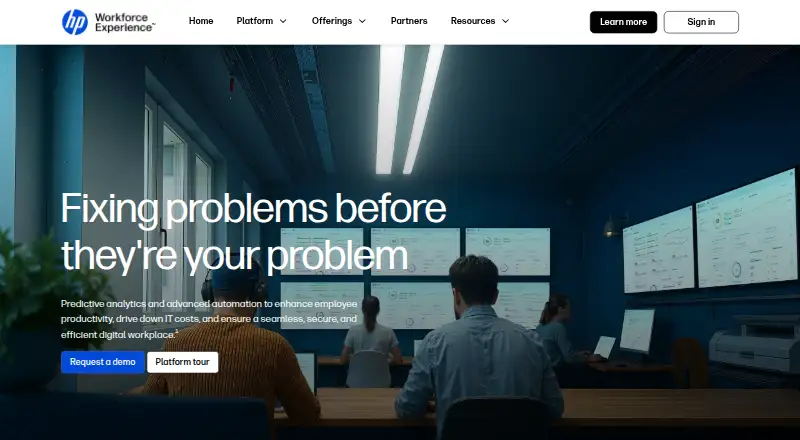
What HP Workforce Experience Platform is
HP Workforce Experience Platform (WXP) is a cloud-based digital employee experience service intended to improve IT efficiency, reduce costs, and improve employee experience. It monitors PCs, Macs, collaboration tools, printers, accessories, and software, using predictive analytics and actionable insights. Its AI workflow uses device data and survey results to recommend actions, help users or IT carry them out, and automate issue resolution. The Workforce Experience Score combines employee sentiment, device health, security, and application performance into a score from 0 to 100. WXP works with Windows, macOS, and Android devices from different manufacturers and does not require a VPN or deep access to customer networks. Listed integrations include ServiceNow, Microsoft Intune, Power BI, Power Automate, Tableau, and Microsoft Entra ID; open APIs support incident and analytics integrations. HP states that WXP is certified to ISO 27001, ISO 27701, ISO 27017, and SOC 2 Type 2. Pricing is on request. HP says it is available at no additional cost to new and renewing HP Proactive Insights customers in the United States; some features require optional add-ons, HP services, or compatible commercial hardware.
Who it suits
WXP suits commercial organizations seeking visibility into employee devices, applications, and workplace technology. It may fit teams that use its listed integrations and want to connect device and survey data with remediation workflows.
What it does well
- Monitors devices, collaboration tools, printers, and software
- Combines sentiment and technical measures in one score
- Works with Windows, macOS, and Android devices
- Provides open APIs and preconfigured connectors
- HP lists four security certifications
What to know first
- Pricing is available on request
- Some features require add-ons, services, or compatible hardware
- Some solutions require an agent and internet access
- No-cost availability is limited to specified U.S. customers
Limits
The Standard plan offers essential PC fleet visibility and control, with limited analytics, experience analytics, surveys, and third-party integrations. Pro includes limited natural language search, while Elite includes unlimited natural language search. Some features require optional add-ons, HP services, or compatible commercial hardware.
Plans
| Plan | Billed and limits | Price |
|---|---|---|
| Pro | employee engagement and remediations · AI remediation and smart device refresh · limited natural language search · HP Remote Connect included | On request |
| WXP Print Standard | printer onboarding · asset management · analytics and reporting · essential security settings | On request |
| Standard | essential PC fleet visibility and control · limited analytics, experience analytics, surveys, and third-party integrations · BIOS policy remediation | On request |
| Elite | AI capabilities · unlimited natural language search · HP Remote Connect included | On request |
| WXP Print Pro | printer onboarding · asset management · analytics and reporting · advanced security settings · certificate management | On request |
As workforceexperience.hp.com lists them, read 3 Oct 2026. The maker's own page has the final word.
Getting started
- Visit the HP Workforce Experience Platform website.
- Contact HP sales to discuss plans and service definitions.
- Choose a plan based on the listed PC fleet or printer capabilities.
- Use compatible Windows, macOS, or Android devices; some HP solutions require the WXP Insights agent and internet access.
HP Workforce Experience Platform (WXP) is a cloud service for commercial IT teams managing heterogeneous device estates and employee technology experience. It is strongest when an organization wants telemetry, sentiment, and remediation connected rather than handled in separate tools. The trade-off is a sales-led buying process and feature boundaries that vary by plan, add-on, agent, and hardware.
Overview
WXP gives IT a consolidated view of PCs, Macs, Android devices, collaboration tools, printers, accessories, and software. Predictive analytics and actionable insights are intended to expose problems before they become widespread service issues. The Workforce Experience Score combines employee sentiment, device health, security, and application performance into a 0–100 measure. That makes technical performance easier to relate to workforce perception, provided teams use the underlying signals to drive action rather than treating the score as an end in itself.
Its cloud architecture supports Windows, macOS, and Android devices from different manufacturers without requiring a VPN or deep access to the customer network. HP states certifications for ISO 27001, ISO 27701, ISO 27017, and SOC 2 Type 2, which will matter to organizations with formal security and privacy requirements. Some solutions require the WXP Insights agent to collect device and application telemetry, and that agent needs internet access. HP also describes certain capabilities as dependent on optional add-ons, HP services, or compatible commercial hardware.
Key features
Monitoring and remediation
Endpoint, application, and network monitoring cover the main layers that shape digital employee experience. WXP combines device data with survey results to recommend actions, help users or IT execute them, and automate issue resolution. This is a practical advantage for teams that want fewer handoffs between detection and repair; teams seeking only dashboards may find the broader workflow scope unnecessary.
Experience analytics and integrations
The score provides a common metric across sentiment, health, security, and application performance. Open APIs support incident and analytics integrations, while preconfigured connectors are provided for ServiceNow, Microsoft Power BI, and Tableau. HP also lists Microsoft Intune, Microsoft Power Automate, and Microsoft Entra ID integrations. These connections make WXP more suitable for organizations already invested in those platforms, although the value depends on confirming which connectors and functions are included in the chosen plan.
Fleet and print coverage
WXP extends beyond PCs to printers, accessories, collaboration tools, and software. The dedicated print plans add printer onboarding, asset management, analytics, reporting, and security controls, with certificate management reserved for the Pro print tier. That breadth favors IT departments responsible for both endpoint and print estates, while a PC-only operation may not use much of the platform's scope.
Pricing
HP uses paid, custom pricing and directs prospective customers to sales for service definitions and plan selection. There is no published term, seat allowance, trial period, or renewal condition, so budget comparisons require a direct quote.
- Pro: employee engagement and remediations, AI remediation, smart device refresh, limited natural-language search, and HP Remote Connect. It suits teams that want engagement workflows and assisted remediation but can accept restricted search.
- Standard: essential PC fleet visibility and control, limited analytics, experience analytics, surveys, third-party integrations, and BIOS policy remediation. It is the lower-scope choice for core PC management; the limits on analytics, surveys, and integrations reduce its usefulness for a broad experience program.
- Elite: AI capabilities, unlimited natural-language search, and HP Remote Connect. This is the clearest fit for organizations that expect heavy conversational analysis and the fullest AI-oriented workflow, subject to the quoted price.
- WXP Print Standard: printer onboarding, asset management, analytics and reporting, and essential security settings. It covers foundational print operations without advanced certificate controls.
- WXP Print Pro: the Standard print capabilities plus advanced security settings and certificate management. Choose it when print security administration is a requirement rather than an optional extra.
HP says WXP is available at no additional cost to new and renewing HP Proactive Insights customers in the United States, while its beta program is expanding to more countries. That condition is potentially significant for existing Proactive Insights customers, but it does not replace a plan and eligibility check for other buyers.
Platforms
WXP is deployed in the cloud and supports Windows, macOS, and Android. The service also exposes APIs, making it suitable for environments that need to connect monitoring and analytics to existing IT workflows. Internet access is required for the WXP Insights agent where that agent is used.
Who it's for
WXP is aimed at commercial organizations with mixed-manufacturer fleets and IT teams responsible for employee experience as well as device operations. It is a strong match for buyers already using ServiceNow, Intune, Power BI, Power Automate, Tableau, or Entra ID, and for those that want automated remediation instead of passive monitoring. It is less compelling for small teams seeking transparent self-serve pricing, or for organizations unwilling to deploy an agent or purchase compatible HP hardware for particular capabilities.
Pros and cons
Pros
- Broad estate coverage: PCs, Macs, Android devices, printers, collaboration tools, accessories, and software can be viewed in one service.
- Experience context: the 0–100 score joins sentiment with health, security, and application performance.
- Action-oriented automation: recommendations, guided execution, and automated resolution can shorten the path from detection to repair.
- Enterprise integration: open APIs and named connectors support established incident and analytics workflows.
- Cloud and certification posture: mixed-vendor support without VPN or deep network access, alongside four stated ISO and SOC certifications.
Cons
- Opaque commercial terms: every plan uses custom pricing, with no published seat, usage, trial, or renewal terms.
- Plan fragmentation: search, AI, analytics, integrations, and print security vary materially between tiers.
- Dependency caveats: some functions require add-ons, HP services, compatible commercial hardware, or the internet-connected Insights agent.
- Geographic qualification: the no-additional-cost Proactive Insights condition is stated for the United States, while broader availability is still expanding.
Alternatives
For a wider shortlist, see the Digital Experience Monitoring Software guide.
- Almaden Collective IQ suits buyers wanting Android, iOS, Linux, macOS, and Windows coverage with defined 13-month data retention and edition-specific visibility windows.
- FlexxClient is another paid, cross-platform option when pricing through a request is acceptable.
- Nexthink Adopt fits organizations prepared for licensing that may require an additional license and a representative quote.
- Riverbed Aternity is an enterprise-oriented alternative with broad platform support, including self-hosted deployment.
- TeamViewer RMM is worth considering when a device-based monitoring license and a five-endpoint starting point fit the rollout.
- Citrix Remote Browser Isolation targets pooled-user browser isolation rather than a general WXP-style experience platform.
- Lakeside SysTrack provides another paid digital-experience option across major desktop and mobile platforms.
- TeamDynamix DEX is a paid alternative requiring a pricing inquiry, without a free plan.
Verdict
Choose HP Workforce Experience Platform if you need one cloud service to connect mixed-fleet monitoring, employee sentiment, integrations, and automated remediation, especially within an HP Proactive Insights or Microsoft-centric environment. Look elsewhere if transparent pricing, a single unbundled feature set, or operation without agents, add-ons, and hardware conditions is more important than breadth.
Verdict
WXP combines fleet monitoring, experience scoring, integrations, and remediation workflows in a cloud service. Buyers should confirm plan details and whether their intended features require add-ons, an agent, or compatible hardware.
Questions
How much does WXP cost?
Pricing is available on request. HP says it is available at no additional cost to new and renewing HP Proactive Insights customers in the United States.
Which platforms does WXP support?
WXP works with Windows, macOS, and Android devices from different manufacturers. Its listed platforms also include web and API.
What do the listed plans include?
Standard focuses on essential PC fleet visibility and control. Pro adds employee engagement and remediations, AI remediation, smart device refresh, limited natural language search, and HP Remote Connect; Elite includes AI capabilities, unlimited natural language search, and HP Remote Connect. The Print plans cover printer onboarding, asset management, analytics, and security settings, with certificate management in Print Pro.
Which integrations are listed?
HP lists ServiceNow, Microsoft Intune, Microsoft Power BI, Microsoft Power Automate, Tableau, and Microsoft Entra ID. Preconfigured connectors are listed for ServiceNow, Power BI, and Tableau.
Does WXP require an agent?
Some HP solutions require the WXP Insights agent, which collects device and application telemetry and needs internet access.
What security certifications does HP state?
HP states that WXP is certified to ISO 27001, ISO 27701, ISO 27017, and SOC 2 Type 2.
Facts from HP Workforce Experience Platform's own pages
- Agent requirement
- Some HP solutions require the WXP Insights agent, which collects device and application telemetry and requires internet access. · workforceexperience.hp.com, 3 Oct 2026
- AI workflow
- WXP uses device data and survey results to recommend actions, assist users or IT in executing them, and automate issue resolution. · workforceexperience.hp.com, 3 Oct 2026
- APIs
- WXP provides open APIs for incident and analytics integrations and preconfigured connectors for ServiceNow, Power BI, and Tableau. · workforceexperience.hp.com, 3 Oct 2026
- Architecture
- WXP is cloud-based, works with Windows, macOS, and Android devices from different manufacturers, and does not require a VPN or deep access to customer networks. · workforceexperience.hp.com, 3 Oct 2026
- Availability
- HP says WXP is available at no additional cost to new and renewing HP Proactive Insights customers in the United States, while its beta program is expanding to more countries. · workforceexperience.hp.com, 3 Oct 2026
- Commercial use
- HP describes WXP as a commercial customer offering, with some features requiring optional add-ons, HP services, or compatible commercial hardware. · workforceexperience.hp.com, 3 Oct 2026
- Experience score
- The Workforce Experience Score combines employee sentiment, device health, security, and application performance into a score from 0 to 100. · workforceexperience.hp.com, 3 Oct 2026
- Fleet visibility
- The platform monitors PCs, Macs, collaboration tools, printers, accessories, and software using predictive analytics and actionable insights. · workforceexperience.hp.com, 3 Oct 2026
- Integrations
- HP lists integrations with ServiceNow, Microsoft Intune, Microsoft Power BI, Microsoft Power Automate, Tableau, and Microsoft Entra ID. · workforceexperience.hp.com, 3 Oct 2026
- Purpose
- WXP is an AI-powered digital employee experience solution intended to improve IT efficiency, reduce costs, and enhance employee experience. · workforceexperience.hp.com, 3 Oct 2026
- Security certifications
- HP states that WXP is certified to ISO 27001, ISO 27701, ISO 27017, and SOC 2 Type 2. · workforceexperience.hp.com, 3 Oct 2026
- Support
- HP directs prospective customers to contact HP sales for complete service definitions and to contact HP about choosing a plan. · workforceexperience.hp.com, 3 Oct 2026