Freedom251 › Digital Experience Monitoring Software

FlexxClient
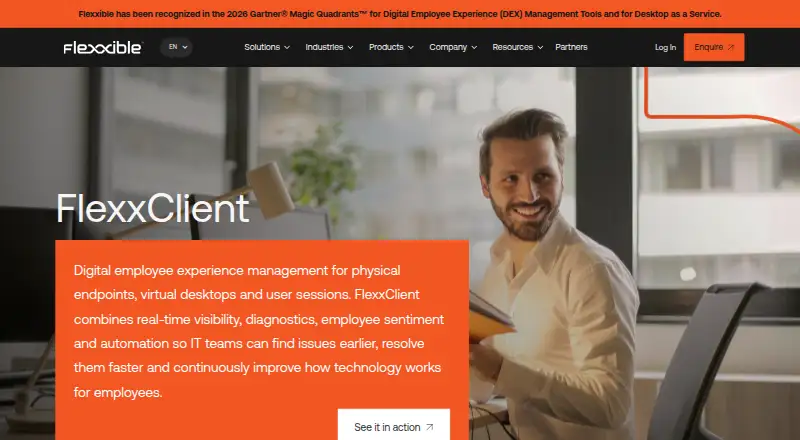
What FlexxClient is
FlexxClient is a cloud SaaS platform for managing physical and virtual workplaces across hybrid environments. It combines endpoint and user-session visibility with automation, digital employee experience management, and regulatory compliance. Teams can configure self-remediation scripts, automated workflows, approval steps, and actions across multiple devices. Support tools include unattended access, remote assistance, maintenance mode, and power actions such as Wake on LAN. Diagnostics include dynamic sensors, application-performance metrics, alerts, historical records, and an event catalogue. Software Asset Management covers software costs, installed versions, usage, and a software catalogue. Security functions include third-party patching, automated remediation, alerting, and compliance reporting for antivirus, EDR, BitLocker, and patching. FlexxAgent supports Windows, Linux, macOS, ChromeOS, and Android, but features vary: Android requires an MDM platform and lacks power actions, remote assistance, workflows, and microservices. On macOS, several assistance and automation capabilities are unavailable, and reporting stops while the screen is locked. Pricing is available upon request.
Who it suits
FlexxClient suits organizations managing endpoints and user sessions across hybrid workplaces, including governmental organizations, utilities, and healthcare providers. The maker says its products are deployed across more than 600,000 endpoints.
What it does well
- Provides visibility across endpoints and user sessions
- Supports automated remediation and approval workflows
- Tracks software costs, versions, and usage
- Reports compliance for antivirus, EDR, BitLocker, and patching
- Lists ITSM and EDR interoperability
What to know first
- Pricing is available upon request
- Android requires an MDM platform
- Android lacks power actions and remote assistance
- macOS reporting stops while the screen is locked
Plans
| Plan | Billed and limits | Price |
|---|---|---|
| FlexxClient | Pricing available upon request | On request |
As flexxible.com lists them, read 1 Oct 2026. The maker's own page has the final word.
Getting started
- Visit the FlexxClient product page.
- Request pricing from Flexxible.
- Plan to use the cloud deployment and select supported endpoint operating systems.
- For Android deployments, arrange an MDM platform such as Google Admin or Microsoft Intune.
FlexxClient is a cloud platform for managing physical and virtual workplace endpoints, user sessions and compliance. It is best suited to IT teams that want monitoring, remediation and support capabilities in one system. Its broad scope is attractive, but operating-system gaps and custom pricing make fit worth weighing carefully.
Overview
FlexxClient combines workplace visibility with automation, diagnostics, software asset management and security functions. Connecting those jobs can help IT teams move from spotting an issue to responding and tracking compliance without relying on separate tools for each task. Flexxible says its products are deployed across more than 600,000 endpoints, including at governmental organizations, multinational utilities and healthcare providers.
The cloud platform covers endpoint, application and network monitoring, plus automated remediation. That range suits hybrid environments, but capabilities vary by device operating system, an important consideration for organizations with mixed fleets.
Key features
Monitoring, diagnostics and remediation
Unified visibility covers endpoints and user sessions across hybrid work environments. Dynamic sensors, application-performance metrics, alerts, historical diagnostics and an event catalogue give IT teams several ways to identify and investigate problems. Customized self-remediation scripts, workflow automation, approval steps and multi-device actions can help standardize responses to recurring issues, though teams will need to shape those automations around their own processes.
Support and software assets
Remote support includes unattended access, Windows Remote Assistance, maintenance mode and power actions such as Wake on LAN. Those tools can help staff support devices without being physically present, but several support functions are absent on macOS and Android. Software Asset Management tracks software costs, installed versions and usage alongside a software catalogue, giving teams a basis for managing their software estate.
Security and integrations
Third-party patching, automated security remediation and security alerts sit alongside compliance reporting for antivirus, EDR, BitLocker and patching. Flexxible lists native interoperability with ITSM and EDR platforms, as well as connections including CrowdStrike, Trend Vision One, Microsoft Intune, Microsoft Entra ID and Intel vPro; APIs and webhooks extend the ecosystem options. Its cited standards include ISO 27001:2022, ISO 27017:2015, ISO 27018:2019, ISO 27701:2019 and Spain's ENS RD 311/2022.
Pricing
FlexxClient is paid software with custom pricing. The FlexxClient plan includes endpoint, application and network monitoring and automated remediation, with cloud deployment; pricing is available upon request. Teams should request a quote to assess the cost for their needs. No free plan or trial terms are stated.
Platforms
FlexxClient is offered on Android, Linux, macOS, web and Windows. FlexxAgent is supported on Windows, Linux, macOS, ChromeOS and Android, so the agent's operating-system coverage is broader than the platform list.
On macOS, remote assistance, on-demand and user microservices, workflows and notifications are unavailable. A device also stops reporting while its screen is locked. Android deployments require an MDM platform such as Google Admin or Microsoft Intune, and do not support power actions, remote assistance, workflows or microservices. These restrictions can rule out FlexxClient for teams whose support or automation depends on those functions across their Mac or Android fleet.
Who it's for
FlexxClient is a plausible fit for IT teams managing hybrid workplaces that want monitoring, support, asset tracking and security reporting in one cloud platform. Its automation and compliance capabilities may be particularly relevant to larger organizations with established IT operations. Teams that rely on uniform remote support or workflows across macOS and Android should compare the gaps against their day-to-day requirements before choosing it.
Pros and cons
- Pros: Monitoring, diagnostics, automation, asset management and security reporting are brought together in one platform, reducing the need to treat those IT tasks as separate functions.
- Pros: Multi-device actions, approval workflows and automated remediation support repeatable responses to endpoint issues.
- Pros: The listed standards and integrations address security, privacy and interoperability needs for organizations with established IT ecosystems.
- Cons: macOS and Android lack several support and automation functions, limiting consistency across mixed-device fleets.
- Cons: Android requires an MDM platform, adding a dependency for organizations deploying the agent on those devices.
- Cons: Custom pricing means teams need a quote to judge cost and budget fit.
Alternatives
For a different digital experience monitoring option, browse Digital Experience Monitoring Software.
- Almaden Collective IQ is another paid option, with Essential and Business editions that each list 13 months of data retention; Essential lists two months of data visibility.
- Nexthink Adopt is a paid alternative for teams considering its Android, extension, iOS, macOS, web and Windows platform coverage; pricing requires contacting Nexthink.
- Riverbed Aternity is a paid alternative with an enterprise digital experience management offering and support for web and self-hosted deployments as well as multiple operating systems.
- TeamViewer RMM may suit teams seeking a free trial; its Monitoring & Asset Management plan uses device-based licensing starting from five endpoint devices.
- HP Workforce Experience Platform is worth considering for its Pro plan, which includes employee engagement and remediations, AI remediation and smart device refresh, limited natural language search and HP Remote Connect.
- Lakeside SysTrack is another paid option with support for Android, iOS, Linux, macOS, web and Windows.
- TeamDynamix DEX is a paid alternative for teams considering Linux, macOS, web and Windows coverage; its pricing requires an inquiry and it has no free plan.
- UXM may suit teams interested in a free trial or a self-hosted deployment.
Verdict
Choose FlexxClient if your IT team wants a cloud platform that brings hybrid endpoint visibility, automation, support, software asset tracking and security reporting together. Its breadth is the main reason to consider it; the substantial macOS and Android limitations, plus custom pricing, are the reasons to look elsewhere if consistent cross-platform support or a known budget is essential.
Verdict
FlexxClient combines workplace management, diagnostics, software asset tracking, and security functions in one cloud platform. Check the operating-system limitations and request pricing before assessing fit.
Questions
How much does FlexxClient cost?
FlexxClient is paid, and pricing is available on request.
Which operating systems does FlexxClient support?
FlexxAgent supports Windows, Linux, macOS, ChromeOS and Android.
Does FlexxClient support Android without an MDM?
Android deployments require an MDM platform such as Google Admin or Microsoft Intune.
What features are unavailable on Android?
Android does not support power actions, remote assistance, workflows or microservices.
What are the macOS limitations?
On macOS, remote assistance, on-demand microservices, user microservices, workflows and notifications are unavailable. The device also stops reporting while its screen is locked.
Which integrations does FlexxClient list?
Flexxible lists native interoperability with ITSM and EDR platforms, and identifies CrowdStrike, Trend Vision One, Microsoft Intune, Microsoft Entra ID, Intel vPro, APIs and webhooks as integrations or ecosystem connections.
Facts from FlexxClient's own pages
- Agent platforms
- FlexxAgent is supported on Windows, Linux, macOS, ChromeOS and Android. · docs.flexxible.com, 1 Oct 2026
- Android limitation
- Android deployments require an MDM platform such as Google Admin or Microsoft Intune, and Android does not support power actions, remote assistance, workflows or microservices. · docs.flexxible.com, 1 Oct 2026
- Automation
- FlexxClient supports customized self-remediation scripts, workflow automation, approval workflows and multi-device actions. · flexxible.com, 1 Oct 2026
- Certifications
- Flexxible lists ISO 27001:2022, ISO 27017:2015, ISO 27018:2019, ISO 27701:2019 and Spain's ENS RD 311/2022 among its security and privacy standards. · flexxible.com, 1 Oct 2026
- Diagnostics
- FlexxClient includes dynamic sensors, application-performance metrics, performance alerts, historical diagnostics and an event catalogue. · flexxible.com, 1 Oct 2026
- Founded
- 2008 · flexxible.com, 28 Sept 2026
- Headquarters
- Terrassa, Barcelona, Spain · flexxible.com, 28 Sept 2026
- Integrations
- Flexxible lists native interoperability with ITSM and EDR platforms and identifies CrowdStrike, Trend Vision One, Microsoft Intune, Microsoft Entra ID, Intel vPro, APIs and webhooks as integrations or ecosystem connections. · flexxible.com, 1 Oct 2026
- macOS limitation
- On macOS, remote assistance, on-demand microservices, user microservices, workflows and notifications are unavailable, and the device stops reporting while the screen is locked. · docs.flexxible.com, 1 Oct 2026
- Maker location
- Flexxible describes itself as founded in Barcelona and headquartered in Terrassa, Spain. · flexxible.com, 1 Oct 2026
- Observability
- The platform provides unified visibility and management of endpoints and user sessions across hybrid work environments. · flexxible.com, 1 Oct 2026
- Purpose
- FlexxClient is a SaaS platform for managing physical and virtual workplaces that combines automation, digital employee experience management and regulatory compliance. · flexxible.com, 1 Oct 2026
- Security
- Security capabilities include third-party patching, automated security remediation, security alerting and compliance reporting for antivirus, EDR, BitLocker and patching. · flexxible.com, 1 Oct 2026
- Software assets
- Software Asset Management covers software cost, installed versions, usage and a software catalogue. · flexxible.com, 1 Oct 2026
- Support tools
- Features include remote support, unattended access, Windows Remote Assistance, maintenance mode and power actions such as Wake on LAN. · flexxible.com, 1 Oct 2026
- Target customers
- Flexxible says its products are deployed across more than 600,000 endpoints and serve governmental organizations, multinational utilities and healthcare providers. · flexxible.com, 1 Oct 2026