Freedom251 › Digital Experience Monitoring Software
Goliath Performance Monitor
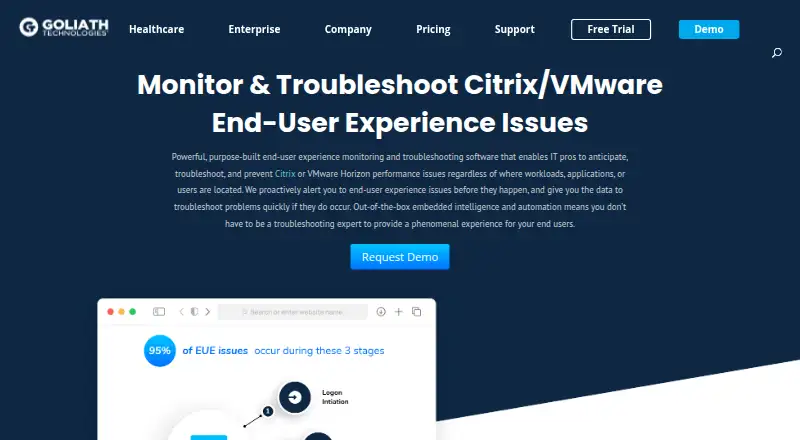
What Goliath Performance Monitor is
Goliath Performance Monitor monitors and troubleshoots end-user experience issues in Citrix and VMware Horizon environments. It watches supported environments around the clock and uses threshold-based alerts across more than 250 failure points to flag warning signs. Its logon analysis covers more than 33 stages and includes historical sessions. Self-healing workflows can restart applications or servers, end user sessions, restart print services, rebalance sessions, and run PowerShell scripts. The product includes 66 out-of-the-box reports and supports analytics integrations with Microsoft Power BI and Tableau. It also integrates with existing helpdesk tools and provides alert-resolution instructions. Supported virtualization platforms include Citrix Virtual Apps and Desktops, Citrix DaaS, and Omnissa Horizon. The web console is accessible in supported browsers, and the Goliath Server runs on 64-bit Windows Server 2016–2025. Console security includes role-based access, Active Directory integration or product-local accounts, optional multi-factor authentication, and TLS 1.2 for console access and agent communication. Pricing is available on request, and a 30-day trial is listed. The trial installation includes SQL Express and supports approximately 35 VMs and 100 concurrent user sessions under its 10 GB database limit.
Who it suits
Goliath Performance Monitor is aimed at IT professionals managing end-user experience in Citrix or VMware Horizon environments. Its monitoring, reports, and remediation workflows may suit teams responsible for virtual desktops and applications.
What it does well
- Monitors more than 250 failure points.
- Analyzes more than 33 logon stages.
- Includes 66 built-in reports.
- Self-healing workflows can run PowerShell scripts.
- Offers a 30-day trial.
What to know first
- Pricing is available on request.
- Trial capacity is approximately 35 VMs.
- Trial supports 100 concurrent user sessions.
- Server requires 64-bit Windows Server 2016–2025.
Limits
The 30-day trial includes SQL Express and supports approximately 35 VMs and 100 concurrent user sessions under a 10 GB database limit. The product has no free plan, and paid pricing is provided on request.
Plans
| Plan | Billed and limits | Price |
|---|---|---|
| Goliath Performance Monitor | Perpetual license, subscription, enterprise license agreement, OEM, or MSP pricing | On request |
As goliathtechnologies.com lists them, read 7 Oct 2026. The maker's own page has the final word.
Getting started
- Request pricing or start the 30-day trial
- Install Goliath Server on 64-bit Windows Server 2016–2025
- Use the browser-accessible web console
- Connect supported Citrix or Omnissa Horizon environments
- Configure role-based access and optional Active Directory or local accounts
- Enable multi-factor authentication if required
- Review alerts, reports, and remediation workflows
Verdict
Goliath Performance Monitor combines virtual environment monitoring, logon analysis, reporting, and automated remediation. Check the trial capacity and server requirements against your deployment before proceeding.
Questions
Is there a free plan?
No. Goliath Performance Monitor is paid, with pricing on request. A 30-day trial is available.
Which environments does it support?
Supported platforms include Citrix Virtual Apps and Desktops, Citrix DaaS, and Omnissa Horizon.
What does the trial support?
The trial includes SQL Express and supports about 35 VMs and 100 concurrent user sessions within a 10 GB database limit.
What server operating system is required?
The Goliath Server runs on 64-bit Windows Server 2016–2025.
Does it integrate with analytics tools?
Yes. Reports support integrations with Microsoft Power BI and Tableau.
What security controls are available?
The web console supports role-based access, Active Directory or product-local accounts, optional multi-factor authentication, and TLS 1.2 for web and agent communication.
Facts from Goliath Performance Monitor's own pages
- Alerts
- Its embedded intelligence monitors more than 250 failure points and provides threshold-based alerts. · goliathtechnologies.com, 7 Oct 2026
- Encryption in transit
- Goliath Performance Monitor supports TLS 1.2 for web console access and agent communication. · support.goliathtechnologies.com, 7 Oct 2026
- Headquarters
- Berwyn, Pennsylvania, United States · goliathtechnologies.com, 28 Sept 2026
- Helpdesk integration
- Goliath says it integrates with existing helpdesk tools and provides alert resolution instructions. · goliathtechnologies.com, 7 Oct 2026
- Intended users
- Goliath describes its observability solutions as built for IT professionals managing end-user experience across hybrid multi-cloud environments, with a specific focus on healthcare IT. · goliathtechnologies.com, 7 Oct 2026
- Logon analysis
- It provides detailed analysis across more than 33 stages of the logon process, including historical sessions. · goliathtechnologies.com, 7 Oct 2026
- MFA
- Multi-factor authentication can be enabled globally for Goliath end users after role-based security is enabled. · support.goliathtechnologies.com, 7 Oct 2026
- Monitoring
- The product monitors environments 24/7/365 and alerts teams to warning signs before users are impacted. · goliathtechnologies.com, 7 Oct 2026
- Purpose
- Goliath Performance Monitor monitors and troubleshoots Citrix or VMware Horizon end-user experience issues. · goliathtechnologies.com, 7 Oct 2026
- Remediation
- Self-healing workflows can restart applications or servers, log off user sessions, restart print services, rebalance sessions, and execute PowerShell scripts. · goliathtechnologies.com, 7 Oct 2026
- Reports
- The product includes 66 out-of-the-box reports and supports analytics integrations with Microsoft Power BI and Tableau. · goliathtechnologies.com, 7 Oct 2026
- Security
- The web console supports role-based access controls and can use Active Directory integration or product-local accounts. · support.goliathtechnologies.com, 7 Oct 2026
- Supported environments
- The maker lists Citrix Virtual Apps and Desktops, Citrix DaaS, and Omnissa Horizon among the supported application and desktop virtualization platforms. · support.goliathtechnologies.com, 7 Oct 2026
- Technical requirements
- The Goliath Server runs on 64-bit Windows Server 2016–2025, and the product uses a web console accessible with supported browsers. · support.goliathtechnologies.com, 7 Oct 2026
- Trial capacity
- The trial installation includes SQL Express and, under its 10 GB database limit, supports monitoring approximately 35 VMs and 100 concurrent user sessions. · support.goliathtechnologies.com, 7 Oct 2026