Freedom251 › Browser Isolation Software

Citrix Remote Browser Isolation
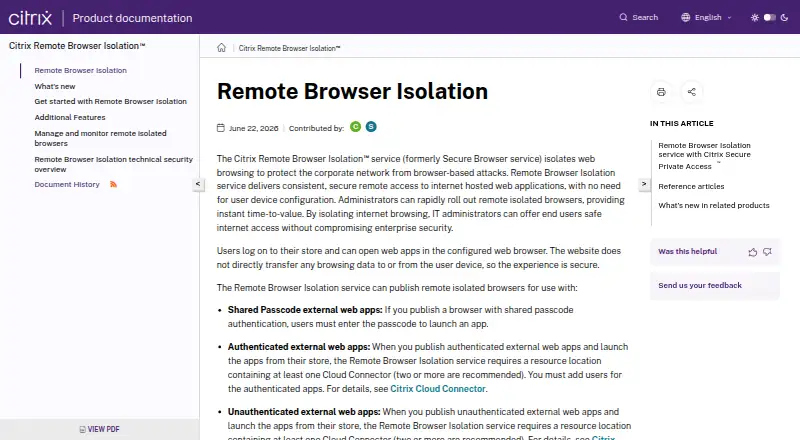
What Citrix Remote Browser Isolation is
Citrix Remote Browser Isolation separates browsing from a user’s device to help protect corporate networks from browser-based attacks and provide access to internet-hosted web applications. Users open web apps in a configured browser, while browsing data does not transfer directly between the website and the device. Published browsers can serve shared-passcode, authenticated, and unauthenticated external web apps. Controls include URL allow lists, clipboard and printing restrictions, kiosk mode, region failover, and client drive mapping. Administrators can monitor active sessions and disconnect them. Optional activity logging records visited host names, access times, user identifiers, and allowlist enforcement status in a customer’s Azure Storage Account; uploads happen hourly, not in real time. In the cloud service, browsers run on VDAs and Citrix Cloud manages components, including security patching. Hosted browsers retain history and HTTP request cache during a session, which Citrix says is deleted when the session ends. Traffic is encrypted with TLS, and TLS 1.2 is the only supported version. Access requires an HTML5-compatible browser; downloadable clients are not provided. Pricing is on request, and there is no free plan.
Who it suits
This service may suit organizations seeking to isolate browser access to external web apps and manage sessions centrally. It supports Windows, macOS, and Linux and has cloud and self-hosted deployment details.
What it does well
- URL allow lists and multiple browser-use controls are available.
- Administrators can monitor and disconnect active sessions.
- Hosted session history and cache are deleted when sessions end.
- Integrates with Citrix StoreFront and Secure Private Access.
What to know first
- TLS 1.2 is the only supported TLS version.
- Activity logs upload hourly, not in real time.
- Access requires an HTML5-compatible browser.
- No downloadable clients or free plan are offered.
Limits
There is no free plan. The Single Edition subscription includes 5,000 pooled user hours; additional user hours are available from Citrix or the Azure Marketplace.
Plans
| Plan | Billed and limits | Price |
|---|---|---|
| Single Edition | Pooled user licensing · subscriptions include 5,000 pooled user hours · additional user hours available from Citrix or the Azure Marketplace | On request |
As docs.citrix.com lists them, read 8 Oct 2026. The maker's own page has the final word.
Getting started
- Open the Citrix Remote Browser Isolation documentation website.
- Choose the cloud service or a self-hosted deployment.
- For self-hosting, prepare a customer-provided Azure subscription and the required Citrix and DaaS entitlements.
- Access the service with an HTML5-compatible browser.
- Request pricing from Citrix.
Citrix Remote Browser Isolation is a remote-browser service for organizations that need to separate internet activity from user devices while controlling what people can do in web sessions. It is most suitable for Citrix environments with security administrators who need allowlists, session intervention, and integration with existing StoreFront deployments. The trade-off is a browser-only experience and infrastructure requirements that can make other approaches more practical.
Overview
The service opens internet web applications in a configured browser running away from the endpoint. Website traffic and browsing data do not pass directly between the external site and the user’s device, reducing the endpoint’s role in browser-based exposure while preserving access to internet-hosted applications.
Published browsers support external applications protected by a shared passcode, by authentication, or by no authentication. That range suits mixed access policies, from tightly controlled corporate portals to public web services. The deployment model is hybrid: organizations can use Citrix Cloud-managed components or host the data-plane VDA in their own Azure subscription.
Key features
URL allow lists provide a basic boundary for permitted destinations. Administrators can also control clipboard access, printing, kiosk mode, region failover, client drive mapping, and file transfers. These controls matter when browsing must be useful without becoming a path for copying content, printing sensitive pages, or moving files between the isolated session and an endpoint.
Real-time session monitoring lets administrators observe active use and disconnect one or more sessions when access should stop. Endpoint, application, and network monitoring are supported, giving security teams several operational views rather than relying only on browser policy.
Published applications can connect with Citrix StoreFront Cloud and on-premises StoreFront, and the service can work with Citrix Secure Private Access. Those integrations make it a more natural fit for organizations already using Citrix access infrastructure than for teams starting with no Citrix estate.
Optional User Activity Logging writes visited host names, access timestamps, user identifiers, and allowlist-enforcement status to the customer’s Azure Storage Account. Uploads occur hourly rather than in real time, so the feature supports periodic auditing but is not an immediate event stream.
In the cloud service, browsers run on VDAs while Citrix Cloud manages operating-system, browser, and Citrix-component security patching. Hosted browsers retain browsing history and HTTP-request cache during a session; Citrix says that data is deleted when the session ends. Traffic between the user’s browser and the cloud service is encrypted with TLS, with TLS 1.2 as the supported version.
Pricing
Citrix Remote Browser Isolation uses paid, custom pricing. The Single Edition uses pooled-user licensing and includes 5,000 pooled user hours per subscription. Additional user hours can be obtained from Citrix or through the Azure Marketplace, so organizations should estimate concurrent and cumulative usage rather than count only named seats.
There is no free plan. The pooled-hour allowance can suit teams that share isolated browsing capacity across a workforce, while high-volume or continuously active deployments may need extra hours and a larger budget. Self-hosted workloads also require a customer-provided Azure subscription and specified Citrix and DaaS entitlements, adding licensing and infrastructure considerations beyond the subscription itself.
Platforms
Users connect through an HTML5-compatible browser; there is no downloadable client. Supported operating systems are Windows, macOS, and Linux, and the service can be deployed through cloud, self-hosted, or hybrid arrangements. The self-hosted option places the data-plane VDA in the customer’s Azure subscription, while the cloud option leaves component patching to Citrix Cloud.
Who it's for
This is a strong candidate for enterprises already invested in Citrix StoreFront, Secure Private Access, or Citrix DaaS entitlements. Security and infrastructure teams that need destination allowlists, restrictions on data movement, and the ability to terminate live sessions will find the control set relevant to regulated or high-risk browsing.
It is less suitable for organizations seeking a lightweight endpoint application, a free tier, or broad protocol support beyond an HTML5 browser. The TLS 1.2 ceiling may also matter to teams with stricter transport-security requirements, and self-hosting adds Azure and entitlement obligations.
Pros and cons
Pros
- Separates web access from endpoints: sites are opened in remote browsers instead of directly transferring browsing data to user devices.
- Granular session controls: allowlists, clipboard and printing policies, kiosk mode, drive mapping, file-transfer controls, and region failover address common data-loss paths.
- Active administrative response: real-time monitoring and session disconnection let administrators intervene while sessions are running.
- Citrix integration: StoreFront Cloud, on-premises StoreFront, and Secure Private Access connectivity benefits existing Citrix estates.
- Managed cloud patching: Citrix Cloud handles operating-system, browser, and Citrix-component security updates for cloud deployments.
Cons
- Browser-only access: users need an HTML5-compatible browser and cannot install a dedicated client.
- TLS 1.2 only: organizations requiring newer transport versions may face a compatibility or policy constraint.
- Usage-based allowance: Single Edition includes 5,000 pooled user hours, with additional hours required as usage grows.
- Self-hosting overhead: customer Azure infrastructure and specified Citrix and DaaS entitlements are required for self-hosted workloads.
- Delayed activity uploads: User Activity Logging sends records hourly, not continuously.
Alternatives
For a broader comparison, see Browser Isolation Software and Digital Experience Monitoring Software.
Almaden Collective IQ is a paid option spanning Android, iOS, desktop, and API access, with 13 months of data retention and two months of data visibility in its listed editions; choose it when historical experience data matters more than isolated browsing.
FlexxClient is another paid, cross-platform choice with pricing available on request; consider it when a conventional endpoint-focused deployment is preferable.
Nexthink Adopt suits teams wanting digital-adoption capabilities across desktop, mobile, web, and browser extension environments, with licensing and pricing handled by Nexthink.
Riverbed Aternity is an enterprise digital-experience-management offering across a wide platform range, including self-hosted deployments; choose it for broad experience monitoring rather than browser isolation.
TeamViewer RMM offers paid monitoring and asset management with a free trial and licensing that starts at five endpoint devices, making it a better fit for device-centric remote management.
HP Workforce Experience Platform targets employee engagement and remediation, including AI remediation, smart device refresh, limited natural-language search, and HP Remote Connect in its Pro plan.
Lakeside SysTrack is a paid, multi-platform alternative for organizations prioritizing digital workplace analytics.
TeamDynamix DEX is a paid Linux, macOS, and web option with pricing by inquiry and no free plan; consider it for digital-experience work rather than isolated browser sessions.
Verdict
Choose Citrix Remote Browser Isolation when your organization already relies on Citrix and needs remote web execution combined with strict destination, data-transfer, and session controls. Look elsewhere if you need a downloadable client, newer-than-TLS-1.2 transport support, or a simpler deployment without pooled-hour licensing and Citrix/Azure entitlements.
Verdict
Citrix Remote Browser Isolation combines browser separation with access controls and session monitoring. Buyers should account for its browser-only access model, TLS 1.2 limit, and pricing on request.
Questions
How much does Citrix Remote Browser Isolation cost?
Pricing is available on request. The Single Edition includes 5,000 pooled user hours, with additional hours available from Citrix or the Azure Marketplace.
Is there a free plan?
No. The listed pricing model is paid.
Which platforms does it support?
Listed platforms are Linux, macOS, self-hosted, web, and Windows. Users access the service through an HTML5-compatible browser, and there are no downloadable clients.
Can it be self-hosted?
Yes. Self-hosted workloads run the data-plane VDA in a customer-provided Azure subscription and require specified Citrix and DaaS entitlements.
What integrations are available?
Published apps can integrate with Citrix StoreFront Cloud and on-premises StoreFront. The service can also work with Citrix Secure Private Access.
What activity information can administrators log?
Optional User Activity Logging records visited host names, access timestamps, user identifiers, and allowlist enforcement status in the customer’s Azure Storage Account. Uploads happen hourly, not in real time.
Facts from Citrix Remote Browser Isolation's own pages
- Activity logs
- Optional User Activity Logging records visited host names, access timestamps, user identifiers, and allowlist enforcement status in the customer’s Azure Storage Account; uploads occur hourly, not in real time. · docs.citrix.com, 8 Oct 2026
- App types
- Published browsers can be used with shared-passcode, authenticated, and unauthenticated external web apps. · docs.citrix.com, 8 Oct 2026
- Client requirement
- The service is accessed using an HTML5-compatible browser and provides no downloadable clients. · docs.citrix.com, 8 Oct 2026
- Company headquarters and founding
- The opened product and licensing pages did not state Citrix’s headquarters or founding year. · citrix.com, 8 Oct 2026
- Controls
- The service offers URL allow lists and controls for clipboard use, printing, kiosk mode, region failover, and client drive mapping. · docs.citrix.com, 8 Oct 2026
- Encryption
- Traffic between the user’s browser and the cloud service is encrypted with TLS, and the service supports TLS 1.2 only. · docs.citrix.com, 8 Oct 2026
- Founded
- 1989 · docs.citrix.com, 28 Sept 2026
- Headquarters
- Fort Lauderdale, Florida, United States · docs.citrix.com, 28 Sept 2026
- Hosting and patching
- For the cloud service, browsers run on VDAs and Citrix Cloud manages the components, including operating-system, browser, and Citrix component security and patching. · docs.citrix.com, 8 Oct 2026
- How access works
- Users open web apps in a configured browser, and the website does not directly transfer browsing data to or from the user device. · docs.citrix.com, 8 Oct 2026
- Integrations
- Published apps can integrate with Citrix StoreFront Cloud and on-premises StoreFront, and the service can work with Citrix Secure Private Access. · docs.citrix.com, 8 Oct 2026
- Monitoring
- Administrators can monitor real-time sessions and disconnect one or more active sessions. · docs.citrix.com, 8 Oct 2026
- Purpose
- The service isolates web browsing to protect corporate networks from browser-based attacks and provide access to internet-hosted web applications. · docs.citrix.com, 8 Oct 2026
- Self-hosted option
- Self-hosted workloads run the data-plane VDA in a customer-provided Azure subscription and require specified Citrix and DaaS entitlements. · docs.citrix.com, 8 Oct 2026
- Session data
- Hosted browsers track browsing history and cache HTTP requests, and Citrix says this data is deleted when the browsing session ends. · docs.citrix.com, 8 Oct 2026
Where Citrix Remote Browser Isolation stands on Freedom251
- Browser Isolation Software#10 of 24