Freedom251 › Property Maintenance Management Software
SRVO
What SRVO is
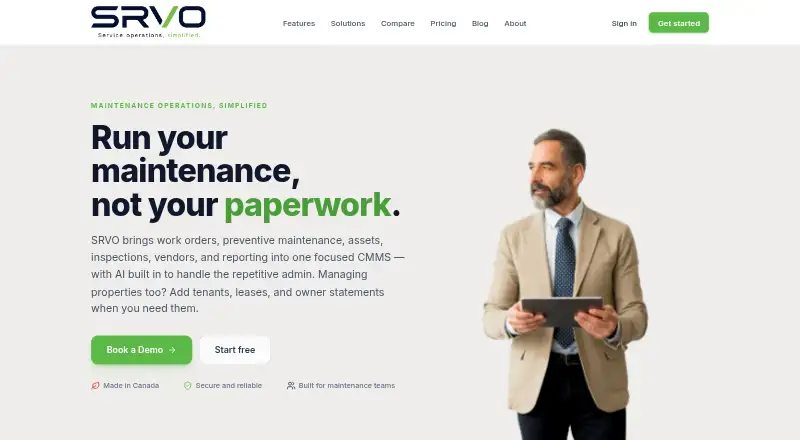
SRVO is a computerized maintenance management system for organizing work orders, preventive maintenance, assets, inspections, vendors, and reporting. It is intended for property managers, facilities teams, field-service trades, schools, and nonprofits. Work orders can include status, priority, assignment, checklists, photos, time, parts, and an activity timeline. Recurring maintenance schedules create work orders automatically, while AI can suggest plans for assets, tidy requests, estimate repair cost and severity from photos, scan receipts and nameplates, and fill asset specifications. An optional Property Management add-on covers tenants, leases, rent roll, owner statements, finance, and portals. SRVO is available on Android, iOS, and the web; its installable mobile app includes field functions such as directions, photo capture, and clock-in. The free Maintain plan covers one site, 15 assets, and two users. Plus costs C$49 a month and Pro costs C$129 a month. QuickBooks Online can receive journal entries from SRVO. The maker says it does not sell user data and describes encryption in transit and at rest, hashed passwords, and access controls.
Who it suits
SRVO suits property and facilities teams, field-service trades, schools, and nonprofits managing maintenance work. Its mobile workflows and optional property-management functions may also fit teams handling field tasks or tenant and lease information.
What it does well
- Work orders include checklists, photos, time, and parts.
- Recurring maintenance can generate work orders automatically.
- Mobile app includes directions, photo capture, and clock-in.
- QuickBooks Online can receive journal entries.
- Free plan covers one site and 15 assets.
What to know first
- Maintain is limited to two users.
- Plus costs C$49 a month.
- Zapier and Xero are listed as coming soon.
Limits
Maintain includes one site, 15 assets and two users. Plus costs C$49 a month and includes five sites, 50 assets and five users; Pro costs C$129 a month and includes 30 sites with unlimited users and assets.
Plans
| Plan | Billed and limits | Price |
|---|---|---|
| Maintain | free · 1 site · 15 assets · 2 users · work orders, preventive maintenance and assets · public request page · reports and CSV export · installable mobile app | Free |
| Two-way texting | monthly · 500 messages per month · tenant broadcasts · requester updates · entry notices · unified inbox | C$12 a month |
| Pro | monthly; 2 months free yearly · 30 sites · unlimited users and assets · advanced AI · finance ledger and budgets · contracts and RFQ workflow · capital projects · Team Radio · priority support | C$129 a month |
| AI phone intake | from $29/mo · 24/7 AI receptionist that gathers details and opens work orders | C$29 a month |
| Property Management add-on | monthly; Plus and Pro only · tenants, leases and rent roll · owner statements · resident and owner portals · condo and HOA tools | C$49 a month |
| Plus | monthly; 2 months free yearly · 5 sites · 50 assets · 5 users · inspections · parts and inventory · vendors and dispatch · time clock · AI assistance · bulk CSV import | C$49 a month |
| Enterprise Custom | custom quote · SSO · API access · white-label · multi-property portfolios · dedicated support | On request |
As getsrvo.ca lists them, read 14 Oct 2026. The maker's own page has the final word.
Getting started
- Open the SRVO website.
- Choose the Maintain, Plus or Pro plan that fits your site, asset and user needs.
- Use the web app or Android or iOS access; the mobile app is installable.
- Set up work orders, assets and recurring preventive-maintenance schedules.
- Add the Property Management add-on if you need tenant, lease, finance or portal features.
SRVO suits small property and facilities teams that need to coordinate reactive repairs with planned upkeep. Its strongest case is a single workflow for work orders, assets and field activity; teams that outgrow the free tier’s small capacity will need to budget for a paid plan.
Overview
SRVO combines work orders, preventive maintenance, asset records, inspections, vendors and reporting in a CMMS for property managers, facilities teams, field-service trades, schools and nonprofits. That breadth can help teams keep routine maintenance and incoming jobs in one operating system. Tenants, leases, rent roll, owner statements, finance and portals are part of an optional Property Management add-on, so it is not a substitute for those functions out of the box.
Work orders can record status, priority, assignment, mentions, checklists, photos, time and parts, with an activity timeline to follow progress. This is useful context for coordinators and technicians, though Maintain's two-user cap makes it a small-team starting point rather than a shared workspace for a larger department.
Key features
Planned upkeep and AI assistance
Recurring preventive-maintenance schedules automatically create work orders, connecting planned upkeep to actionable jobs. AI can suggest asset maintenance plans, clean up requests, estimate repair cost and severity from photos, scan receipts and nameplates, and fill in asset specifications. These tools target the administrative work around maintenance, but AI assistance is included in Plus while advanced AI is a Pro feature.
Field operations
The installable mobile app and field workflow support directions, photo capture and clock-in, helping technicians handle job details away from a desk. Plus adds a time clock, vendors and dispatch, parts and inventory, and inspections; these are meaningful upgrades for teams coordinating more than basic work orders.
Connections, privacy and support
QuickBooks Online can receive journal entries from SRVO, a focused accounting connection. Teams needing other automation or accounting links will have fewer options: Zapier and Xero are coming soon. SRVO says it follows PIPEDA and applicable provincial privacy laws, encrypts data in transit and at rest, hashes passwords and uses access controls. It says it does not sell user data; after account deletion, operational data is deleted within 30 days, while backups may remain for up to 90 days.
Pricing
| Plan | Price | Included capacity and features |
|---|---|---|
| Maintain | free | 1 site, 15 assets and 2 users; work orders, preventive maintenance, assets, public request page, reports, CSV export and installable mobile app. |
| Plus | C$49 a month (billed or 2 months free yearly) | 5 sites, 50 assets and 5 users; inspections, parts and inventory, vendors and dispatch, time clock and AI assistance. |
| Pro | C$129 a month (billed or 2 months free yearly) | 30 sites, unlimited users and assets; advanced AI, finance, contracts and RFQ, capital projects, Team Radio and priority support. |
| Enterprise Custom | Custom pricing | SSO, API access, white-label, multi-property portfolios and dedicated support. |
Maintain gives a small operation a no-cost way to manage core maintenance, but its one-site, 15-asset and two-user limits leave little room to grow. Plus is the practical step up for a team that needs inspections, stock, dispatch or more than two additional users, though its five-user and 50-asset ceilings remain. Pro removes the user and asset caps and raises the site allowance to 30, making it better suited to larger operations that also need finance or project features. Enterprise is the route for portfolios needing SSO, API access or white-labeling, at custom pricing.
Platforms
SRVO supports Android, iOS and web. Its installable mobile app and technician workflow make mobile access relevant to field teams as well as office coordinators.
Who it's for
SRVO is a good fit for a small property manager, facilities group, school, nonprofit or field-service trade that wants maintenance requests, recurring work and asset information together. It is less compelling for teams that need a broad integration network now, or for organizations seeking tenant and financial property-management tools without adding the optional module.
Pros and cons
- Pros: Work orders capture operational details including parts, time, photos and activity, giving teams a useful job record.
- Pros: Recurring schedules create work orders automatically, while AI assistance can reduce request cleanup and asset-data entry.
- Pros: A free plan includes core work orders, PM and assets, plus reporting, CSV export and mobile access.
- Cons: Maintain is capped at one site, 15 assets and two users, so even modest growth can require an upgrade.
- Cons: QuickBooks Online is the only integration currently available, limiting teams that rely on other connected tools.
- Cons: Property-management functions are an optional add-on rather than part of the core maintenance package.
Alternatives
FlowServIQ is worth considering if a free plan with unlimited work orders and preventive-maintenance jobs matters more than SRVO's broader included capacity; its free plan is limited to one team member.
Platuni Maintenance offers a free Starter plan for one unit with maintenance requests, basic work orders and email support, which may suit a single-unit starting point.
Hili Billing is a web-based freemium option for readers looking for a billing-focused product rather than a maintenance workflow.
SiteOps has a free plan for one property and three requests per month, a narrower starting allowance for very light request volumes.
TaskEstate is another freemium property option; consider it if its free-plan property and resident-request limits align better with your needs.
HCOMS Property Management System is a paid alternative for readers seeking a property-management system from a maker based near Norwich, UK.
Cove Building Operations offers custom pricing tailored to a portfolio, with white-glove onboarding included.
Fentrica may suit buyers looking for modular pricing, with plans starting at €85 a month and enterprise packages available.
Browse Property Maintenance Management Software for more options in the category.
Verdict
Choose SRVO if a small maintenance team wants work orders, scheduled upkeep, assets and mobile field work under one roof, with a free tier to start. Its clearest drawback is the narrow integration choice and the capacity limits on lower plans; teams with broader connection needs or larger portfolios should compare alternatives or budget for Pro or Enterprise.
Verdict
SRVO brings maintenance operations together with work orders, scheduled upkeep, asset records, and mobile field tools. Its free plan has modest site, asset, and user limits, while integrations beyond QuickBooks Online are not yet listed as available.
Questions
Is SRVO free?
Yes. The Maintain plan costs nothing and supports one site, 15 assets and two users.
How much do the paid plans cost?
Plus costs C$49 a month and Pro costs C$129 a month. Both list two months free when billed yearly.
Which platforms does SRVO support?
SRVO is available on web, Android and iOS. Its pricing page describes an installable mobile app.
Who makes SRVO?
Common Good Labs builds and operates SRVO from Stratford, Ontario, Canada.
Does SRVO integrate with accounting software?
QuickBooks Online can receive journal entries from SRVO. Zapier and Xero are listed as coming soon.
Does SRVO include tenant tools?
An optional Property Management add-on includes tenants, leases, rent roll, owner statements, finance and portals.
Facts from SRVO's own pages
- AI
- AI can clean up requests, estimate repair cost and severity from photos, scan receipts and nameplates, and auto-fill asset specifications. · getsrvo.ca, 2 Oct 2026
- AI repair estimates
- A photo can produce an estimated cost range, severity and likely trade for repair triage. · getsrvo.ca, 14 Oct 2026
- AI request cleanup
- AI rewrites messy tenant or staff requests into a title, description, category and priority while retaining the original. · getsrvo.ca, 14 Oct 2026
- API access
- API access is listed as an Enterprise feature; no public API documentation or SDK is identified on the cited product pages. · getsrvo.ca, 14 Oct 2026
- Asset management
- Asset records include printable QR tags, specifications and manuals, with AI filling fields from nameplate photos. · getsrvo.ca, 14 Oct 2026
- Availability limitation
- The terms disclaim guaranteed uninterrupted or error-free availability and allow downtime for maintenance, updates or security work. · getsrvo.ca, 14 Oct 2026
- Billing limitation
- Paid plans are billed in advance and are non-refundable after cancellation for the remainder of the billing period. · getsrvo.ca, 14 Oct 2026
- Communications
- SRVO sends SMS receipts to requesters and relays vendor email replies into work-order timelines. · getsrvo.ca, 14 Oct 2026
- Company location
- LinkedIn identifies SRVO Canada headquarters as St. Marys, Ontario. · ca.linkedin.com, 14 Oct 2026
- Company size
- LinkedIn lists SRVO Canada as having 2–10 employees. · ca.linkedin.com, 14 Oct 2026
- Contractor RFQs
- Users can scope work, issue requests for quotation, collect vendor bids and award work with downloadable documents. · getsrvo.ca, 14 Oct 2026
- Data handling
- SRVO says it does not sell user data, and account deletion triggers operational-data deletion within 30 days while backups may persist up to 90 days. · getsrvo.ca, 2 Oct 2026
- Data hosting
- Data is hosted using Supabase and Vercel infrastructure and may be processed in Canada or the United States. · getsrvo.ca, 14 Oct 2026
- Deployment
- SRVO is installable on phones as a progressive web app and does not require an app-store installation. · getsrvo.ca, 14 Oct 2026
- Field app
- The field interface offers large touch targets, directions, photo capture, one-tap clocking and tenant contact details. · getsrvo.ca, 14 Oct 2026
- Finance
- The property add-on includes owner statements, a double-entry ledger, budgets and an optional QuickBooks push. · getsrvo.ca, 14 Oct 2026
- Founded
- LinkedIn lists SRVO Canada as founded in 2026. · ca.linkedin.com, 14 Oct 2026
- Google Play identity
- The Google Play listing named SRVO is a separate Dyaco International weight-training app, not the Canadian maintenance product, and shows 100+ downloads. · play.google.com, 14 Oct 2026
- Headquarters
- Stratford, Ontario, Canada · getsrvo.ca, 28 Sept 2026
- Inspections
- Inspection templates cover move-in/out, make-ready and safety checks, with geotagged issues and work-order creation from failures. · getsrvo.ca, 14 Oct 2026
- Integration available
- QuickBooks Online is available for pushing journal entries from SRVO's ledger. · getsrvo.ca, 14 Oct 2026
- Integrations
- QuickBooks Online is available to receive journal entries from SRVO; Zapier and Xero are listed as coming soon. · getsrvo.ca, 2 Oct 2026
- Integrations planned
- Zapier and Xero are listed as coming soon integrations. · getsrvo.ca, 14 Oct 2026
- Intended users
- SRVO is made for property managers, facilities teams, field-service trades, schools and nonprofits. · getsrvo.ca, 2 Oct 2026