Freedom251 › Marketing Automation Software

Mailchimp
by Mailchimp
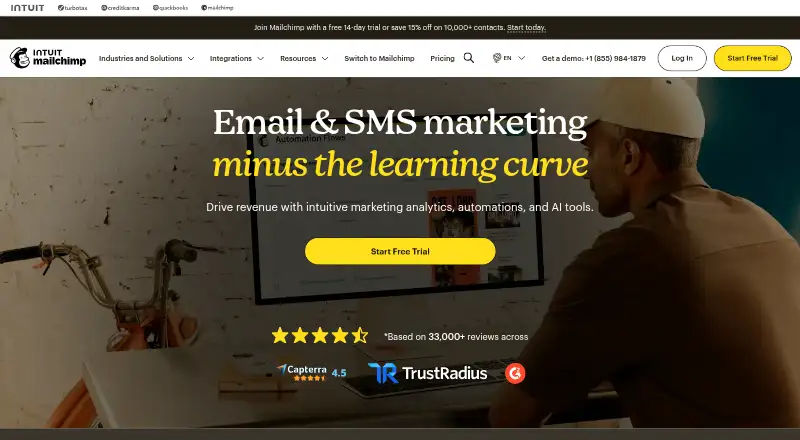
What Mailchimp is
Mailchimp is an email marketing service for creating campaigns and managing audiences. It includes built-in email marketing, automation, audience segmentation, landing pages and A/B testing. Users can also create custom domains, popups and sticky bars, and connect a WordPress plugin. Mailchimp lists 300 native integrations and offers access through the web, iOS and Android.
The Free plan costs nothing, billed monthly, and includes 250 contacts, 500 emails per month, a daily limit of 250 emails, one audience and one seat. Essentials starts with 500 contacts and 5,000 monthly emails, along with three audiences, three seats and automation flows of up to four steps. Standard starts with 500 contacts and 6,000 monthly emails, provides five audiences and seats, and supports up to 100,000 contacts. Premium starts with 10,000 contacts and 150,000 monthly emails, with unlimited audiences and seats and support for up to 200,000 contacts. Mailchimp was founded in 2001 and is headquartered in Atlanta, USA.
Who it suits
Mailchimp suits people and teams who need email campaigns alongside audience segmentation, automation, landing pages or A/B testing. Its web and mobile access, WordPress plugin and 300 native integrations may fit teams working across several tools.
What it does well
- Includes email automation and audience segmentation.
- Supports landing pages and A/B testing.
- Offers custom domains, popups and sticky bars.
- Lists 300 native integrations.
- Available on web, iOS and Android.
What to know first
- Free plan is limited to 250 contacts.
- Free plan allows 500 emails per month and 250 per day.
- Free plan includes one audience and one seat.
Limits
The Free plan covers 250 contacts, 500 emails per month and 250 emails per day, with one audience and one seat. Essentials starts at 500 contacts and 5,000 monthly emails, with three audiences, three seats and automation flows of up to four steps.
Plans
| Plan | Billed and limits | Price |
|---|---|---|
| Free | per month · 250 contacts · max 500 emails/month or 250/day · 1 user · 1 audience · email support first 30 days | Free |
| Essentials | per month · up to 5,000 monthly emails at 500 contacts · 3 users · 3 audiences · 24/7 email and chat support · A/B testing | $13 a month |
| Standard | per month · up to 6,000 monthly emails at 500 contacts · 5 users · 5 audiences · enhanced automations · generative AI · 14-day trial | $20 a month |
| Premium | per month for 12 months · up to 150,000 monthly emails at 10,000 contacts · unlimited users · unlimited contacts stated · phone and priority support · multivariate testing | $350 a month |
As mailchimp.com lists them, read 14 Oct 2026. The maker's own page has the final word.
Getting started
- Open the Mailchimp website.
- Choose the Free plan or review the listed plan allowances.
- Use the web app or access Mailchimp on iOS or Android.
- Connect a WordPress site with the listed plugin if needed.
Overview
Mailchimp combines email campaigns, audience management, automation and landing pages in a service for individual marketers and teams. Its broad campaign toolkit is the draw; the free tier’s narrow contact and sending caps, and paid plans without listed prices, make room to grow harder to assess.
Segmentation, A/B testing and 300 native integrations give campaigns more options than sending alone. Mailchimp is a stronger fit for marketers who want those capabilities together than for buyers seeking generous free sending or a clear paid-cost forecast.
Key features
- Campaigns and testing: Built-in email marketing and A/B testing support campaign creation and comparison. The free allowance of 500 emails per month is restrictive for frequent sends.
- Audience management: Segmentation can help tailor campaigns, but the free plan allows only 250 contacts and one audience. That leaves little headroom for a growing list.
- Automation: Email automation is included. Essentials permits up to four flow steps, a constraint for sequences that need more stages.
- Landing pages and publishing: Landing pages, custom domains, popups, sticky bars and a WordPress plugin give marketers ways to extend campaigns beyond email.
- Integrations: 300 native integrations can help connect Mailchimp with other tools in a marketing setup.
Pricing
Mailchimp has a free plan and a 14-day trial. The Free plan costs nothing, billed monthly, and includes 250 contacts, 500 emails per month, 250 emails per day, one audience and one seat. It is best suited to small lists and occasional campaigns; the monthly and daily caps can become limiting quickly.
Essentials has custom pricing. Its starting tier includes 500 contacts, 5,000 emails per month, three audiences, three seats and up to four automation flow steps. It raises the sending allowance substantially over Free, but the four-step ceiling may not suit more involved sequences.
Standard also has custom pricing. Its starting tier includes 500 contacts, 6,000 monthly emails, five audiences and five seats, with support for up to 100,000 contacts. The higher audience and seat allowances suit larger working groups, though the starting contact allowance remains 500.
Premium has custom pricing. The starting tier includes 10,000 contacts, 150,000 monthly emails, unlimited audiences and seats, and support for up to 200,000 contacts. It is the clearest fit for larger lists and teams needing more sending capacity, but buyers should weigh that scope against custom pricing.
Platforms
Mailchimp is available on web, iOS and Android, giving users both browser and mobile access.
Who it's for
Mailchimp suits marketers who want campaigns, segmentation, automation and landing pages in one service, especially when integrations and campaign testing matter. It is less compelling for anyone who needs a generous free tier or must know paid costs before evaluating a plan.
Pros and cons
- Pro: Email marketing, segmentation, automation and A/B testing sit alongside landing pages, giving campaign teams a broad set of tools in one service.
- Pro: The Premium starting tier provides 10,000 contacts, 150,000 monthly emails, and unlimited audiences and seats for teams with larger needs.
- Con: Free is capped at 250 contacts and 500 emails per month, with one audience and one seat, so it leaves little room for list or team growth.
- Con: Paid plans use custom pricing, making cost comparisons less direct.
- Con: Essentials limits automation flows to four steps, which may constrain longer sequences.
Alternatives
SendPulse is worth considering if a free plan’s sending allowance is the priority: its Free plan covers 500 subscribers and 15,000 emails per month, along with five automated flows.
Zoho Campaigns may suit buyers seeking a free allowance for a larger contact list: Forever Free covers up to 2,000 contacts and 6,000 emails per month, with five users.
AWeber is another free-plan option, with up to 500 subscribers and 3,000 monthly emails.
Brevo Conversations is an alternative for readers comparing a free service with a one-user allowance.
Klaviyo is a free-plan alternative with up to 250 active profiles and 500 email sends per month.
MailerLite offers a free plan with 250 subscribers, 2,500 monthly emails, two seats and three automations, making its published free allowances worth comparing with Mailchimp’s.
Sender is an alternative with a Free Forever plan covering up to 2,500 subscribers and 15,000 monthly emails.
beehiiv is an alternative with a free Launch plan for 2,500 subscribers and unlimited email sends.
Explore AI Email Marketing Software, Transactional SMS Software, Transactional Email Software, Marketing Automation Software, Email Marketing Software and Landing Page Builders to compare broader categories.
Verdict
Choose Mailchimp if you need campaign testing, segmentation and automation alongside landing pages and integrations. Its breadth is the main reason to pick it; look elsewhere if the free plan’s tight caps do not fit or you need paid pricing clarity before committing.
Verdict
Choose Mailchimp if you want email marketing with automation, segmentation and campaign testing in one service. The Free plan has tight contact, sending, audience and seat limits, so review the paid plan allowances if you need more room.
Questions
Is Mailchimp free?
Yes. Its Free plan costs nothing, billed monthly.
What does the Free plan include?
It includes 250 contacts, 500 emails per month, 250 emails per day, one audience and one seat.
Which platforms does Mailchimp support?
Mailchimp is available on the web, iOS and Android.
What email marketing tools are included?
Listed features include email automation, audience segmentation, landing pages and A/B testing.
How many native integrations are listed?
Mailchimp lists 300 native integrations.
Where is Mailchimp based?
Mailchimp is headquartered in Atlanta, USA, and was founded in 2001.
Facts from Mailchimp's own pages
- A/B testing
- A/B testing is offered for testing and optimizing email campaigns. · mailchimp.com, 14 Oct 2026
- A/B testing
- Yes · mailchimp.com, 20 Sept 2026
- Analytics
- Reporting includes campaign reports, send-time optimization, smart recommendations and engagement analytics. · mailchimp.com, 14 Oct 2026
- API
- Mailchimp exposes open Marketing and Transactional APIs authenticated with OAuth or API keys. · mailchimp.com, 14 Oct 2026
- API changelog
- The release notes record a 2025 Transactional API status-page addition and beta Audiences endpoints for SMS-only contacts. · mailchimp.com, 14 Oct 2026
- API documentation
- Developer documentation includes API references, guides, integration guidance, webhooks and release notes. · mailchimp.com, 14 Oct 2026
- Audience management
- Audience tools include segmentation, behavioral targeting, tags, customer profiles and sign-up forms. · mailchimp.com, 14 Oct 2026
- Automation
- Marketing Automation Flows automate campaigns and can contain up to 200 flows on higher plans. · mailchimp.com, 14 Oct 2026
- Company history
- Mailchimp was founded in Atlanta in 2001 by Ben Chestnut and Dan Kurzius. · mailchimp.com, 14 Oct 2026
- Company size
- LinkedIn lists Mailchimp as an Atlanta-based private company with 1,001–5,000 employees. · ch.linkedin.com, 14 Oct 2026
- Content and AI
- Mailchimp provides templates, dynamic content, generative AI, subject-line assistance and content-asset management. · mailchimp.com, 14 Oct 2026
- Email automation
- Yes · mailchimp.com, 20 Sept 2026
- Email marketing
- The product sends personalized email campaigns and provides campaign creation tools. · mailchimp.com, 14 Oct 2026
- Founded
- 2001 · mailchimp.com, 23 Sept 2026
- Free plan
- Yes · mailchimp.com, 20 Sept 2026
- Headquarters
- Atlanta, USA · mailchimp.com, 23 Sept 2026
- Integrations
- Mailchimp advertises more than 300 integrations, including Shopify, WooCommerce, Canva, Zapier, Salesforce, WordPress, Stripe and QuickBooks Online. · mailchimp.com, 14 Oct 2026
- Landing pages
- Yes · mailchimp.com, 20 Sept 2026
- Licence and hosting
- Mailchimp is a proprietary hosted service governed by Mailchimp terms; its official client libraries are separate code releases and the service is not offered for self-hosting. · mailchimp.com, 14 Oct 2026
- Limit: free tier support
- An Apple App Store reviewer says free-tier support was difficult to access and criticized reductions to free-plan benefits. · apps.apple.com, 14 Oct 2026
- Limit: pricing and advanced features
- Independent reviewers say pricing rises as contact lists grow and advanced automation or deeper segmentation may require higher tiers. · techradar.com, 14 Oct 2026
- Limit: support and account access
- Trustpilot reviews repeatedly report slow or unhelpful support, account lockouts, billing disputes and difficulty reaching a human. · trustpilot.com, 14 Oct 2026
- Monthly send limit
- 5000 · mailchimp.com, 20 Sept 2026
- Native integrations
- 300 · mailchimp.com, 20 Sept 2026
Where Mailchimp stands on Freedom251
- Marketing Automation Software#2 of 131
- Email marketing tools#3 of 189
- Transactional SMS Software#4 of 76
- Transactional Email Software#3 of 41
- Marketing Automation - B2C Software#2 of 26
- Google Workspace for Marketing Software#1 of 13
- Email Analytics#1 of 10
- Email Marketing Software#23 of 189
- All-in-One Marketing Platform#4 of 28
- Landing Page Builders#9 of 57
- Ai E Mail Tool#4 of 22
- Email Automation#5 of 25
- AI Email Marketing Software#6 of 24
- Nonprofit Email Marketing Software#8 of 25
- Web App#11 of 32
- Transactional email services#15 of 41