
DocuWare
by DocuWare
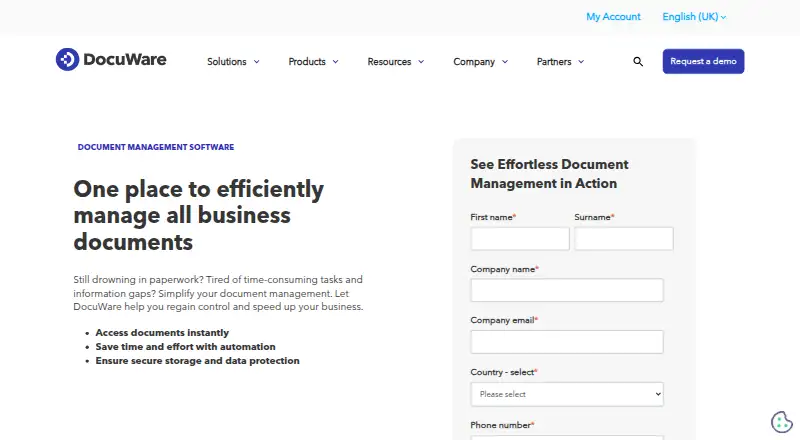
What DocuWare is
DocuWare captures business information, automates document workflows, and keeps records in centralized archives. It can collect material from scanners, email, Microsoft Teams, file imports, print streams, and other sources, then index documents and recognize barcodes. Teams can create workflows with drag-and-drop tools, automate recurring tasks and approvals, set deadlines, and track progress in a dashboard. Search covers document contents and indexed metadata, while versioning keeps edited histories available. DocuWare describes integrations with 500 applications, iPaaS connectors to more than 1,000 cloud applications, and a REST-based platform service. Deployment options include cloud SaaS, on-premises, and hybrid. Cloud subscriptions include complete functionality, with pricing based on users and storage; the listed starting price is $30/user/mo. Cloud documents use AES-256 encryption, traffic uses HTTPS with TLS, and data is triply mirrored. A free trial is available. On-premises customers may need extra licenses for some capture, indexing, mobile, synchronization, and workflow functions.
Who it suits
DocuWare suits organizations that need to capture, search, archive, and route business documents. Its cloud, on-premises, and hybrid deployment options support different deployment needs.
What it does well
- Captures documents from scanners, email, Teams, and imports
- Drag-and-drop workflows automate tasks and approvals
- Searches document content and indexed metadata
- Offers cloud, on-premises, and hybrid deployment
- Cloud documents use AES-256 encryption
What to know first
- On-premises customers may need extra capability licenses
- Cloud pricing varies by users and storage
- New mobile app is described as available to Cloud customers
Limits
The smallest listed Cloud plan, DocuWare Cloud 4, is listed with 4 users and 20 GB of storage. On-premises customers may need additional licenses for enhanced capture, Intelligent Indexing, mobile access, data synchronization, and workflow capabilities.
Plans
| Plan | Billed and limits | Price |
|---|---|---|
| DocuWare Cloud | Annual subscription; price varies by functionality and scale of implementation. · Per-user pricing · storage and users can be extended | £1,060 a month |
| DocuWare Cloud 4 | Annual subscription; custom quote; typical cloud pricing $30-$125+ per user/month · 4 users · 20 GB storage · full feature set · extendable users/storage | On request |
| DocuWare Cloud 40 | Annual subscription; custom quote; typical cloud pricing $30-$125+ per user/month · 40 users · 500 GB storage · full feature set · extendable users/storage | On request |
| DocuWare On-Premises | Perpetual license; first-year support included; optional support about 20% of license value annually from year two · Self-hosted deployment · modules and license scope affect price · contact sales | On request |
| DocuWare Cloud 15 | Annual subscription; custom quote; typical cloud pricing $30-$125+ per user/month · 15 users · 50 GB storage · full feature set · extendable users/storage | On request |
| DocuWare Cloud 100 | Annual subscription; custom quote; typical cloud pricing $30-$125+ per user/month · 100 users · 1,000 GB storage · full feature set · extendable users/storage | On request |
As start.docuware.com lists them, read 29 Sept 2026. The maker's own page has the final word.
Getting started
- Open the DocuWare document management software website.
- Start a free trial.
- Choose cloud SaaS, on-premises, or hybrid deployment.
- Select a Cloud subscription sized for the users and storage needed.
- Capture documents from scanners, email, Microsoft Teams, file imports, print streams, or other sources.
DocuWare is business document-management software for capturing records, organizing them into a searchable archive and routing work through workflows. It is best suited to organizations with recurring document processes and a need to choose cloud, on-premises or hybrid deployment. The breadth of its capture and automation is a strong fit for those teams, though on-premises buyers should account for possible add-on licenses.
Overview
DocuWare brings document intake, indexing, search, version histories and workflow automation together. Teams can capture records from scanners, email, Microsoft Teams, file imports and print streams, then retrieve them by content or indexed metadata. OCR and barcode recognition help structure incoming material; granular access controls and audit logs support controlled access and traceability.
The platform is most compelling when documents need to move through repeatable processes rather than simply be stored. Its drag-and-drop workflow designer supports recurring tasks, approvals and deadlines, with a dashboard for monitoring progress. Versioning helps keep edited histories under control. DocuWare was founded in Germering, Germany, in 1988 and remains headquartered there.
Key features
Capture, search and workflows
Multiple intake routes let organizations bring paper and digital records into one system. Indexing, OCR and barcode recognition support filing, while content and metadata search make the archive practical to use. This is more useful to teams managing steady document volumes than to those seeking only occasional scanning.
Workflow automation adds a way to route approvals, set deadlines and track work without treating each document as a separate manual handoff. Version history, audit logs and granular access controls are relevant where teams need to manage changes and access. DocuWare describes integrations with 500 applications, iPaaS connectors to more than 1,000 cloud applications, and a REST-based platform service.
Deployment and security
Cloud SaaS, on-premises and hybrid deployment give organizations room to match hosting to their operational needs. DocuWare says cloud and on-premises share a code base and feature parity. Every Cloud subscription includes full functionality, with price based on users and storage rather than feature tiers.
For Cloud, DocuWare says documents are encrypted with AES-256, traffic uses HTTPS with TLS, and data is triply mirrored, including a second copy in another location in the same region. It lists SOC 2 Type 2, ISO 27001 and ISO 9001 certifications, among other qualifications. These controls may matter to organizations with formal security requirements, but do not remove the need to assess their own compliance needs.
Pricing
DocuWare is paid software, with pricing from $30/user/mo. Cloud subscriptions are priced by user count and storage, not feature access, so the smaller plans are capacity choices rather than stripped-down editions.
- DocuWare Cloud 4: custom pricing; 4 users and 20 GB storage. A small team can start with a compact allocation, but storage is limited.
- DocuWare Cloud 15: custom pricing; 15 users and 50 GB storage. This offers more seats, though the increase in storage is modest relative to the higher user count.
- DocuWare Cloud 40: custom pricing; 40 users and 500 GB storage. The larger storage allowance better suits a growing document operation.
- DocuWare Cloud 100: custom pricing; 100 users and 1,000 GB storage. This is the largest stated package for organizations with broader teams and substantial archive needs.
- DocuWare Cloud: £1,060 a month, billed Annual subscription. Price varies by functionality and scale of implementation; per-user pricing applies, and storage and users can be extended.
A free trial is available. On-premises buyers should budget for the possibility that enhanced capture, Intelligent Indexing, mobile access, data synchronization and workflow capabilities require additional licenses. Cloud and on-premises customers receive 24/5 support for business-critical issues when covered by a valid maintenance and support contract.
Platforms
DocuWare supports web, Windows, macOS, Linux, iOS, Android, API and self-hosted deployments. Its iOS and Android apps provide document access and workflow participation; the new app is described for Cloud customers. The broad platform range and deployment choices suit organizations with mixed environments, while mobile-app availability may depend on deployment and licensing.
Who it's for
DocuWare is a strong fit for organizations that process documents routinely, need searchable centralized archiving, and want approvals and recurring tasks managed in the same system. Cloud customers get complete functionality across user-and-storage packages. Organizations with an on-premises requirement should weigh the hosting control against potential extra license costs. Teams looking for a low-cost free tier or a simple standalone scanning tool should consider alternatives.
Pros and cons
- Pros: Multiple capture routes, OCR, barcode recognition and content search support a structured document pipeline rather than a basic file store.
- Pros: Drag-and-drop workflows, approvals, deadlines and progress monitoring help teams manage repeatable work.
- Pros: Cloud, on-premises and hybrid options, plus broad integrations, accommodate varied infrastructure and application environments.
- Cons: On-premises capabilities such as enhanced capture, mobile access and workflow may require extra licenses, complicating cost planning.
- Cons: Cloud packages have defined user and storage allocations, so growing teams may need to extend or change their subscription.
- Cons: The 24/5 critical-issue support offer requires a valid maintenance and support contract.
Alternatives
Choose LogicalDOC if a free, open-source plan with basic access control, advanced search and web access is the priority. OpenFilz is another free, open-source self-hosted option, with a broader stated set including APIs, search, Office editing and e-signature. Choose Doxis when custom-fit licensing and cloud, on-premises or hybrid deployment are the deciding requirements. Foxit DMS may suit teams already using Foxit PDF Editor or eSign subscriptions, which include it.
Box is worth considering for a free-plan starting point with 10 GB storage, 250 MB file uploads, one file version and five signature requests per month. Hyland AP Automation is an alternative for enterprise accounts-payable automation. Recordsforce Cloud is another paid, web-based option. Choose M-Files if a monthly per-seat plan at $65 a month and native Microsoft 365 experiences are a better fit.
Browse Cloud Document Management Software, Document Workflow Software, Document Management Software and Mobile Scanning Apps for more options in these categories.
Verdict
Choose DocuWare if your organization needs document capture, searchable archiving and workflow automation in one system, with the flexibility to deploy in the cloud, on-premises or hybrid. Its strongest reason to buy is the combination of broad intake and process tools with full Cloud functionality across package sizes. Look elsewhere if you need a free plan, or if on-premises add-on licensing would make your required capabilities harder to budget.
Verdict
DocuWare combines document capture, search, versioning, and workflow automation across cloud, on-premises, and hybrid deployments. The listed starting price is $30/user/mo, and some on-premises capabilities may require additional licenses.
Questions
How much does DocuWare cost?
Pricing is listed From $30/user/mo. The DocuWare Cloud plan is also listed at £1,060 a month for an annual subscription, with price varying by functionality and implementation scale.
Is there a free trial?
Yes, a free trial is available.
Which platforms are listed?
Platforms include Android, API, iOS, Linux, macOS, self-hosted, web, and Windows.
Can DocuWare run on-premises?
Yes. It is available as cloud SaaS, on-premises, or hybrid software.
What does the smallest listed Cloud plan include?
DocuWare Cloud 4 is listed with 4 users and 20 GB of storage.
Who makes DocuWare?
DocuWare makes the product. The company was founded in Germering, Germany, in 1988, and is headquartered there.
Facts from DocuWare's own pages
- Certifications
- DocuWare lists SOC 2 Type 2, ISO 27001 and ISO 9001 certifications, among other certifications and regulatory qualifications. · start.docuware.com, 29 Sept 2026
- Cloud plan scope
- Every DocuWare Cloud subscription includes complete functionality, with pricing based on users and storage rather than features. · start.docuware.com, 29 Sept 2026
- Cloud security
- DocuWare says cloud customer data is triply mirrored, replicated to a second location in-region and separated from system data with activity logging. · start.docuware.com, 15 Oct 2026
- Company
- DocuWare says it was founded in Germering, Germany, in 1988, and that its corporate headquarters are in Germering near Munich. · careers.docuware.com, 29 Sept 2026
- Company identity
- LinkedIn lists DocuWare as a public software-development company founded in 1988 with headquarters in Germering, Bavaria and 501-1,000 employees. · linkedin.com, 15 Oct 2026
- Customer footprint
- DocuWare says it serves more than 20,000 customers in over 100 countries through a partner network of more than 800. · gartner.com, 15 Oct 2026
- Deployment
- DocuWare is available as cloud SaaS, on-premises or hybrid, with the company stating cloud and on-premises share the same code base and feature parity. · start.docuware.com, 29 Sept 2026
- Documentation
- The Knowledge Center covers clients, configuration, preconfigured solutions, integrations, system requirements and on-premises installation. · knowledgecenter.docuware.com, 15 Oct 2026
- Document capture
- It supports capture from scanners, email, Microsoft Teams, file imports, print streams and other sources, with indexing and barcode recognition features. · start.docuware.com, 29 Sept 2026
- Electronic signatures
- Digital signatures are offered as a separately priced add-on with volume-based packages and audit trails. · start.docuware.com, 15 Oct 2026
- Forms
- Cloud subscriptions include form creation capabilities for collecting structured information. · start.docuware.com, 15 Oct 2026
- Founded
- 1988 · start.docuware.com, 23 Sept 2026
- Free trial
- DocuWare offers a free 30-day trial through its mobile workforce page, and its demo page says a free Cloud trial can be arranged with no credit card required. · start.docuware.com, 29 Sept 2026
- Headquarters
- Germering, Germany · start.docuware.com, 23 Sept 2026
- Integration methods
- The platform supports Smart Connect, iPaaS connectors, URL links, webhooks, printing, mail capture and automatic indexing. · start.docuware.com, 15 Oct 2026
- Integrations
- DocuWare says it has integrated with 500 applications spanning email, portals, CRM, ERP, HR and custom software. · start.docuware.com, 15 Oct 2026
- Intelligent Document Processing
- The IDP add-on uses AI and machine learning to extract, interpret and classify data from invoices, purchase orders and contracts. · start.docuware.com, 15 Oct 2026
- Intelligent Indexing
- Every DocuWare Cloud subscription includes Intelligent Indexing to classify and index documents. · start.docuware.com, 15 Oct 2026
- Limitations
- On-premises customers may need additional licenses for enhanced capture, Intelligent Indexing, mobile access, data synchronization and workflow capabilities. · start.docuware.com, 29 Sept 2026
- Limit: bugs and support delays
- Gartner reviewers mention frequent errors, bugs, limited autonomy and support responses that can take too long. · gartner.com, 15 Oct 2026
- Limit: licensing cost
- Capterra reviewers report that licensing is expensive and that integrations can add further cost. · capterra.com, 15 Oct 2026
- Limit: mobile maintenance
- The former Classic mobile app is no longer actively maintained, and Google Play reviewers report crashes and upload problems. · play.google.com, 15 Oct 2026
- Limit: setup complexity
- Capterra summaries say administration and advanced configuration can feel clunky or confusing and require a learning curve. · capterra.com, 15 Oct 2026
- Mobile access
- DocuWare provides iOS and Android apps for accessing documents and participating in workflows; the new app is currently described as available for Cloud customers. · start.docuware.com, 29 Sept 2026
Where DocuWare stands on Freedom251
- AP Automation#5 of 21
- Enterprise Content Management - Enterprise Software#6 of 24
- Paperless Office Software#5 of 20
- Cloud Document Management Software#7 of 27
- Document Management Software#17 of 63
- Enterprise Content Management - Midmarket Software#6 of 18
- Document Workflow Software#12 of 32
- Scanner apps#62 of 76
- Mobile Scanning Apps#63 of 76