Freedom251 › AI Invoice Processing Software

BILL Accounts Payable
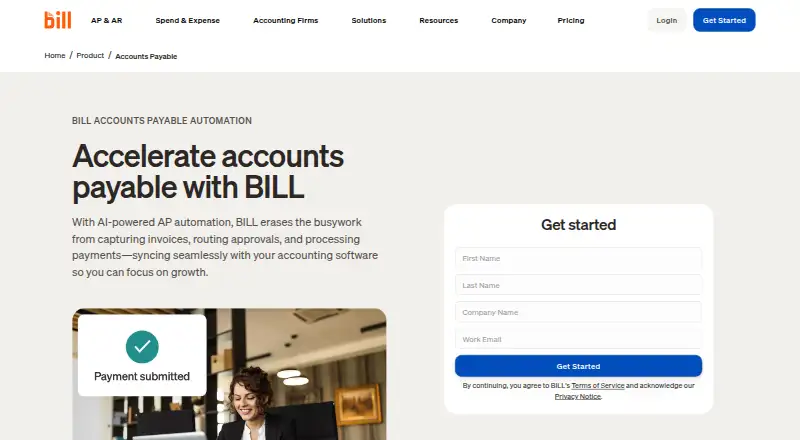
What BILL Accounts Payable is
BILL Accounts Payable automates invoice capture, approval routing, bill payments, and accounting synchronization for accounts payable teams. AI invoice capture and two-way or three-way matching connect invoices with purchase orders and receipts. Payment options include ACH, credit card, check, and international wire transfer, and the product supports paying up to 2,000 bills at a time. Multi-Entity centralizes bill review, approvals, and payments across entities and locations. Accounting connections include automatic two-way sync with QuickBooks products, Xero, Oracle NetSuite, Sage Intacct, and Microsoft Dynamics; CSV import/export and an API platform support custom integrations. AP and AR are paid per-user subscriptions, with pricing from $49/user/mo and a free trial. There is no free AP or AR plan; the separate Spend & Expense free plan does not cover those subscriptions. Some checks, ACH, instant transfers, and international payments incur fees regardless of plan. Mobile apps support Android 7.0 or later and iOS 16 or later, synchronizing data and actions with the desktop application. All plans include live chat and phone support; Enterprise adds priority support.
Who it suits
BILL Accounts Payable suits small and midsize businesses and accounting firms managing invoice approvals and vendor payments. Multi-Entity features may fit organizations handling bills across several entities or locations.
What it does well
- AI invoice capture and two-way or three-way matching.
- Supports paying up to 2,000 bills at a time.
- Multi-Entity centralizes approvals and payments.
- Integrates with listed accounting systems and offers an API.
- Android and iOS apps sync with the desktop application.
What to know first
- AP and AR have no free plan.
- Subscriptions are priced per user, from $49/user/mo.
- Some payment methods incur transaction fees.
- Mobile app requires Android 7.0 or iOS 16 or later.
Limits
The free Spend & Expense plan does not cover AP or AR, which are paid subscriptions starting at $49/user/mo. Some checks, ACH, instant transfers, and international payments incur fees regardless of plan.
Plans
| Plan | Billed and limits | Price |
|---|---|---|
| Essentials | billed monthly · Bill entry and centralized bill inbox · Approval workflows and standard approval policies · ACH, virtual card, credit card, and other payment methods · Manual CSV accounting-software import/export · W-9 collection and verification | $49 a month |
| Team | billed monthly · Automatic two-way sync with QuickBooks and Xero · Approval workflows and custom user roles · Bill entry, centralized inbox, and bill payments · AI multi-line bill coding | $65 a month |
| Corporate | billed monthly · Custom approval policies and user roles · Automatic two-way sync with QuickBooks and Xero · AI multi-line bill coding · Procurement features including purchase orders and two-way matching | $89 a month |
| Enterprise | Custom pricing · Custom pricing · Multi-entity and multi-location accounting capabilities · Purchase-order sync and two- and three-way matching · Single sign-on and priority support | On request |
| BILL Accounts Payable | per user · Essentials · Team · Corporate · Enterprise · larger or complex organizations have custom pricing | On request |
As bill.com lists them, read 27 Sept 2026. The maker's own page has the final word.
Getting started
- Visit the BILL Accounts Payable website.
- Start a free trial or choose a paid AP subscription.
- Use the web app or the Android and iOS mobile apps.
- Connect accounting workflows through a listed sync, CSV import/export, or the API platform.
Verdict
BILL Accounts Payable combines invoice workflows, payment execution, and accounting connections, with support for multi-entity operations. AP and AR require paid per-user subscriptions, and transaction fees may apply to some payment methods.
Questions
How much does BILL Accounts Payable cost?
AP and AR subscriptions start at $49/user/mo. Enterprise pricing is custom.
Is there a free AP plan or a free trial?
There is a free trial, but no free AP or AR plan. The separate free Spend & Expense plan does not include AP or AR.
Which platforms are available?
Web, Android, iOS, and API are listed. The mobile app supports Android 7.0 or later and iOS 16 or later.
Which accounting systems can it connect to?
Automatic two-way sync is listed for QuickBooks Online, QuickBooks Pro/Premier, QuickBooks Enterprise, Xero, Oracle NetSuite, Sage Intacct, and Microsoft Dynamics. CSV import/export and an API platform support custom integrations.
Which payment methods are supported?
Options include ACH, credit card, check, and international wire transfer. Some checks, ACH, instant transfers, and international payments incur fees regardless of plan.
Does BILL support multiple entities and high bill volume?
Multi-Entity centralizes bill review, approvals, and payments across entities and locations. The product supports paying up to 2,000 bills at a time.
Facts from BILL Accounts Payable's own pages
- Accounting integrations
- Integrations include QuickBooks, Xero, NetSuite, Intacct, Microsoft Dynamics, Acumatica, Rillet, and more. · bill.com, 27 Sept 2026
- AP & AR pricing
- AP and AR are paid subscriptions priced per user. · bill.com, 27 Sept 2026
- Approval workflows
- Businesses can configure approval workflows with rules, roles, steps, controls, reminders, and tracked status. · bill.com, 28 Sept 2026
- Bill volume
- The product supports paying up to 2,000 bills at a time. · bill.com, 27 Sept 2026
- Company scale
- More than 500,000 businesses automate financial operations with BILL. · bill.com, 27 Sept 2026
- Compliance
- BILL says it undergoes annual SOC 1 and SOC 2 Type II audits and partners with a PCI-certified vendor for credit-card payments. · bill.com, 28 Sept 2026
- Custom integration
- BILL offers CSV import/export and an API platform for custom integrations with accounting systems, ERPs, and internal tools. · bill.com, 28 Sept 2026
- Founded
- 2006 · bill.com, 28 Sept 2026
- Free plan
- No · bill.com, 23 Sept 2026
- Free plan limits
- The free plan applies to Spend & Expense, not AP and AR subscriptions. · bill.com, 27 Sept 2026
- Free plan scope
- Spend & Expense is $0 per user per month with cards, budgets, expense tracking, and credit-line access. · bill.com, 27 Sept 2026
- Headquarters
- San Jose, California, USA · bill.com, 28 Sept 2026
- Integration methods
- Workflows can connect through deep syncs, custom file integration, or the API Platform. · bill.com, 27 Sept 2026
- Integrations
- AP and AR provide automatic two-way sync with QuickBooks Online, QuickBooks Pro/Premier, QuickBooks Enterprise, Xero, Oracle NetSuite, Sage Intacct, and Microsoft Dynamics. · bill.com, 28 Sept 2026
- Invoice capture
- BILL AI captures key invoice fields with stated 99% accuracy and automatically codes multiline invoices. · bill.com, 28 Sept 2026
- Invoice capture
- AI captures key invoice fields with 99% accuracy. · bill.com, 27 Sept 2026
- Invoice matching
- The platform automates two-way and three-way matching across invoices, purchase orders, and receipts. · bill.com, 28 Sept 2026
- Mobile support
- The mobile app supports Android 7.0 or later and iOS 16 or later, and synchronizes data and actions with the desktop application. · bill.com, 28 Sept 2026
- Multi-entity
- BILL Multi-Entity centralizes approval, review, and payment of bills across entities and locations. · bill.com, 28 Sept 2026
- Multi-entity support
- Enterprise includes multi-entity and multi-location accounting capabilities. · bill.com, 27 Sept 2026
- Multi-entity support
- Yes · bill.com, 23 Sept 2026
- Payment execution
- Yes · bill.com, 23 Sept 2026
- Payment methods
- Users can pay vendors by ACH, virtual card, credit card, check, and international wire transfer. · bill.com, 28 Sept 2026
- PO matching
- BILL automates 2-way and 3-way matching against purchase orders and receipts. · bill.com, 27 Sept 2026
Where BILL Accounts Payable stands on Freedom251
- AI Invoice Processing Software#5 of 30
- Restaurant Expense Management Software#5 of 30
- Accounts Payable Software#18 of 97
- AP Automation#4 of 21
- Accounts Payable Automation Software#8 of 32