
Workflowy
by Workflowy
What Workflowy is
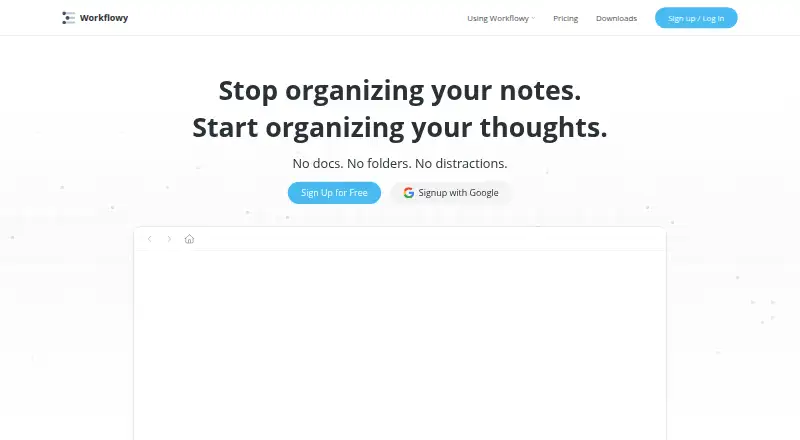
Workflowy is a note-taking app organized around one expandable document of nested lists. Users can zoom into a bullet to focus, search the document in real time, and turn bullets into checkboxes, headings, boards, or tables. Tags, dates, backlinks, mirrors, and templates help connect and reuse information. Workflowy says it saves automatically and syncs across devices. Its API can read and write Workflowy data for apps, scripts, and automations, and users can enable multi-factor authentication with an authenticator-app code and recovery codes. The Basic plan is free forever and includes 100 nodes per month and 100 MB of file uploads. Reaching the node limit brings a subscription prompt, though users can still add nodes. Pro includes unlimited nodes and uploads for $6.99 per month billed annually or $8.99 per month billed monthly; the annual-billing option lists a seven-day free trial. Workflowy supports web, Windows, macOS, Linux, iOS, and Android.
Who it suits
Workflowy suits people who want to organize notes and lists in a single nested document. Its search, content formats, and cross-device sync can support personal or shared note-taking workflows.
What it does well
- Nested bullets can become boards, tables, or checkboxes
- Tags, dates, backlinks, mirrors, and templates
- Automatically saves and syncs across devices
- API can read and write Workflowy data
- Available on desktop and mobile platforms
What to know first
- Basic plan allows 100 nodes per month
- Basic plan includes 100 MB file uploads
- Node limit triggers a subscription prompt
- Pro costs $8.99 per month with monthly billing
Limits
The free Basic plan includes 100 nodes per month and 100mb of file uploads. After reaching the node limit, users can still add nodes but will see a prompt to subscribe. Pro lists unlimited nodes and uploads.
Plans
| Plan | Billed and limits | Price |
|---|---|---|
| Basic | Free /forever · 100 nodes per month · 100mb file uploads · all features | Free |
| Pro | billed annually · Unlimited nodes · Unlimited uploads | $6.99 a month |
| Pro (annual billing) | $6.99 /month (billed annually) · Unlimited nodes · unlimited uploads · all features · 7 Day Free Trial | $6.99 a month |
| Workflowy Teams | $6.99 Per user / month · Paid yearly · Unlimited node creation and file uploads for all members · one-on-one team setup · auto-backup to Dropbox | $6.99 a month |
| Pro (monthly billing) | $8.99 /month · Unlimited nodes · unlimited uploads · all features · 7 Day Free Trial | $8.99 a month |
As workflowy.com lists them, read 30 Sept 2026. The maker's own page has the final word.
Getting started
- Visit the Workflowy website.
- Choose the free Basic plan or review the Pro plans.
- Use the 7-day free trial listed with Pro annual billing if you want to try it.
- Open Workflowy on the web or use its Windows, macOS, Linux, iOS, Android, or Chrome extension option.
- Enable multi-factor authentication with an authenticator app and keep the recovery codes.
Overview
Workflowy is a note-taking app for people who want to keep projects, tasks, and reference material in one expandable outline. It suits users who think in nested lists and want to reshape or connect information without splitting it across separate documents. Its trade-off is a free plan capped at 100 new nodes per month and 100 MB of uploads.
Key features
An outline that can change shape
Workflowy puts everything in a single document, with nested items for breaking broad topics into detail. Zooming into a bullet focuses the view on that branch, and real-time search helps locate content across the document. This structure is a strong fit for information that naturally branches; it is less compelling for anyone who prefers separate notebooks or a fixed folder hierarchy.
Bullets can become checkboxes, headings, boards, or tables. Tags, dates, backlinks, mirrors, and templates add ways to connect and reuse material. These options let one document serve several purposes, though the core remains an outline rather than a set of independent workspaces.
Sync, integrations, and control
Workflowy says it saves automatically and syncs across devices. Integrations include Readwise, Kindle Highlights, Google Calendar, Web Clipper, Zapier, and Workflowy Desktop MCP. Its API can read and write Workflowy data, so apps, scripts, and automations can work with it.
Users can enable multi-factor authentication using a six-digit authenticator-app code and receive recovery codes. Workflowy's privacy policy says user-generated content remains the user's property; it also says content may go to LLM providers for certain AI features with explicit opt-in consent. Some information that may contain personal data is stored by AllCloud at AWS in northern Virginia, United States.
Pricing
The free Basic plan costs nothing, billed free forever. It includes all features, 100 nodes per month, and 100 MB of file uploads. Reaching the node limit does not prevent adding nodes, but it triggers a popup inviting users to subscribe. That makes Basic useful for trying the structure or keeping a modest outline, but its monthly node and upload caps constrain heavier use.
Pro costs $6.99 a month, billed annually, or $8.99 a month with monthly billing. Both paid options include unlimited nodes and uploads, all features, and a 7-day free trial. Annual billing lowers the monthly rate but commits the buyer to yearly billing; monthly billing costs more per month.
Workflowy Teams costs $6.99 per user / month, paid yearly. It includes unlimited node creation and file uploads for all members, one-on-one team setup, and auto-backup to Dropbox. Teams is the relevant choice for groups needing those shared member allowances and setup support; the per-user annual term matters as seats are added.
Eligible faculty can receive Pro for life and invite students, who receive Pro while enrolled through that faculty member.
Platforms
Workflowy supports web, Windows, macOS, Linux, iOS, Android, and a Chrome extension. Its API also supports integrations and automation. This broad platform coverage makes it practical for people who move between desktop and mobile devices.
Who it's for
Workflowy is best for individuals who want an adaptable, searchable outline for notes, tasks, and connected information, and for teams that value unlimited member uploads and nodes with Dropbox backup. People who need generous free quotas should look elsewhere, as should those who prefer distinct documents over one growing structure.
Pros and cons
- Pros: One expandable outline can hold multiple content types, while zooming and search help manage and find material within it.
- Pros: Backlinks, mirrors, templates, integrations, and a read/write API support reuse and connections beyond plain lists.
- Pros: Pro removes node and upload limits, and Teams adds per-member allowances, setup assistance, and Dropbox auto-backup.
- Cons: Basic's 100-node monthly allowance and 100 MB upload cap can limit sustained use, even though adding nodes remains possible after the cap.
- Cons: The lower Pro rate requires annual billing; monthly billing is $8.99 a month.
- Cons: Users who do not want a single-document model may find the central organizing structure a poor fit.
Alternatives
For another freemium outliner, consider Dynalist, which offers unlimited items and documents on its free plan, or Legend, whose free plan includes unlimited documents and items. Logseq is worth considering for free personal use, while Bulletlist and outl are free options with no paid tier.
Tana may suit readers seeking a free plan with meeting, calendar, and AI-query allowances. CarbonFin Outliner offers a one-time iPhone and iPad app purchase plus an online companion for outlines. Checkvist is another freemium option, with unlimited hierarchical lists and sharing on its free plan.
Browse more options in Outlining Software, Outliner Software, and Note-taking apps.
Verdict
Choose Workflowy if you want one searchable, flexible outline that can hold and connect many kinds of information, and you are willing to pay for unlimited nodes and uploads as your use grows. Its free tier is a useful way to start, but the monthly node and upload caps make Pro the better fit for sustained use. Look elsewhere if you want separate document spaces or need uncapped free usage.
Verdict
Workflowy's single-document structure combines nested lists with several ways to reshape and connect information. The free plan has node and upload limits; Pro offers unlimited nodes and uploads at the listed billing rates.
Questions
Is Workflowy free?
Yes. Basic is free and includes 100 nodes per month and 100mb file uploads.
How much does Pro cost?
Pro costs $6.99 a month with annual billing or $8.99 a month with monthly billing. The annual-billing option lists a 7-day free trial.
Which platforms does Workflowy support?
It supports web, Windows, macOS, Linux, iOS, Android, and a Chrome extension.
Does Workflowy have an API?
Yes. Its API can read and write Workflowy data from an app, script, or automation.
Who makes Workflowy?
Workflowy is made by Workflowy, founded in 2010 and headquartered in Centennial, Colorado, United States.
Does Workflowy integrate with other services?
Listed integrations include Readwise, Kindle Highlights, Google Calendar, Web Clipper, Zapier, and Workflowy Desktop MCP.
Facts from Workflowy's own pages
- API scope
- The Workflowy API can read and write Workflowy data from an app, script, or automation. · workflowy.com, 30 Sept 2026
- Content types
- Bullets can be changed into checkboxes, headings, boards, or tables. · workflowy.com, 30 Sept 2026
- Data handling
- The privacy policy says user-generated content remains the user's property and that content may be shared with LLM providers for certain AI features with explicit opt-in consent. · workflowy.com, 30 Sept 2026
- Education
- Eligible faculty can receive Pro for life and invite students who get Pro while enrolled through that faculty member. · workflowy.com, 30 Sept 2026
- Founded
- 2010 · workflowy.com, 23 Sept 2026
- Free plan
- Yes · workflowy.com, 20 Sept 2026
- Free-plan limit
- When users reach the node limit, they can still add new nodes but will see a popup inviting them to subscribe. · workflowy.com, 30 Sept 2026
- Headquarters
- Centennial, Colorado, United States · workflowy.com, 23 Sept 2026
- Hosting
- The privacy policy says some information that may contain personal data is stored by AllCloud at AWS in northern Virginia, United States. · workflowy.com, 30 Sept 2026
- Integrations
- Listed integrations include Readwise, Kindle Highlights, Google Calendar, Web Clipper, and Zapier, with an API for custom integrations. · workflowy.com, 30 Sept 2026
- Note sharing
- Yes · workflowy.com, 20 Sept 2026
- Organization
- Users can nest items to organize content, zoom into a bullet to focus, and search the document in real time. · workflowy.com, 30 Sept 2026
- Supported platforms
- web,windows,macos,linux,ios,android,chrome_extension · workflowy.com, 20 Sept 2026
- Purpose
- Workflowy describes itself as a note-taking app built around a single, infinite document and list. · workflowy.com, 30 Sept 2026
- Reuse and connections
- Tags, dates, backlinks, mirrors, and templates help connect and reuse content across the document. · workflowy.com, 30 Sept 2026
- Security
- Users can enable multi-factor authentication with a six-digit code from an authenticator app and receive recovery codes. · workflowy.com, 30 Sept 2026
- Storage limit
- 0.1 · workflowy.com, 20 Sept 2026
- Support
- Workflowy directs users with questions to [email protected]. · workflowy.com, 30 Sept 2026
- Sync
- Workflowy says it saves automatically and syncs across devices. · workflowy.com, 30 Sept 2026
Where Workflowy stands on Freedom251
- Note-taking apps#25 of 216
- Outlining Software#13 of 22
- Outliner Software#20 of 31