
Logseq
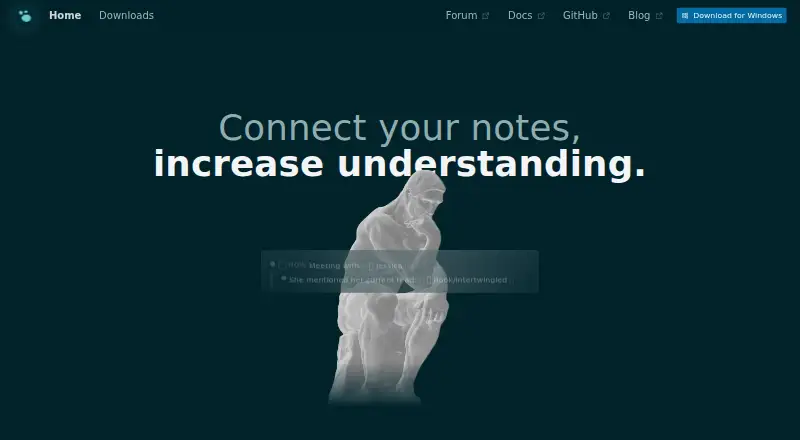
What Logseq is
Logseq is a free, open-source platform for knowledge management and collaboration, with tools for notes, tasks, and PDF annotation. It works with Markdown and Org-mode files, and its linking features—block references, backlinks, linked references, and queries—help connect and revisit information. Logseq says data stays locally on the user’s device and that the app works fully on-device. It supports offline access, note sharing, and real-time collaboration, and lists Zotero as an integration. Versions are available for web, Windows, macOS, Linux, iOS, and Android. The plugin and theme ecosystem includes more than 150 plugins and at least 30 themes. Logseq Sync offers encrypted file syncing, but its public beta does not support multiple people using the same graph at once, and the maker warns of possible data loss. The database version is in beta; the new mobile app and real-time collaboration features are in alpha, also with a data-loss warning. Free is available forever for personal use. Sync Backer is $5 a month and Sync Sponsor is $15 a month, both monthly recurring donations.
Who it suits
Logseq may suit students, academics, writers, project managers, and developers who want linked notes, task management, or PDF annotation. Its local-first approach may appeal to people who want to work with data on their own device.
What it does well
- Works with Markdown and Org-mode files.
- Links information through references, backlinks, and queries.
- Supports offline access across web, desktop, and mobile platforms.
- Offers encrypted file syncing through Logseq Sync.
- Free forever for personal use.
What to know first
- Sync is in public beta and warns of possible data loss.
- Multiple people cannot use one graph simultaneously in Sync beta.
- Database version is in beta; mobile and collaboration are in alpha.
Limits
The free plan is for personal use. Sync is in public beta, does not support multiple people using one graph at once, and may involve data loss; Whiteboards are available to Sync Sponsors. The database version is in beta, while the new mobile app and real-time collaboration features are in alpha, with a data-loss warning.
Plans
| Plan | Billed and limits | Price |
|---|---|---|
| Free | Free forever for personal use | Free |
| Logseq Sync Sponsor | monthly recurring donation · Sync beta access · Whiteboards available to Sponsors | $15 a month |
| Logseq Sync Backer | monthly recurring donation · Sync beta access | $5 a month |
As logseq.com lists them, read 30 Sept 2026. The maker's own page has the final word.
Getting started
- Open https://logseq.com/ to access the product.
- Choose a web, Windows, macOS, Linux, iOS, or Android platform.
- Start with the free plan for personal use.
- For encrypted syncing, choose Sync Backer or Sync Sponsor for beta access.
Overview
Logseq is a local-first workspace for people who want notes to connect with tasks, research material and PDFs. It is strongest for students, academics, writers and developers who value owning files in open text formats; readers seeking dependable shared editing should look elsewhere.
Key features
A knowledge graph built from files
Logseq works with Markdown and Org-mode, and its block references, backlinks, linked references and queries help connect and resurface information. That structure suits people building a durable research or project archive better than those who only need a straightforward place to jot isolated notes. The maker says data remains locally owned and the app works on-device, and offline access is supported.
Study and work tools
PDF annotation and task management sit alongside knowledge management, making Logseq useful for organizing reading and follow-up work in one system. Zotero is its named integration. A plugin and theme ecosystem, described by the homepage as more than 150 plugins and 30 or more themes, offers room to adapt the workspace, though the breadth may also mean users need to choose their own setup.
Sharing and Sync cautions
Note sharing and real-time collaboration are listed capabilities, but the public-beta Sync service does not support multiple people using the same graph at once, and the maker warns that data loss can occur. The database version is in beta; its newer mobile app and real-time collaboration features are in alpha, also with a data-loss warning. These caveats make those services a poor foundation for critical shared work today.
Pricing
The Free plan costs nothing and is free forever for personal use. It is the clearest fit for an individual who wants Logseq’s core local workflows without a recurring payment; the stated terms limit this plan to personal use.
Logseq Sync Backer costs $5 a month as a billed monthly recurring donation and includes Sync beta access. Sync Sponsor costs $15 a month on the same monthly recurring donation basis, with Sync beta access and Whiteboards available to Sponsors. These paid tiers are for people choosing to support the project and try Sync, not a dependable route to multi-person graph editing given the beta limitation and data-loss warning.
Platforms
Logseq is available on web, Windows, macOS, Linux, iOS and Android. Mobile apps are available for both major mobile platforms. Offline access and local data ownership are meaningful advantages for users who want their notes close at hand rather than dependent on a hosted workspace.
Who it's for
Logseq is a good fit for students and academics connecting reading notes, PDFs and citations, and for writers, project managers and developers who want linked notes alongside tasks. Its open text formats and locally owned data also suit people who want control over their knowledge base. It is less suitable for teams that require reliable simultaneous editing of one shared graph, or for anyone unwilling to manage an evolving beta or alpha workflow.
Pros and cons
- Pros: Markdown and Org-mode support, local data ownership and offline access give users control over a portable-feeling knowledge base.
- Pros: Block links, backlinks, linked references and queries help turn notes into a connected archive rather than isolated pages.
- Pros: Task management and PDF annotation extend the product beyond note capture, with Zotero as a named integration.
- Cons: Sync is public beta, cannot support multiple people in one graph at once, and carries a data-loss warning.
- Cons: The database version is beta and its new mobile and collaboration features are alpha, with possible data loss.
Alternatives
Obsidian is worth considering if its freemium model and supported extension platform better match your setup; its Sync Standard plan is $5 a month, billed annually, per user, for one synced vault with 1 GB total storage and a 5 MB maximum file size.
SiYuan is another freemium option with a free trial, available on more platforms including self-hosted use; its download page describes it as completely open source and says most features are free, including for commercial use.
Supernotes offers a freemium card-based option: its Starter plan has 100 cards, while Unlimited costs £6 a month, billed £72 billed annually.
TheBrain has a free app plan with unlimited thoughts, links and brains, plus private sync up to 1,000 thoughts and 100 MB of synced attachments.
Capacities is a freemium alternative with a Basic plan that includes 5 GB of media uploads total and 100 MB per month afterwards.
Mem Agent is a freemium alternative for readers comparing another option in the category.
Neoma offers a free Personal plan with every feature and platform, no account, no limits and no expiry; its Team plan costs A$22 a month.
TriliumNext Notes is a free, open-source alternative with no paid tiers and no account requirement.
For broader comparisons, see Personal Knowledge Management Software, Outlining Software, Outliner Software and Note-taking apps.
Verdict
Choose Logseq if you want a free, locally owned knowledge system that connects notes, tasks and PDF reading across desktop, web and mobile. Its open text formats and linking tools are the strongest reasons to make it a home for personal research. Look elsewhere if shared real-time editing or low-risk syncing is essential: the key collaborative and database paths still come with beta or alpha warnings.
Verdict
Logseq combines local note-taking, knowledge links, tasks, and PDF annotation across a broad set of platforms. Check the beta and alpha warnings before relying on Sync, the database version, or newer mobile and collaboration features.
Questions
Is Logseq free?
Personal use is free forever. Sync Backer costs $5 a month as a recurring donation, and Sync Sponsor costs $15 a month as a recurring donation.
Which platforms does Logseq support?
Logseq is available on the web, Windows, macOS, Linux, iOS, and Android.
Can Logseq work offline?
Yes. Offline access is listed, and Logseq says it works fully on the device with users' data kept locally.
What file formats does Logseq support?
It supports Markdown and Org-mode files.
Does Logseq sync notes across devices?
Logseq Sync provides encrypted file syncing and is available through the Sync Backer and Sync Sponsor monthly recurring donation plans. The service is in public beta.
What is the status of Logseq's database and collaboration features?
The database version is in beta. The new mobile app and real-time collaboration features are in alpha, and the maker warns that data loss is possible.
Facts from Logseq's own pages
- Audience
- The homepage presents Logseq for students, academics, writers, project managers, and developers. · logseq.com, 30 Sept 2026
- Core workflows
- Logseq provides tools for knowledge management, collaboration, PDF annotation, and task management. · github.com, 30 Sept 2026
- Database version
- The DB version is in beta, while its new mobile app and RTC features are in alpha, and the maker warns that data loss is possible. · github.com, 30 Sept 2026
- Extensibility
- Logseq has a plugin and theme ecosystem, with the homepage stating more than 150 plugins and 30 or more themes. · logseq.com, 30 Sept 2026
- File formats
- Logseq supports Markdown and Org-mode files. · github.com, 30 Sept 2026
- Free plan
- Yes · github.com, 20 Sept 2026
- Integrations
- Logseq provides a logseq:// protocol that lets third-party applications open graphs, pages, blocks, and quick-capture links. · github.com, 30 Sept 2026
- Linking
- Logseq supports block references, backlinks, linked references, and queries for connecting and resurfacing information. · logseq.com, 30 Sept 2026
- Local data
- The product states that users own their data locally forever and that it works fully on the device. · logseq.com, 30 Sept 2026
- Mobile
- Logseq mobile apps are available for iOS and Android. · logseq.com, 30 Sept 2026
- Note sharing
- Yes · github.com, 20 Sept 2026
- Offline access
- Yes · github.com, 20 Sept 2026
- Supported platforms
- web,windows,macos,linux,ios,android · github.com, 20 Sept 2026
- Purpose
- Logseq is a privacy-first, open-source platform for knowledge management and collaboration. · github.com, 30 Sept 2026
- Real-time collaboration
- Yes · github.com, 20 Sept 2026
- Support
- The Logseq marketplace repository says the team usually responds to malicious-plugin reports within a business day. · github.com, 30 Sept 2026
- Sync limitation
- The public-beta Sync service does not support multiple people using the same graph at once, and the maker warns that data loss can occur. · blog.logseq.com, 30 Sept 2026
- Sync security
- Logseq Sync provides encrypted file syncing for notes across devices. · logseq.com, 30 Sept 2026
Where Logseq stands on Freedom251
- Note-taking apps#17 of 216
- Personal Knowledge Management Software#7 of 32
- Note And Writing Apps#11 of 32
- Outlining Software#8 of 22
- Outliner Software#14 of 31