Freedom251 › AI Note-Taking Apps

TriliumNext Notes
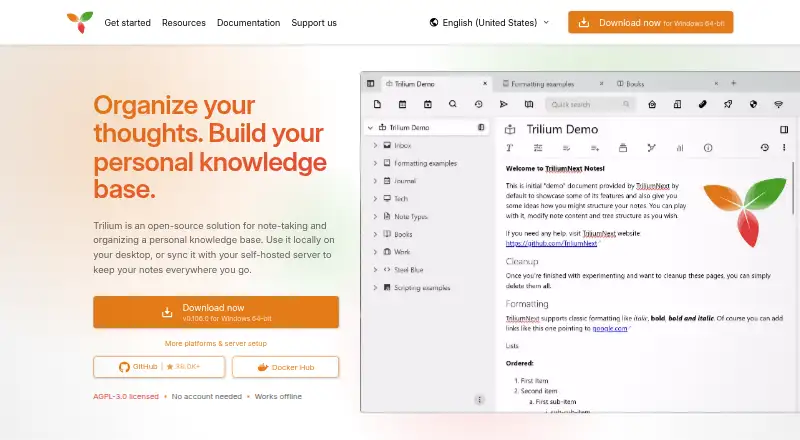
What TriliumNext Notes is
TriliumNext Notes is a free, open-source application for taking notes and organizing a personal knowledge base. Its outliner lets you arrange notes in a hierarchy, and a single note can appear in more than one place. You can work with text, Markdown, code, spreadsheets, canvases, Mermaid diagrams, mind maps and files. Collections can show notes as calendars, tables, Kanban boards, geomaps, presentations or dashboards. Full-text search can also find text in images and PDFs using OCR.
Trilium can import Markdown, HTML and OPML, and export notes in those formats. A self-hosted or cloud instance can sync across devices; on mobile, it is accessible in a browser and can be installed as a PWA. There is no official mobile app. JavaScript can run in the app or on the server, including for custom widgets and scheduled or event-driven scripts. Optional AI connections are disabled by default and use your own provider and keys. Protected notes are encrypted with AES-128 in CBC mode, while metadata and note structure are not. Trilium is licensed under AGPL-3.0, has no paid tiers or account requirement, and offers community support through GitHub Discussions, Matrix and GitHub issues.
Who it suits
TriliumNext Notes suits people who want an open-source personal knowledge base with flexible note types, hierarchy and multiple views of the same notes. It can also suit users who want to sync through a self-hosted or cloud instance, run JavaScript automations, or connect optional AI using their own provider and keys.
What it does well
- Free and open-source under the AGPL-3.0 license.
- Place notes in multiple locations within a hierarchy.
- Search can include OCR text in images and PDFs.
- Collections offer calendar, table, Kanban and other views.
- Imports and exports Markdown, HTML and OPML.
- Offline access, backlinks and graph view are supported.
What to know first
- There is no official mobile application.
- It does not support real-time editing by multiple users.
- Note metadata and structure are not encrypted.
- Synchronization can fail with many large files.
Limits
The free plan has no paid tiers or feature paywalls. Trilium is intended for one user, and synchronization can fail when there are many large files, such as 1 GB files.
Plans
| Plan | Billed and limits | Price |
|---|---|---|
| Free | Open-source software · No paid tiers · No account required | Free |
| Free and open-source | No paid tiers · no accounts · no feature paywalls | Free |
As triliumnotes.org lists them, read 21 Sept 2026. The maker's own page has the final word.
Getting started
- Visit https://triliumnotes.org/.
- Choose the web, Windows, macOS or Linux option, or use a self-hosted instance.
- No account is required; the software has no paid tiers or feature paywalls.
- For mobile access, open a server instance in a browser and install it as a PWA if desired.
- Import notes in Markdown, HTML or OPML if needed.
Verdict
Pick TriliumNext Notes if you want a free, open-source personal knowledge base with varied note formats, collections and flexible organization. Look elsewhere if you need an official mobile app or real-time multi-user editing of the same notes.
Questions
How much does TriliumNext Notes cost?
It is free: the listed Free plan costs nothing. There are no paid tiers.
Is TriliumNext Notes open source?
Yes. It is free and open-source under the AGPL-3.0 license.
Which platforms are supported?
The listed platforms include web, Windows, macOS, Linux, a browser extension, API and self-hosted. There is no official mobile application; server instances can be opened in a mobile browser and installed as a PWA.
Can I use Trilium offline?
Yes, offline access is supported.
Does it support collaboration?
It is designed as a single-user application and does not support real-time multi-user editing of the same notes.
Can it connect to AI services?
Optional AI features are disabled by default. They can connect to OpenAI, Anthropic, Google or a self-hosted OpenAI-compatible model using your provider and keys.
Facts from TriliumNext Notes's own pages
- AI
- AI features are opt-in and disabled by default, and can connect to OpenAI, Anthropic, Google or a self-hosted OpenAI-compatible model using the user's own provider and keys. · triliumnotes.org, 30 Sept 2026
- Automation
- JavaScript can run in the app or on the server, including custom widgets, scheduled scripts and event-driven scripts. · triliumnotes.org, 30 Sept 2026
- Collaboration limit
- Trilium is designed as a single-user application and does not support real-time multi-user editing of the same notes. · triliumnotes.org, 30 Sept 2026
- Collections
- Collections can display the same notes as calendars, tables, Kanban boards, geomaps, presentations or dashboards. · triliumnotes.org, 30 Sept 2026
- Import/export
- Trilium can import Markdown, HTML and OPML and export notes as Markdown, HTML or OPML. · triliumnotes.org, 30 Sept 2026
- Integrations
- The product includes a browser web clipper, a built-in REST API and MCP support for external assistants. · triliumnotes.org, 30 Sept 2026
- License
- Trilium is free and open-source under the AGPL-3.0 license. · triliumnotes.org, 30 Sept 2026
- Mobile availability
- There is currently no official mobile application; server instances can be accessed in a mobile browser and installed as a PWA. · triliumnotes.org, 30 Sept 2026
- Note formats
- Supported note types include text, Markdown, code, spreadsheets, canvas, Mermaid diagrams, mind maps and files. · triliumnotes.org, 30 Sept 2026
- Organization
- Notes can be arranged hierarchically, with notes allowed in multiple places in the hierarchy. · triliumnotes.org, 30 Sept 2026
- Purpose
- Trilium is an open-source application for note-taking and organizing a personal knowledge base. · triliumnotes.org, 30 Sept 2026
- Scale limit
- The application should handle at least 100,000 notes depending on usage, but synchronization can fail with many large files such as 1 GB files. · triliumnotes.org, 30 Sept 2026
- Search
- Full-text search can include text inside images and PDFs through OCR. · triliumnotes.org, 30 Sept 2026
- Security
- Protected notes are encrypted with AES-128 in CBC mode, while note metadata and structure are not encrypted. · docs.triliumnotes.org, 30 Sept 2026
- Support
- Community support is available through GitHub Discussions, Matrix and GitHub issues, with documentation contributions also invited. · triliumnotes.org, 30 Sept 2026
- Synchronization
- A self-hosted or cloud instance can synchronize notes across multiple devices and provide mobile access through a PWA. · triliumnotes.org, 30 Sept 2026
Where TriliumNext Notes stands on Freedom251
- AI Note-Taking Apps#29 of 42
- Personal Knowledge Management Software#23 of 32