
Obsidian
by Obsidian
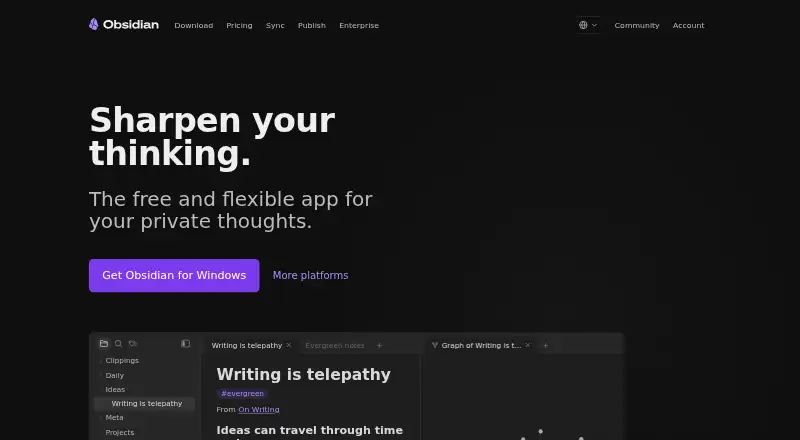
What Obsidian is
Obsidian is a note-taking app for building a personal knowledge workspace, with notes kept on your device and available offline. Its core app is free, has no sign-up requirement, and uses open file formats. The app supports Windows, macOS, Linux, iOS, Android, and a Chrome extension. Canvas offers an open workspace for research, brainstorming, diagrams, and ideas, while thousands of plugins and an open API support workflow customization. Teams can use shared vaults with real-time updates. Obsidian Sync adds syncing and version history: Sync Standard is $5 per user per month billed annually, with one vault, 1 GB storage, a 5 MB maximum file size, and one month of history. Sync Plus is $10 per user per month billed annually, with 10 vaults, 10 GB storage, a 200 MB maximum file size, and 12 months of history. Publish is $10 per site per month billed annually and includes themes, custom domains, password protection, and SEO optimization. Obsidian says its apps do not collect telemetry or sell user data, and Sync uses AES-256 end-to-end encryption.
Who it suits
Obsidian suits people who want to keep notes locally and work offline, as well as teams that need shared files with real-time updates. Its plugins, API, Canvas, and optional Sync and Publish plans may appeal to users who want to customize a knowledge workspace or share notes online.
What it does well
- Core app is free and needs no sign-up.
- Notes remain available offline on the user's device.
- Thousands of plugins and an open API support customization.
- Shared vaults provide real-time updates for teams.
- Apps cover desktop, mobile, and Chrome extension platforms.
What to know first
- Sync Standard allows one vault and 1 GB storage.
- Sync Standard limits individual files to 5 MB.
- Sync and Publish are separate paid services.
Limits
Sync Standard includes one vault, 1 GB of storage, a 5 MB maximum file size, and one month of version history. Sync Plus includes 10 vaults, 10 GB of storage, a 200 MB maximum file size, and 12 months of history; it can be upgraded to 100 GB.
Plans
| Plan | Billed and limits | Price |
|---|---|---|
| Sync Standard | billed annually · 1 synced vault · 1 GB total storage · 5 MB maximum file size · 1 month version history | $5 a month |
| Sync Plus | billed annually · 10 synced vaults · 10 GB total storage · 200 MB maximum file size · 12 month version history · Upgradable to 100 GB storage | $10 a month |
| Publish | billed annually · Up to 4 GB hosting per site | $10 a month |
| Catalyst | one-time payment · Early access to beta versions · Community badges · Exclusive channels | $25, paid once |
| Commercial | billed annually · Support development · Featured organization eligibility | $50 a year |
| Free | — | On request |
As obsidian.md lists them, read 28 Sept 2026. The maker's own page has the final word.
Getting started
- Download Obsidian for Windows, macOS, Linux, iOS, or Android, or use the Chrome extension.
- Start using the core app without signing up.
- Keep notes on the device for offline access.
- Choose Sync Standard or Plus to add syncing and version history.
- Choose Publish to host a site with themes, custom domains, password protection, and SEO options.
Overview
Obsidian is a note-taking and personal knowledge management app for people who want to keep notes as local files and shape their own system around them. It is strongest for offline, individual use; paid Sync and Publish services extend it to shared work and hosted pages, at added cost.
Open file formats and a large plugin ecosystem make Obsidian adaptable without requiring its paid services. The trade-off is that cross-device syncing and public-facing publishing are separate subscriptions rather than part of the free core.
Key features
Local notes and customization
Notes stay on the user's device and remain accessible offline. The free core app requires no sign-up and has no stated usage limits, making it a compelling fit for people who want control over where their notes live. Obsidian says its apps collect no telemetry and do not sell user data. Open file formats also reduce dependence on the app itself, while thousands of plugins and an open API let users customize their workflows. That flexibility rewards people willing to assemble their own setup; those seeking a ready-made structure may prefer another tool.
Canvas adds an open-ended workspace for research, brainstorming, diagrams and ideas. Obsidian can import notes from Notion, Airtable, Microsoft OneNote, Evernote, Apple Notes, Apple Journal, Google Keep, Bear, Craft, Roam Research, Logseq, Tomboy and Gnote.
Sync, sharing and publishing
Obsidian Sync uses AES-256 end-to-end encryption and provides version history. Standard covers one vault, 1 GB total storage, 5 MB maximum file size and one month of history. Plus raises those allowances to 10 vaults, 10 GB, 200 MB per file and 12 months of history, with storage upgradeable to 100 GB. The tiers make a meaningful difference for people with larger files or multiple vaults; Standard's caps may be restrictive for those users.
Shared vaults give teams real-time updates to shared files, so Obsidian can support collaborative work as well as personal notes. Publish turns notes into hosted sites, with themes, custom domains, password protection and SEO optimization. Its per-site pricing and hosting cap make it a more deliberate choice than a publishing feature bundled into the core app.
Pricing
The core app is free, with no sign-up required and no stated usage limits. Sync and Publish are optional paid services; Sync and Publish purchases qualify for full refunds within seven days. Students, faculty and nonprofit employees receive a 40% discount on both services.
| Plan | Price and terms | What it includes |
|---|---|---|
| Free | Free; no sign-up required | Core app with no stated limits. |
| Sync Standard | $5 a month, billed annually, per user; also $5 monthly | One synced vault, 1 GB storage, 5 MB maximum file size and one month of version history. |
| Sync Plus | $10 a month, billed annually, per user | 10 synced vaults, 10 GB storage, 200 MB maximum file size and 12 months of version history; upgradeable to 100 GB. |
| Publish | $10 a month, billed annually, per site; also $10 monthly | Up to 4 GB hosting per site, with themes, custom domains, password protection and SEO optimization. |
| Catalyst | 25.00 USD one-time | Beta access, community badges and exclusive channels for supporters. |
| Commercial | $50 a year, billed annually | Supports development and includes featured organization eligibility. |
Standard suits an individual who needs one synced vault and modest file allowances. Plus is the more capable fit for users managing several vaults, larger files or a longer version-history window. Publish is for users who want an Obsidian-hosted site; its allowance is per site, so multiple sites mean multiple site subscriptions. Catalyst and Commercial support the project rather than add core note-taking capacity, making them optional choices for supporters and organizations.
The free app gives up built-in Sync and hosted Publish, but not local notes or offline access. Sync is priced per user, whereas Publish is priced per site; those terms matter when budgeting for teams or multiple sites.
Platforms
Obsidian supports Windows, macOS, Linux, iOS, Android and a Chrome extension. Its offline local storage suits users who want notes available without a connection, while Sync is the paid route for keeping vaults coordinated across devices.
Who it's for
Obsidian is a strong choice for individual note-takers who value local files, offline access, privacy and the freedom to customize a personal knowledge system. Teams can use shared vaults for real-time updates, but should account for per-user Sync pricing. People who want hosted, password-protected pages can add Publish. It is less suited to anyone who expects syncing or publishing to be included free, or who prefers a preconfigured workflow to a plugin-based one.
Pros and cons
Pros
- Unrestricted free core: no sign-up or stated usage cap, with offline access to locally stored notes.
- More control over files and privacy: open formats help avoid lock-in, and Obsidian says it neither collects telemetry nor sells user data.
- Highly adaptable: thousands of plugins, an open API and Canvas support different research and note-taking workflows.
- Clear paid-service tiers: Sync Plus substantially raises vault, storage, file-size and history allowances over Standard.
Cons
- Sync and Publish cost extra: users wanting those services must budget separately from the free core.
- Standard has tight ceilings for heavier use: one vault, 1 GB, 5 MB per file and one month of history may not fit large or long-running projects.
- Publish is charged per site: users hosting several sites pay on a different basis from Sync's per-user pricing.
Alternatives
Logseq is worth considering for readers who want a free app for personal use across desktop, mobile and web platforms; its optional Sync Backer plan is a monthly donation for beta access.
SiYuan may suit readers looking for an open-source option, with most features free and a free trial available.
Supernotes is an alternative for readers who prefer card-based note limits and want an unlimited-card paid tier, listed at £6 a month billed £72 billed annually.
TheBrain offers a free app with unlimited thoughts, links and brains, plus private sync up to 1,000 thoughts and 100 MB of synced attachments.
Capacities has a free Basic plan with 5 GB of media uploads total and 100 MB of uploads per month afterward; consider it if those media allowances suit your use.
Mem Agent is another freemium option for readers considering a notes app with a free tier of 25 messages to Mem and 25 new notes per month.
Neoma offers a free Personal plan described as having every feature and platform, no account, no limits and no expiry.
NotesGraph is a free, open-source alternative with no registration and no tracking.
Browse more options in Personal Knowledge Management Software and Note-taking apps.
Verdict
Choose Obsidian if you want a private, offline-capable local notebook that you can shape with open files, plugins and Canvas. Its free core is the central reason to start; the main reason to look elsewhere is that syncing and publishing require separate paid plans, with limits that rise by tier.
Verdict
Obsidian's free local app is suited to offline note-taking, with plugins and Canvas for shaping a personal workflow. Sync and Publish add collaboration or hosted sharing, but have separate prices and plan limits.
Questions
Is Obsidian free?
Yes. The core app is free without limits and does not require sign-up.
Which platforms does Obsidian support?
It is available on Windows, macOS, Linux, iOS, Android, and as a Chrome extension.
What does Obsidian Sync cost?
Sync pricing is listed as $4 per user per month when billed annually or $5 monthly. The Sync Standard plan is also listed at $5 a month, billed annually; Sync Plus is listed at $10 a month, billed annually.
What are the Sync Standard and Plus limits?
Standard includes one vault, 1 GB of storage, a 5 MB maximum file size, and one month of version history. Plus includes 10 vaults, 10 GB, a 200 MB maximum file size, and 12 months of history.
What does Obsidian Publish cost?
Publish is listed at $10 per site per month, billed annually. It supports themes, custom domains, password protection, and SEO optimization.
Does Obsidian work offline, and where are notes stored?
Notes are stored privately on the user's device and remain accessible offline.
Facts from Obsidian's own pages
- Canvas Workspace
- Canvas provides an infinite space for research, brainstorming, diagrams, and ideas. · obsidian.md, 28 Sept 2026
- User Supported
- Obsidian describes itself as 100% user-supported and independently developed. · obsidian.md, 28 Sept 2026
- Education Discount
- Students, faculty, and nonprofit employees receive a 40% discount on Sync and Publish. · obsidian.md, 28 Sept 2026
- End-to-End Encryption
- Obsidian Sync uses AES-256 end-to-end encryption. · obsidian.md, 28 Sept 2026
- Founded
- 2020 · obsidian.md, 23 Sept 2026
- Free plan
- Yes · obsidian.md, 20 Sept 2026
- Free Tier
- The core app is free without limits and does not require sign-up. · obsidian.md, 28 Sept 2026
- Integrations
- Notion,Airtable,Microsoft OneNote,Evernote,Apple Notes,Apple Journal,Google Keep,Bear,Craft,Roam Research,Logseq,Tomboy,Gnote · obsidian.md, 20 Sept 2026
- Local Storage
- Notes are stored privately on the user's device and remain accessible offline. · obsidian.md, 28 Sept 2026
- Note sharing
- Yes · obsidian.md, 20 Sept 2026
- Offline access
- Yes · obsidian.md, 20 Sept 2026
- Open File Formats
- Obsidian uses open file formats to avoid locking users into the product. · obsidian.md, 28 Sept 2026
- Supported platforms
- Windows,macOS,Linux,iOS,Android,Chrome extension · obsidian.md, 20 Sept 2026
- Plugins And API
- Thousands of plugins and an open API support workflow customization. · obsidian.md, 28 Sept 2026
- Publish Features
- Publish supports themes, custom domains, password protection, and SEO optimization. · obsidian.md, 28 Sept 2026
- Publish Pricing
- Publish costs $8 per site per month annually or $10 monthly. · obsidian.md, 28 Sept 2026
- Real-time collaboration
- Yes · obsidian.md, 20 Sept 2026
- Refund Policy
- Sync and Publish purchases qualify for full refunds within seven days. · obsidian.md, 28 Sept 2026
- Paid from
- 4 · obsidian.md, 20 Sept 2026
- Storage limit
- 1 · obsidian.md, 20 Sept 2026
- Supported Platforms
- Obsidian supports Mac, Windows, Linux, iOS, Android, and headless servers. · obsidian.md, 28 Sept 2026
- Plus Limits
- Sync Plus includes 10 vaults, 10 GB storage, and a 200 MB maximum file size. · obsidian.md, 28 Sept 2026
- Sync Pricing
- Sync costs $4 per user per month annually or $5 monthly. · obsidian.md, 28 Sept 2026
- Standard Limits
- Sync Standard includes one vault, 1 GB storage, and a 5 MB maximum file size. · obsidian.md, 28 Sept 2026
Where Obsidian stands on Freedom251
- Note-taking apps#12 of 216
- Personal Knowledge Management Software#11 of 32
- Note And Writing Apps#16 of 32