Freedom251 › Personal Knowledge Management Software
NotesGraph
What NotesGraph is
NotesGraph connects notes, journals, tasks, and plans in a searchable graph. Notes appear as map nodes that users can pin, cluster, nest under parent notes, and link through backlinks; the graph view supports up to 1,500 nodes. Planning features include calendar and Gantt views, Kanban boards, live tables, recurring rules, and workspace-wide todos. It can import from Logseq, Notion, Google Keep, Markdown, and browser bookmarks. Whole workspaces can be exported as ZIP files, while individual documents can be exported as Markdown, HTML, PDF, or PNG. Listed sources include Google Drive, Gmail/IMAP, Slack, YouTube, and RSS feeds. Its language model and embedding index run in the browser on the user’s GPU, and the site says no bytes leave the machine; a cloud copilot is optional. Workspaces are files on the user’s drive, with optional self-hostable sync. The Free plan costs nothing, with no registration or tracking. It runs in a browser on any operating system and offers a Chrome/Edge clipper extension; macOS Apple Silicon and Android arm64 downloads are listed, while iOS, Windows, and Linux are marked coming soon.
Who it suits
It suits people who want linked notes and planning tools with imports, exports, and local workspace files. It may also fit users who want browser-based AI processing or optional self-hosted sync.
What it does well
- Free plan costs nothing
- No registration or tracking
- Imports from several note and bookmark formats
- Exports workspaces and individual documents
- Optional self-hostable sync
What to know first
- Graph view supports up to 1,500 nodes
- iOS, Windows, and Linux marked coming soon
- macOS canary builds are not notarized
- Android downloads are unsigned testing APKs
Limits
The graph view supports up to 1,500 nodes. The listed macOS and Android downloads are canary builds; macOS builds are not notarized, and Android APKs are unsigned testing builds rather than Play Store releases.
Plans
| Plan | Billed and limits | Price |
|---|---|---|
| Free | free · open source · no registration · no tracking | Free |
As notesgraph.com lists them, read 4 Oct 2026. The maker's own page has the final word.
Getting started
- Open the NotesGraph website in a browser on any operating system.
- Add the Chrome or Edge web clipper if you want to capture pages.
- Import notes from a listed source or start a workspace stored as files on your drive.
- Use the browser app, or download the listed macOS Apple Silicon or Android build.
- Set up optional sync if you want to sync the workspace; it can be self-hosted.
Verdict
NotesGraph brings graph-based notes together with planning views, imports, exports, and optional sync. Check the platform availability and download caveats if you need a desktop or mobile app rather than the browser version.
Questions
How much does NotesGraph cost?
The Free plan costs nothing. The plan is described as open source, with no registration and no tracking.
Which platforms are available?
NotesGraph runs in a browser on any operating system and offers a Chrome/Edge web clipper. The download page lists a macOS Apple Silicon DMG and Android arm64 APK; iOS, Windows, and Linux are marked coming soon.
Does it work offline?
Offline access is listed. Workspaces are files on the user’s drive, and sync is optional.
Where does NotesGraph process AI?
The site says its language model and embedding index run in the browser on the user’s GPU, with zero bytes leaving the machine. A cloud copilot is optional.
Can I import and export my notes?
Imports are listed for Logseq, Notion, Google Keep, Markdown, and browser bookmarks. A workspace can be exported as a ZIP, and individual documents as Markdown, HTML, PDF, or PNG.
Can I sync a workspace across devices?
Sync is optional and self-hostable. The workspace can also be exported in one click.
Facts from NotesGraph's own pages
- AI and privacy
- The site says its language model and embedding index run in the browser on the user's GPU, with zero bytes leaving the machine; a cloud copilot is optional. · notesgraph.com, 4 Oct 2026
- Browser and extension
- The download page says the app runs in a browser on any OS and offers a Chrome/Edge web clipper extension. · notesgraph.com, 4 Oct 2026
- Collaboration
- The site describes real-time editing with live cursors and presence, contextual comments, public-site publishing, and self-hosted sync. · notesgraph.com, 4 Oct 2026
- Desktop and mobile availability
- The download page lists a macOS Apple Silicon DMG and an Android arm64 APK; iOS, Windows, and Linux are marked coming soon. · notesgraph.com, 4 Oct 2026
- Download caveats
- The page says macOS canary builds are not notarized and Android builds are unsigned canary APKs for testing, not Play Store releases. · notesgraph.com, 4 Oct 2026
- Graph and links
- Notes appear as nodes on a map; users can pin and cluster them, nest them under parents, and follow backlinks. · notesgraph.com, 4 Oct 2026
- Graph limit
- The graph-view description says it supports up to 1,500 nodes. · notesgraph.com, 4 Oct 2026
- Imports and exports
- The site lists imports from Logseq, Notion, Google Keep, Markdown, and browser bookmarks, plus full-workspace ZIP export and per-document Markdown, HTML, PDF, and PNG export. · notesgraph.com, 4 Oct 2026
- Integrations
- Listed sources include Google Drive, Gmail/IMAP, Slack, YouTube, and RSS feeds. · notesgraph.com, 4 Oct 2026
- Local storage
- Workspaces are files on the user's drive; sync is optional and self-hostable, and the site says the workspace can be exported in one click. · notesgraph.com, 4 Oct 2026
- Planning
- Dates and recurring rules can appear on calendar and Gantt views, alongside Kanban boards, live tables, and workspace-wide todos. · notesgraph.com, 4 Oct 2026
- What it does
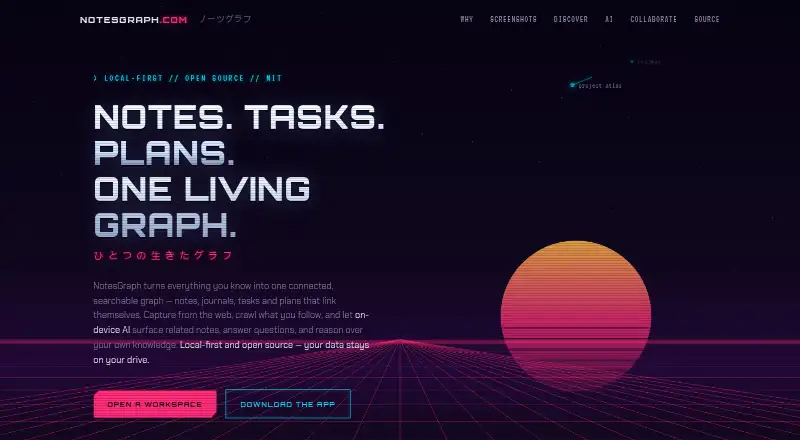
- NotesGraph connects notes, journals, tasks, and plans in a searchable graph, with web capture and on-device AI. · notesgraph.com, 4 Oct 2026