
Joplin
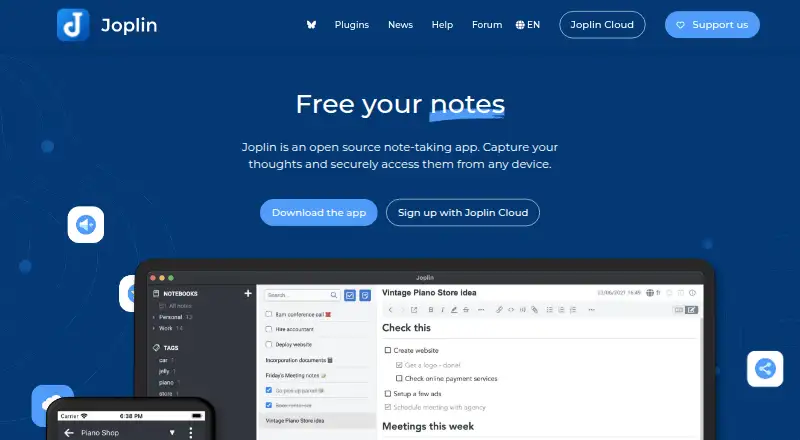
What Joplin is
Joplin is an open-source note-taking app with offline access, sharing, and real-time collaboration. Notes can contain images, videos, PDFs, and audio files. A Chrome and Firefox extension saves web pages or screenshots as notes. The app is listed for Windows, macOS, Linux, iOS, Android, and web, with an API and Chrome extension also available. Notes can sync through Joplin Cloud, Dropbox, OneDrive, Nextcloud, S3, WebDAV, or a local filesystem. Joplin uses end-to-end encryption, and shared notebooks can be set to editable or read-only. Basic costs €2.99 a month and includes 2 GB storage with a 10 MB limit per note or attachment. Pro costs €5.99 a month for 30 GB storage and a 200 MB limit. Plans include a 14-day free trial. Teams adds multi-user management and centralized billing; Joplin Server Business is a self-hosted option for organizations. Students and teachers can receive a 50% discount for one year, renewable while in education.
Who it suits
Joplin suits people who want notes available offline and across devices, with support for multimedia and browser clipping. Teams needing centralized billing or organizations wanting a self-hosted option may consider its team plans.
What it does well
- Notes support images, videos, PDFs, and audio.
- Offline access is supported.
- Shared notebooks can be editable or read-only.
- Plans include a 14-day free trial.
What to know first
- Basic storage is limited to 2 GB.
- Basic notes and attachments are limited to 10 MB each.
- Teams has a two-user minimum.
Plans
| Plan | Billed and limits | Price |
|---|---|---|
| Basic | billed monthly · 2 GB storage · 10 MB per note or attachment | €2.99 a month |
| Pro | billed monthly · 30 GB storage · 200 MB per note or attachment | €5.99 a month |
| Pro 100 GB | billed monthly · 100 GB storage · 200 MB per note or attachment | €9.99 a month |
| Teams | Per user; minimum of 2 users · 50 GB storage · 200 MB per note or attachment · Minimum 2 users | €7.99 a month |
| Joplin Server Business | Self-hosted deployment · Team management · Notebook sharing and collaboration · End-to-end encryption · Source code available | On request |
As joplinapp.org lists them, read 28 Sept 2026. The maker's own page has the final word.
Overview
Joplin is an open-source note-taking app for people who want offline access and control over how notes are synchronized. It suits individuals who need more than plain text, and teams that want shared notebooks, but its paid storage and attachment caps make plan choice important.
Notes can include images, videos, PDFs and audio, while a Chrome or Firefox extension can save web pages or screenshots. You can sync through Joplin Cloud, Dropbox, OneDrive, Nextcloud, S3, WebDAV or a local filesystem, and use end-to-end encryption intended to keep notes accessible only to you. Joplin Cloud data and servers are in Paris, France.
See our Note-taking apps and Secure Notes Apps lists for other options.
Key features
- Offline notes: Access notes without an internet connection, a practical advantage for travel or unreliable connectivity.
- Multiple sync routes: Joplin supports its own cloud service as well as Dropbox, OneDrive, Nextcloud, S3, WebDAV and local storage. That flexibility is useful if you already use another storage service, though the cloud plans add explicit quotas.
- Sharing and collaboration: Shared notebooks can be editable or read-only, and Joplin supports real-time collaboration. These controls suit both joint work and read-only distribution.
- Encryption: End-to-end encryption is designed so only the user can access notes. This is a central reason to consider Joplin for private material.
- Web clipping and attachments: The browser extension saves pages or screenshots; notes also support images, videos, PDFs and audio. Users keeping large media files should pay close attention to per-note limits.
Pricing
Joplin is freemium, with paid plans starting at €2.99/mo. All the priced plans below have a 14-day free trial; cancel during the trial and you will not be charged. Students and teachers can receive a 50% discount for one year, renewable while they remain in education.
| Plan | Price and terms | Storage and note limit | Who it suits |
|---|---|---|---|
| Free | Free | Storage limit: 2 | Best for trying Joplin or using a sync option outside its paid cloud plans; the stated limit may be restrictive for a growing library. |
| Basic | €2.99 a month, billed monthly | 2 GB; 10 MB per note or attachment | A modest cloud allowance for text notes and smaller attachments, but a tight fit for frequent media use. |
| Pro | €5.99 a month, billed monthly | 30 GB; 200 MB per note or attachment | A more comfortable choice for multimedia notes and larger files. |
| Pro 100 GB | €9.99 a month, billed monthly | 100 GB; 200 MB per note or attachment | For people who need substantially more overall storage; the per-note cap is unchanged from Pro. |
| Teams | €7.99 a month per user; minimum 2 users | 50 GB; 200 MB per note or attachment | For a small group needing shared work and centralized team management; the two-user minimum makes it less suitable for a solo user. |
| Joplin Server Business | Custom pricing | Not stated | A self-hosted business option with team management, notebook sharing and collaboration, end-to-end encryption, and source code available. |
Teams adds multiple-user management, member changes and centralized billing. Priority support is included with Teams and Joplin Server Business. Basic is the lowest-cost paid plan, but its 2 GB total and 10 MB file cap are meaningful constraints; Pro raises both limits, while the 100 GB tier raises only total storage.
Platforms
Joplin supports web, Windows, macOS, Linux, iOS and Android, plus a Chrome extension and API. Self-hosting is also an option through Joplin Server Business. That breadth makes it viable across desktop and mobile, with a browser extension for capture.
Who it's for
Joplin is a strong fit for people who value offline access, end-to-end encryption and a choice of synchronization services, especially if they keep notes with varied media. Its sharing controls and team plans also suit collaborative groups. It is less compelling for users whose library exceeds the smaller cloud quotas or whose individual files often exceed the plan caps; those users should compare the higher tiers or use another sync route.
Pros and cons
- Pro: Offline access and multiple sync choices let users keep working without a connection and choose a storage route that suits them.
- Pro: End-to-end encryption, read-only or editable notebook sharing, and real-time collaboration address privacy and teamwork needs.
- Pro: Multimedia support and browser clipping make Joplin useful for research and reference material, not just typed notes.
- Con: Basic's 2 GB storage and 10 MB per-note or attachment cap can constrain users who keep many files or larger media.
- Con: Teams requires at least two users, so its per-user plan is not a sensible route for an individual seeking team features.
Alternatives
- Notesnook is another freemium option with apps for Android, iOS, Linux, macOS, web and Windows; choose it if you want to compare a different cross-platform notes service and its free tier.
- Anytype has apps for Android, iOS, Linux, macOS and Windows, plus an extension; consider it if those platforms meet your needs and you want to compare its paid tiers.
- Cryptee is a freemium option with apps for Android, iOS, Linux, macOS, web and Windows; its software and cryptography are open source and independently reviewable, which may matter if that transparency is a priority.
- PrivacyNotes has apps across mobile, desktop and web, and publishes its apps and encryption code under AGPL; consider it if those platform and code-publication details fit your priorities.
- Standard Notes offers a free Standard plan with end-to-end encryption, unlimited device sync, plain-text notes and offline access; it is worth comparing if those stated basics are enough for your note-taking.
- Dash is open source under the MIT license and has web PWA, iPhone, Android and macOS support; consider it if those platforms and its ongoing-use option better suit you.
- Notyra is free, works on Android, iOS, Linux, macOS and Windows, and requires no account to begin; it may suit readers who prioritize a no-account start.
- Turtl offers Android, extension, Linux, macOS, Windows and self-hosted options; compare it if its platform mix or self-hosting route better matches your setup.
Verdict
Choose Joplin if you want offline notes, strong privacy intent and flexible synchronization, with useful capture and collaboration features alongside multimedia support. Its clearest drawback is that the smaller paid plans impose tight storage and file-size limits; users with larger libraries should move up a tier or compare another app before committing.
Verdict
Joplin combines offline notes, multiple sync options, and end-to-end encryption. Its paid plans set storage and file-size limits, so check those against the material you plan to keep.
Facts from Joplin's own pages
- Basic note limit
- Basic allows 10 MB per note or attachment. · joplinapp.org, 28 Sept 2026
- Basic storage
- Basic includes 2 GB of storage space. · joplinapp.org, 28 Sept 2026
- Cloud data location
- Joplin Cloud data and servers are located in France, Paris. · joplinapp.org, 28 Sept 2026
- Education discount
- Students and teachers can receive a 50% discount for one year, renewable while in education. · joplinapp.org, 28 Sept 2026
- End-to-end encryption
- Joplin uses end-to-end encryption to secure notes so only the user can access them. · joplinapp.org, 28 Sept 2026
- Free plan
- Yes · joplinapp.org, 20 Sept 2026
- Trial length
- Plans include a 14-day free trial. · joplinapp.org, 28 Sept 2026
- Headquarters
- Paris, France · joplinapp.org, 23 Oct 2026
- Integrations
- Joplin Cloud,Nextcloud,S3,WebDAV,Dropbox,OneDrive,Local filesystem · joplinapp.org, 20 Sept 2026
- Multimedia notes
- Notes support images, videos, PDFs and audio files. · joplinapp.org, 28 Sept 2026
- Note sharing
- Joplin Cloud lets users share notes and collaborate with friends, family or colleagues. · joplinapp.org, 28 Sept 2026
- Offline access
- Yes · joplinapp.org, 20 Sept 2026
- Open-source app
- Joplin is an open source note-taking app. · joplinapp.org, 28 Sept 2026
- Starting price
- Paid plans start at 2.99€ per month for Basic. · joplinapp.org, 28 Sept 2026
- Supported platforms
- web,Windows,macOS,Linux,iOS,Android,Chrome extension,API · joplinapp.org, 20 Sept 2026
- Pro storage
- Pro includes 30 GB of storage space. · joplinapp.org, 28 Sept 2026
- Real-time collaboration
- Yes · joplinapp.org, 20 Sept 2026
- Self-hosting option
- Joplin Server Business is a self-hosted solution for businesses and organisations. · joplinapp.org, 28 Sept 2026
- Share permissions
- Share permissions can make a shared notebook editable or read-only. · joplinapp.org, 28 Sept 2026
- Storage limit
- 2 · joplinapp.org, 20 Sept 2026
- Supported platforms
- The app is available on Windows, macOS, Linux, Android and iOS, plus a terminal app. · joplinapp.org, 28 Sept 2026
- Priority support
- Priority support is included with Teams and Joplin Server Business. · joplinapp.org, 28 Sept 2026
- Sync services
- Notes can synchronize through Joplin Cloud, Dropbox and OneDrive. · joplinapp.org, 28 Sept 2026
- Team administration
- Teams supports multiple-user management, member changes and centralized billing. · joplinapp.org, 28 Sept 2026
Where Joplin stands on Freedom251
- Note-taking apps#10 of 216
- Secure Notes Apps#7 of 30
- Note And Writing Apps#9 of 32