Freedom251 › Secure Notes Apps
Notyra
What Notyra is
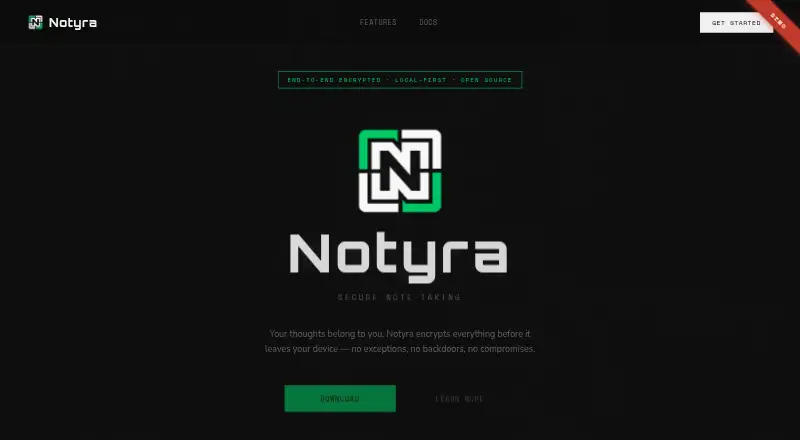
Notyra is note-taking software for people who want to keep data on their device and work offline. The app works fully offline, with data stored on the user’s machine. Its site describes the product as zero-knowledge and says AES-256 encryption happens entirely on the device. Optional cloud sync is also described as encrypted and zero-knowledge. The editor supports Markdown, code blocks, and checklists. Notyra is available on Windows, macOS, Linux, iOS, and Android, so users can choose among desktop and mobile versions. The site says every line of code is auditable, and users do not need an account to begin. Notyra is free forever at no cost. Its listed capabilities focus on note-taking, encryption, offline storage, optional sync, and structured writing. Users can begin without an account and choose whether to use cloud sync; offline use does not depend on that option.
Who it suits
Notyra suits people who want to take notes offline and store data on their own device. It may also suit users who want Markdown editing and optional encrypted sync across desktop or mobile platforms.
What it does well
- Works fully offline with data stored locally.
- AES-256 encryption happens on the device.
- Optional cloud sync is described as encrypted and zero-knowledge.
- Supports Markdown, code blocks, and checklists.
- Available on desktop and mobile platforms.
What to know first
- Cloud sync is optional rather than required.
- No account is required, but no account-based features are listed.
Plans
| Plan | Billed and limits | Price |
|---|---|---|
| Notyra | Free forever · No account required to begin | Free |
As notyra.app lists them, read 3 Oct 2026. The maker's own page has the final word.
Getting started
- Visit https://notyra.app/.
- Choose a supported platform: Windows, macOS, Linux, iOS, or Android.
- Begin without creating an account.
- Use the app offline, or choose to enable optional cloud sync.
Notyra is a privacy-focused note app for people who want their writing to remain usable without an internet connection. It suits individual users who value device-side encryption, an auditable codebase, and support across desktop and mobile systems. Its strongest case is a straightforward offline workflow; readers who need collaboration or a large set of published productivity features should compare alternatives.
Overview
Notyra stores notes on your machine and works fully offline, so basic writing does not depend on a server or a network connection. AES-256 encryption is performed entirely on the device, and the product uses a zero-knowledge design. That combination is a meaningful fit for private journals, personal reference material, and notes created while travelling or working in disconnected environments.
Cloud sync is optional rather than required. When enabled, sync is encrypted and also described as zero-knowledge, preserving the same privacy emphasis across devices. You can start without creating an account, which reduces setup friction and avoids making an identity prerequisite for local note-taking.
Key features
Private, local-first storage
Device-side AES-256 encryption means the app handles encryption locally instead of relying on an ordinary unencrypted notes database. Fully offline operation keeps your notes accessible when connectivity is unavailable and limits the role of cloud services in the core workflow. The trade-off is that optional sync is a separate choice: users who need their notes everywhere must opt into cloud synchronization rather than assuming it is part of local storage.
Markdown-oriented editor
The editor includes Markdown, code blocks, and checklists. Markdown and code blocks make Notyra more suitable for structured reference notes and technical snippets than a plain text scratchpad, while checklists cover lightweight tasks and packing or shopping lists. These tools describe a focused editor rather than a broad project-management suite.
Auditable and account-optional
Notyra says every line of its code is auditable. That gives technically minded users a basis for reviewing how the software is built, alongside its stated zero-knowledge encryption model. No account is required to begin, so a reader can start with local notes before deciding whether cloud sync is worthwhile.
Pricing
| Plan | Price | What it means |
|---|---|---|
| Notyra | free | Free forever; no account required to begin |
The free plan removes a subscription decision and leaves the main product accessible at no cost. It is the natural choice for individuals who want encrypted offline notes without a paid tier. The published terms do not add a trial deadline, seat charge, or renewal condition; Notyra is presented as free forever. Readers seeking paid collaboration controls, expanded quotas, or business administration should look to a service whose plans explicitly cover those needs.
Platforms
Notyra supports Windows, macOS, Linux, iOS, and Android. That spread covers the major desktop operating systems and both dominant mobile platforms, making it practical for readers who move between a computer and a phone or tablet. A web platform is not part of the supported list, so browser-only access is not the reason to choose it.
Who it's for
Choose Notyra if your priority is private, local note-taking with an offline-first experience and optional encrypted sync. It fits writers, developers, students, and anyone keeping sensitive personal notes who appreciates Markdown, code blocks, checklists, and a no-account start.
It is less suitable when you need a browser workspace, team collaboration, or a documented storage and seat model. The product's strengths center on secure individual notes, not shared knowledge management.
Pros and cons
Pros
- Device-side AES-256 encryption: protects notes locally and supports the zero-knowledge privacy model.
- Full offline use: notes remain usable without an internet connection.
- Optional encrypted sync: enables multi-device access without making cloud storage mandatory.
- Broad platform coverage: supports Windows, macOS, Linux, iOS, and Android.
- No-account start and auditable code: lowers the barrier to trying the app and gives technical users code they can inspect.
Cons
- No web platform: browser-only workflows are not covered by the supported operating systems.
- Individual focus: the published feature set does not establish collaboration or team-management tools.
- Free-plan scope is basic: the free offering is clear on price but does not publish expanded quotas or higher-tier controls.
Alternatives
Secure Notes Apps is the broader starting point when you want to compare privacy-oriented note tools.
Notesnook is a better fit if you want a freemium service with web access, a free trial, and a stated 50 MB monthly storage allowance with a 10 MB maximum note size.
Cryptee suits readers who want open-source software and cryptography, plus a free 100 MB plan and web support.
PrivacyNotes is worth choosing for an AGPL-published app and encryption code, with web, desktop, and mobile platforms.
Standard Notes is an alternative for end-to-end encryption, unlimited device sync, plain-text notes, and offline access on its free Standard plan.
Dash is the option to consider for an open-source MIT-licensed app with offline use and no account on its web PWA and iPhone plan.
Nolio is a free alternative for encrypted notes across Android, Linux, macOS, web, and Windows.
QOwnNotes is a free choice spanning desktop, mobile, web, extensions, API, and self-hosted setups.
Turtl is the better match when shared Spaces and defined storage tiers matter, including a Basic option with three collaborators and 50 MB storage.
Verdict
Notyra is a strong choice for an individual who wants encrypted notes that remain available offline, with optional zero-knowledge sync and broad device support at no cost. Choose it for privacy and local control; look elsewhere if browser access, collaboration, or clearly published capacity limits are central to your workflow.
Verdict
Notyra centers on local, offline notes with device-side encryption and optional sync. Its free plan and broad platform availability make it worth considering for readers seeking a simple note-taking app.
Questions
How much does Notyra cost?
The plan is free forever at no cost.
Do I need an account to start?
No. The site says no account is required to begin.
Which platforms does Notyra support?
Windows, macOS, Linux, iOS, and Android.
Can I use Notyra offline?
Yes. The app works fully offline, with data stored on the user's machine.
Does Notyra sync notes to the cloud?
Cloud sync is optional and described as encrypted and zero-knowledge.
Is Notyra open source?
The site says every line of code is auditable.
Facts from Notyra's own pages
- Account
- The site says no account is required to begin. · notyra.app, 3 Oct 2026
- Editing
- The editor supports Markdown, code blocks, and checklists. · notyra.app, 3 Oct 2026
- Encryption
- The site says AES-256 encryption happens entirely on your device and describes the product as zero-knowledge. · notyra.app, 3 Oct 2026
- Offline use
- The app works fully offline, with data stored on the user's machine. · notyra.app, 3 Oct 2026
- Open source
- The site says every line of code is auditable. · notyra.app, 3 Oct 2026
- Platforms
- The site lists native apps for Windows, macOS, Linux, iOS, and Android. · notyra.app, 3 Oct 2026
- Product
- Notyra is secure note-taking software. · notyra.app, 3 Oct 2026
- Sync
- Optional cloud sync is encrypted and described as zero-knowledge. · notyra.app, 3 Oct 2026
Where Notyra stands on Freedom251
- Secure Notes Apps#10 of 30