Freedom251 › Secure Notes Apps
OpenVLT
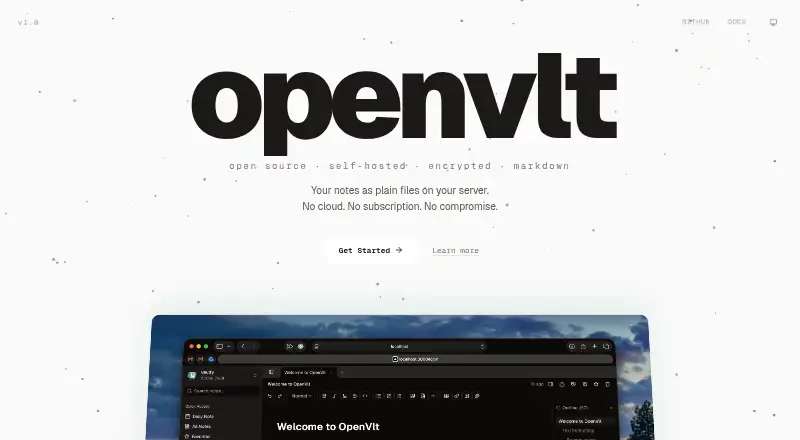
What OpenVLT is
OpenVLT is a self-hosted notes app that stores note content as plain Markdown files on your server. Its editor includes wiki-links, foldable headings, slash commands, and more than 20 extensions. Canvas notes add pressure-sensitive handwriting, shape recognition, adjustable page sizes, and background patterns. You can organize notes with custom properties saved in YAML frontmatter, then view them in tables or kanban boards. Markdown files are the source of truth; SQLite holds metadata, search indexes, and sync state. OpenVLT supports peer-to-peer sync between instances and Google Drive backups. Sync is asynchronous at the document level, so simultaneous edits can produce a conflict file for review. For locked notes, it uses AES-256-GCM with a key derived from the lock password and kept in the browser. Authentication supports bcrypt-hashed passwords, optional WebAuthn biometric login, and a 24-word recovery key. It is open source under AGPL-3.0 and free to run on your own hardware, with Docker, CLI, or manual setup options.
Who it suits
OpenVLT suits people who want self-hosted notes stored as Markdown and organized with custom properties. It may also suit users who want handwriting canvases, sync between instances, or AI integrations with their own subscriptions or API keys.
What it does well
- Note content remains in plain Markdown files
- Canvas supports handwriting and shape recognition
- Custom properties appear in table or kanban views
- Peer-to-peer sync and Google Drive backups
- Optional WebAuthn login and recovery key
What to know first
- Simultaneous edits can create conflict files
- Sync is asynchronous and document-level
- Quick install guide covers macOS and Linux
Limits
The self-hosted open-source plan costs nothing with no subscription. Sync is asynchronous at the document level, and simultaneous edits can result in conflict files.
Plans
| Plan | Billed and limits | Price |
|---|---|---|
| Self-hosted open-source | No subscription · Run on your own hardware · Docker, CLI, or manual setup | Free |
As openvlt.com lists them, read 8 Oct 2026. The maker's own page has the final word.
Getting started
- Visit https://openvlt.com/ and choose an installation route.
- Install on macOS or Linux, or deploy to a server with Docker.
- Alternatively, use the CLI or manual setup on your own hardware.
- Open the web app and create notes in Markdown or on the canvas.
Verdict
OpenVLT combines Markdown-based notes with canvas tools and flexible organization views. Its asynchronous sync can leave conflict files after simultaneous edits, so users should be prepared to review them.
Questions
How much does OpenVLT cost?
The self-hosted open-source plan is free, with no subscription.
Is OpenVLT open source?
Yes. Its GitHub repository identifies the license as AGPL-3.0.
Which platforms does it support?
Supported platforms are web, macOS, Linux, and self-hosted. The quick install guide covers macOS and Linux, and Docker deployment is documented for servers.
How are notes stored?
Note content is stored in Markdown files, which are the source of truth. SQLite stores metadata, search indexes, and sync state rather than note content.
What AI services can I connect?
Users can connect ChatGPT or Claude subscriptions, or provide API keys for OpenAI, Anthropic, and OpenRouter.
How does syncing work?
OpenVLT supports peer-to-peer sync between instances and Google Drive backups. Sync is asynchronous and document-level; simultaneous edits can produce a conflict file for review.
Facts from OpenVLT's own pages
- AI integrations
- Users can connect ChatGPT or Claude subscriptions, or provide API keys for OpenAI, Anthropic, and OpenRouter. · openvlt.com, 8 Oct 2026
- Authentication
- Authentication supports bcrypt-hashed passwords, optional WebAuthn biometric login, and a 24-word recovery key. · openvlt.com, 8 Oct 2026
- Canvas
- Canvas notes support pressure-sensitive handwriting, shape recognition, configurable page sizes, and background patterns. · github.com, 8 Oct 2026
- Data storage
- Markdown files are the source of truth, while SQLite stores metadata, search indexes, and sync state rather than note content. · openvlt.com, 8 Oct 2026
- Editor
- The Markdown editor includes wiki-links, foldable headings, slash commands, and more than 20 extensions. · github.com, 8 Oct 2026
- Encryption
- Locked notes use AES-256-GCM with a key derived from the lock password using PBKDF2; the key stays in the browser. · openvlt.com, 8 Oct 2026
- Install platforms
- The quick install guide supports macOS and Linux, and the product also documents Docker deployment for servers. · openvlt.com, 8 Oct 2026
- License
- The GitHub repository identifies the project as licensed under AGPL-3.0. · github.com, 8 Oct 2026
- Note organization
- Custom note properties can be shown in table or kanban views and are stored in YAML frontmatter. · github.com, 8 Oct 2026
- Purpose
- OpenVLT is a self-hosted notes app that stores notes as plain Markdown files on your server. · openvlt.com, 8 Oct 2026
- Support
- The documentation directs users to email support or open an issue on GitHub. · openvlt.com, 8 Oct 2026
- Sync and backup
- OpenVLT supports peer-to-peer sync between instances and Google Drive backups. · github.com, 8 Oct 2026
- Sync limitation
- Sync is document-level and asynchronous, and simultaneous edits can produce a conflict file for the user to review. · openvlt.com, 8 Oct 2026
Where OpenVLT stands on Freedom251
- Secure Notes Apps#11 of 30