Freedom251 › Secure Notes Apps
Cipher Notes
What Cipher Notes is
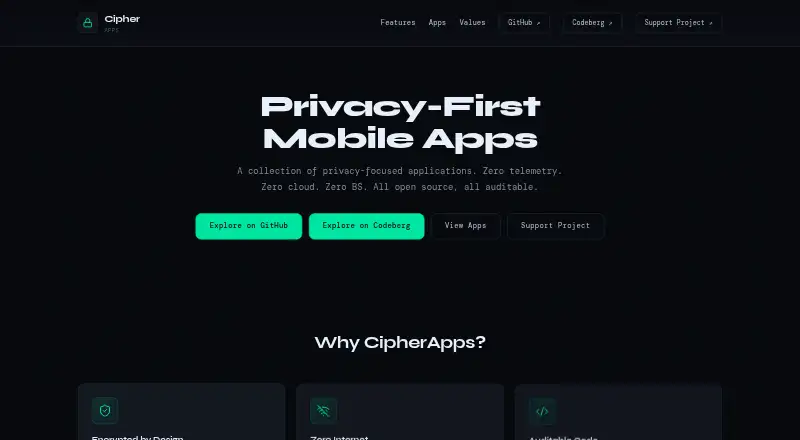
Cipher Notes is a free Android app for encrypted notes and checklists. It encrypts notes with AES-256-GCM through Android Keystore and keeps them on the device, without accounts or cloud sync. The app works offline and has no internet permission or telemetry hooks. Notes can be styled with customizable dynamic themes and dark or light modes, and text can be shared into the app from browsers and other apps. A lost note password cannot be recovered to decrypt that note, so keeping passwords matters. Cipher Notes does not provide built-in cloud sync; the project suggests Syncthing or Nextcloud for people who want to sync files locally. It is MIT licensed, and the source code is publicly auditable. The Free plan costs nothing. The maker directs users to GitHub issues and lists [email protected] as a contact.
Who it suits
It suits Android users who want offline encrypted notes and checklists stored on their device. It may also fit people who prefer to manage file syncing locally.
What it does well
- AES-256-GCM encryption via Android Keystore
- Works offline and has no internet permission
- Customizable themes with dark and light modes
- MIT licensed with publicly auditable source code
What to know first
- A lost note password prevents decryption
- No accounts or cloud sync
- Listed platform is Android
Limits
The Free plan costs nothing and has no accounts or cloud sync. A lost note password means the note cannot be decrypted.
Plans
| Plan | Billed and limits | Price |
|---|---|---|
| Free | Cipher Notes is and will always be free and open-source. · No accounts · No cloud sync | Free |
As cipherapps.github.io lists them, read 8 Oct 2026. The maker's own page has the final word.
Getting started
- Open the Cipher Notes website
- Install the Android app
- Share text from a browser or another app into Cipher Notes
- Create notes or checklists and protect them with passwords
- Use Syncthing or Nextcloud locally if you want to synchronize files
Verdict
Cipher Notes keeps encrypted notes on-device and offers offline access without accounts or cloud sync. Keep passwords safe, since lost passwords make notes undecryptable.
Questions
How much does Cipher Notes cost?
Its Free plan costs nothing, and the project says it will always be free and open-source.
Which platforms does Cipher Notes support?
Android is the listed supported platform.
Does Cipher Notes require an account or internet access?
No. Notes stay on the device, there are no accounts or cloud sync, and the app has no internet permission.
Is Cipher Notes open source?
Yes. It is MIT licensed, and its source code is publicly auditable.
Can Cipher Notes synchronize notes?
It has no built-in cloud sync. The project suggests using Syncthing or Nextcloud locally to sync files.
What happens if I lose a note password?
The note cannot be decrypted if its password is lost.
Facts from Cipher Notes's own pages
- Encryption
- Notes are encrypted with AES-256-GCM via Android Keystore. · github.com, 8 Oct 2026
- Free plan
- Yes · github.com, 21 Sept 2026
- Local storage
- Notes stay on the device, with no cloud sync or accounts. · github.com, 8 Oct 2026
- Lost password
- A note cannot be decrypted if its password is lost. · github.com, 8 Oct 2026
- Offline access
- Yes · github.com, 21 Sept 2026
- Offline operation
- The app has no internet permission and no telemetry hooks. · github.com, 8 Oct 2026
- Open source
- Cipher Notes is MIT licensed, and its source code is publicly auditable. · github.com, 8 Oct 2026
- Supported platforms
- android · github.com, 21 Sept 2026
- Purpose
- CipherNotes is an app for encrypted notes and checklists. · cipherapps.github.io, 8 Oct 2026
- Sharing
- The app supports sharing text from browsers and other apps into it. · github.com, 8 Oct 2026
- Support
- The maker points users to GitHub issues and lists [email protected] as a contact. · cipherapps.github.io, 8 Oct 2026
- Sync options
- The project suggests using Syncthing or Nextcloud locally to sync files. · github.com, 8 Oct 2026
- Themes
- The app supports customizable dynamic themes and dark and light modes. · github.com, 8 Oct 2026
Where Cipher Notes stands on Freedom251
- Secure Notes Apps#12 of 30
- Note-taking apps#185 of 216